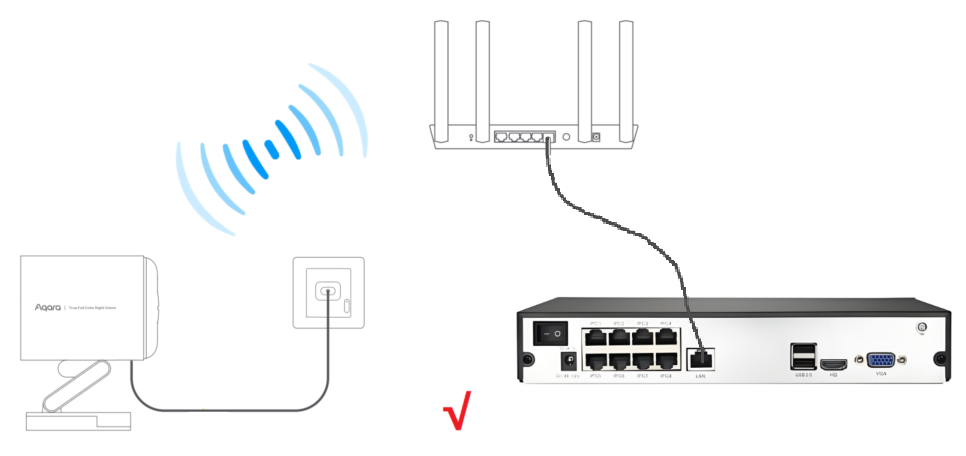
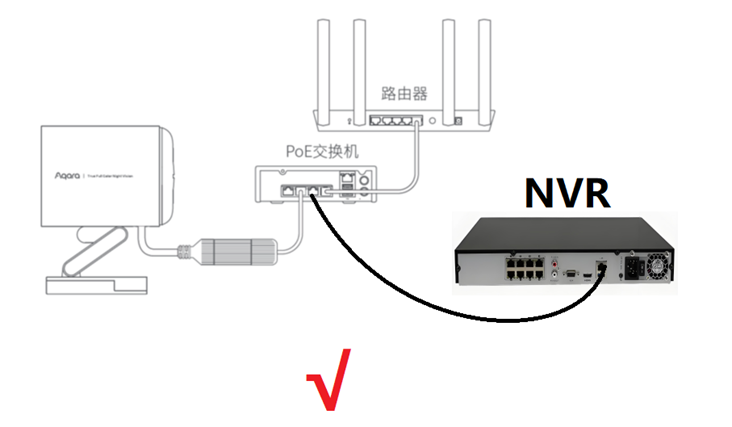
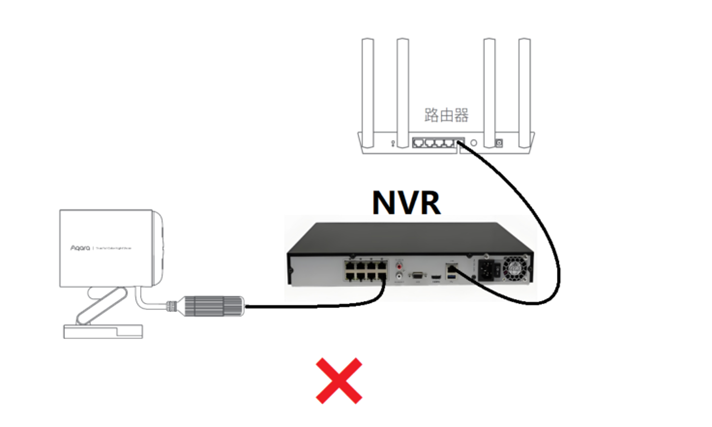
G5 Pro is Aqara’s first camera that supports the ONVIF protocol. Many users have told me that they expect to be able to view camera videos in both NVR and Aqara Home simultaneously. I have shown the correct and incorrect connection schemes in the following picture, please pay attention to the difference.
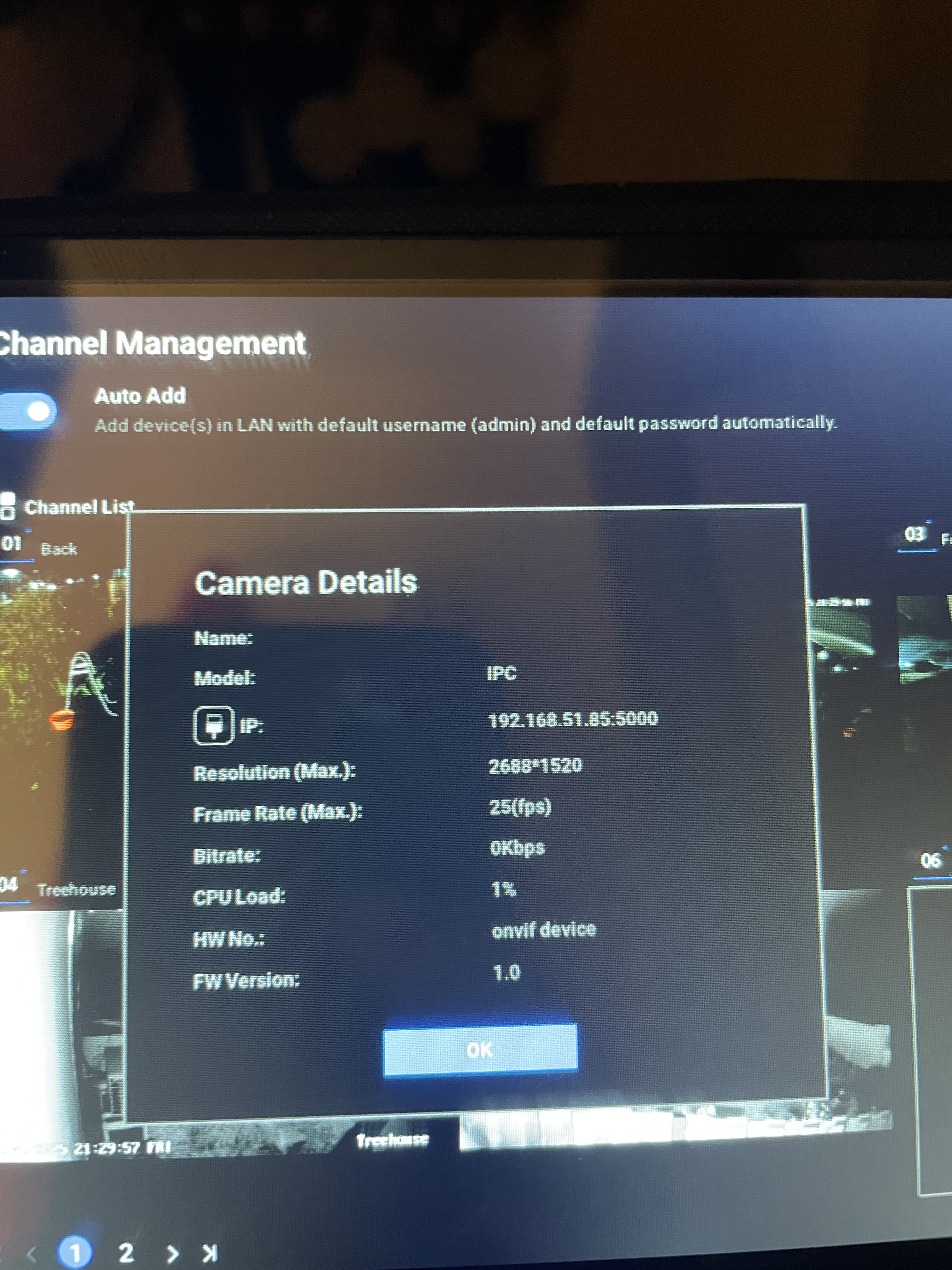
- The camera and NVR must be on the same LAN segment, such as 192.168.1.xxx
- Since the camera can only obtain an IP address from the router through DHCP service, it is necessary to first bind the camera and then modify the LAN IP address of the NVR