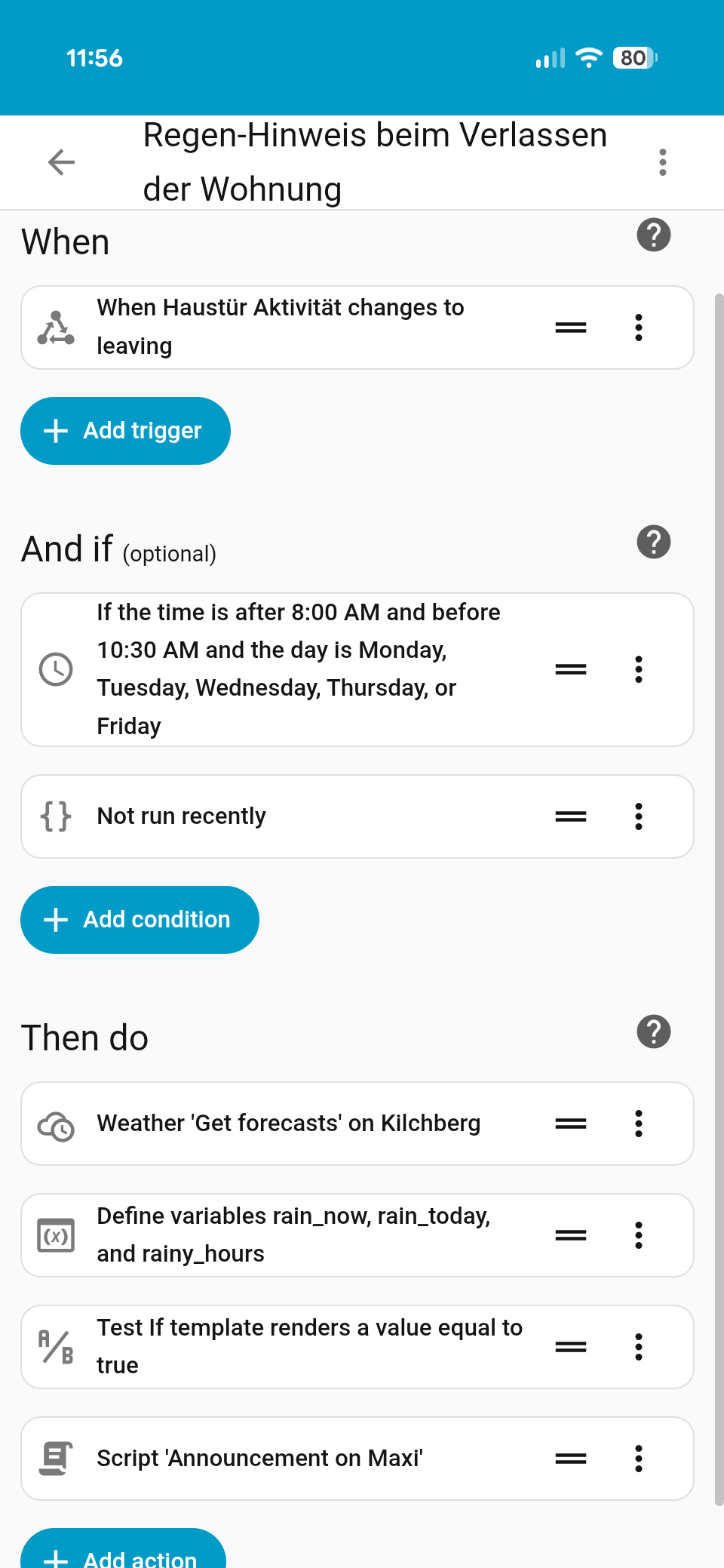
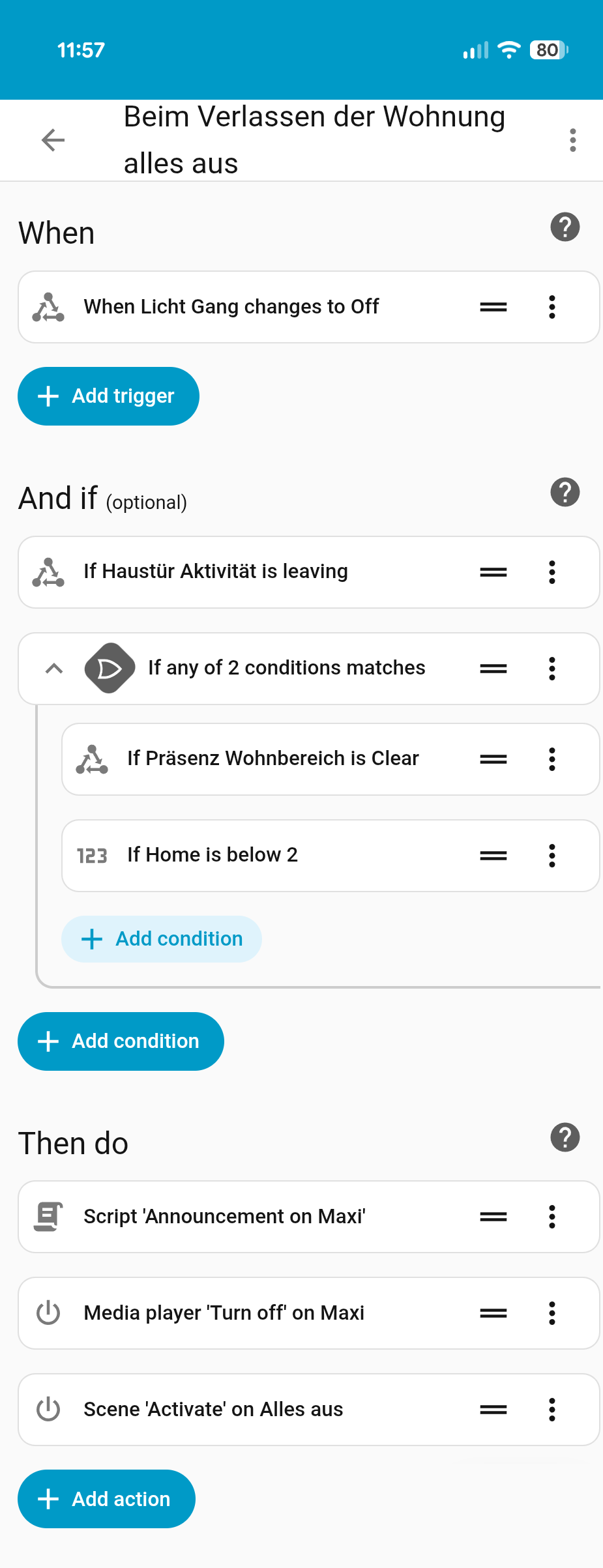
I just finished putting together a video showcasing my absolute favorite automation. I wanted to solve two common problems: knowing exactly when I’m leaving (vs. just opening the door) to trigger weather reminders, and ensuring the entire apartment shuts down only when it’s truly empty.
It relies on combining multiple sensors to determine direction and presence with high confidence, namely
Google Nest Hub Max for announcements and as Thread Border Router
The Logic: The corridor is covered by the battery-powered FP300, while the FP2 handles the complex zones in the living area. By correlating the timestamp of the door sensor with the specific zones on the presence detectors, HA figures out if I am entering or leaving.
Leaving in the morning: It checks the forecast and reminds me via the Nest Hub if I need rain gear for my bike commute.
Leaving for good: When I hit the T1 switch to turn off the hall light, it verifies that the rest of the house is empty (via the FP2/FP300) before killing power to all other smart devices.
Check out the video for the full walkthrough
The two screenshots below show how I set up the automation logic and conditions in Home Assistant.
Very cool. I implemented this very similarly with Home Assistant, but person-specific using cameras and facial recognition. That way, you can distinguish who is leaving or entering the apartment. Each person in the household then has the status “leaving”, “arriving”, “has left”, “has arrived”, “away”, or “home”.
Oh nice. What do you use for face recognition @JohnD. How accurate is it (especially in low light scenarios)? And how did you position the camera to both catch people leaving and arriving?
I use two Aqara G5 Pro cameras. Bought second-hand on eBay, so it wasn’t quite as expensive.
It works accurately because you have to walk right past the camera in the hallway. There is also a camera outside that you have to walk toward. This allows me to distinguish between coming and going.
I can’t comment on low light scenarios, as motion detectors always ensure good lighting. But the G5 Pro delivers good images even in the dark, so I would imagine that it also works well in the dark.
If you position a mirror in the hallway, it could probably also work with one camera. And, of course, in combination with a door sensor.
The other stadiums are then automatically set after a timer expires or via other integrations:
iCloud3 v3: iDevice Tracker
FRITZ!Box Tracked device
HA Mobile App
And another automation that can also correct a person’s status, for example:
iPhone connects to Carplay → Person absent
Only one person is present and the door lock is closed → Person absent
Proximity is also quite interesting if you want to see how far away someone is and how long it will take them to get home.
Oh cool. Wouldn’t have thought of using mirror… good idea! Do I understand correctly that you use directly the G5 Pro’s face detection and share it via the “Signal synchronization” feature with Home Assistant? Didn’t realize that’s possible before your post. Now I’m even more excited about that camera
Of course, you can also use other software. I am currently trying out Synology Surveillance Station, as I have a Synology NAS that also runs HA. When a face is recognized, it should be possible to pass this information on to HA via Webhook. However, I am still testing this.
I recently saw a video about LLM Vision Integration. It’s also very cool. It allows you to do even more complex things. For example, you could send images from the camera to the AI and ask if there is a man putting on a jacket, and only then start automations.
I have a similar setup, but running through Aqara system only and then use Geofencing as coming home or leaving function and registering all the phone in my household so nothing is enabled while someone might be home asleep e.g.
I tried geofencing as well initially but it was both to slow and often not accurate enough. I really wanted to know whether someone is entering or leaving (incl. guests) and didn’t find another way yet. I guess the canonical way would be some more sensors outside or using a camera as John does
 Check out the video for the full walkthrough