Hi Aqara,
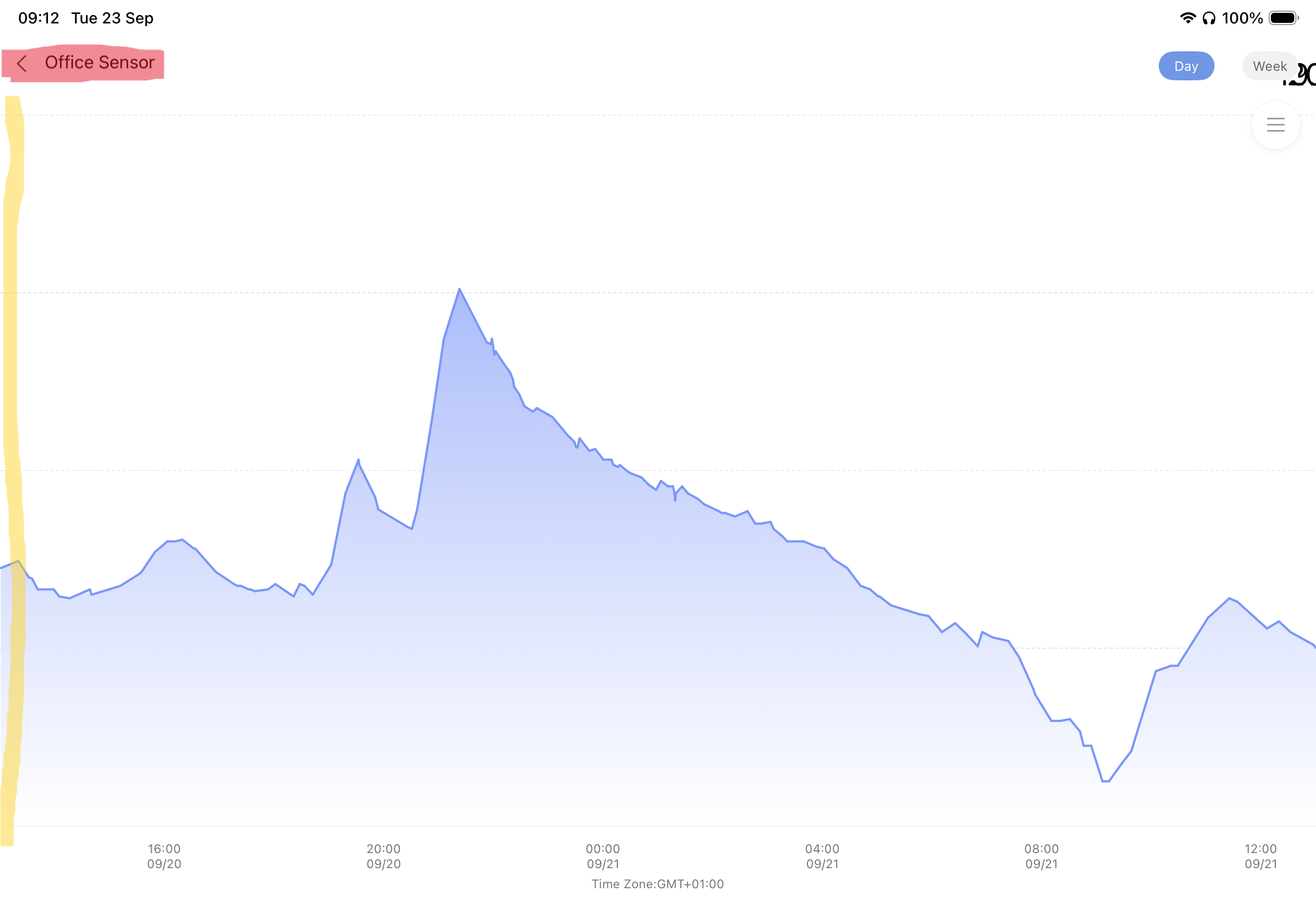
Just reporting an issue I’ve started experiencing, which I think only started after updating my iPad to iOS 26.
When looking at the history graph for a temperature sensor, I can no longer see a y-axis and the Back button at the top (indicated in Red) no longer works, meaning I have to close the app down to exit every graph.
@2SC_UK Hey there! Thanks for sharing this issue you’re facing. I’m sorry, but I couldn’t find any relevant information regarding the problems you mentioned about the iPad app after updating to iOS 26. This kind of situation can be really frustrating.
I encourage everyone in the community to chime in if they’ve encountered similar issues or have any ideas on how to solve this. Let’s work together to figure it out.
If you have any suggestions or ideas for improvement related to this, you can submit manual customer service feedback. Please contact Customer Service Team by Aqara Home App (Profile>Help&Feedback>Customer Service) or scanning the QR code:
@2SC_UK We’re sorry to hear you’re facing issues with the Aqara app on your iPad after updating to iOS 26. The reference information currently available doesn’t cover this specific problem with the history graph’s y-axis display or the non-functional Back button. We encourage you to connect with the community—other users might have encountered similar situations and could share workarounds. For a more direct resolution, please contact the Customer Service Team via the Aqara Home App (Profile>Help&Feedback>Customer Service) or by scanning the QR code:
. If you don’t have an Aqara Home account, please click here to create a ticket. Thanks for reporting this—your feedback helps us improve the experience for everyone!
@2SC_UK Sorry to hear you’re facing this inconvenience with the iPad app after the iOS 26 update. The reference information currently available doesn’t cover this specific issue with the history graph’s y-axis or the non-functional Back button.
If other community members have encountered similar problems, feel free to share your experiences to help collaborate on potential workarounds.
For a more efficient resolution, please contact the Customer Service Team via the Aqara Home App (Profile>Help&Feedback>Customer Service) or scanning the QR code:
@2SC_UK Hi there, thanks for sharing this issue with the iPad app after the iOS 26 update. It sounds like a frustrating experience not being able to use the Back button or see the y-axis on the history graph.
Unfortunately, the reference information we have doesn’t cover this specific app behavior. For issues like this, the best next step is to reach out to the Customer Service Team for further investigation. You can contact them via the Aqara Home App (Profile>Help&Feedback>Customer Service) or by scanning the QR code:
. If you don’t have an Aqara Home account, you can click here to create a ticket.
Hopefully, this gets resolved quickly. Thanks again for bringing it to our attention—community feedback like yours helps improve the experience for everyone!