Link Zigbee WIreless Switch to Apple Home

I added an Aqara Zigbee wireless switch to my M3 hub. The hub no problem seeing the switch and actions. However, the switch does not show in Apple Home even though all other devices are linked and seem to work fine. Is there an issue where these will not pass to Apple Home?

I was able to do some automations by linking the switch to IFTTT but not Apple Home.

I also have a Hubitat hub and this device is not passed to it through the matter bridge.

Thanks
Greg

2 Likes

Hi
Did you linked the M3 hub to Apple home?

2 Likes

Yes and Apple home shows all the other devices on this hub.

Greg

2 Likes

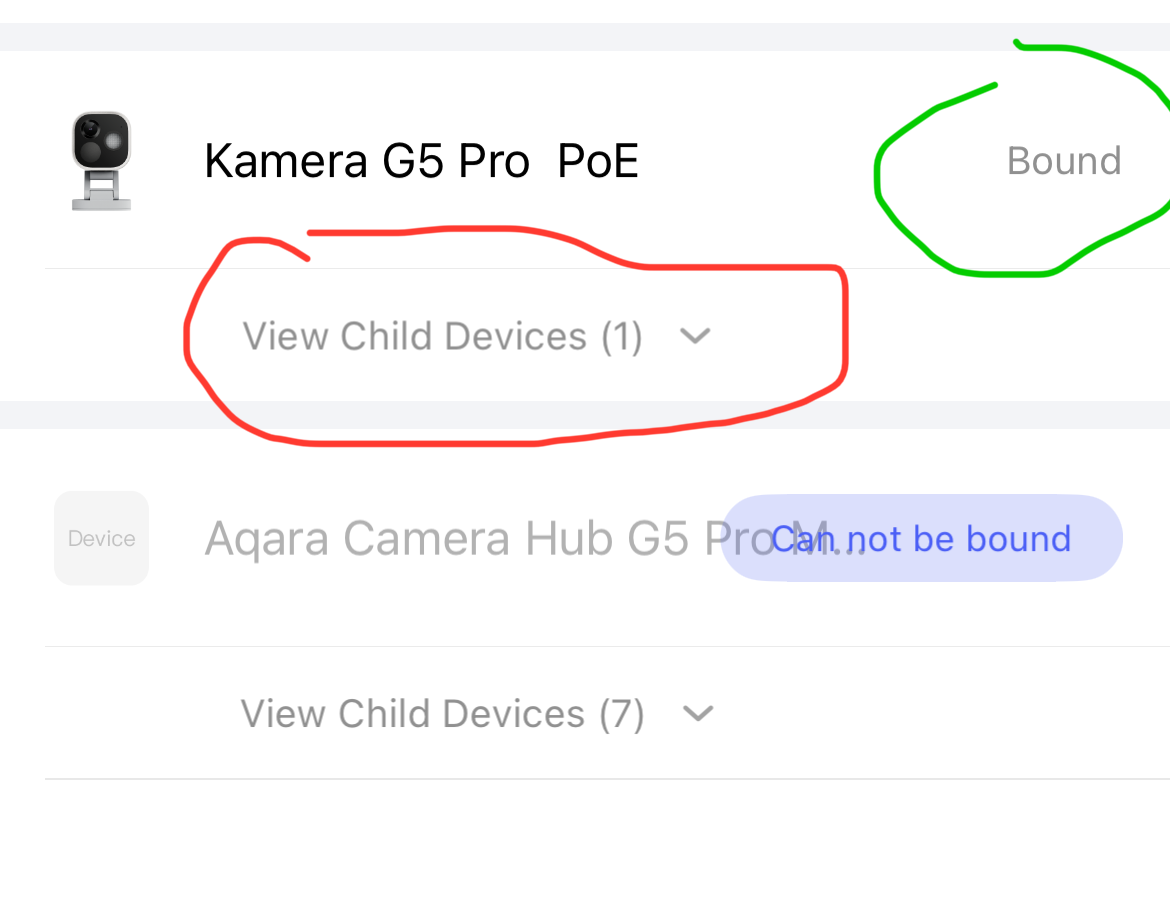
Can you check in the Aqara Home app whether the hub’s child devices are displayed under:

Profile → Connect to Econsystems → Apple Home → HomeKit devices

2 Likes

When I check it shows only the hubs and all say they are bound. I don’t see how you can see the child devices.

2 Likes

After opening the Home app, I found I wasn’t able to see the switch on the overview home page. However, once I went to the room the switch was assigned to I was then able to see it and create automations. They appeared at the bottom of the room under a “Other” section.
2 Likes

It should look like this:

If the Zigbee devices are not listed there, then they are no longer connected. Add them again.

If all Zigbee devices are there, then reconnect (remove / add) the hub under Homekit in the settings.

3 Likes

On the IOS version, there is no line for Child Devices. Maybe this is only on Android?

1 Like

I found it! Was not in the room where it was assigned!

Thanks

1 Like