The Aqara Home app provides a clear and powerful interface for creating complex automations, structured around the logic:
When, If, Then.
This is a well-known model for home automation users, but Aqara makes it accessible with remarkable simplicity.
Today, let’s focus on a key point: how to make these automations visible in Apple HomeKit, Home Assistant, Homey Pro, and Google Home.
An important limitation to be aware of
Even though Aqara is Matter-compatible, it is not possible to directly push an automation to HomeKit or Home Assistant.
In other words, automations created in the Aqara app are not automatically “exported” or “referenced” in other ecosystems.
But all is not lost: there is a workaround.
The solution: using a scene
An Aqara scene acts as a bridge. It allows you to group several actions, trigger automations, and most importantly, share them via Matter with other platforms.
Let’s take a concrete example:
You have added an EVE Thermo thermostat in Aqara, integrated via Matter.
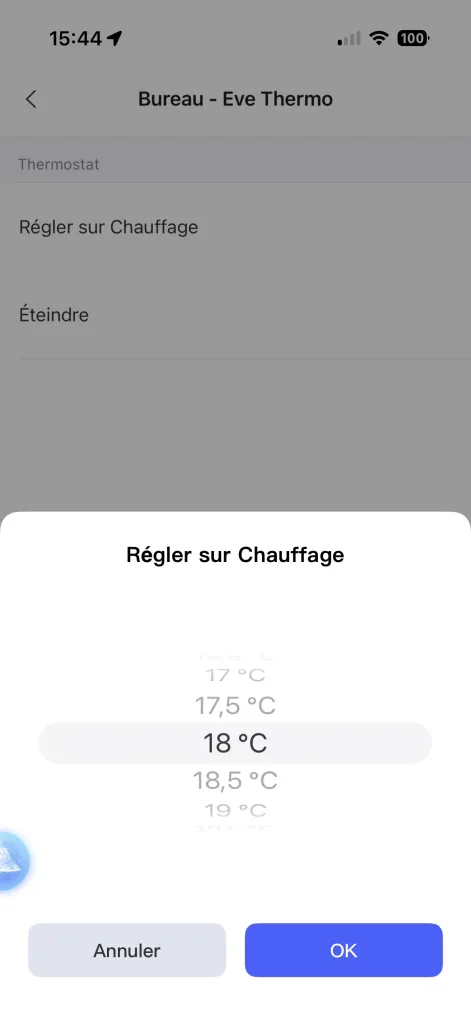
An automation sets the office temperature to 18 °C in the morning.
If you want to execute this logic from HomeKit or Home Assistant, you simply need to:
- Create an Aqara scene (for example, “Office Heating 18 °C”).
- Add your automation as the main action.
- Publish the scene via Matter using the synchronization feature in the app.
Once synchronized, this scene appears as a virtual switch in HomeKit or Home Assistant.
With a single tap (or via Siri, Alexa, or a Home Assistant automation), you can activate the scene and trigger the automation.
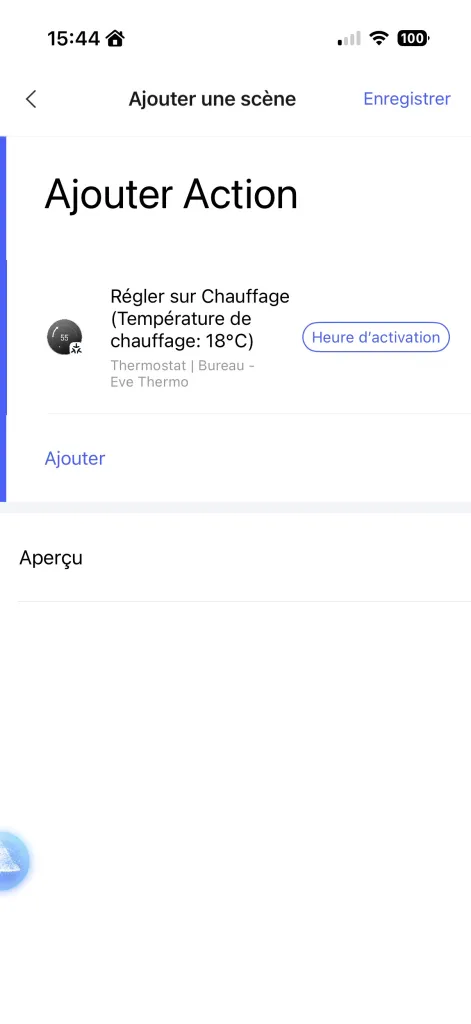
Concrete example: an EVE Thermo thermostat set to 18 °C in the office via a synchronized scene.
Step by step: creating a scene in Aqara Home
- In the app, go to Automations → + → Add Scene
- Tap Add Action, then select Accessories → Office – Eve Thermo
- Choose Set to Heating, then select 18 °C
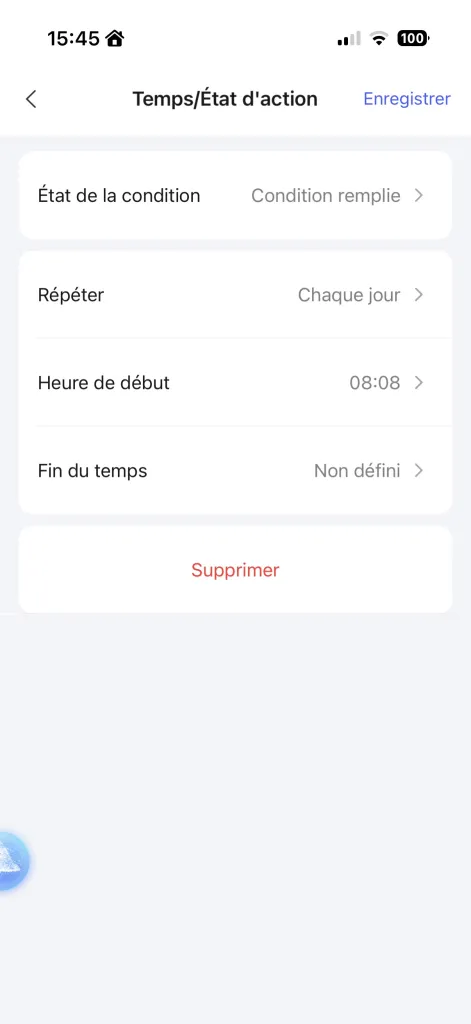
- Enable Activation Time, set a time (e.g. 08:08), and select Every day
- Give the scene a name (for example, “Office at 18 °C”) and choose an icon
- Save the scene: it now appears in the Scenes tab
)
Now, how do you synchronize scenes with Matter?
Synchronizing an Aqara scene with HomeKit / Home Assistant
To make the scene visible in other ecosystems:
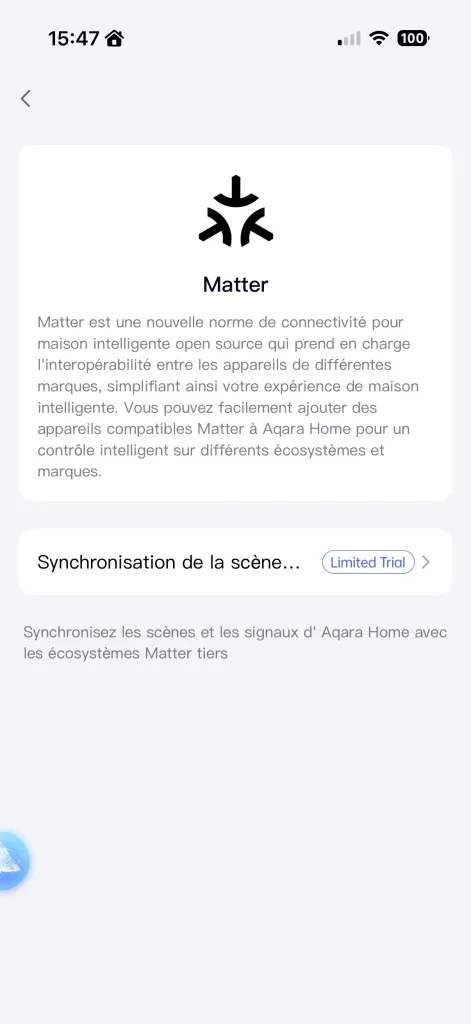
- Go to Profile → Connect to ecosystems
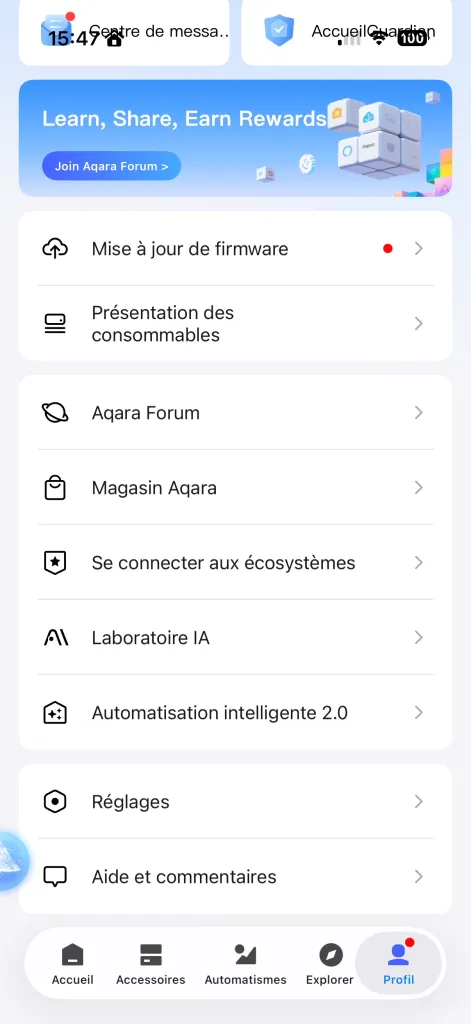
- Choose the Matter integration
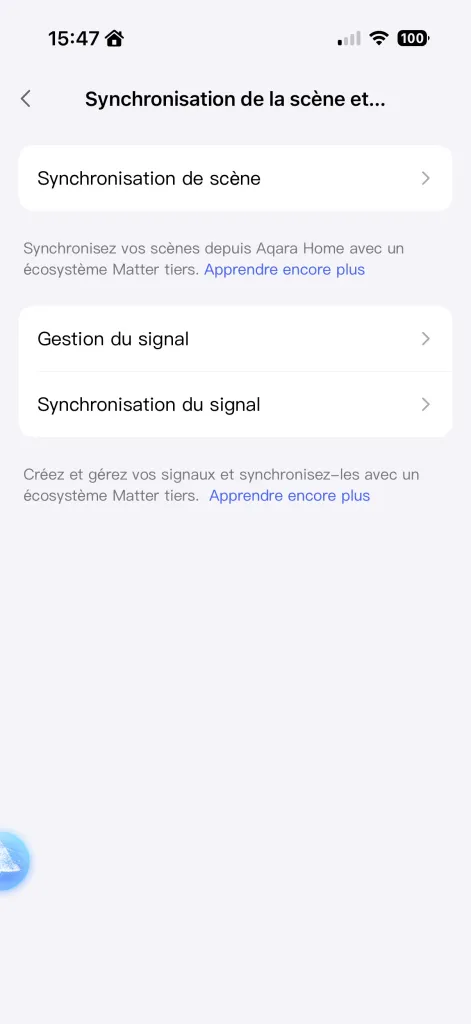
- Open Scene and Signal Synchronization
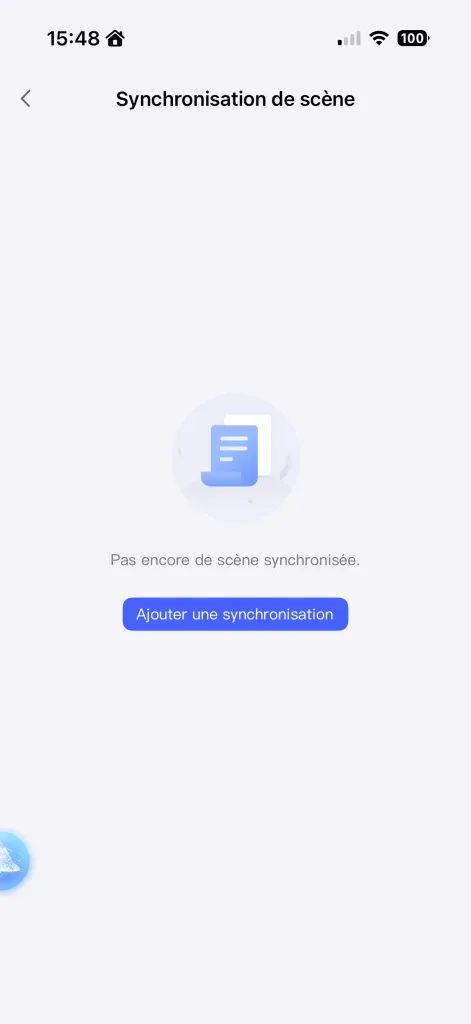
- Click Add a synchronization
- Tap Start to publish the scene to Matter
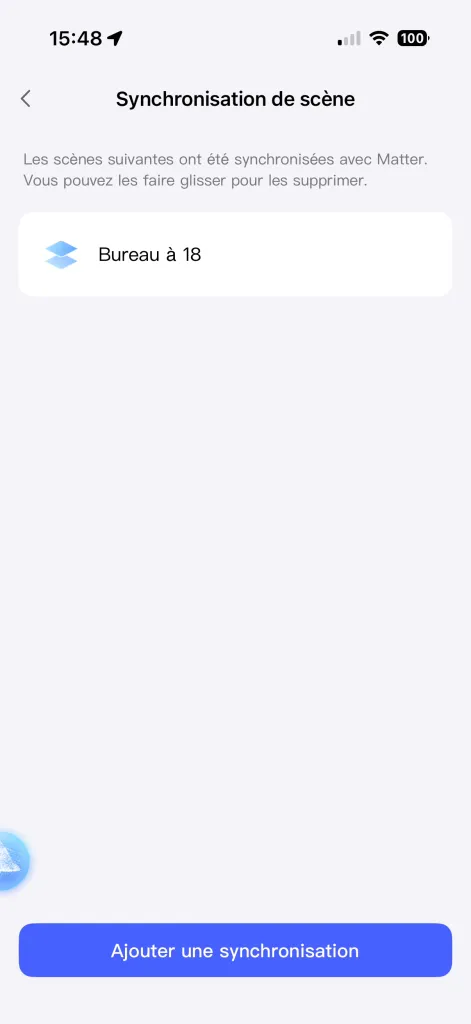
Once synchronized, the scene appears as a virtual switch in HomeKit, Homey Pro, Google Home, and Home Assistant.
In HomeKit:

In Homey Pro:
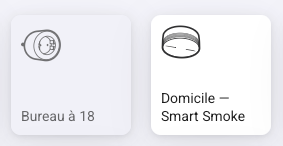
In Home Assistant:


A practical but imperfect approach
Let’s be clear: this method works, but it remains a workaround.
Aqara scenes behave like virtual buttons, not full-fledged automations.
As a result, you do not benefit from the same flexibility as a native Home Assistant or HomeKit automation.
However, Aqara offers advanced conditions (sensor state, time range, presence, brightness, etc.) that are far richer than those available in HomeKit, and sometimes easier to configure than in Home Assistant.
Conclusion
If your goal is to unify your smart home, the recommended approach is to:
- Create your global automations directly in Home Assistant or Homey Pro for power and flexibility.
- Use HomeKit for simple, intuitive, and fast scenarios.
- Rely on Aqara Home for its local automations and its Zigbee/Thread reliability.
Matter already simplifies a large part of the synchronization between these worlds.
For now, however, you still need to rely on these bridges between ecosystems a technical compromise that should gradually improve with future updates from Aqara and Apple.
Hope this helps.