Just me who miss more and better widgets? Also integrated shortcut functions.
2 Likes
Yup, it would be cool if there was something like climate widget (for quick heating control) or there was light widgets like those in the Aqara home. You add the widget, choose the light to control, and have brightness and light color right on your home screen.
4 Likes
Yes, true! Also a heating booster widget would nice and something to control lights. Maybe the developer department hear us
2 Likes
Hi everyone, I’m one of the product managers for the Aqara app. I’ve noticed that many of you are very interested in widgets, so we’d like to have a deeper discussion and do some research together.
First, we want to check whether the issue might be caused by a bug that made the feature disappear, or simply that the entry point for an already supported feature hasn’t been discovered yet.
Here is the current situation:
- iOS currently supports scene widgets on the home screen.
- Android supports both scene widgets and device control widgets.
However, on Android we currently only support device control or status display for some commonly used device types. This is mainly for safety reasons. For example, if a phone is placed in a pocket without being locked, accidental touches could trigger actions such as unlocking a door lock or changing a light’s brightness, which most users would prefer to avoid.
In addition, some devices also provide an “Add as Home Screen Shortcut” option in their device settings.
Another limitation comes from iOS system restrictions for third-party apps:
- Widgets cannot store a large amount of data
- Widgets can only refresh automatically about once every 30 minutes
Because of these constraints, widgets cannot be as comprehensive or flexible as the dashboard inside the app.
With this background in mind, we would still really like to hear your thoughts:
Which widgets do you strongly believe the Aqara Home app should support?
If possible, please describe the use case and expected functionality clearly.
We will review the suggestions and identify high-value widget features that are mentioned frequently by users. For those with strong demand, we will further evaluate whether there is a technically feasible implementation. If they prove feasible, we will prioritize them and plan to implement them as soon as possible.
1 Like
What types of widgets would you like to see added?
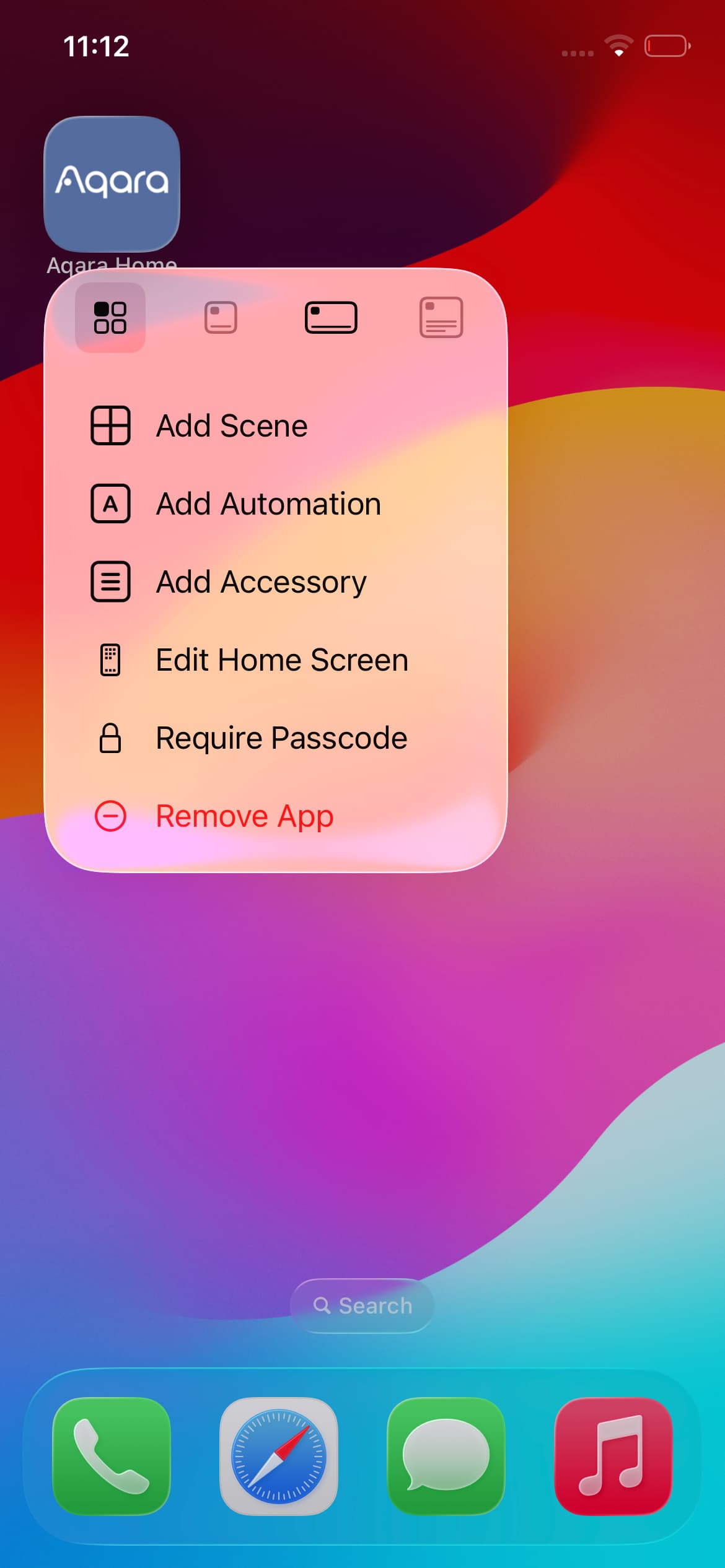
Also, when you mention shortcuts, do you mean iOS Shortcuts, or the quick actions menu that appears when you long-press the Aqara Home app icon? If possible, could you describe which specific functions you would like to see added?
2 Likes
Thank you. I understand what you’re looking for.
2 Likes
It would definitely be desirable if device control were also possible for iOS, even though this is already possible via the Apple Home Widget.
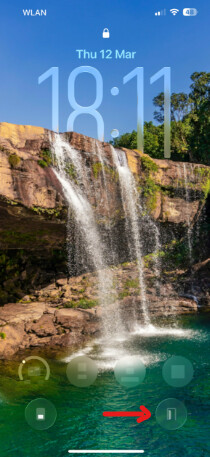
I’ve added a Lock Screen Control for my smart lock to the bottom of my screen using the Nuki app. To secure it, I went to Settings > Face ID & Passcode and disabled both Lock Screen Widgets and Home Control under the Allow access when locked section. This makes it necessary to unlock the iPhone with Face ID first, which happens automatically as soon as I look at the phone. However, it ensures that the door cannot be opened accidentally while the phone is in my pocket. And I usually lock the iPhone manually anyway, plus it typically locks itself automatically. So far, it’s been working really well for me. Is that also possible with the Aqara app?
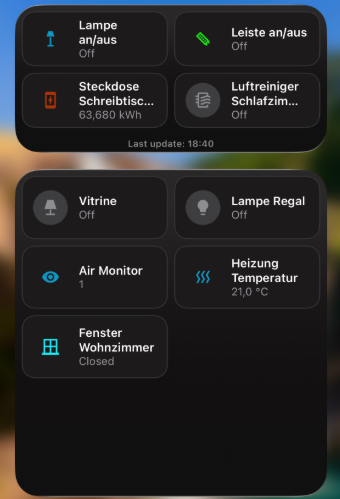
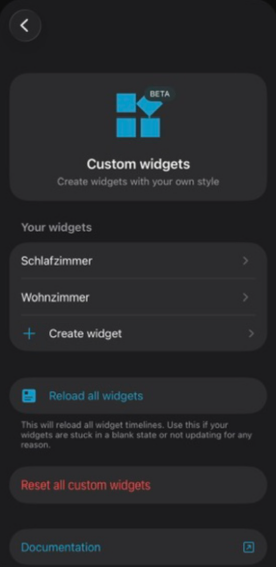
I have installed the Apple Home, Home Assistant (HA), Aqara Home, Nuki apps on my iPhone. Of the apps, Home Assistant is clearly my favourite when it comes to the widgets. Unfortunately, “Custom widgets” in HA is still in the beta.
Here are a few screenshots for comparison, so you can get a better idea:
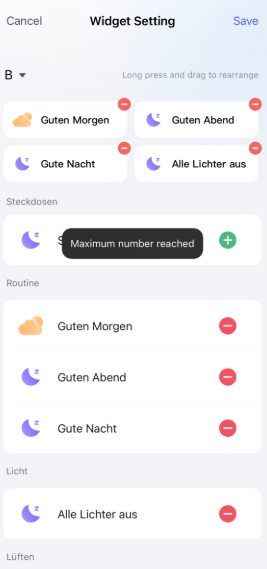
Aqara Home
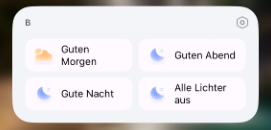
A maximum of four scenes is possible. If you add a second widget, it cannot be configured separately.
Widget:
Configuration:
Apple Home
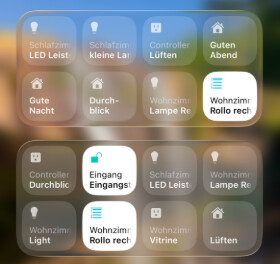
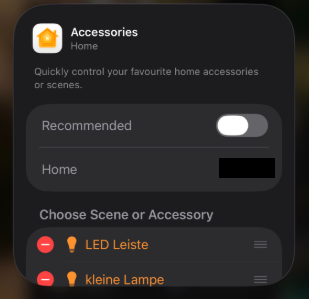
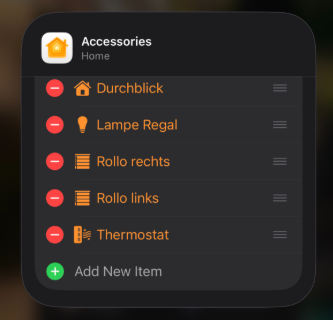
Any number of devices or scenes can be set, but a maximum of 8 are displayed. You can get around this limitation by simply adding another widget and configuring it separately. For example, you could use one widget to control the lights, another for the heating, and yet another for the blinds and curtains.
Widgets:
Configuration:
Home Assistant
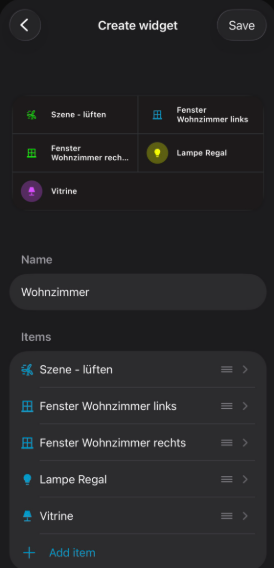
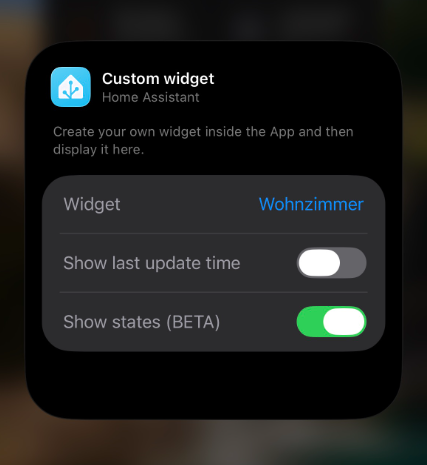
In the HA app, you can create various widgets under Settings → Companion App → Widgets. You can select and configure all kinds of things (devices, entities, scenes, automations, scripts, etc.). You can customize icons, colors, and names specifically for the widget. Later, you can add the widget to your iPhone and assign it to the widget you previously created in the app. In addition, you can also choose whether you want to display the status of the devices and the last update time of the status.
Widgets:
Configuration:
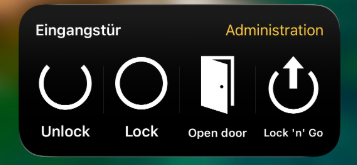
Nuki App
The widget is, of course, purely for the functionality of operating the smart lock.
Widget:
By the way, I also use the Nanoleaf app, but it doesn’t offer any widgets at all.
1 Like
I only need widget from the temperature sensors.