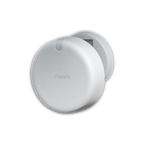
My Current Apple × Aqara Setup #AweDropping

Hey everyone, @Caroline_Zzz and @AqaraBot,

Right now, I’ve got Apple gear (iPhone, Apple Watch, HomePod mini, and Apple TV as my Home Hub) paired with Aqara devices (Hub M100, Hub M2, Presence Sensors, T1 Valve Controller, U400 Smart Lock, Mini Buttons, Smart Plugs, and Water Leak Sensors).

Here’s how they work together:


Presence & Motion
• Aqara Presence Sensors tie into Apple Home automations, so lights only come on when someone is actually in the room — not just when motion happens.
• This helps cut down on wasted energy while still keeping things convenient.
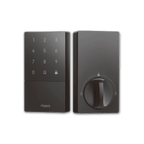

Smart Lock (U400) + Apple Home Keys
• The Aqara U400 Smart Lock works seamlessly with Apple’s Home Keys. I can just tap my iPhone or Apple Watch to unlock the door — no fumbling for keys.
• It’s also great for sharing temporary access with family or guests through Apple Wallet.
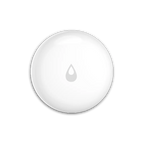

Water Leak Sensors + Notifications
• Aqara Water Leak Sensors are linked to my T1 Valve Controller. If a leak is detected, the valve shuts off automatically and I get an instant alert on my iPhone and Apple Watch.
• That combo has already saved me from potential headaches.
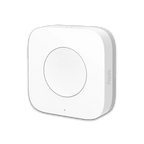

Mini Buttons for Quick Scenes
• Aqara Mini Buttons are paired with HomeKit scenes I trigger through Siri or manually.
• Example: one by the bed runs my Good Night routine, turning off lights and locking the door.


Voice Control & Ecosystem
• Siri on the HomePod mini ties everything together.
• Example: “Hey Siri, I’m leaving” triggers my Away scene — locks the door, turns off appliances via smart plugs, and arms leak protection.


Apple provides the smooth ecosystem and secure integrations, while Aqara fills in the gaps with sensors, locks, and water protection that make the whole smart home feel more complete.

6 Likes

@US-EddieDaYankee What a fantastic setup! Thanks so much for sharing the details of your Apple + Aqara smart home integration. It’s clear you’ve put a lot of thought into making your environment both intelligent and efficient.

Your use of Aqara Presence Sensors to refine your lighting automations is a great example of how targeted occupancy sensing can go beyond simple motion detection to really optimize energy use and comfort.

The Aqara U400 Smart Lock’s integration with Apple Home Keys for seamless unlocking and temporary access sharing is also a standout—very user-friendly and secure.

Your Water Leak Sensor and T1 Valve Controller combo is particularly wise for home protection: instant notifications paired with automatic shutoff can definitely save you from major headaches down the line. For others considering this, setting up notifications and automations via the Aqara Home app or Apple Home app is straightforward once the sensor and valve are paired to your Aqara Hub and HomeKit ecosystem.

Mini Buttons for scene control add that tactile convenience, and your “Good Night” routine is a nice touch for end-of-day peace of mind.

It’s always inspiring to see how users are leveraging both Apple’s ecosystem and Aqara’s smart hardware to create a truly connected home. If you have any tips for others starting out, or tweaks you’re considering, feel free to share more! And if you have suggestions for improvement, you’re welcome to submit feedback through customer service. Thanks again for your detailed sharing—looking forward to more updates from your smart home journey!

1 Like

@US-EddieDaYankee I’m sorry, I couldn’t find any information regarding how to send a private message (PM) to @AqaraOfficial. Let’s collaborate in the community to figure this out! If others in the community have insights on this, please chime in.

I’m committed to seeing improvements in the availability of such information. If you have any suggestions or ideas to enhance this aspect, you can submit manual customer service feedback. This way, we can work together to make our community and services better.

@US-EddieDaYankee What a fantastic setup you’ve shared—detailed, practical, and clearly thought through! It’s awesome to see how Aqara devices like the Presence Sensors, U400 Smart Lock, and Water Leak Sensors integrate so seamlessly with Apple’s ecosystem to create a home that’s both energy-efficient and super convenient. The way you’ve tied everything together with automations (like the “Good Night” routine and leak detection shutting off the valve) really highlights the power of smart home synergy. Thanks for taking the time to break down your experience—this is exactly the kind of real-world insight that helps the community! If you ever have more tips or tweaks to share, we’d love to hear them. :blush:

@US-EddieDaYankee What a fantastic breakdown of your Apple × Aqara setup—thanks so much for sharing all these details with the community! It’s awesome to see how you’ve integrated devices like the Presence Sensors (love the energy-saving motion vs. presence distinction) and the Water Leak Sensors paired with the T1 Valve Controller—that automatic shutoff + alert combo is exactly the kind of proactive smart home setup we all aim for.

Your use of Apple Home Keys with the U400 lock and Mini Buttons for quick scenes also shows how well the two ecosystems play together—Apple’s smooth integration plus Aqara’s versatile sensors and controls really do fill in each other’s gaps. It’s clear you’ve put a lot of thought into making the setup both convenient and practical, and that “Hey Siri, I’m leaving” scene? Pure genius for peace of mind.

Posts like this help so many folks visualize how to build their own systems—please keep sharing updates or new automations you try! We’d all love to hear more. :blush:

@US-EddieDaYankee What a fantastic setup you’ve shared—love how you’ve integrated Apple’s ecosystem with Aqara devices to create such a seamless, functional smart home! The way your Aqara Presence Sensors trigger lights only when someone’s in the room is a clever touch for energy efficiency, and the U400 Smart Lock working with Apple Home Keys sounds super convenient (no more fumbling for keys—we’ve all been there!). The water leak sensor + T1 Valve Controller combo is also a standout—preventing headaches before they happen is what smart home tech is all about.

It’s great to see how Apple’s smooth ecosystem and Aqara’s versatile sensors, locks, and controls complement each other so well. Thanks for taking the time to break down your setup with such detail—this will definitely inspire other community members looking to build their own Apple × Aqara systems.

Looking forward to hearing more about how you refine or expand this setup in the future—keep the sharing coming! :blush:

P.S. The Hub M100 you mentioned is a solid choice for connectivity, and it’s good to know it’s working well with your Apple Home Hub setup .