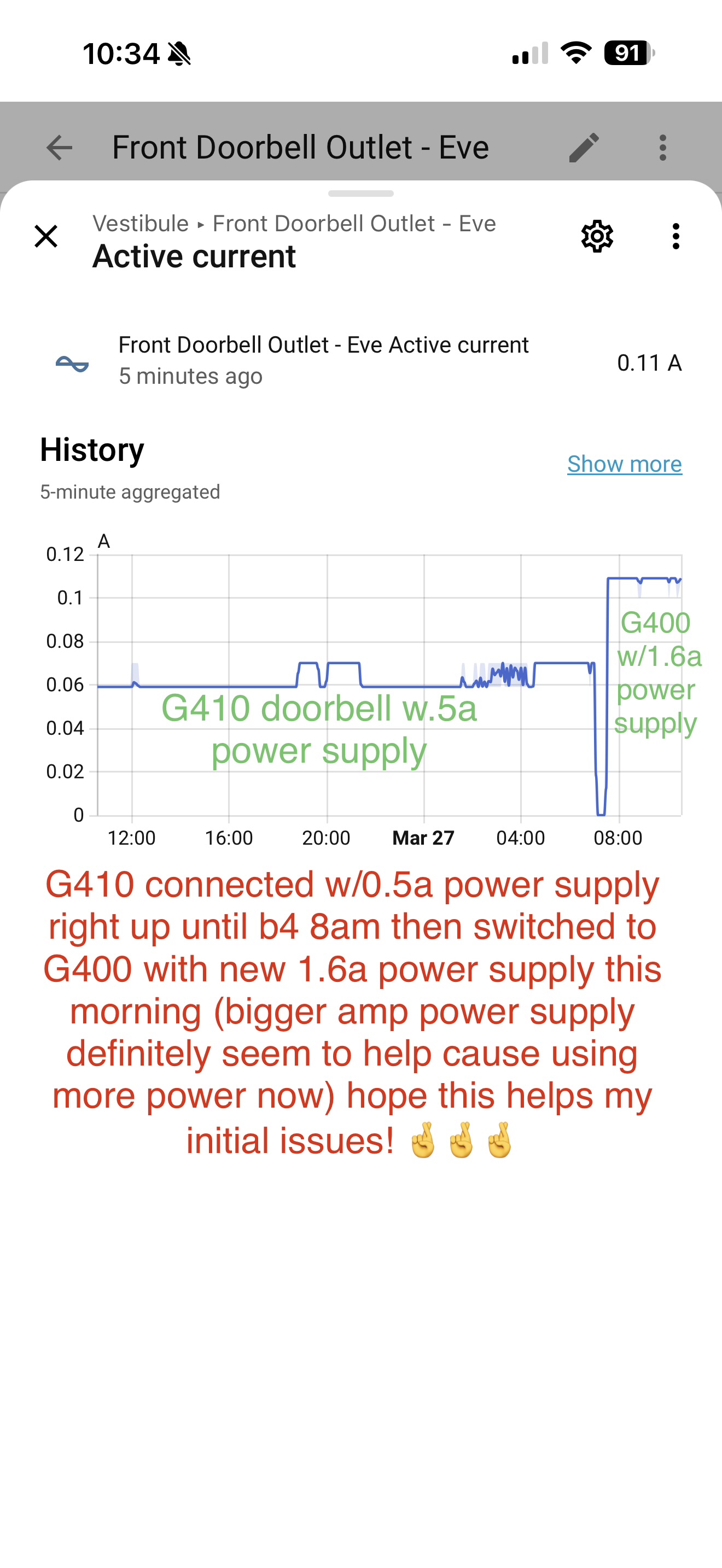
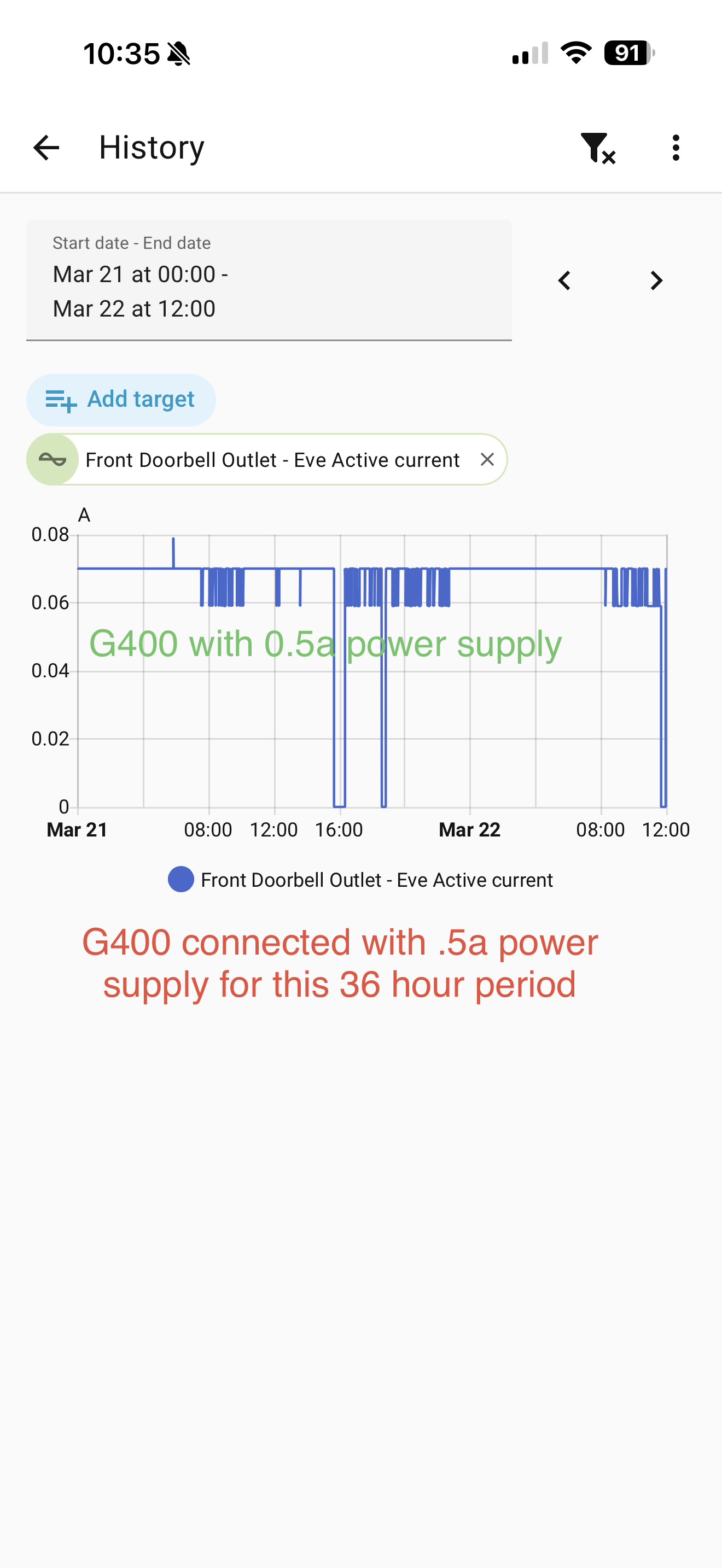
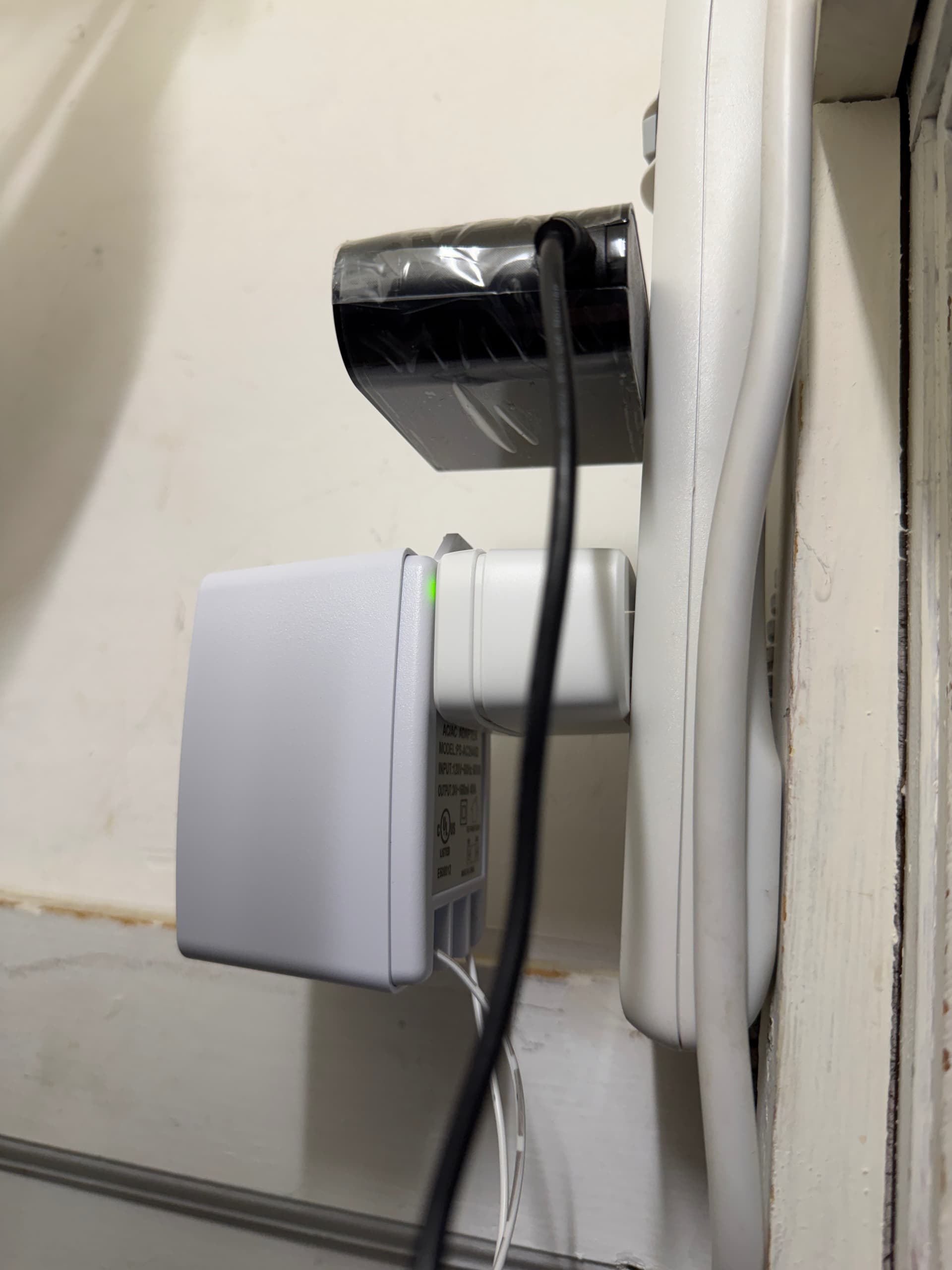
I have my new G400 video doorbell installed with a 24VAC transformer and wifi since last Friday, March 20, it started out smooth and everything working as it should. About 24 hours later I started having problems of it completely stopped detecting motion and recording in Apple Home, it also stopped detecting motion and local recording to microSD card in Aqara app as well. When I looked at the log for the camera in the Aqara, usually it was show a time stamp from about when the last detection happened and then no more. But if I pulled external power and soft restarted or pulled external power multi times + a combo of soft restarts it would start working normal again (for a set time (hours or so) then start failing again). I was pulling all my hair out, I had 3+previous video doorbells in exact same spot and never had issues with wifi, or power, or angle, or distance, so I ruled those all out quick. then I started restarting Apple Hubs, and unplugging hubs, factory resetting the doorbell and setting it back up again, nothing would fix it longer than hours. THEN I CAME ACROSS DONIE, an Aqara PM here, he talked about power supply requirements, that made me triple check mine, low and behold, I had a 24VAC 0.5a PS but the G400 is calling for a 1.3a PS. So I hopped on amazon yesterday, searching searching searching and found a 24VAC 1.6a power supply which could arrive between 4am and 8am this morning, low and behold it arrived at 6am this morning so I swapped out my old working G410 doorbell along with the old 0.5A power supply transformer. I just changed the power supply transformer for my G400 doorbell from a 24VAC 0.5a to a 24VAC 1.6a. Lets see if that helps my issues with motion detection and recordings being missed completely for hours/days in Apple Home. thanks to Donie, I checked my transformer, I being using for my last 3+ video doorbells without issue and noticed I was only using a 24VAC 0.5a output PS, which is well below the required 1.3a needed, and this new one is 1.6am. I installed it a few hours ago when I saw out from the old 0.5a one and disconnected my G410 at the same time. Here is some graphs to show the amps the Eve Smart outlet was showing being consumed between the two different power supplies and doorbells as well before and after my changes. thanks Donie!! And you can see after installing the bigger amp transformer with the G400 doorbell, now the Eve is showing higher amps being consumed, so hopefully this fixes my issues.
I did also (earlier this week) updated all my hubs and iPhones to 26.4, I did never see the freezing of live video issue. But I did notice, when I am not home and view the live view of G400 video doorbell in Apple Home its definitely a lower resolution than when I am home viewing live view through the Apple Home.
thanks everyone for the support!
please let me know if you have any questions or I confused someone or missed something!