Hey everyone! 
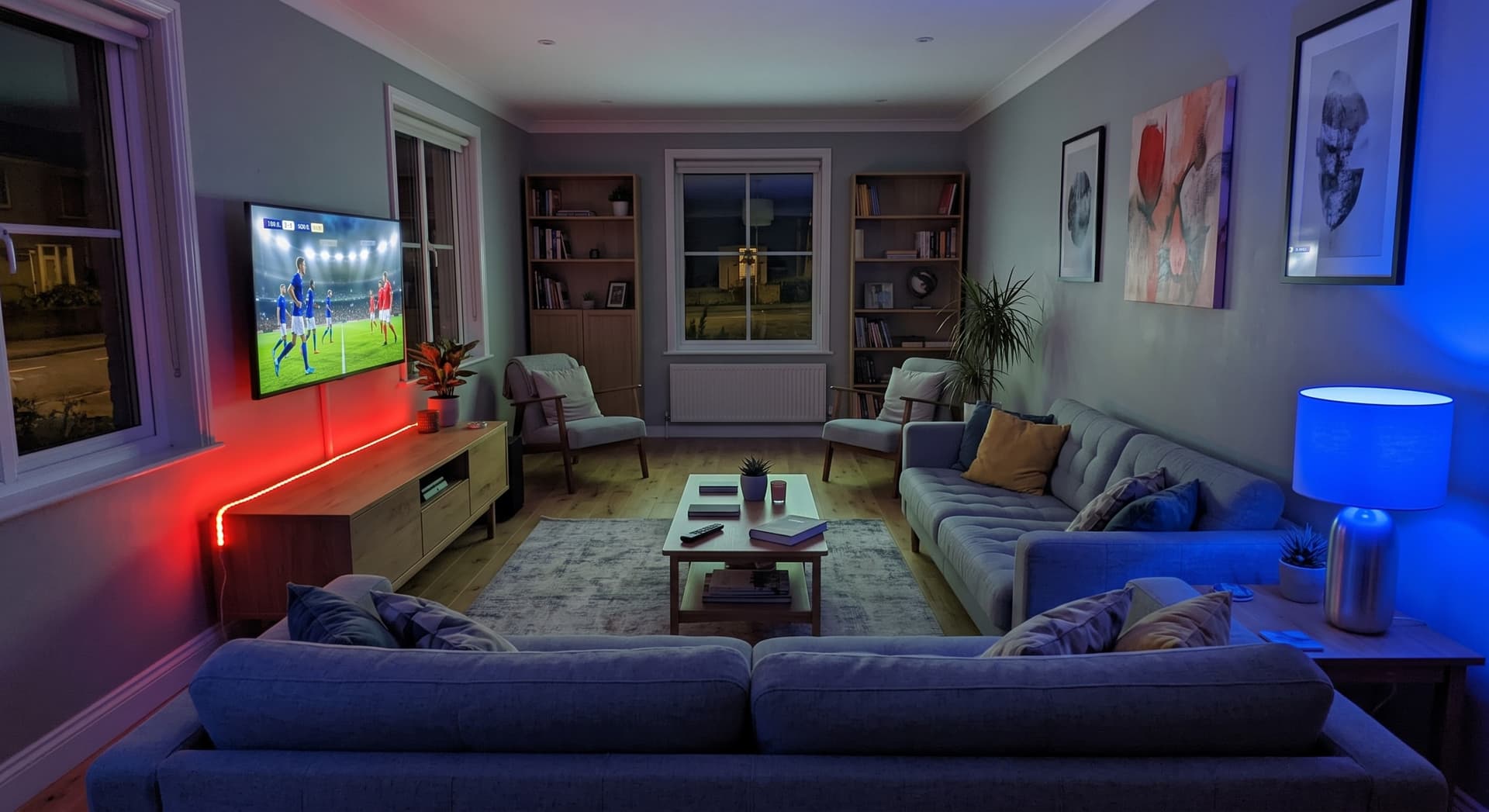
With the World Cup in full swing, I wanted to share my Game Day FootballFever Automation setup that goes a bit beyond standard static scenes. I built a dynamic setup that automatically figures out who is playing, turns on my Aqara gear to match the competing countries, and makes custom match announcements!
 The Setup
- Aqara Smart Light Bulb (representing Team 1)
- Aqara LED Strip (representing Team 2)
- Google Nest Hub Max (for stadium-style announcements)
- Home Assistant & Cloudflare Workers (the brains)
 How It Works Under the Hood
- Lightweight Tracking: To avoid complex parsing directly in my smart home, I created a custom Cloudflare Worker script hosted on my subdomain. It checks the live tournament schedule, automatically finds the current live match (or the closest upcoming one), and formats it cleanly e.g. as
Paraguay vs. France (2026-07-04T21:00:00Z). - Smart Timing & Dimming: Every 30 minutes, my automation evaluates this data:
- 1 Hour Before Kick-off: The Aqara Bulb and LED Strip turn on at 50% brightness to build up the pre-game hype.
- Match In Progress: The brightness automatically kicks up to 100%.
- AI Team Colors: Instead of hardcoding hex codes for dozens of countries, the automation uses a local AI task model (Gemini). It reads the two competing countries dynamically on the fly, chooses two perfectly contrasting colors that represent their flags, and sends those exact RGB values straight to my Aqara lights!
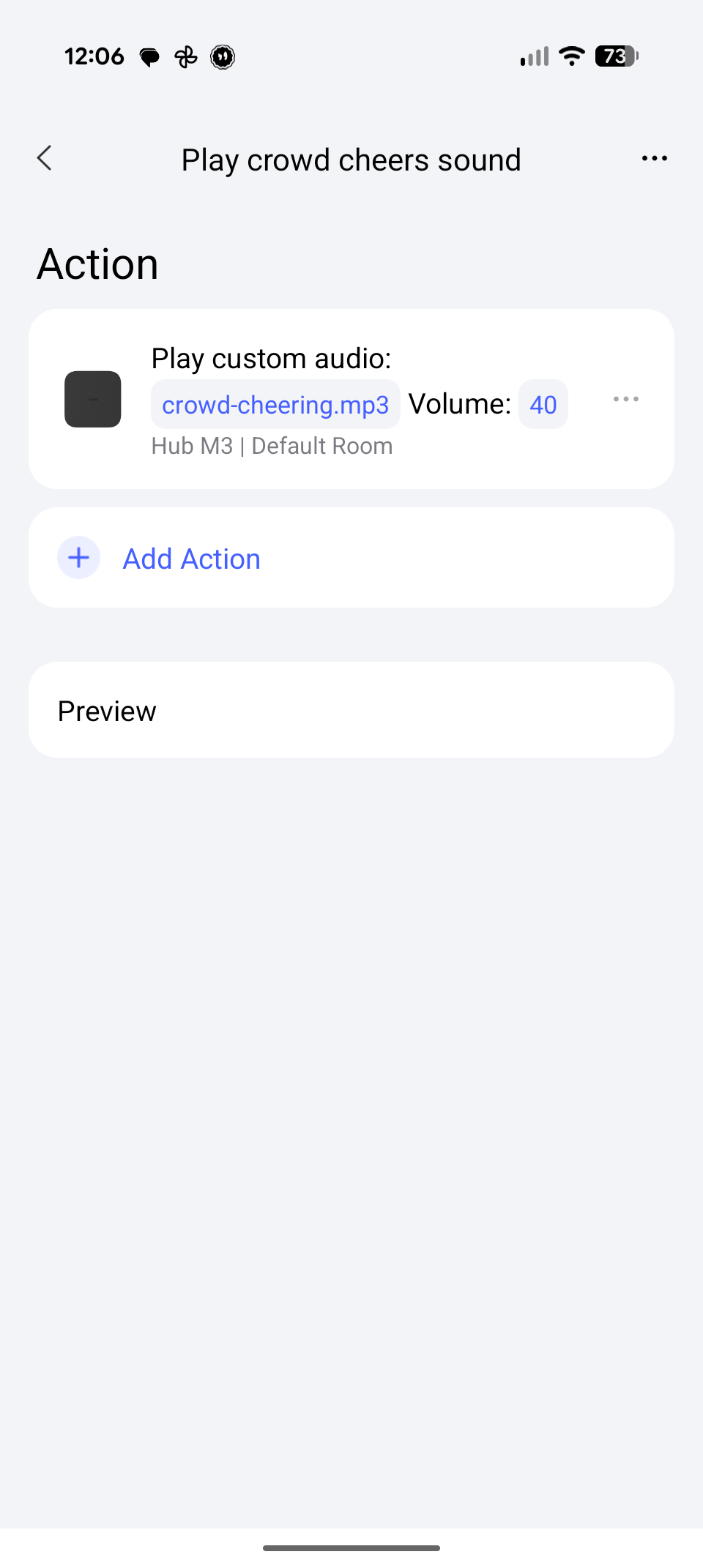
- The Kick-off Hype: Right when the timestamp matches the current time, my Google Nest Hub Max plays a custom voice announcement to let the room know the match has officially begun.
 The Code (For My Fellow Home Assistant Geeks)
For anyone running Home Assistant, here is the exact YAML automation that handles the AI generation, itemizes the hex values into RGB arrays for the Aqara devices, and executes the timeline:
alias: "FIFA World Cup Lights"
description: "Controls living room lights and announcements based on World Cup match states."
mode: single
trigger:
  - platform: time_pattern
    minutes: "0"
  - platform: time_pattern
    minutes: "30"
condition:
  - condition: template
    value_template: >-
      {{ states('sensor.fifa_world_cup_2026') not in ['unknown', 'unavailable', ''] and 'vs.' in states('sensor.fifa_world_cup_2026') }}
action:
  - variables:
      match_text: "{{ states('sensor.fifa_world_cup_2026') }}"
      teams_part: "{{ match_text.split(' (')[0] }}"
      team1_name: "{{ teams_part.split(' vs. ')[0] | trim }}"
      team2_name: "{{ teams_part.split(' vs. ')[1] | trim }}"
      timestamp_str: "{{ match_text.split('(')[1].split(')')[0] }}"
      time_diff: "{{ (as_datetime(match_text.split('(')[1].split(')')[0]) - now()).total_seconds() / 60 }}"
  - variables:
      is_live: "{{ time_diff <= 0 and time_diff >= -125 }}"
      starting_soon: "{{ time_diff > 0 and time_diff <= 60 }}"
      is_exactly_starting: "{{ time_diff >= -15 and time_diff <= 15 }}"
  - condition: template
    value_template: "{{ is_live or starting_soon }}"
  - action: ai_task.generate_data
    data:
      entity_id: ai_task.gemini_flash_latest_version
      task_name: "Get light colors"
      instructions: >-
        There's a football match between {{ team1_name }} and {{ team2_name }}.
        Choose two colors that best represent these countries but make sure they are different enough to differentiate.
        Return raw JSON mapping team1 and team2 with a hex key.
    response_variable: gemini_response
  - variables:
      colors: "{{ gemini_response.data | from_json }}"
      hex_team1: "{{ (gemini_response.data | from_json).team1.color }}"
      hex_team2: "{{ (gemini_response.data | from_json).team2.color }}"
      brightness_pct: "{{ 100 if is_live else 50 }}"
  - action: light.turn_on
    target:
      entity_id: light.wohnzimmerlampe
    data:
      brightness_pct: "{{ brightness_pct | int }}"
      rgb_color:
        - "{{ hex_team1[1:3] | int(base=16) }}"
        - "{{ hex_team1[3:5] | int(base=16) }}"
        - "{{ hex_team1[5:7] | int(base=16) }}"
  - action: light.turn_on
    target:
      entity_id: light.aqara_led_strip_t2
    data:
      brightness_pct: "{{ brightness_pct | int }}"
      rgb_color:
        - "{{ hex_team2[1:3] | int(base=16) }}"
        - "{{ hex_team2[3:5] | int(base=16) }}"
        - "{{ hex_team2[5:7] | int(base=16) }}"
  - if:
      - condition: template
        value_template: "{{ is_exactly_starting }}"
    then:
      - action: script.announcement_on_maxi
        metadata: {}
        data:
          message: "Match {{ team1_name }} vs. {{ team2_name }} begins"
          volume: 0.6
 Fetching the Data with the Scrape Integration
To get the worker’s text payload into Home Assistant so that the automation above can read it, you can use the native Scrape integration. Because the Cloudflare worker outputs a simple string, you just point the integration to the worker URL and use the HTML h1 tag as the selector.
 Want to use my API endpoints?
If you want to use my tracking endpoint to feed your own custom automation, feel free to pull from my Cloudflare worker: https://wc.markus.workers.dev/
(Just please don’t overdo the scan rate interval so the origin API doesn’t end up blocking my server!  A poll every 5 to 10 minutes is plenty!)
Let me know what you think, or if you’ve got any cool suggestions to add to cinema modes or match day tracking! 



 .
.