With the World Cup in full swing, I felt motivated to implement a major upgrade to my match-day automation setup. I wanted something more dynamic than just lighting changes, so I’ve now added live audio announcements for goals to the mix!
To pull this off, I’m leveraging the Aqara Hub M3 alongside my existing Home Assistant configuration. Here is how I got it working:
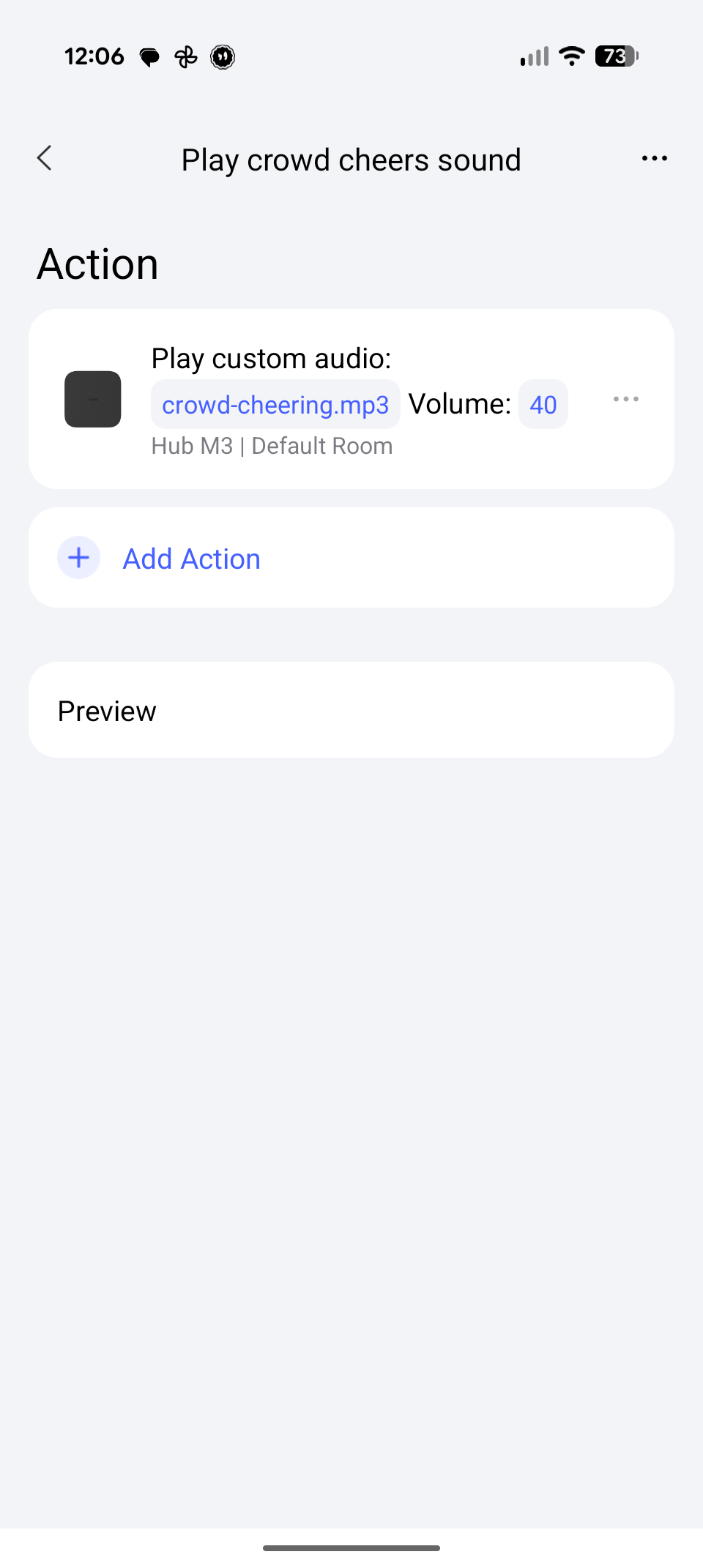
- Custom Sound Effects: I downloaded a great cheering crowd sound effect from Pixabay (specifically this one) and uploaded it directly to the Aqara M3 Hub.
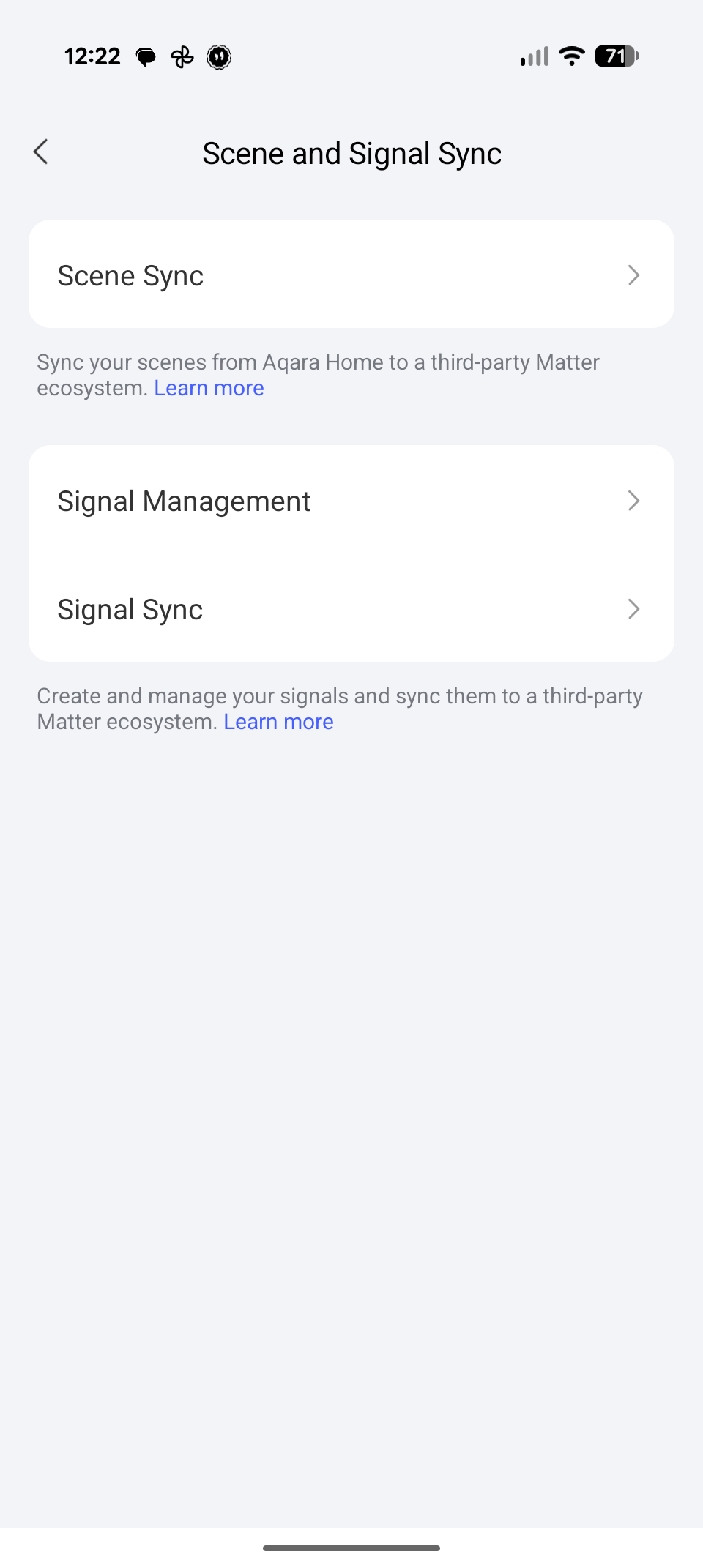
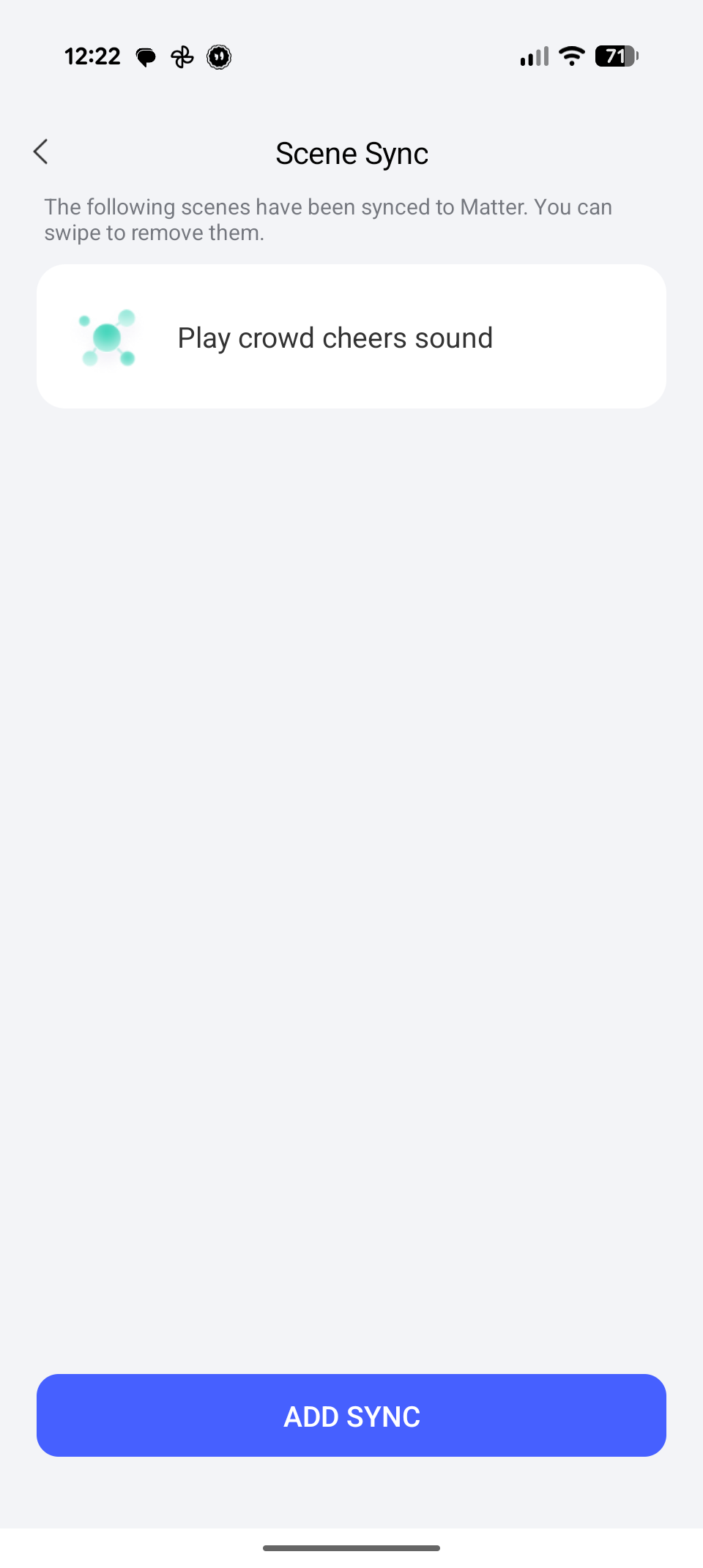
- Matter Integration: I created a scene within the Aqara app to play that specific cheering sound, and then exposed that scene via Matter directly into Home Assistant.
- API Upgrade: I updated my API to expose live goal events as they happen.
If you want to replicate this setup or hook into the live data, you can scrape my API using the popular Multiscrape Home Assistant integration.
1. Multiscrape Configuration
Add this to your configuration (adjusting for your specific entity names):
multiscrape:
  - resource: "https://wc.markus.workers.dev/"
    scan_interval: 60
    sensor:
      - name: "FIFA World Cup 2026"
        unique_id: "fifa_world_cup_2026"
        select: "h1"
        attributes:
          - name: Team 1
            select: "h1"
            value_template: >
              {% set raw_teams = value.split(' (')[0] if ' (' in value else value %}
              {{ raw_teams.split(' vs. ')[0].strip() if ' vs. ' in raw_teams else 'Unknown' }}
          - name: Team 2
            select: "h1"
            value_template: >
              {% set raw_teams = value.split(' (')[0] if ' (' in value else value %}
              {{ raw_teams.split(' vs. ')[1].strip() if ' vs. ' in raw_teams else 'Unknown' }}
          - name: Ongoing
            select: "body"
            extract: content
            value_template: "{{ '<p>' in value }}"
            on_error:
              value: none
          - name: Score
            select: "p"
            value_template: "{{ value if ':' in value else None }}"
            on_error:
              value: none
          - name: Goals Team 1
            select: "p"
            value_template: "{{ value.split(':')[0] if ':' in value else None }}"
            on_error:
              value: none
          - name: Goals Team 2
            select: "p"
            value_template: "{{ value.split(':')[1] if ':' in value else None }}"
            on_error:
              value: none
2. Home Assistant Automation
Then, use this automation code to trigger the Aqara M3 scene whenever a goal is detected by the scraper:
alias: FIFA World Cup Lights
description: >-
  Controls living room lights and announcements based on World Cup match states
  and scores.
triggers:
  - minutes: "0"
    trigger: time_pattern
    id: time_check
  - minutes: "30"
    trigger: time_pattern
    id: time_check
  - trigger: state
    entity_id: sensor.fifa_world_cup_2026
    attribute: goals_team_1
    id: goal_team1
  - trigger: state
    entity_id: sensor.fifa_world_cup_2026
    attribute: goals_team_2
    id: goal_team2
conditions:
  - condition: template
    value_template: >-
      {{ states('sensor.fifa_world_cup_2026') not in ['unknown', 'unavailable',
      '']
         and 'vs.' in states('sensor.fifa_world_cup_2026') }}
actions:
  - variables:
      match_text: "{{ states('sensor.fifa_world_cup_2026') }}"
      teams_part: "{{ match_text.split(' (')[0] }}"
      team1_name: "{{ state_attr('sensor.fifa_world_cup_2026', 'team_1') }}"
      team2_name: "{{ state_attr('sensor.fifa_world_cup_2026', 'team_2') }}"
      score: "{{ state_attr('sensor.fifa_world_cup_2026', 'score') }}"
      goals_t1: "{{ state_attr('sensor.fifa_world_cup_2026', 'goals_team_1') | int(0) }}"
      goals_t2: "{{ state_attr('sensor.fifa_world_cup_2026', 'goals_team_2') | int(0) }}"
      leading_team: >-
        {% if goals_t1 > goals_t2 %}{{ team1_name }} {% elif goals_t2 > goals_t1
        %}{{ team2_name }} {% else %}Tie{% endif %}
  - alias: If team scored goal
    if:
      - condition: template
        value_template: >-
          {{ trigger.id in ['goal_team1', 'goal_team2'] and trigger.from_state
          is not none }}
    then:
      - variables:
          scoring_team: "{{ team1_name if trigger.id == 'goal_team1' else team2_name }}"
          other_team: "{{ team2_name if trigger.id == 'goal_team1' else team1_name }}"
          target_light: >-
            {{ 'light.wohnzimmerlampe' if trigger.id == 'goal_team1' else
            'light.aqara_led_strip_t2' }}
          initial_state: "{{ states(target_light) }}"
          initial_bright: "{{ state_attr(target_light, 'brightness') }}"
          initial_rgb: "{{ state_attr(target_light, 'rgb_color') }}"
      - parallel:
          - if:
              - condition: template
                value_template: "{{ goals_t1 >= 1 or goals_t2 >= 1 }}"
            then:
              - action: switch.turn_on
                metadata: {}
                target:
                  entity_id: switch.play_crowd_cheers_sound
                data: {}
            alias: Play crowd cheers
          - if:
              - condition: template
                value_template: "{{ goals_t1 >= 1 or goals_t2 >= 1 }}"
            then:
              - action: script.announcement_on_maxi
                data:
                  message: >-
                    Gooooaaaaal! {{ scoring_team }} scored.  {% if leading_team
                    == 'Tie' %}
                      It now stands {{ score }} between both teams.
                    {% else %}
                      It now stands {{ score }} for {{ leading_team }} against {{ other_team }}.
                    {% endif %}
                  volume: 0.5
            alias: Goal announcement
          - alias: Animate light
            sequence:
              - action: ai_task.generate_data
                data:
                  entity_id: ai_task.gemini_flash_latest_version
                  task_name: Get flag colors
                  instructions: >-
                    Provide a JSON list of the dominant distinct colors found in
                    the national flag of {{ scoring_team }}.  Provide at least 2
                    or 3 colors. Return ONLY valid JSON in this exact format: {
                    "colors": ["#HEX1", "#HEX2", "#HEX3"] }
                response_variable: flag_colors_response
              - variables:
                  flag_colors: "{{ (flag_colors_response.data | from_json).colors }}"
              - repeat:
                  for_each: "{{ flag_colors * 5 }}"
                  sequence:
                    - action: light.turn_on
                      target:
                        entity_id: "{{ target_light }}"
                      data:
                        brightness_pct: 100
                        rgb_color:
                          - "{{ repeat.item[1:3] | int(base=16) }}"
                          - "{{ repeat.item[3:5] | int(base=16) }}"
                          - "{{ repeat.item[5:7] | int(base=16) }}"
                    - delay:
                        hours: 0
                        minutes: 0
                        seconds: 0
                        milliseconds: 600
              - choose:
                  - conditions:
                      - condition: template
                        value_template: "{{ initial_state == 'on' }}"
                    sequence:
                      - action: light.turn_on
                        target:
                          entity_id: "{{ target_light }}"
                        data:
                          brightness: "{{ initial_bright | int(255) }}"
                          rgb_color: >-
                            {{ initial_rgb if initial_rgb is not none else [255,
                            255, 255] }}
                default:
                  - action: light.turn_off
                    target:
                      entity_id: "{{ target_light }}"
                    data: {}
  - if:
      - condition: template
        value_template: "{{ trigger.id == 'time_check' }}"
    then:
      - variables:
          timestamp_str: "{{ match_text.split('(')[1].split(')')[0] }}"
          time_diff: "{{ (as_datetime(timestamp_str) - now()).total_seconds() / 60 }}"
          is_live: "{{ time_diff <= 0 and time_diff >= -125 }}"
          starting_soon: "{{ time_diff > 0 and time_diff <= 60 }}"
          is_exactly_starting: "{{ time_diff >= -15 and time_diff <= 15 }}"
      - condition: template
        value_template: "{{ is_exactly_starting or starting_soon }}"
      - action: ai_task.generate_data
        data:
          entity_id: ai_task.gemini_flash_latest_version
          task_name: Get light colors
          instructions: >-
            There's a FIFA world cup 2026 football match between {{ team1_name
            }} and {{ team2_name }}.  I have two RGB lamps which I want to
            represent those two teams. Choose the two colors  that best
            represent these countries but make sure they are different enough to
            be able  to differentiate them. Return the result as valid JSON in
            the following form and nothing else: {
              "team1": { "name": "{{ team1_name }}", "color": "#<hex color code>" },
              "team2": { "name": "{{ team2_name }}", "color": "#<hex color code>" }
            }
        response_variable: gemini_response
      - variables:
          colors: "{{ gemini_response.data | from_json }}"
          hex_team1: "{{ colors.team1.color }}"
          hex_team2: "{{ colors.team2.color }}"
          brightness_pct: "{{ 100 if is_live else 50 }}"
      - action: light.turn_on
        target:
          entity_id: light.wohnzimmerlampe
        data:
          brightness_pct: "{{ brightness_pct | int }}"
          rgb_color:
            - "{{ hex_team1[1:3] | int(base=16) }}"
            - "{{ hex_team1[3:5] | int(base=16) }}"
            - "{{ hex_team1[5:7] | int(base=16) }}"
      - action: light.turn_on
        target:
          entity_id: light.aqara_led_strip_t2
        data:
          brightness_pct: "{{ brightness_pct | int }}"
          rgb_color:
            - "{{ hex_team2[1:3] | int(base=16) }}"
            - "{{ hex_team2[3:5] | int(base=16) }}"
            - "{{ hex_team2[5:7] | int(base=16) }}"
      - if:
          - condition: template
            value_template: "{{ is_exactly_starting }}"
        then:
          - action: script.announcement_on_maxi
            data:
              message: Match {{ team1_name }} vs. {{ team2_name }} begins
              volume: 0.5
    alias: If mood lights trigger
mode: single
It’s quite amazing hearing the room erupt into a stadium cheer shortly after a goal is scored. It completely changes the match-day experience. Let me know if you have any questions or need help tweaking the configs for your own setup!