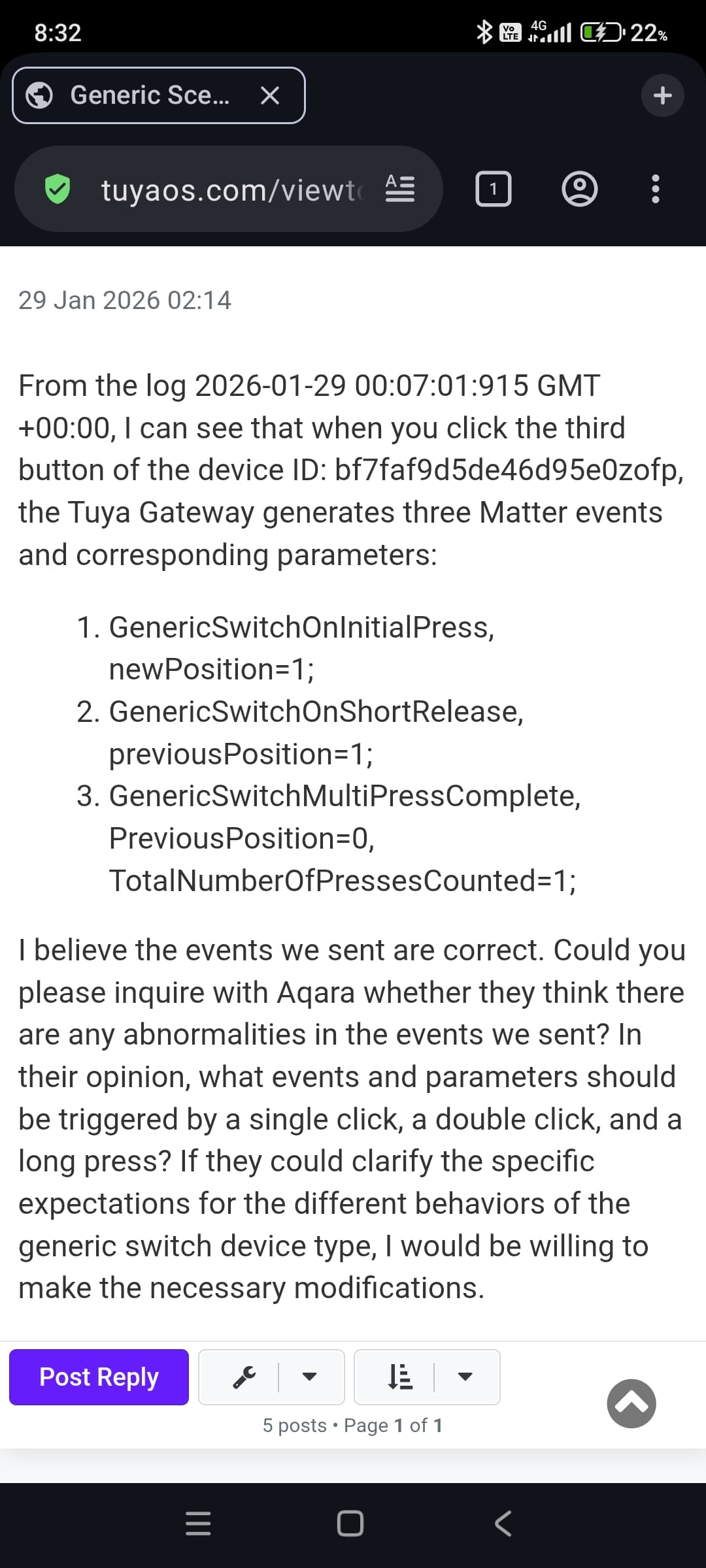
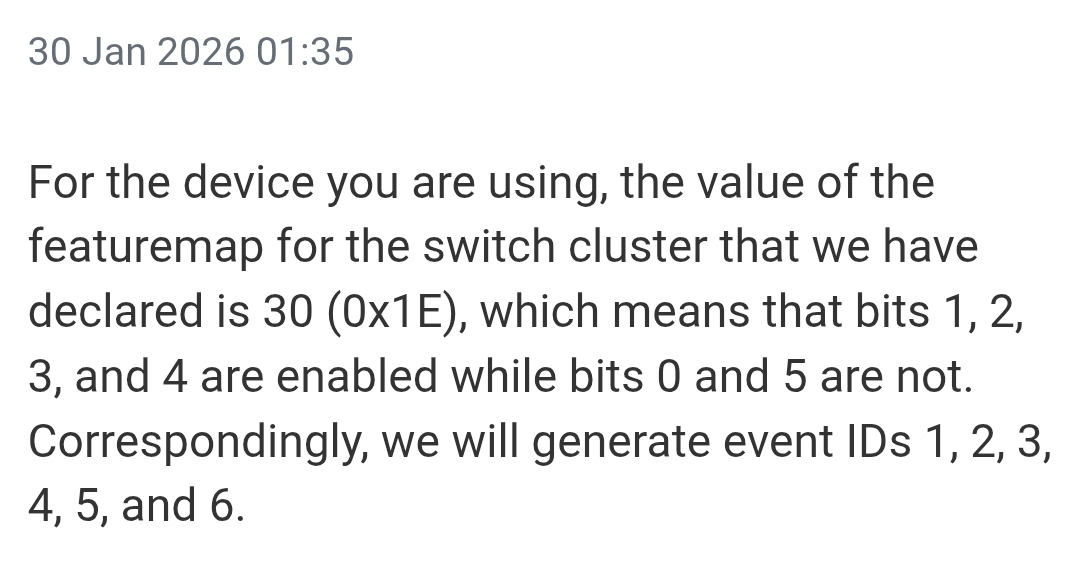
https://tuyaos.com/viewtopic.php?t=9173
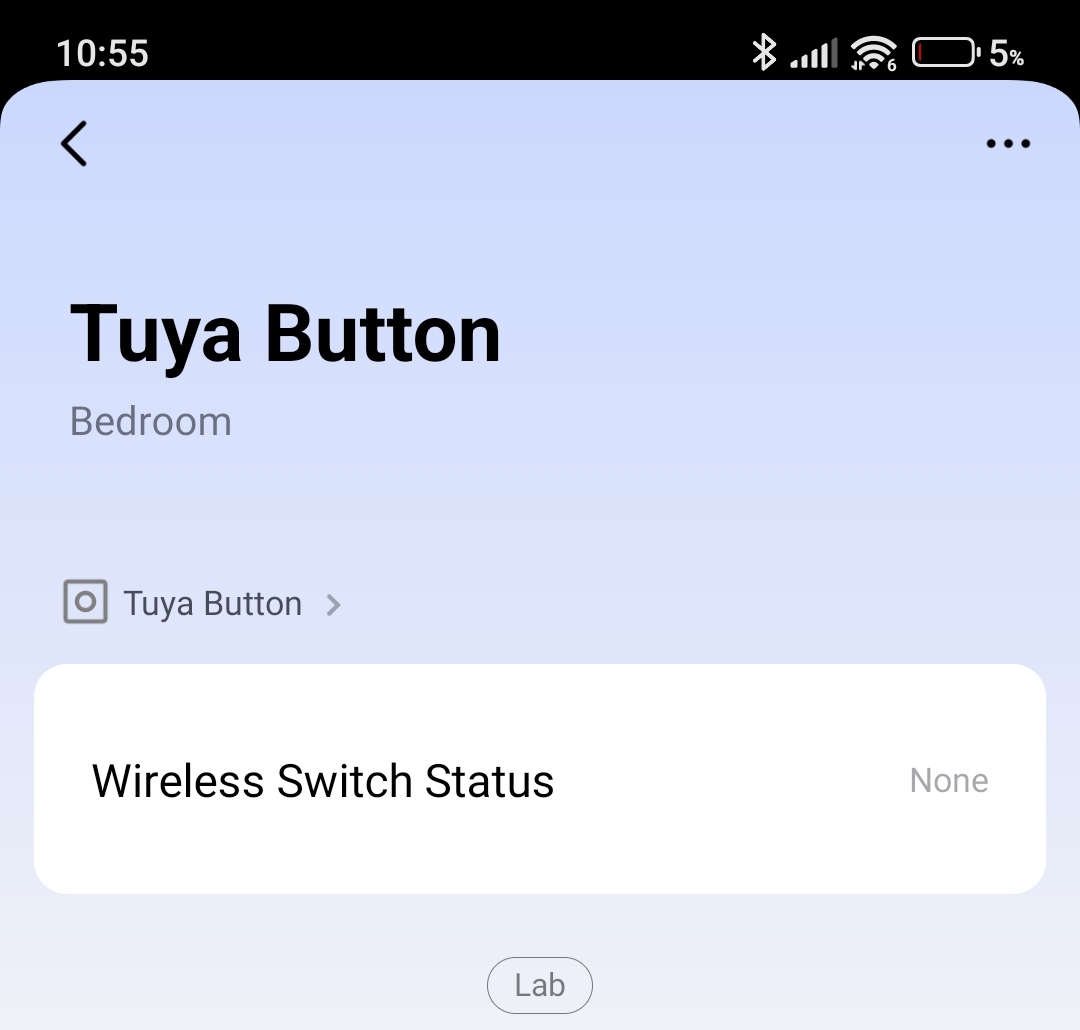
How it should be exposed to make it work with aqara? what type of device?
So basically they are showing in the aqara app, but won’t work, don’t register single, double or long press at all.
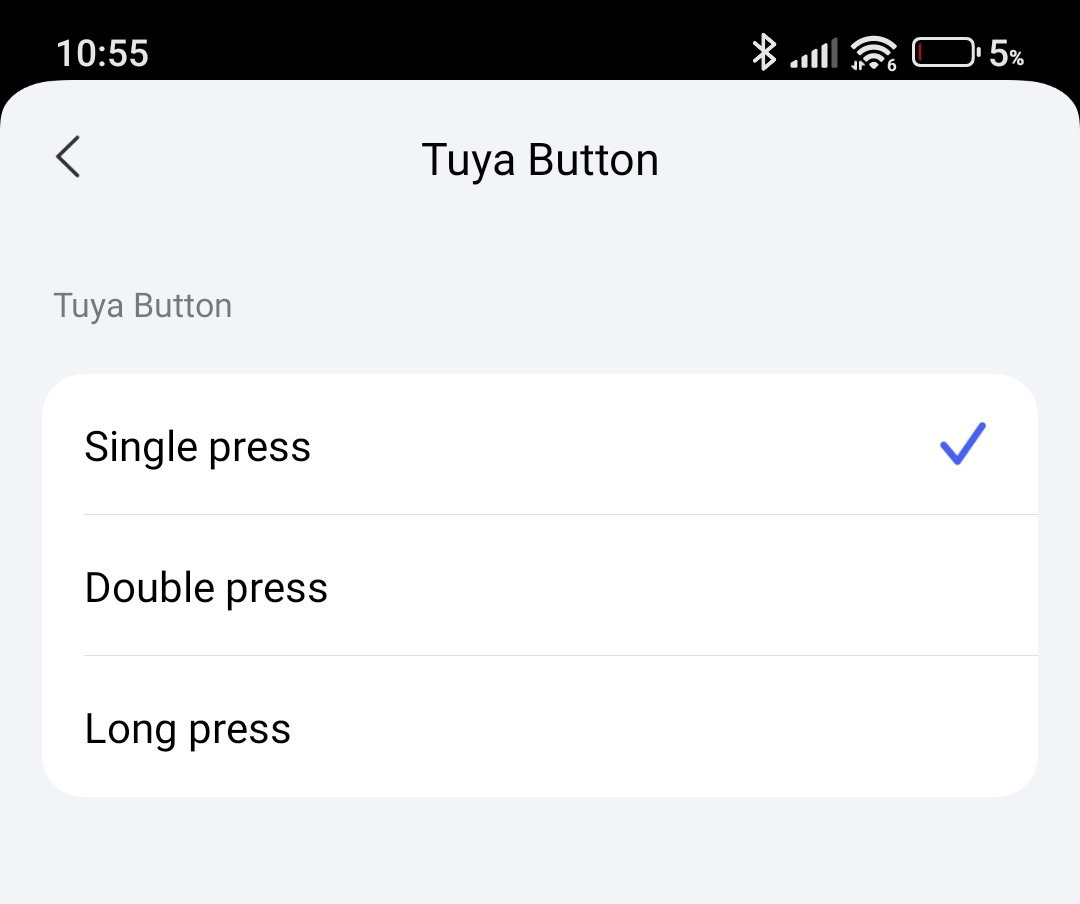
Thank you.
https://tuyaos.com/viewtopic.php?t=9173
How it should be exposed to make it work with aqara? what type of device?
So basically they are showing in the aqara app, but won’t work, don’t register single, double or long press at all.
Thank you.
So the Aqara app displays the number of buttons correctly and offers the correct events (single / double / long press), doesn’t it? Then the device type must be correct (Generic Switch) and the Switch endpoints for each button should be there, otherwise you would not see the buttons or the event types available.
If the problem is that pressing buttons does not trigger anything then maybe the bridge is not mapping the events correctly. Zigbee buttons didn’t have a standard way to communicate button actions so it may need more tweaking at bridge side so it correctly identifies the button action and send the Matter event.
Yes, it’s showing everything correctly in the Aqara app, just as you said, but not registering when pressing the button. Thanks for the suggestion.
I just added the IKEA BILRESA dual button to their Matter controller, and their Matter Bridge is exposing Matter over Thread devices. It’s the same situation as with the Zigbee switch, it’s exposed correctly, but won’t work, register clicks.
Why would it bridge a Matter device? The purpose of a Matter bridge is bridging non-Matter devices. For Matter devices there’s no need to bridge anything.
No idea why, but they do.
Do you know maybe what are correct parameters for single, double and long press?
Thanks
The response from Tuya support is unfortunately only part of the picture. While the logs confirm that the gateway registers the button press internally, this does not automatically mean that it is exposed in a Matter-compliant way.
It would therefore be more useful to analyze the raw Matter events and the FeatureMap (e.g., via the Matter diagnostic file in Home Assistant) rather than relying solely on internal gateway logs.
They can’t do this, they have so many devices, so they can’t physically test all of them. He can only check logs from my matter gateway.
So parameters on the screen are correct then for single click?
Essentially, it comes down to which feature flags are set. These flags determine whether specific events are considered valid or “correct” by the controller at all.
According to Matter 1.4 Application Cluster Specification:
Cluster Name: Switch / ID: 0x003B
There are two types of switching device supported: latching switches, such as rocker switches, and momentary switches, such as push buttons. These are distinguished by their feature flags.
Interactions with the switching device are represented as either attributes (for the latching switch) or events (for both switch types).
These feature flags must be used to indicate both the physics and the detection/reporting capabilities of the device represented by the cluster.
| Bit | Code | Feature |
|---|---|---|
| 0 | LS | LatchingSwitch |
| 1 | MS | MomentarySwitch |
| 2 | MSR | MomentarySwitchRelease |
| 3 | MSL | MomentarySwitchLong Press |
| 4 | MSM | MomentarySwitchMulti Press |
| 5 | AS | ActionSwitchPress |
These Events must be used
| ID | Name | Conformance |
|---|---|---|
| 0x00 | SwitchLatched | LS |
| 0x01 | InitialPress | MS |
| 0x02 | LongPress | MSL |
| 0x03 | ShortRelease | MSR |
| 0x04 | LongRelease | MSL |
| 0x05 | MultiPressOngoing | MSM & !AS |
| 0x06 | MultiPressComplete | MSM |
As a result, even if an event is generated internally, a Matter controller may legitimately ignore it if the corresponding feature flag is not advertised in the device’s FeatureMap.
Thanks. Its explaining a lot, they can only check if there is an error somewhere. I wish to find a working example for a button with single press, double press and long press.
That’s correct. In fact, you said the app displayed the number of buttons and pressed types for each button and that information comes precisely from the feature map of each endpoint (button) so it’s read correctly by Aqara hub too.
It’s going to be hard to troubleshoot without looking at the hub logs and I guess that means getting Aqara support involved to see what’s going on. Can be the event subscriptions, can be the events themselves, can be the event processing in the hub, etc.
Hi, thanks, so long press is working for all buttons now, only single press and double press are not working at this moment. There is progress 
He said it’s working with Apple.
He shared the code for single, double and long press.
Do you see any errors here?
Single click:
ReportDataMessage =
{
       SubscriptionId = 0xb37d7a9c,
       EventReportIBs =
       [
               EventReportIB =
               {
                       EventDataIB =
                       {
                               EventPath =
                               {
                                       Endpoint = 0x10,
                                       Cluster = 0x3b,
                                       Event = 0x1,
                               },

                           EventNumber = 0x00000000001D000E,
                           PriorityLevel = 0x0000000000000001,
                           SystemTimestamp = 0x00000000000189B3,
                           EventData =
                           {
                                   0x0 = 0 (signed),
                           },
                   },

           },

           EventReportIB =
           {
                   EventDataIB =
                   {
                           EventPath =
                           {
                                   Endpoint = 0x10,
                                   Cluster = 0x3b,
                                   Event = 0x3,
                           },

                           EventNumber = 0x00000000001D000F,
                           PriorityLevel = 0x0000000000000001,
                           DeltaSystemTimestamp = 0x0000000000000001,
                           EventData =
                           {
                                   0x0 = 0 (signed),
                           },
                   },

           },

           EventReportIB =
           {
                   EventDataIB =
                   {
                           EventPath =
                           {
                                   Endpoint = 0x10,
                                   Cluster = 0x3b,
                                   Event = 0x6,
                           },

                           EventNumber = 0x00000000001D0010,
                           PriorityLevel = 0x0000000000000001,
                           DeltaSystemTimestamp = 0x0000000000000001,
                           EventData =
                           {
                                   0x0 = 0 (signed),
                                   0x1 = 1 (signed),
                           },
                   },

           },

   ],

   InteractionModelRevision = 11
}
Double click:
ReportDataMessage =
{
       SubscriptionId = 0xb37d7a9c,
       EventReportIBs =
       [
               EventReportIB =
               {
                       EventDataIB =
                       {
                               EventPath =
                               {
                                       Endpoint = 0x10,
                                       Cluster = 0x3b,
                                       Event = 0x1,
                               },

                           EventNumber = 0x00000000001D0011,
                           PriorityLevel = 0x0000000000000001,
                           SystemTimestamp = 0x0000000000031D9B,
                           EventData =
                           {
                                   0x0 = 0 (signed),
                           },
                   },

           },

           EventReportIB =
           {
                   EventDataIB =
                   {
                           EventPath =
                           {
                                   Endpoint = 0x10,
                                   Cluster = 0x3b,
                                   Event = 0x3,
                           },

                           EventNumber = 0x00000000001D0012,
                           PriorityLevel = 0x0000000000000001,
                           DeltaSystemTimestamp = 0x0000000000000002,
                           EventData =
                           {
                                   0x0 = 0 (signed),
                           },
                   },

           },

           EventReportIB =
           {
                   EventDataIB =
                   {
                           EventPath =
                           {
                                   Endpoint = 0x10,
                                   Cluster = 0x3b,
                                   Event = 0x5,
                           },

                           EventNumber = 0x00000000001D0013,
                           PriorityLevel = 0x0000000000000001,
                           DeltaSystemTimestamp = 0x0000000000000001,
                           EventData =
                           {
                                   0x0 = 0 (signed),
                                   0x1 = 2 (signed),
                           },
                   },

           },

           EventReportIB =
           {
                   EventDataIB =
                   {
                           EventPath =
                           {
                                   Endpoint = 0x10,
                                   Cluster = 0x3b,
                                   Event = 0x3,
                           },

                           EventNumber = 0x00000000001D0014,
                           PriorityLevel = 0x0000000000000001,
                           DeltaSystemTimestamp = 0x0000000000000001,
                           EventData =
                           {
                                   0x0 = 0 (signed),
                           },
                   },

           },

           EventReportIB =
           {
                   EventDataIB =
                   {
                           EventPath =
                           {
                                   Endpoint = 0x10,
                                   Cluster = 0x3b,
                                   Event = 0x6,
                           },

                           EventNumber = 0x00000000001D0015,
                           PriorityLevel = 0x0000000000000001,
                           DeltaSystemTimestamp = 0x0000000000000001,
                           EventData =
                           {
                                   0x0 = 0 (signed),
                                   0x1 = 2 (signed),
                           },
                   },

           },

   ],

   InteractionModelRevision = 11
}
Long press, which is working correctly, but its weird, you have to hold button for long time, and its only register it when you release the button, but I see its working like that for all tuya buttons, so he programmed it in the same way for matter:
ReportDataMessage =
{
       SubscriptionId = 0xb37d7a9c,
       EventReportIBs =
       [
               EventReportIB =
               {
                       EventDataIB =
                       {
                               EventPath =
                               {
                                       Endpoint = 0x10,
                                       Cluster = 0x3b,
                                       Event = 0x2,
                               },

                           EventNumber = 0x00000000001D0016,
                           PriorityLevel = 0x0000000000000001,
                           SystemTimestamp = 0x000000000003D740,
                           EventData =
                           {
                                   0x0 = 0 (signed),
                           },
                   },

           },

           EventReportIB =
           {
                   EventDataIB =
                   {
                           EventPath =
                           {
                                   Endpoint = 0x10,
                                   Cluster = 0x3b,
                                   Event = 0x4,
                           },

                           EventNumber = 0x00000000001D0017,
                           PriorityLevel = 0x0000000000000001,
                           DeltaSystemTimestamp = 0x0000000000000002,
                           EventData =
                           {
                                   0x0 = 0 (signed),
                           },
                   },

           },

   ],

   InteractionModelRevision = 11
}
I asked Gemini where the error and it’s saying there is few errors, but its Ai, so I can’t trust it
At first glance, I only noticed signed in EventData, but according to the specifications, it should be uint8, which stands for an 8-bit unsigned integer with an integer value of 0–255. This could potentially be an issue, but I will look into it more closely later.
thanks <3
Yeah that what Google said, plus issue with time, it set up for 1 millisecond and short release is missing in double click, or something like that
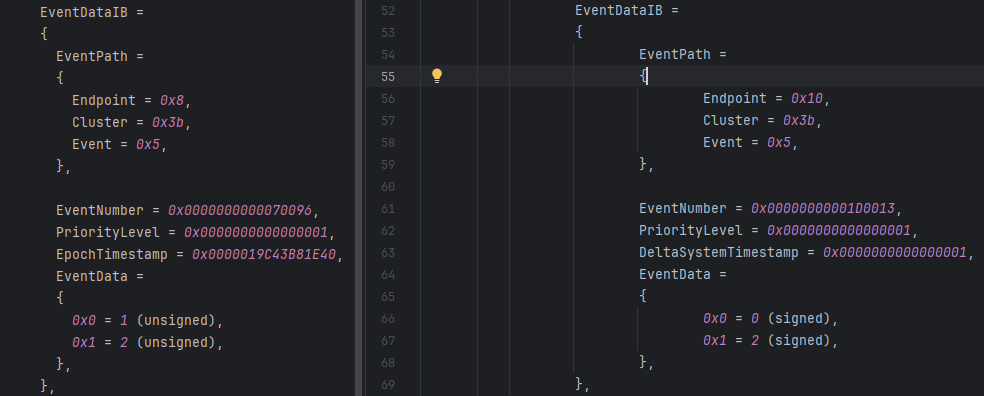
This becomes clear when the two are compared. On the left, you can see the correct double-click of an Aqara H2 switch. On the right, you can see the double-click of a Tuya switch.
Aqara → Event 0x5 MultiPressOngoing
EventData = {
0x0 = 1 (unsigned), → NewPosition = 1 (pressed!)
0x1 = 2 (unsigned), → Count = 2
}
Tuya → Event 0x5 MultiPressOngoing
EventData = {
0x0 = 0 (signed), → NewPosition = 0 (not pressed?)
0x1 = 2 (signed), → Count = 2
}
Can you share for single and long press as well? I can’t find it in the file which you sent me before.
thank you
What I sent you before was different. Tomorrow, I will send you the data for all three complete switch states. However, you will need a text editor or viewer that supports ANSI escape codes.