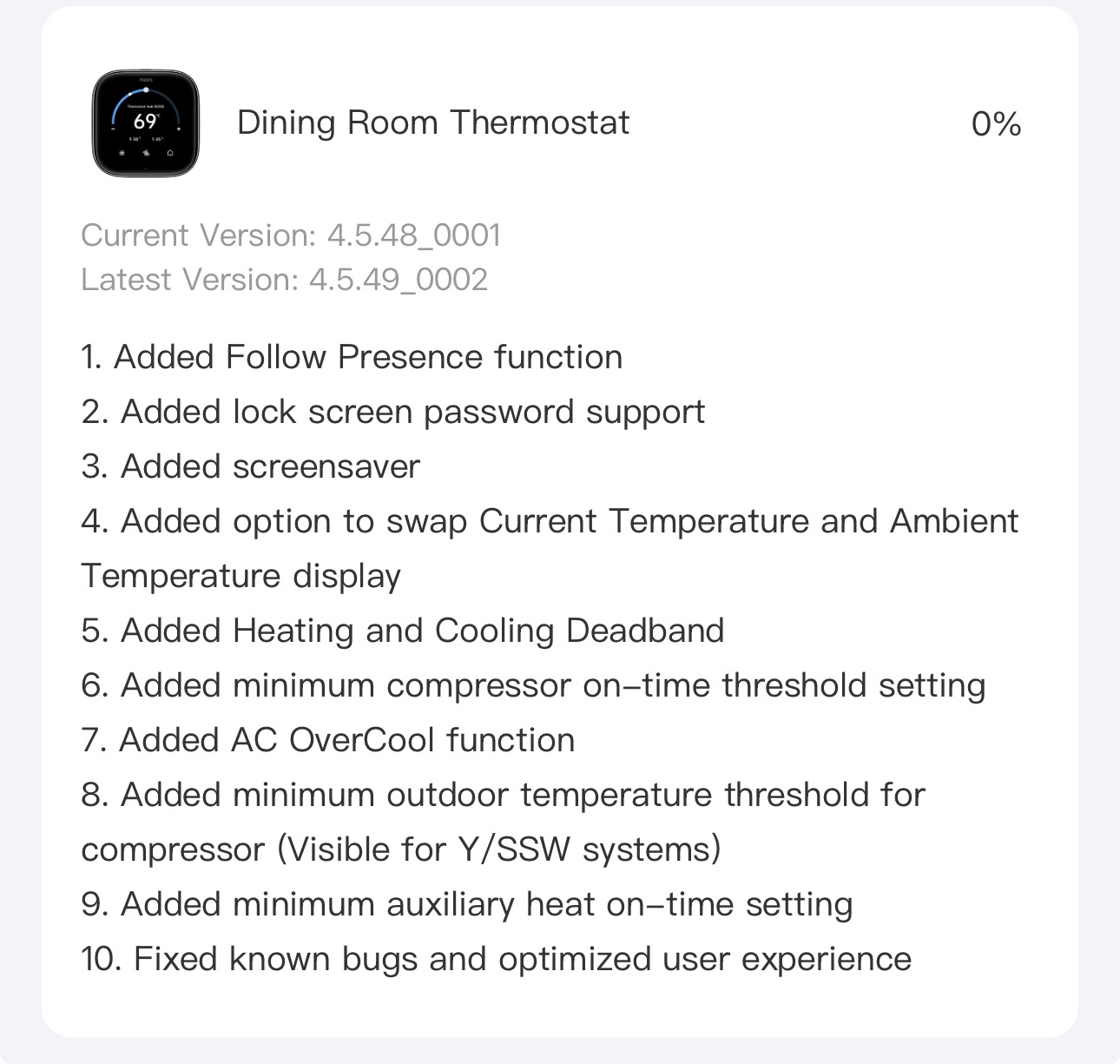
Pretty massive FW update for W200. This makes me happier then it probably should.
15 Likes
A lot of good and needed updates, thanks for posting! I really like the focus on adding more settings. They’re listening!
Hoping for the following in a future update:
- desperately need a “return to normal schedule” automation/scene action.
- custom presets need to work when selecting via Matter
- fan control via matter.
- custom preset names do not come across via Matter, just “Preset 6”, etc.
9 Likes
Is there a firmware update that can be provided to not de-energize the reversing valve solenoid (O) when the heating/cooling call ends similar to the way the Ecobee operated?
Kevin of Aqara Technical Support indicated some time ago that info had been forwarded to R&D department and new features will be added in future firmware updates to allow the following custom configuration:
- O/B synchronous disconnection mode upon each shutdown;
- O/B non-disconnection mode upon each shutdown. This is expected to resolve your issue.
8 Likes
I received the update, but how/where do you swap the set point for ambient temperature display?
4 Likes
I did it directly on the device under Display & Brightness. Don’t know if it’s in the app already.
5 Likes
Open Aqara Home
Open the thermostat in question
click the … option in upper right-hand corner
Select Preset Modes
Select the Preset Mode you want to change the sensor for
At the very bottom of that screen is a “Set Data Source” option. Click it to select a different temp sensor.
4 Likes
Thanks for the heads up!
2 Likes
That version isn’t available for me yet. How are the updates rolled out?
5 Likes
Do we have a timeline for when continuous power will be sent to the reversing valve?
Thanks for the reminder to update! Just realised I was a couple versions behind. 
1 Like
Love the firmware so far! Coming from an EcoBee I would like to request some things in the future.
Multi-Stage heat pump
Can we get an indication showing which stage is running? Ecobee puts a little tiny 1 or 2 on the little snowflake logo when it is cooling showing which stage is being called for.
Can we get an adjustable range to set when stage 2 kicks on vs just running stage 1 forever for 1 degree. I feel like the threshold is too large for my location, I’d like the ability to adjust this time and temperature threshold for running stage 1 or stage 2.
Thanks! Keep up the good work!
1 Like