I purchased the latest ATV (Model A3593) and connected it via Ethernet. I also have another ATV (A2169) that supports Thread and it is also connected via Ethernet.
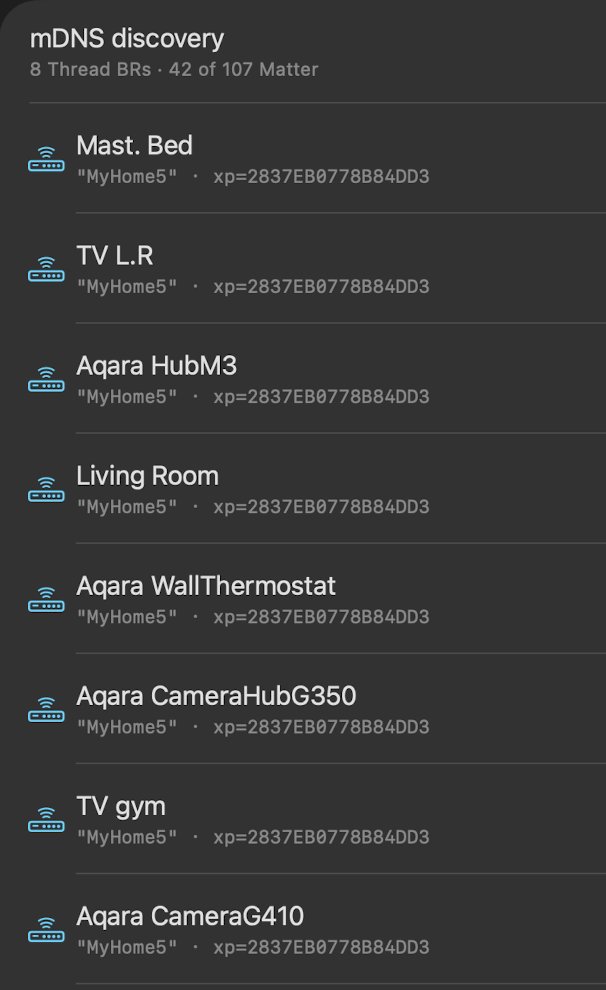
My eight TBRs are listed as TBRs in the Thread Doctor app. They are all on the only Thread network (MyHome 5) and have identical XPs.
In Apple Home I selected my new ATV to be the Preferred Home Hub.
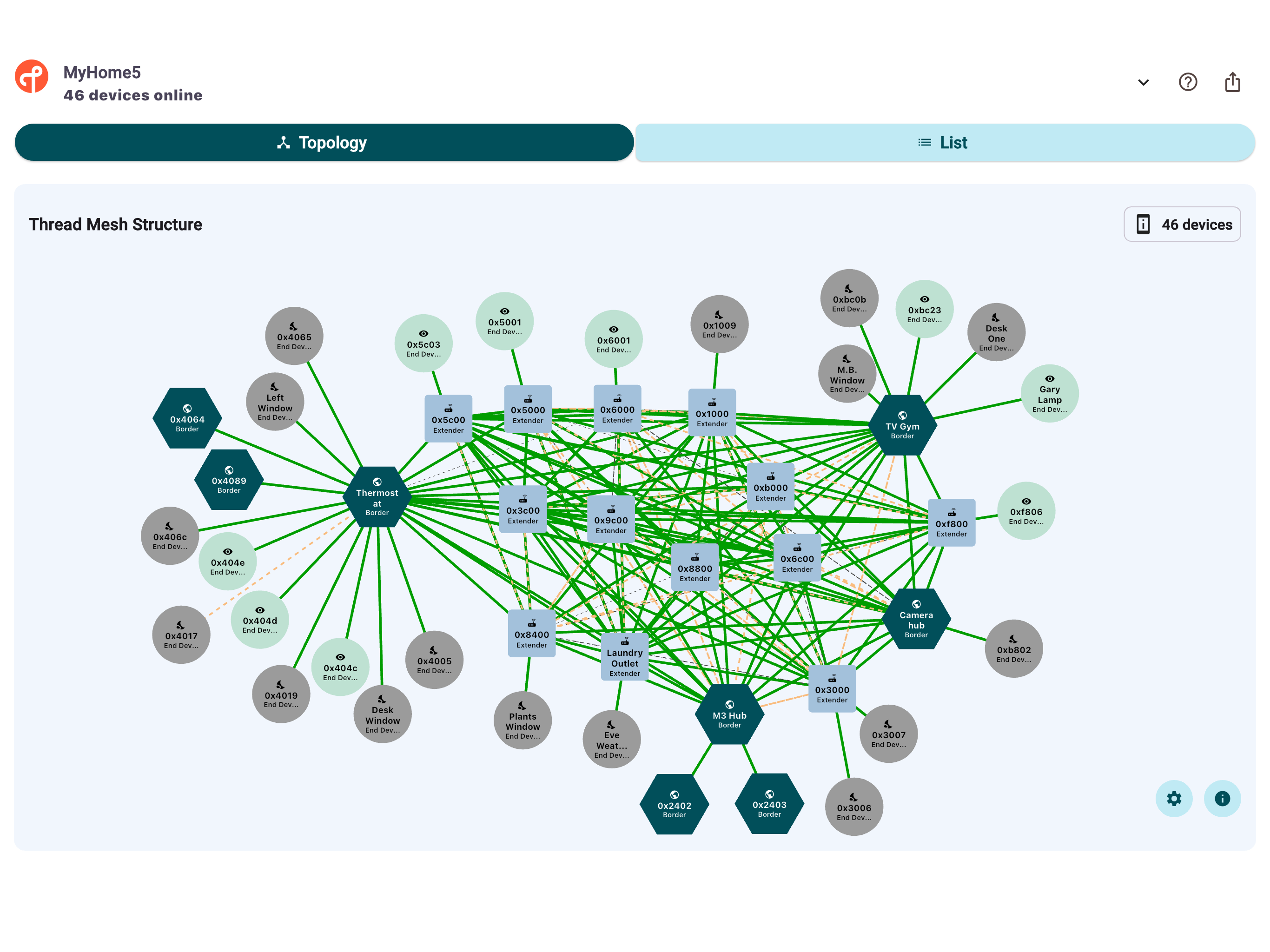
PROBLEM: I cannot get my new ATV to show up in the Mesh/node graph. Instead, the graph shows my other ATV as leader.
EFFORTS:
I reset my new ATV. That didn’t change anything.
I unplugged the ATV that was assigned leader. Then my Aqara Thermostat took over the devices that were on the leader ATV.
I “told” my newest ATV to forget my wireless network.
None of these efforts have helped.
Note: I get the same results using the Thread Tools app.
Any suggestions as to how I can get my new ATV to show up??? Thanks in advance!
There is no way to tell a Thread network which device you want to be leader - Thread is a self-managing mesh network. Even if you turn all your devices off, turn your new Apple TV on so it becomes leader and then turn the rest of the router-eligible devices on one at a time, the network may decide to switch the leader to any of the devices. This is just the way a Thread network works.
Okay, I get that. But wouldn’t it seem reasonable that it would at least appear in the graph? I’ m fine with the network choosing, but it can’t be too dumb.
Edit to add: Welcome to the forum!!
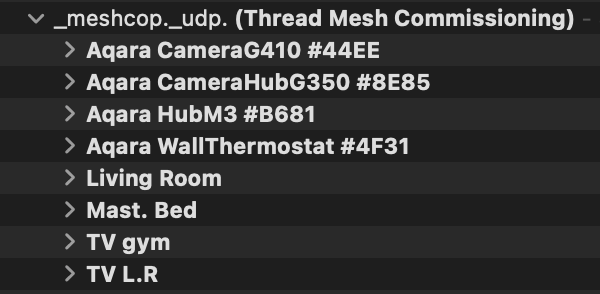
Have you checked with the Discovery app whether all TBRs show up under _meshcop._udp.?
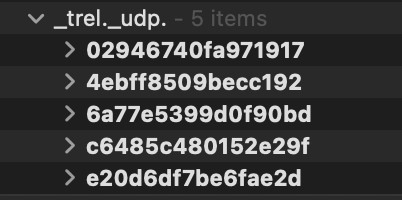
If not, try restarting the iPhone. I’m not sure whether some kind of cache plays a role there. All TBRs with Thread 1.4 should also show up under _trel._udp. For me, everything only got listed after restarting the iPhone
Okay, perhaps I was impatient. In Thread Tools, all 8 TBRs show up. It seems very likely that the iPhone restart did the job. Though I don’t know why. I would not have come up with that!
Glad it’s sorted. For the record, “Preferred Home Hub” in Apple Home has nothing to do with Thread. It only picks which hub runs your automations and remote access. The Thread leader is elected by the mesh itself.
Also, Thread Doctor builds its graph from the diagnostics reported by your accessories, so a brand new TBR with no devices attached yet can take a while to show up.
JohnD’s trel clue is interesting: your 3 missing TBRs are probably older ones not on Thread 1.4 yet. Which ones are they?
Thank you, @Marc3k I am trying to be patient. And yes, everything you experts share on this forum are gold nuggets to me. So, here is where things stand right now:
From Thread Doctor, mDNS shows all 8 BRs.
That’s interesting. I have turned on igmp snooping after reading a recent post from @mickeybarany where he had turned this on. I’ll turn it off and see if it helps. Thanks!
Edit: He actually disabled igmp snooping. I misread.
IGMP snooping can reduce the load on your network, but it can also cause problems because multicast traffic does not reach everywhere, which is kind of the whole point of it.
Yes, I do have HAOS. But I have recently had to do a total reset of my home and have not yet brought HA back into action. I just disabled igmp snooping and will see if that helps.
If I were not such a zen soul, I think all of the variables in home automation might just make me crazy.