Do you work from home? My wife and I do. And for us, maintaining a healthy work-life balance is not an issue, but moving our butts to turn on the light is definitely an issue.
We are very often super focused and we just don’t notice that the lighting is bad. And as we know, the ambient light level should match or slightly exceed the brightness of the screen.
And bad lighting and looking at screens 8h per day (actually more, because we usually watch movies or play games after work) may damage our eyes. So I’ve made a super convenient automation with Power Plug H2 (EU) and FP300 to protect our eyesight.
The windows in the room where we work are on the east side of the building, so during late spring and summer we get a really nice and bright sunrises. And most of the summer, the sun shines so bright that we don’t have to turn on any lights.
But sometimes it gets cloudy (and it may get dark really fast if it’s a sudden rain) and in the winter the days are shorter. So I used the FP300 to monitor the light level in the room and if we are present in the room.
The light bulbs in the room are all Aqara LED bulbs T2 (GU10). So automating should be easy enough, right?
And then I thought - “but what if we have a day off?” I don’t want to have super bright light every time we come to the room in this case. Especially given the room is also used as a dining room 
And I’m super forgetful, I don’t want to manually turn the automations on and off each time we have a day off.
The solution was to use the Aqara Power Plug H2 (EU) as a way to check if we are working. When we start work, we always plug our computers and chargers into the same power strip. So I just need to check if the light level is low, anyone is present AND the power plug detects power usage.
So this is the setup of the Power Plug H2:
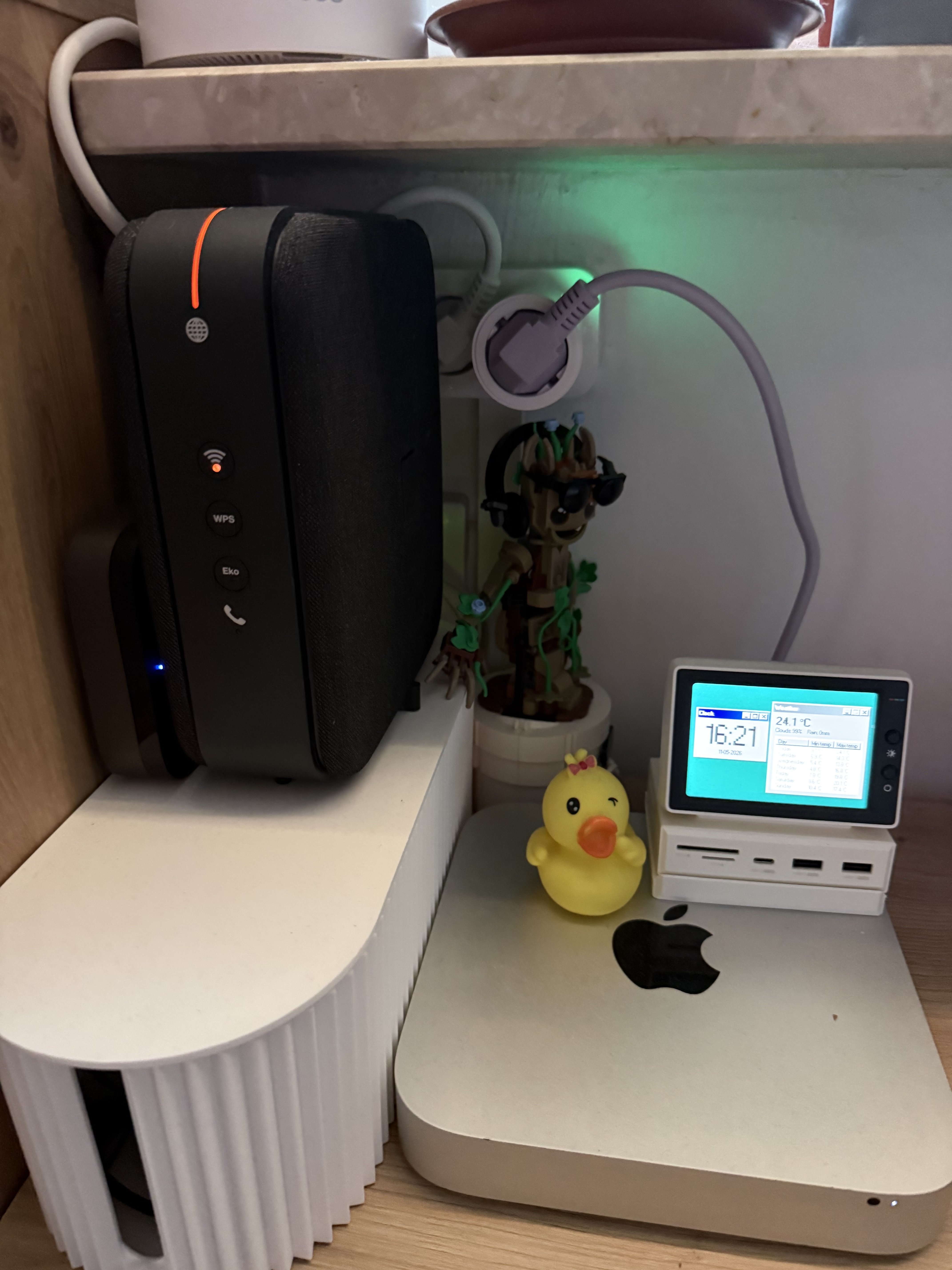
Look how small the Power Plug H2 is! It doesn’t obstruct the second outlet, it’s much better than the H1.
And these are the automations/scenes used to automate the lights:
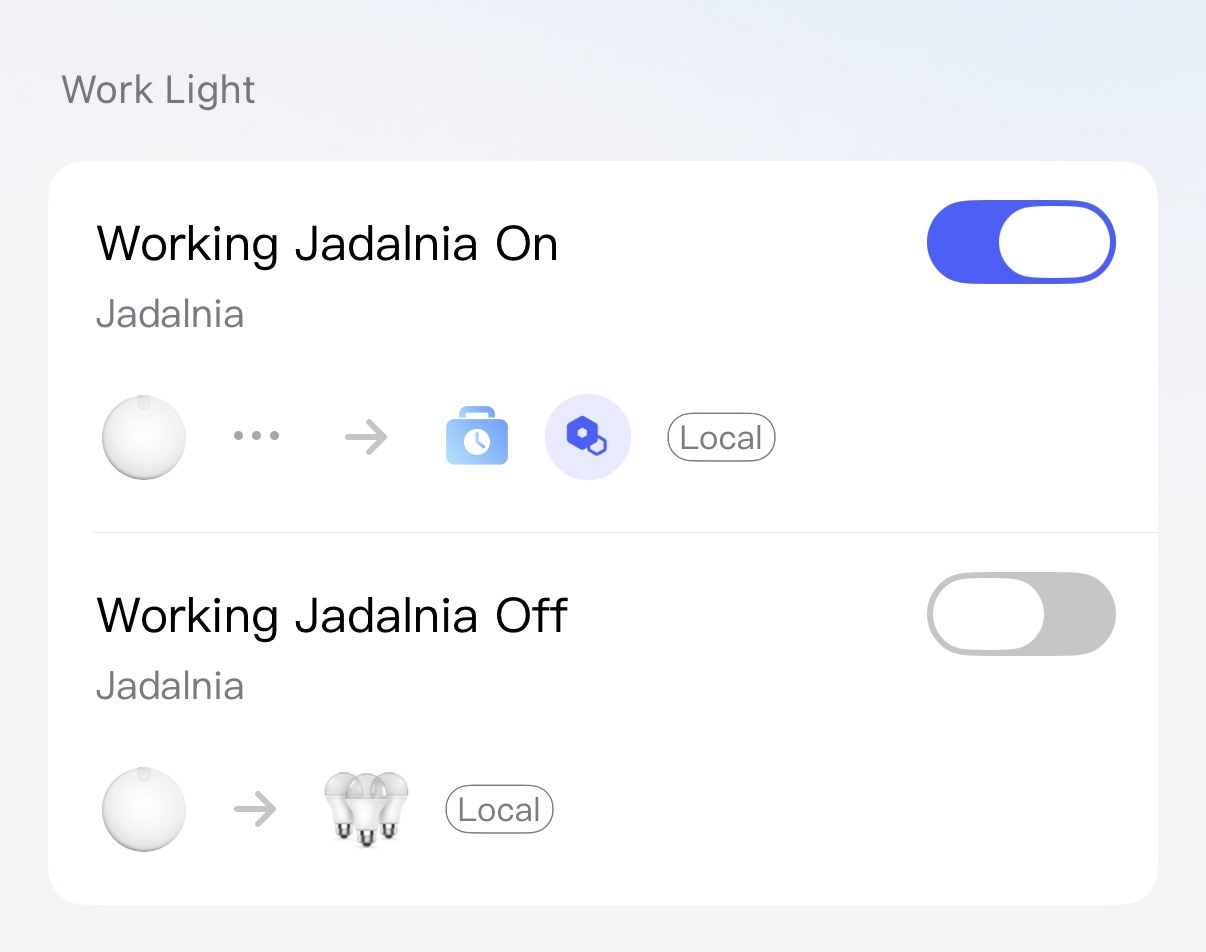
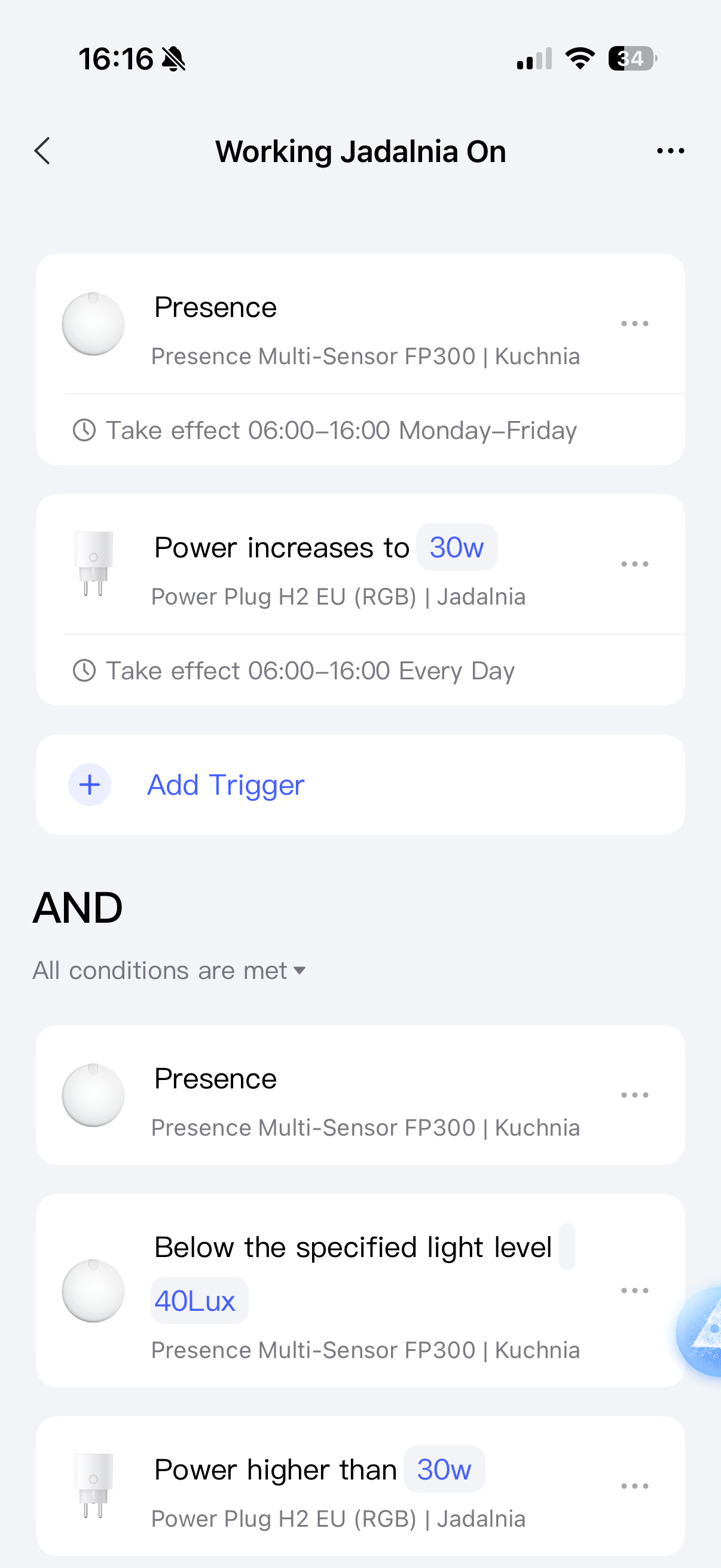
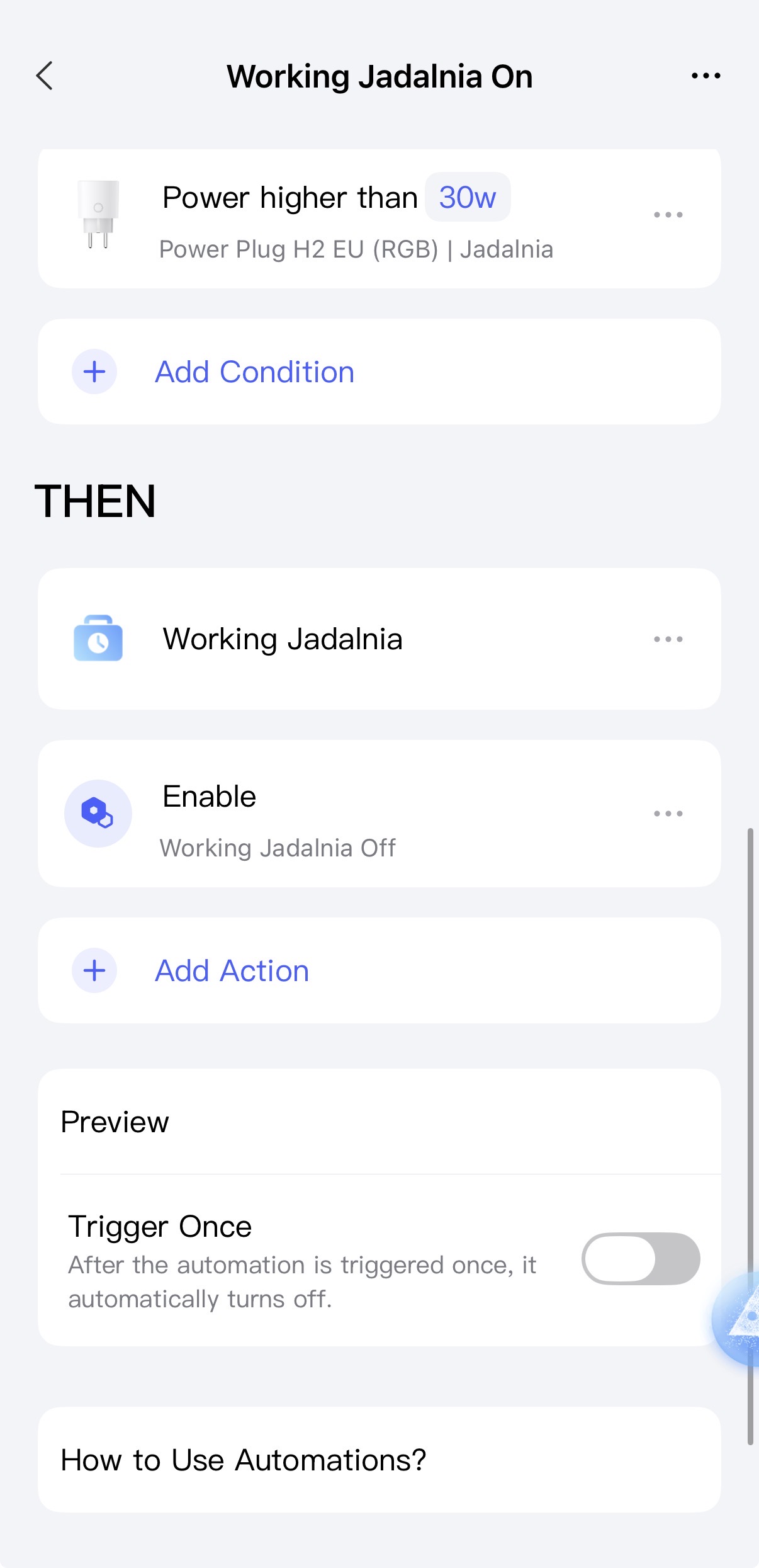
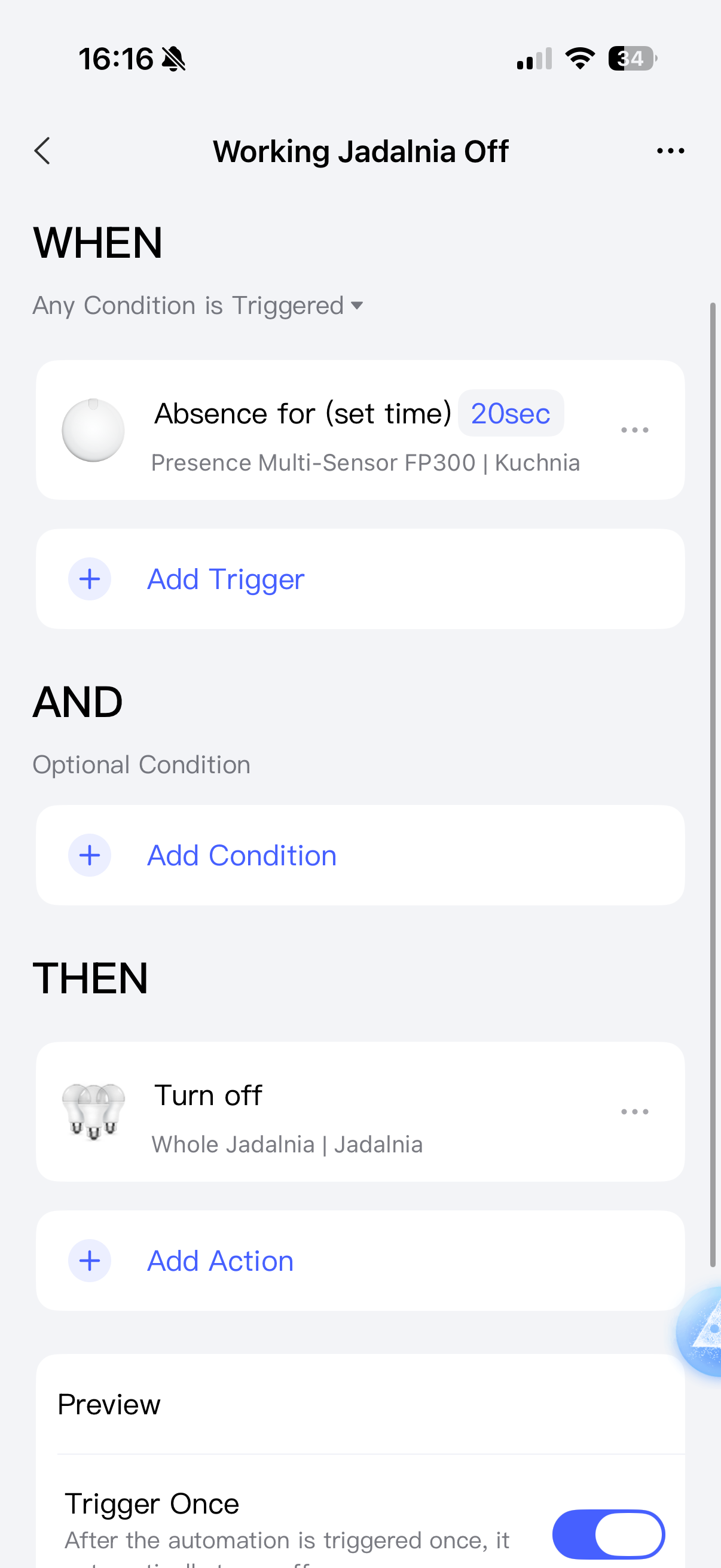
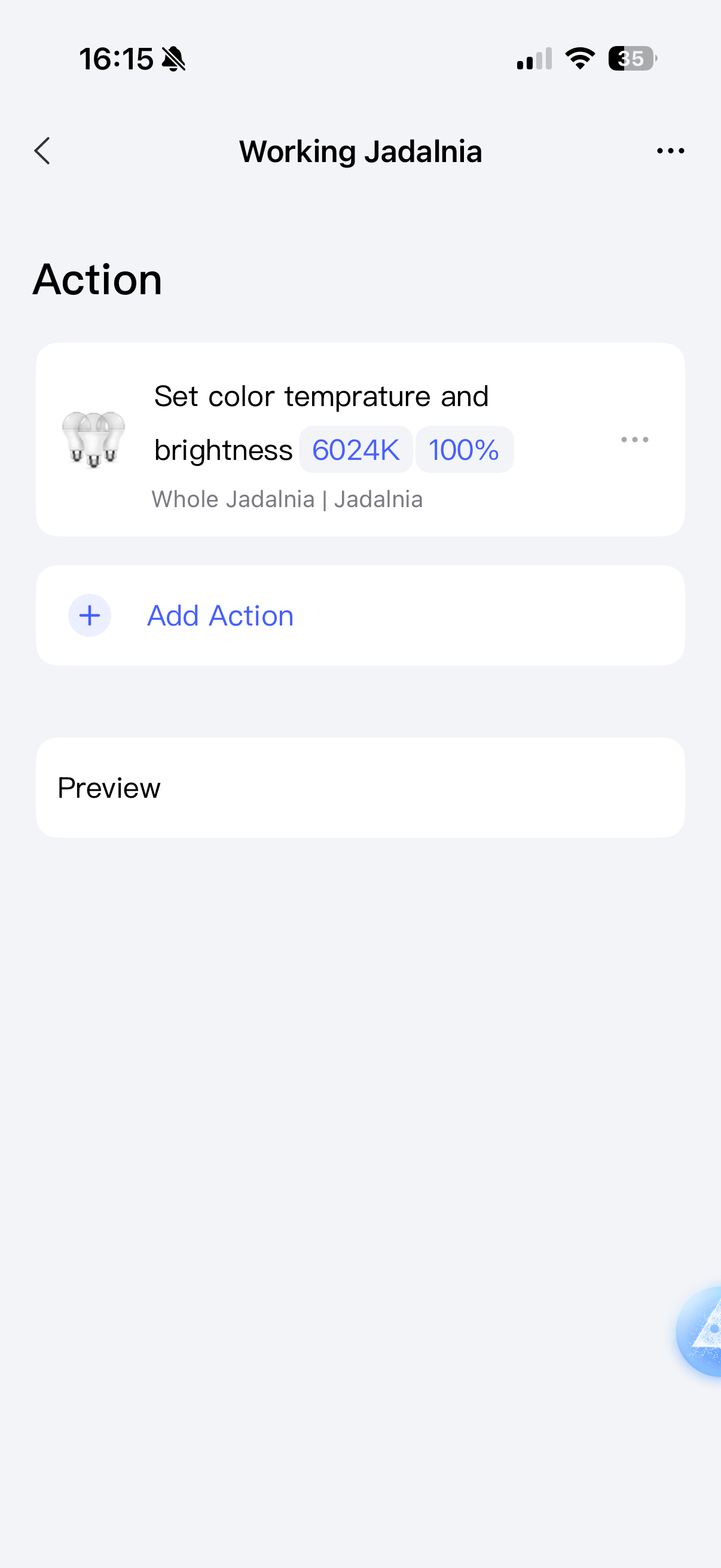
Note: “Jadalnia” is the name of the room in Polish, I just left it like that because it sounds funny when you read it in English pronunciation.
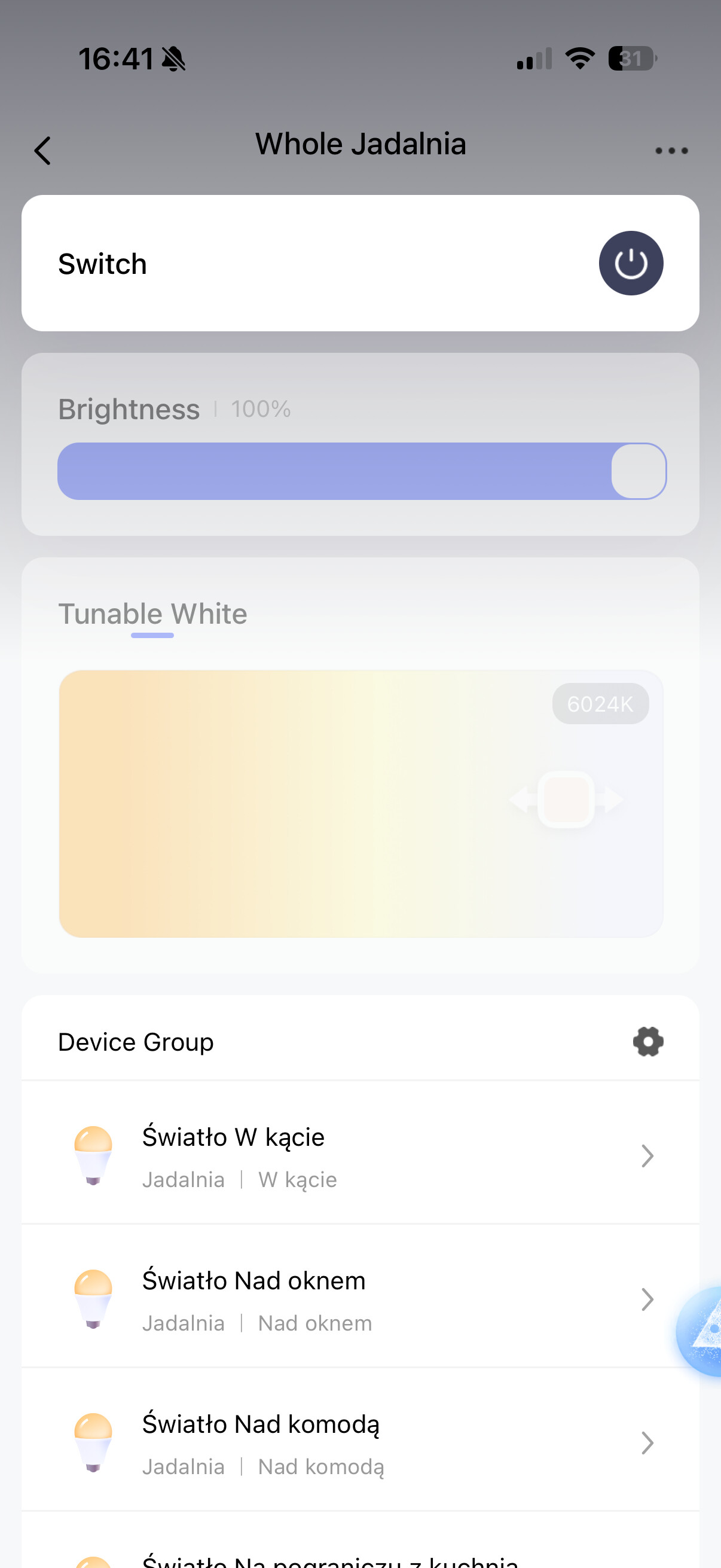
“Whole Jadalnia” in the above screenshots is a device group. I grouped all my T2 bulbs in this room as one device group (Accessories → + → Add Device Group)
 "
"