Hello everyone in the Aqara community,
I hope you are all doing well.
I would like to ask a question about a specific setting on the M3 Hub that I haven’t been able to figure out.
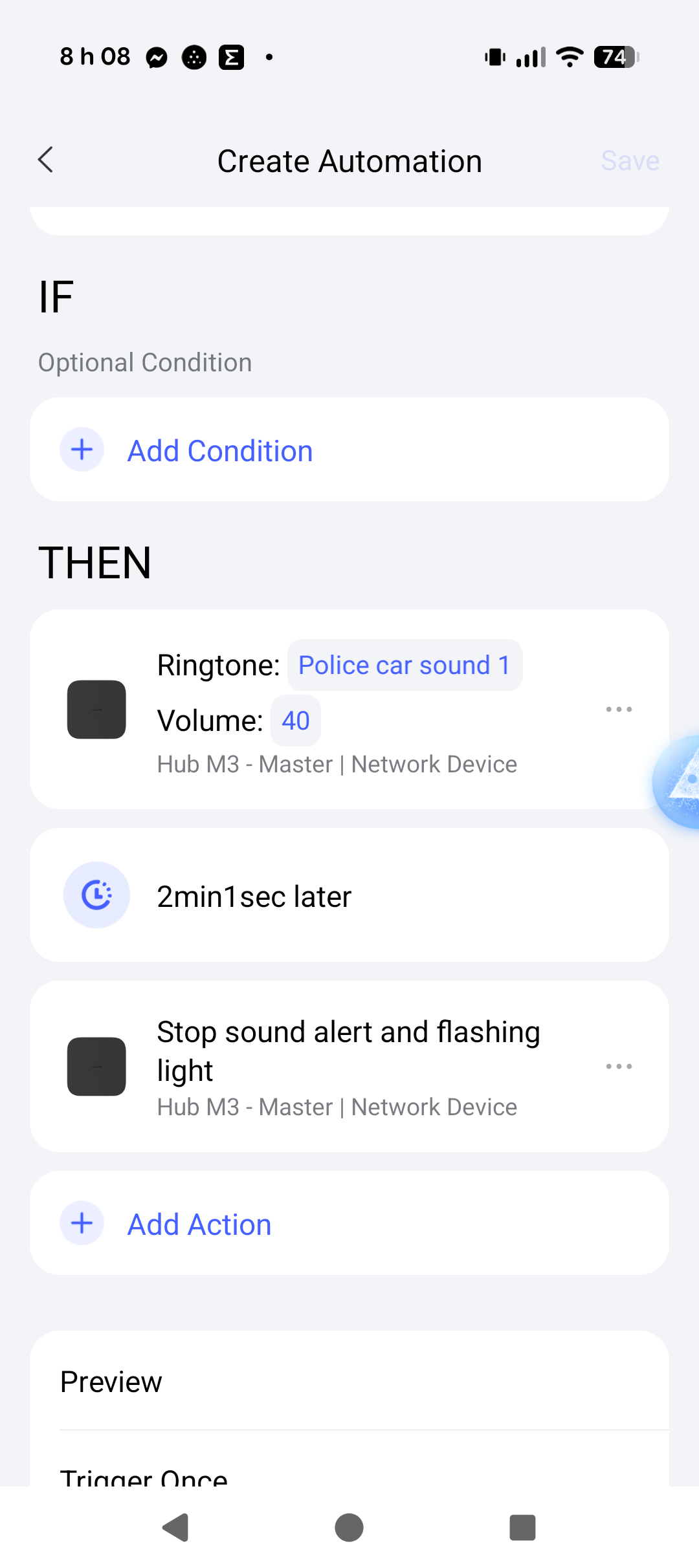
Currently, I have several automations set up so that when one of my motion sensors or my G5 Pro camera detects movement, a sound alarm is triggered on the M3 Hub. The automation works perfectly in that the alarm activates immediately, which is great.
My issue is with the duration of the sound: the hub’s alarm continues to sound indefinitely until I manually stop it from the Aqara Home app.
I would like to know if there is a way to set a defined time for these audible alarm notifications. For example, upon detecting motion, having the alarm sound for 30 seconds or 1 minute and then automatically stop without manual intervention.
I have looked through the automation settings but haven’t found a field to set the duration for the alarm sound. Perhaps I am overlooking a setting within the “Alert System” or maybe a complementary scene needs to be created.
I would appreciate any help or guidance you can provide.
Best regards!