My S100 is connected via Matter over Thread. It can be seen in the Aqara app and allows me to customize screens in app, but they never properly transfer to the device even though it appears to save.
The screen shows two black buttons (ie nothing there with a line through the middle of the screen to divide two buttons).
The physical buttons work. I’ve set them as soft switches so the bottom one controls my T1M in the room and currently not using the top physical switch. The bottom physical one behaves as per setup in app.
I’ve rebooted the device a few times yet I still can’t figure buttons on the screen. The touchscreen works as I can swipe down to get to settings etc.
Hi there, it looks like you’re experiencing a support-related issue. We’ve automatically created a support ticket for you and will reach out via the forum email within the next two business days.
If other members have any suggestions or insights on this topic, feel free to share!
Hi there, as this issue has already been resolved with our support team via email, we’ll be closing this topic on the forum as well. If you have any further questions or run into any other issues, please feel free to reply directly to our support email. Thanks for your support and understanding!
I have the same problem. How about sharing the solution in public so that everyone can benefit from the answer?
I can pair the device with aqara app or home assistant. I can chose different icons for the wireless switches in the app but when I go to save the configuration, the only icons that get transferred to the actual switch are those related to lights. None of the icons I downloaded per the theme work except the lights and those built into the switch are useless for me.
Aqara M3 version 4.5.50_0019
Aqara S100 US KS-K06E version fw 1.03.0
I had to factory reset the S100, which I had to ask AI about to find a solution because it wasn’t listed anywhere I could find or in the app etc and I wasn’t directed to by Aqara support either. Just the “reset” option on the device was not sufficient.
**Press any physical button on the switch 10 times continuously. The device will wipe its configuration data and completely reset.
1 Like
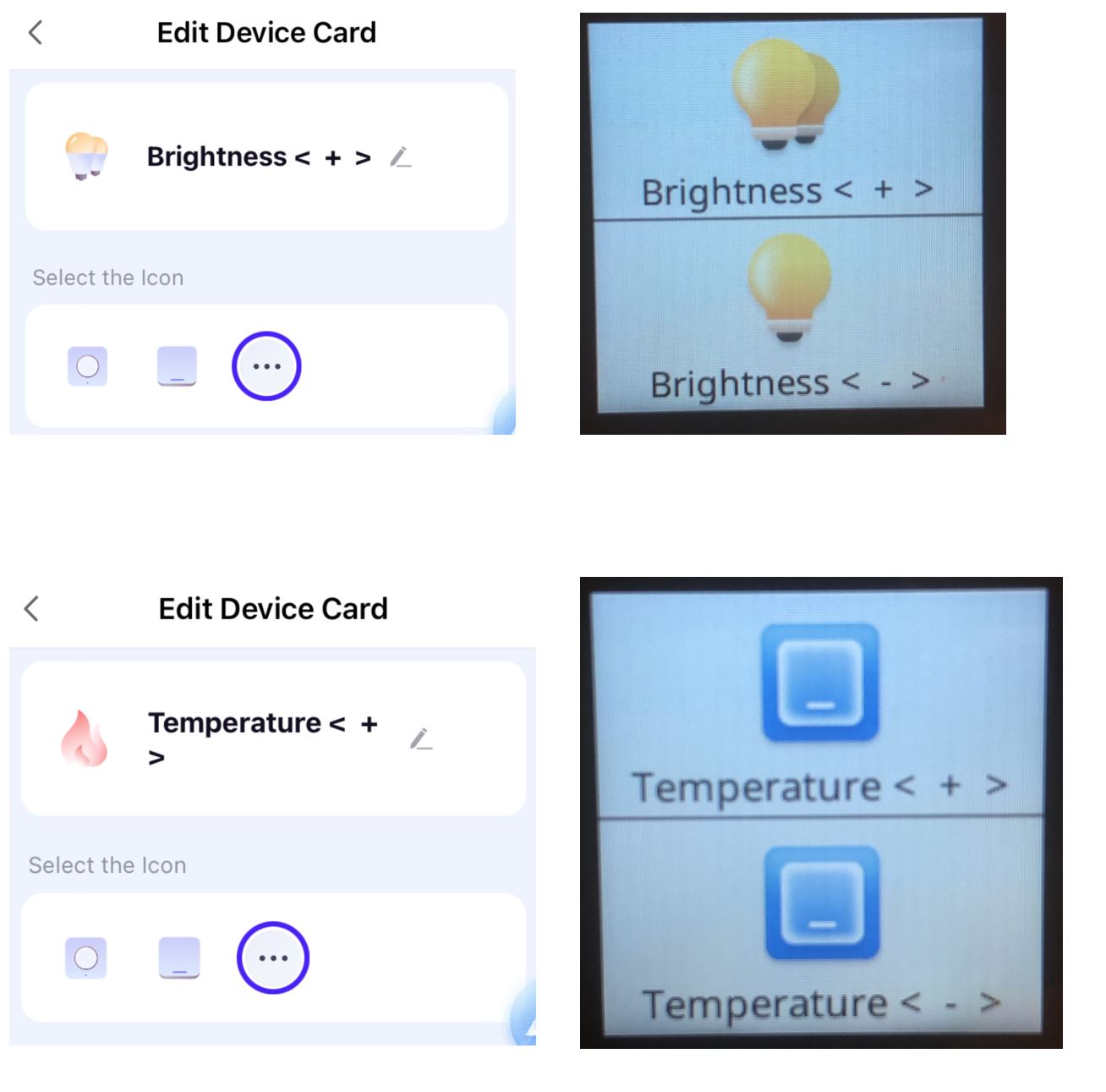
Thank you for the reply. I had tried the factory reset. I may in fact have a slightly different issue from yours. No matter what Icon I select in the app for the wireless buttons, other than lighting related ones I get a standard “button” type icon. I’m starting to think it’s by design. This device only permits light type entities to be controlled.
I was hoping to use this device with RGB downlights to virtually adjust the brightness using 2 buttons then the Kelvin temperature using another two, and possibly the hue with the next 2 buttons. It’s not even ideal because of the check mark / delay with every tap on the screen and there’s no way to disable that.
I guess I have to find another solution.
Cheers!