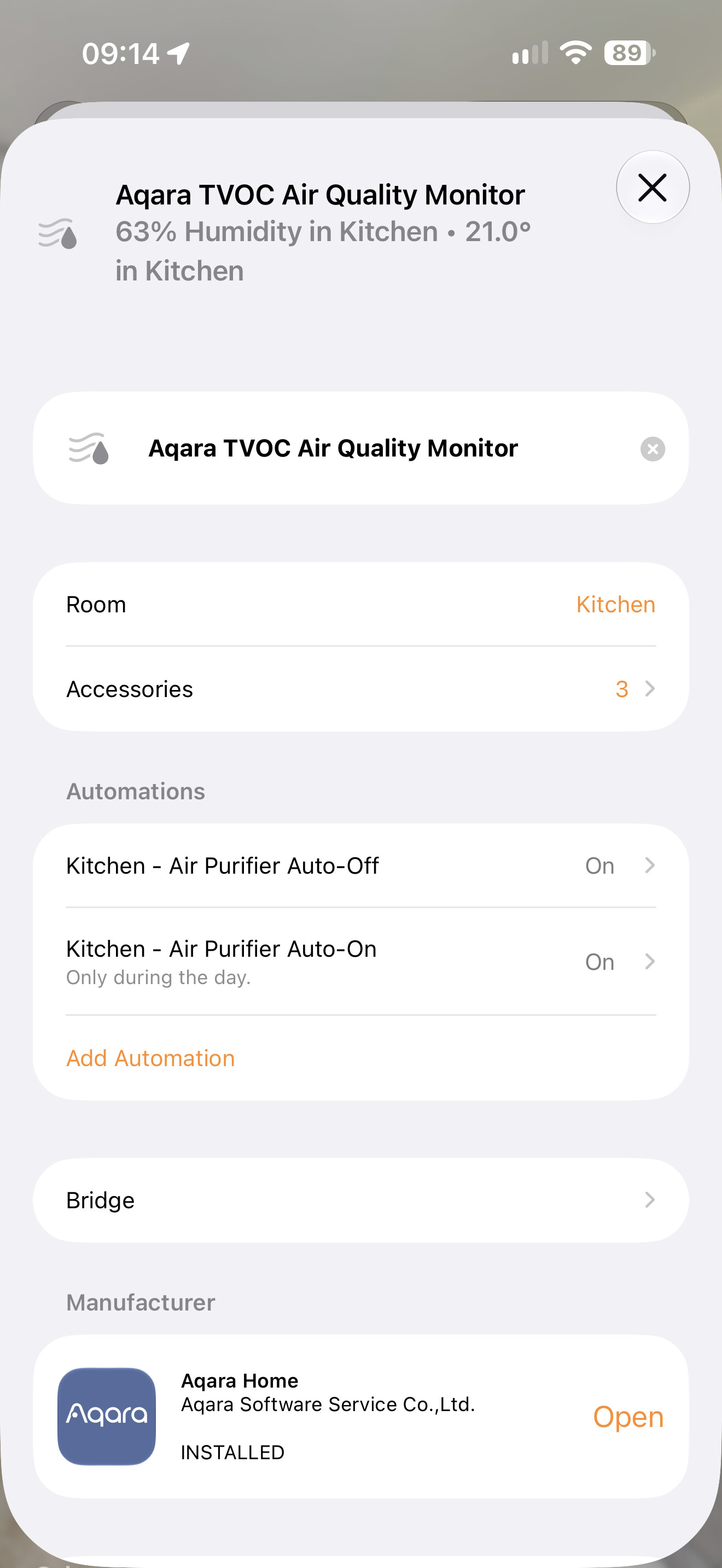
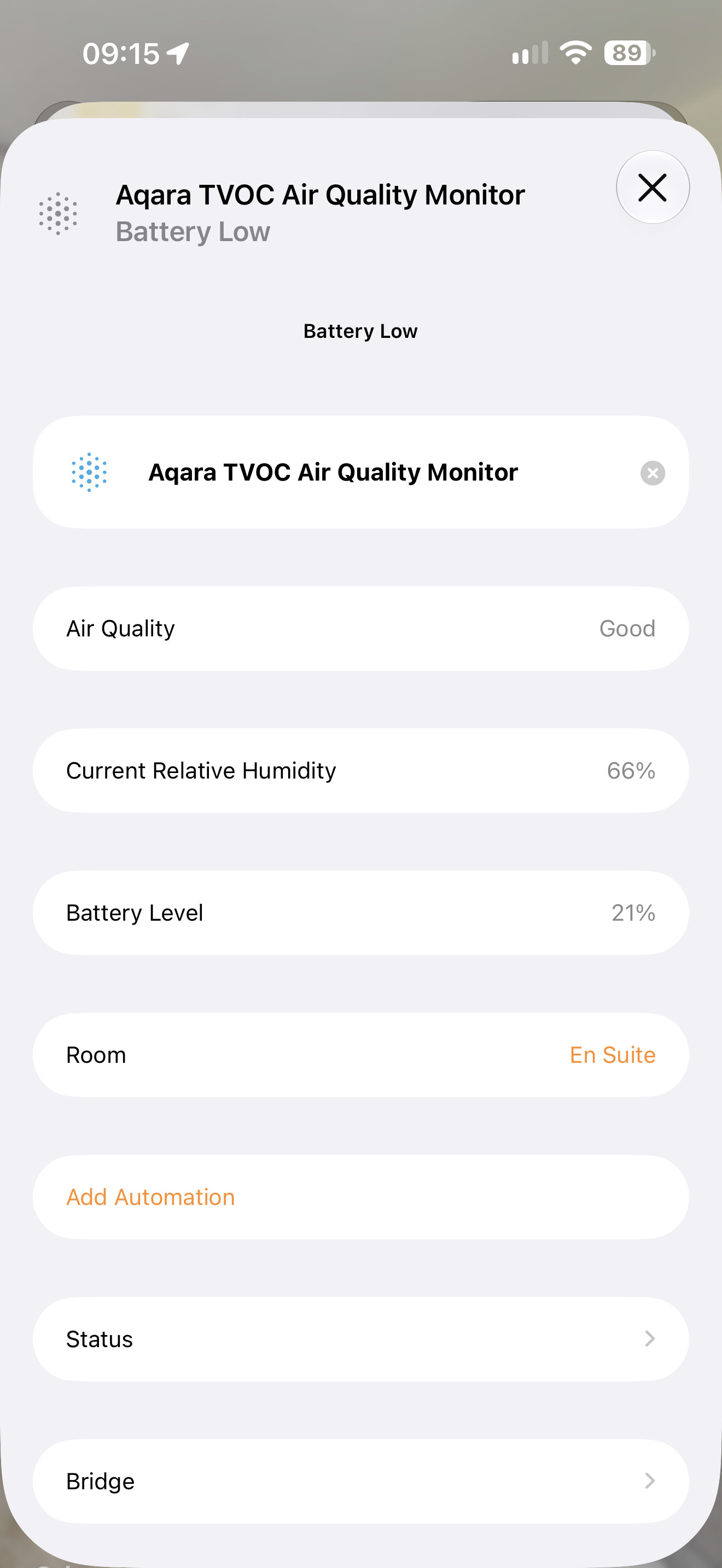
The same type of sensor (the discontinued TVOC sensor) is exposed differently depending on hub.
Attached are two pictures.
First hub is the M100 - exposed to Apple home via matter. This exposes the TVOC sensor as a 3 accessory device, showing temperature, humidity and air quality.
Second hub is the M1S - also exposed to Apple home via matter. But exposes the TVOC sensor as a singular device only appearing as an air quality sensor.
Can someone explain this and can Aqara fix this? I need the humidity sensor exposed.
I’m currently using a spare E1 hub just to expose devices over the HomeKit connection rather than matter just for devices with discrepancies…
4 Likes
@craigbarnes That’s a really interesting discrepancy you’ve caught, and I can see why it’s frustrating—especially when you’re having to juggle a spare E1 hub just to get consistent behavior across your setup.
From what I can gather, this looks like a firmware-level Matter bridge implementation difference between the M100 and M1S rather than an Apple Home quirk. The M100 appears to be properly decomposing the TVOC sensor’s composite data (temperature, humidity, and air quality/VOC index) into separate Matter endpoints, while the M1S is only surfacing the air quality cluster.
A few things that might be worth checking:
- Firmware parity: Are both hubs running the latest firmware? Sometimes newer hubs like the M100 get updated Matter bridge capabilities before older ones catch up.
- Matter spec support: The M100 is positioned as a more current Matter controller/bridge, so it may implement a broader device type mapping. The M1S Gen 2 does support Matter, but the original M1S’s Matter bridge implementation might be more limited in how it handles multi-sensor accessories.
That said, the reference info I have on hand doesn’t drill into this specific hub-to-hub sensor exposure variance for the TVOC device. This information comes from community discussions and user experience summaries and may vary by environment. Please verify carefully.[“content_id”:7"]
For getting this sorted—or at least properly logged as a bug/feature gap—I’d recommend reaching out directly:
Contact the Aqara Home App Customer Service Team (Profile> Help & Feedback > Customer Service) or scan the QR code:
This will be more efficient. If you do not have an Aqara Home account, please
click here to create a ticket.
Your workaround with the E1 hub over HomeKit is clever, though definitely not ideal long-term. If you do get an official response on whether this is a known limitation or planned fix, it’d be great to hear back—this kind of granular detail really helps the community.
1 Like
Your second screenshot already has a “Current Relative Humidity” row, even though Apple Home presents it as a single accessory. Is the missing piece the humidity value itself, or being able to select it as a trigger or condition in an automation? Those would be different problems to investigate.
Could you also confirm which M1S generation you have and the firmware versions on the M1S and M100? The screenshots show different layouts, but I would not assume from the accessory count alone that the humidity measurement is absent. It would help to compare what each device offers in the automation editor before changing the bridge setup.