Hello friends,
Regarding some frequently reported usage issues with the G410, we’ve provided simple troubleshooting steps below to assist you:
Failure to accurately record all doorfront presence events
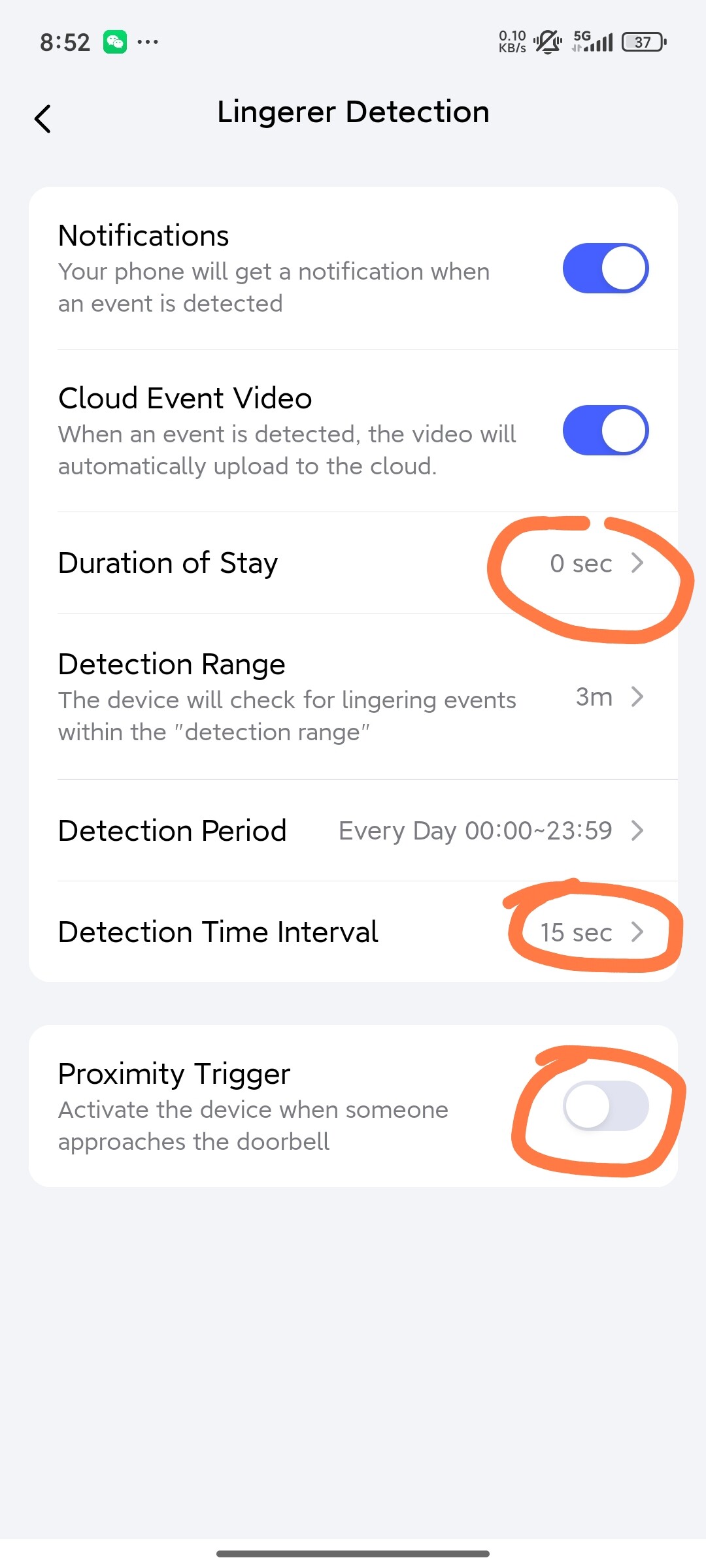
This occurs because the “Proximity Trigger” function is enabled by default. When activated, the radar is only sensitive to targets approaching the doorbell vertically, and horizontal movements in front of the doorbell will be filtered out. (This design addresses the radar’s high sensitivity to micro-movements: disabling it would result in all micro-motion targets being recorded, leading to rapid battery drain. Given the large user base of HomeKit, who rarely use the Aqara Home app, we’ve preconfigured conservative radar sensitivity parameters for this ecosystem.) If you cannot accept missed events, configure the “Lingerer Detection” parameter as shown in the image below—this will significantly improve detection coverage.
Short battery life
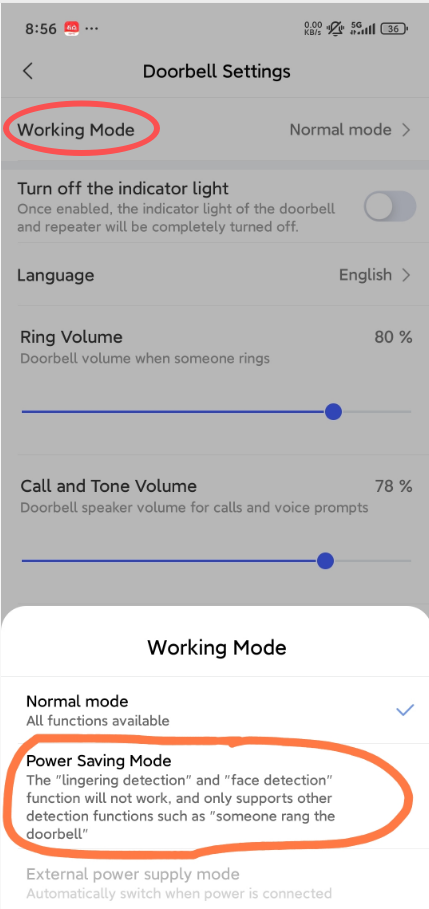
When powered by batteries, the G410 offers two operating modes: “Normal Mode” and “Power Saving Mode.” In Power Saving Mode, the doorbell only activates, operates, and records video when pressed, the radar shuts down and no longer detects any targets. This mode delivers approximately 8 months of battery life (with no more than 10 presses per day), making it ideal if you don’t need alerts for passersby and only care about actual visitors. Battery type also impacts longevity: we recommend AA 1.5V alkaline batteries. Using 1.2V nickel-metal hydride (NiMH) rechargeable batteries will drastically reduce runtime. While 1.5V lithium-ion rechargeable batteries are compatible, note that the battery level display will be inaccurate—remaining power will show above 90% until the battery is nearly depleted. (Lithium-ion batteries maintain a stable voltage until fully discharged, whereas our power monitoring relies on the gradual voltage drop of alkaline batteries.)
Recording “empty” event videos
This is typically caused by persistent micro-motion interference within the radar’s detection range (e.g., moving tree branches, potted plants). If these interference sources cannot be relocated, we recommend installing a swivel mount to adjust the doorbell’s angle and avoid them. Additionally, special environmental factors may affect performance: the radar has a 100° horizontal detection angle. Strong reflective surfaces near the doorbell (e.g., walls on either side of an arched doorway) can create radar clutter that is misidentified as a target. Adjusting the doorbell’s installation position will resolve this issue.
The above are only some troubleshooting suggestions for common usage issues, do you have any other questions about using the G410? Feel free to leave a comment below.