I wonder if there is a good way to create an automation that will notify me when my son’s school pick-up bus approaches.
Right now, I have an automation:
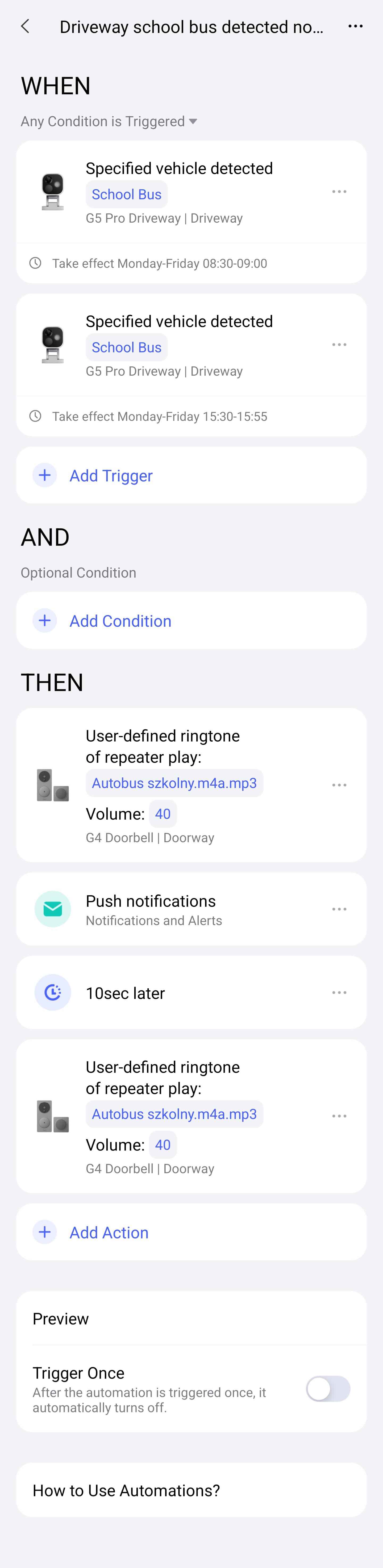
When a specified vehicle is detected, THEN send a push notification.
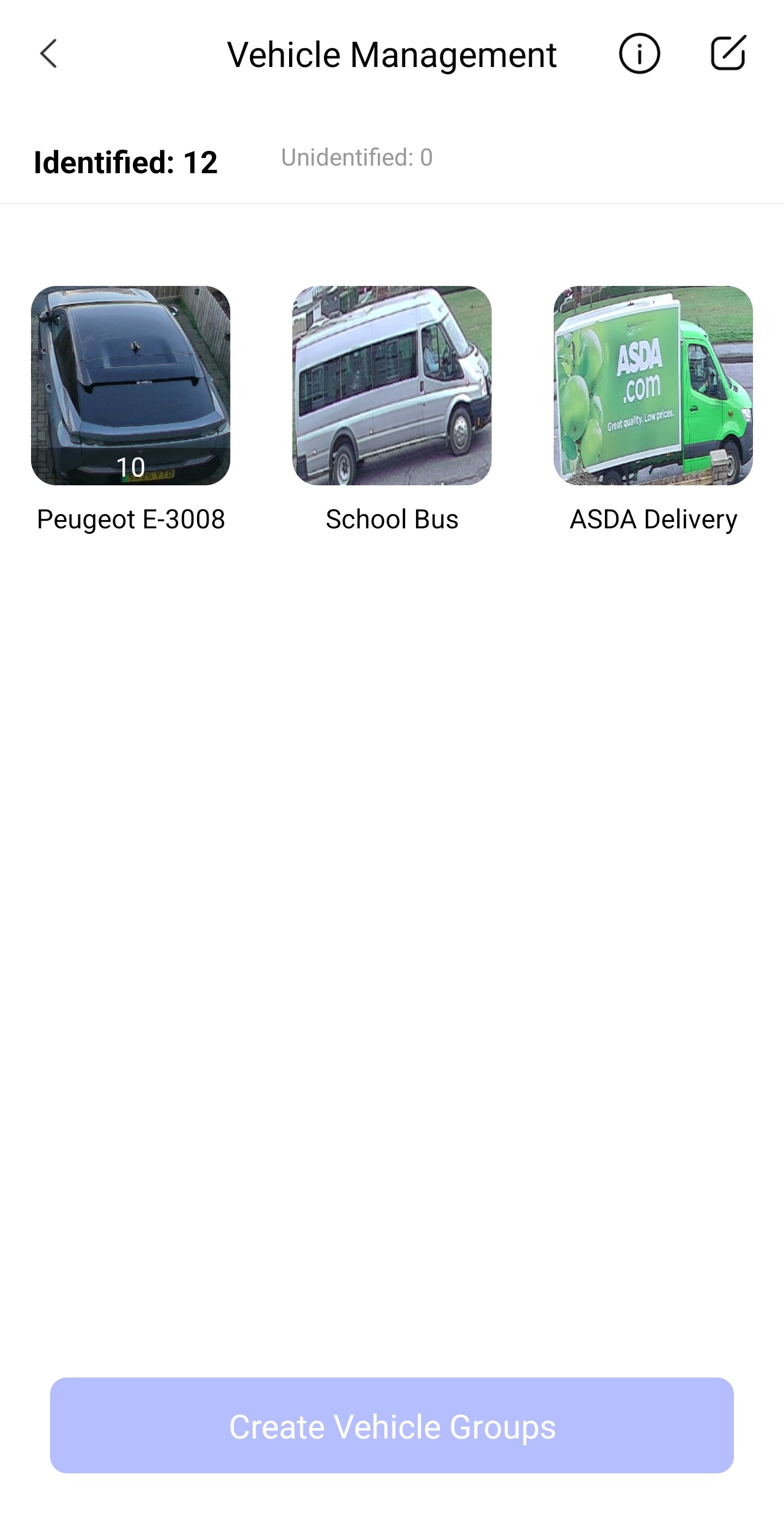
The issue is that it triggers every time any bus of a similar color passes the area, even when it’s moving fast.
I tried to reduce false detections by setting detection in the morning hours and also changing detection sensitivity to higher. Unfortunately, it still doesn’t work properly.
I can’t find a “duration time” for vehicle detection to try it out.
Does you son use a mobile phone? If the answer is yes then you could add your son to your Aqara account and use GEO location to ping an alert when he reaches a certain location. I.e. Home / School
I think I see the dilemma here. While Geofencing (as David suggested) is great for tracking people, it might not solve your specific problem. If your son is waiting at home to catch the bus, his phone’s location won’t help—the notification needs to trigger before he gets on, right?
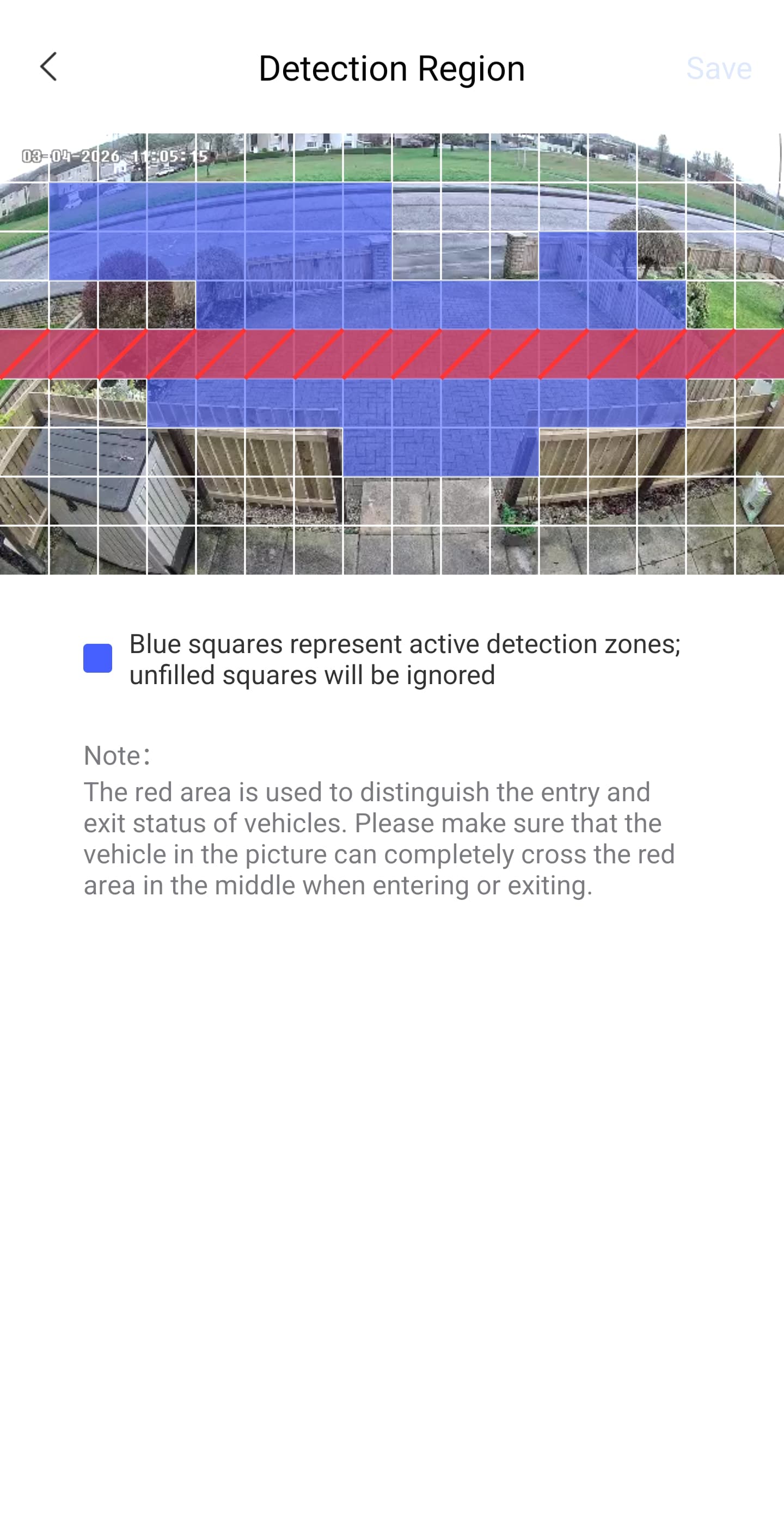
To help us brainstorm a workaround, could you please share a screenshot of your current automation and your detection zone settings? Seeing how the camera “sees” the street might help us find a way to minimize those false triggers.
Thanks for sharing the screenshot! That helps a lot to understand your setup.
I have a suggestion for a workaround using a “Control Automation”. I can’t test this personally as my cameras are either indoors or installed in areas without any passing vehicle traffic, but logically, this should act as a perfect filter for those fast-moving buses.
You keep your existing notification automation, but you set it to “Disabled” by default. Then, you create a new automation that acts as a gatekeeper:
Trigger (when): Specified vehicle detected (same settings as your current one).
Actions:
Wait 20 seconds (delay)
Enable your original notification automation
Wait 5 minutes (This gives the system time to send the notification and ensures the bus is still in view)
Disable your original notification automation (This resets the cycle for the next day/time)
By enabling the notification automation only after a 20-second delay, you ensure that the bus must be present for a longer period to actually trigger the alert. If it’s just passing through, the notification automation will be enabled too late to catch the event.
Oh, and it’s important that you set the “Detection Time Interval” to 15 seconds, otherwise this setting will cause an additional delay.
Give this a try and let us know if the Aqara app handles the “re-enabling” correctly while the vehicle is still in view!