I try to read the W500 from Homey, I have seven floor-heating thermostats Aqara W500 (UT-A01E/D), firmware mtr_sw_ver_str 1030. Each W500 exposes five Matter Thermostat cluster capabilities: button.identify, target_temperature, thermostat_mode, measure_temperature (air only), and measure_humidity. The external NTC floor probe that Aqara documents in the W500 datasheet is not queryable from Homey — Matter’s standardised Thermostat cluster flattens the W500’s multi-sensor interior to a single air-temperature attribute. The floor_max_c safety limit continues to operate correctly inside the W500, but the actual floor slab temperature is not visible to HEMS. A consequence for system identification: the two-state slab ODE fit (slab and air as separate states) is not feasible with current firmware, and the single-state air-only fit in server.py ZONE_CONFIG is structurally correct rather than an approximation. Should Aqara expose floor temperature in a future firmware via a custom Matter attribute or as measure_temperature.floor, the fit can be upgraded without other changes.
Can you expose the floor temperature in the future?
-I personally want dark mode for aqara app as Liquid Glass sucks without and dark mode for the hole app also as I already mention even to support team the possibility for adding Xiaomi WiFi devices as this do not require an hub to work but at least they can be used into Aqara home app for automations since Xiaomi lacks for matter support on this devices.
-i also want an better view of the camera G3 recoding video an chapter view like as of now it is hard to see an hole night video recording by I am sure they can implement an better view into the Aqara app.
-Aqara air quality monitor S1 compatible with EU server
-into Aqara home app fix the weather location as right now it doesn’t show correctly for me as it doesn’t peak my right location it should automatically take the location from my iPhone but is not also that widget card doesn’t show the weather correctly ether.
Hello, the location of the smart home is taken from the APP settings and tied to the gateway. Regarding the geographical location of the gateway, the sunrise/sunset is deducted mathematically.
Well is wrong if you see the weather card shows an different location then what iOS weather app shows witch is my real location
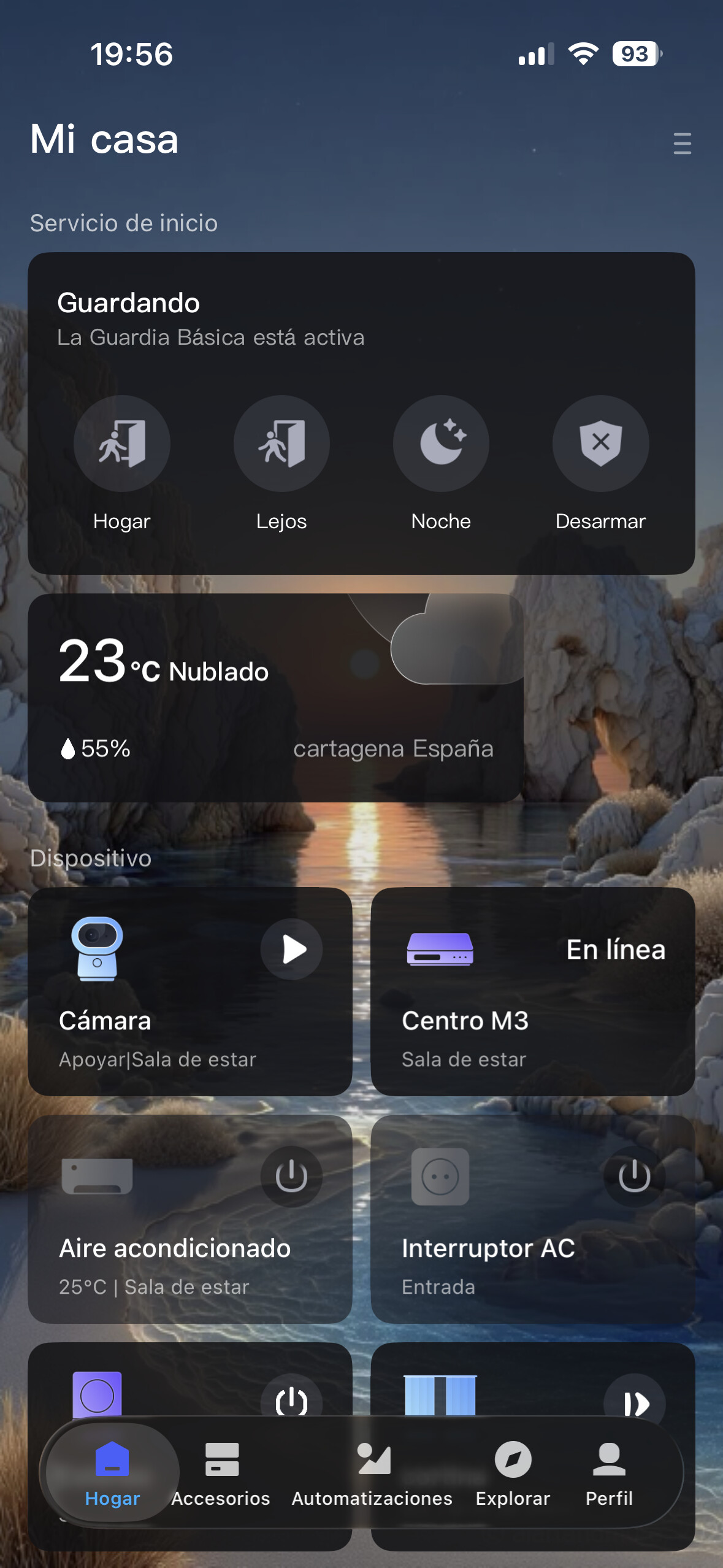
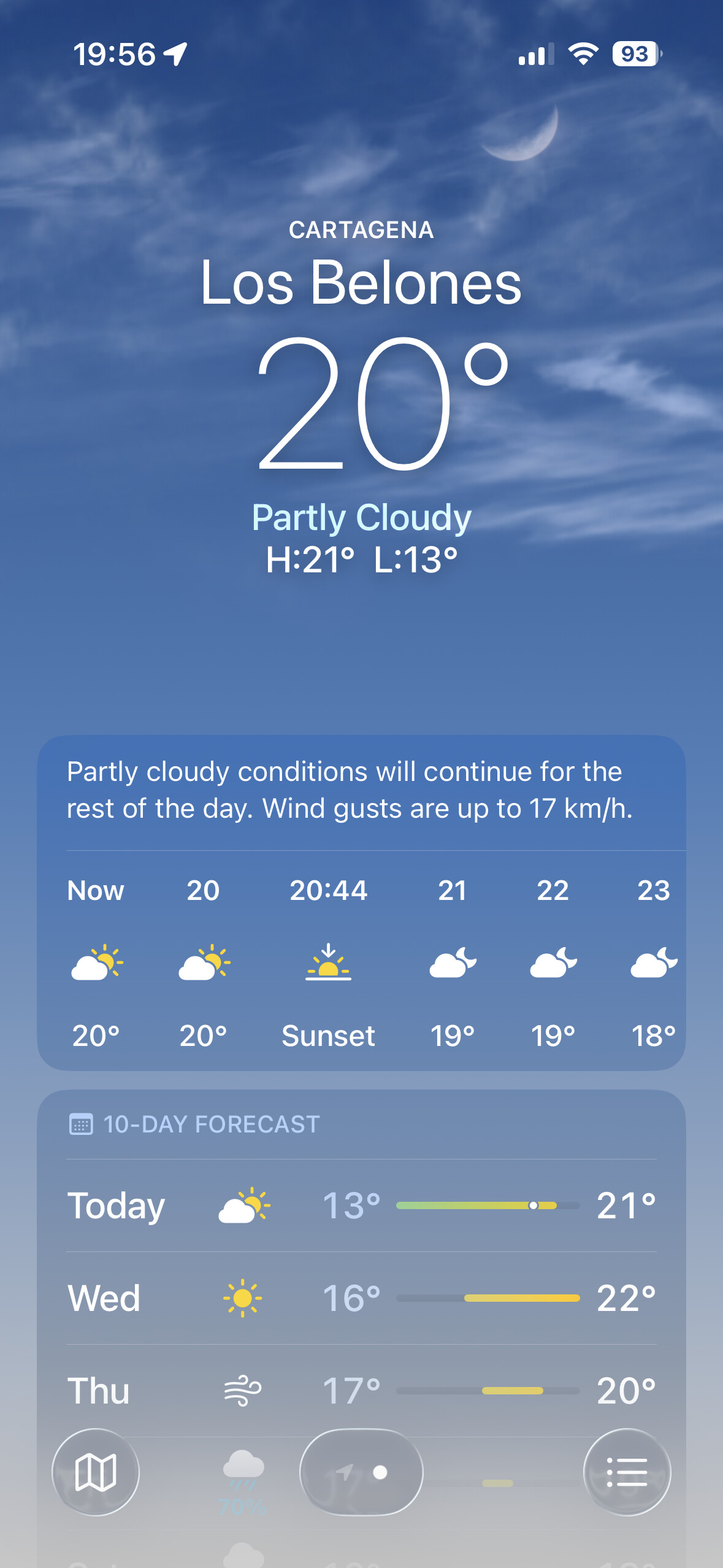
The weather server used by Aqara and the iOS weather server are different servers. The algorithms and average outdoor temperature are calculated using different methods. Also, these servers take weather information (I think) from different places.
Well for me is not showing correctly as you my see also that widget on aqara app doesn’t even update at all as I was using it for an hole day and not even update I am not sure why is aqara complicate things like that as iOS already have an weather app with great location why do not use it as widgets does on iOS
I think that weather automations are also connected to this server. It is the choice of Aqara specialists which server to use.
Yeah but why the weather location need a cloud server?it is easy to set it to check it locally from each person phone this way it takes the right location instead of an crappy one.not sure some things are well made but others like this makes no sense.
For example, I use the “cloudy” and “precipitation” options to automate the lighting in the room.
Can you add “Video Storage Duration” of 14 Days on the G100 Cameras. It goes from 7 Days to 30 days in my app. I WOULD LIKE TO HAVE 14 DAYS.
Yeah I got that but if the location is not the one that is not were you live as my case then what?
Really make the Hub M3 Matter 1.3, 1.4 or 1.5 compliant. e.g. UK H2 wall outlet only gives you per socket power utilisation via Zigbee, but if the M3 correctly supported Matter 1.3,1.4 or 1.5 then I’d be able to share each outlet via Matter and get the individual socket power info I need that way.
I find it very disappointing, that you can only change the preset set points with the aqara home app.
It is strange to me, that “setting” a different set point temperature on the device itself always switches it into “manual” mode.
This problem is also present when using a “generic” controller like HA with Z2M or (i assume) ZHA.
Is it just not possible to change the set point of each preset via a Zigbee command or with the PHYSICAL Buttons on the device itself?