Hello forum members, I can’t set up automation for the T2 dual relay. I’m setting the IF schedule from 7:00, THEN first channel close. The relay is connected to the gas furnace as a voltage-free contact. When I manually close the first channel, T2, the furnace starts, but the automation doesn’t want to do this.
Do you have any ideas what the problem is?
Hello, welcome to the forum. Please provide a screenshot of the automation. From what you said, I can’t help.
This is an instant action and only works once a day at 07:00. If you created the automation after 07:00, then it will only work the next day at 07:00.
I rarely post on forums, I’m writing from my phone, and I don’t know how to attach a screenshot from the automation. I don’t see an icon in the Jar reply that allows me to attach a photo.
Yes, I know that. Various tests and trials are ineffective. I’ve already tried using AI to solve the problem, but it hasn’t provided any effective solutions.
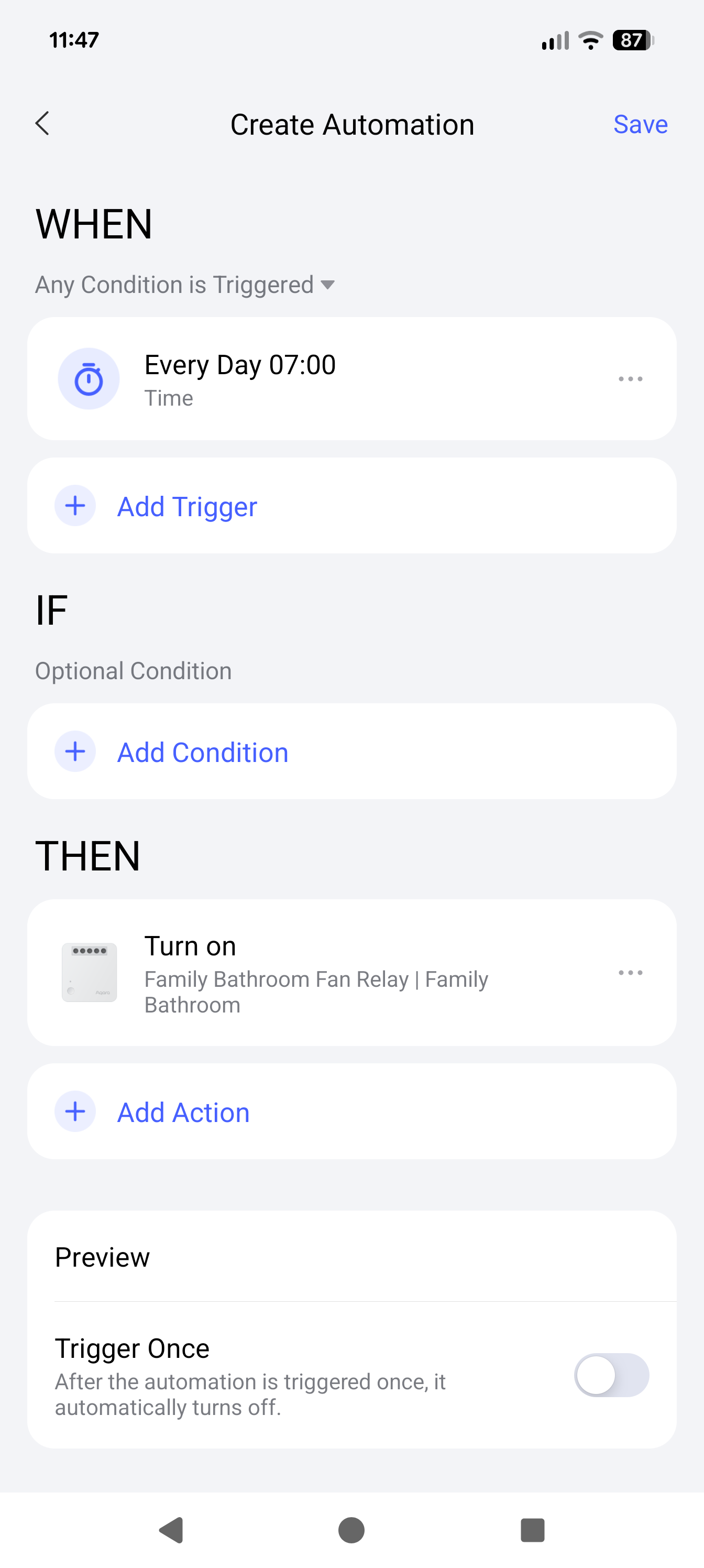
We really need to see your automation and your trigger points, but without it. Below is a sample I’ve created from some of my own devices.
Ignore the fact that I’m switching on a fan. The principal would be the same.
1 Like
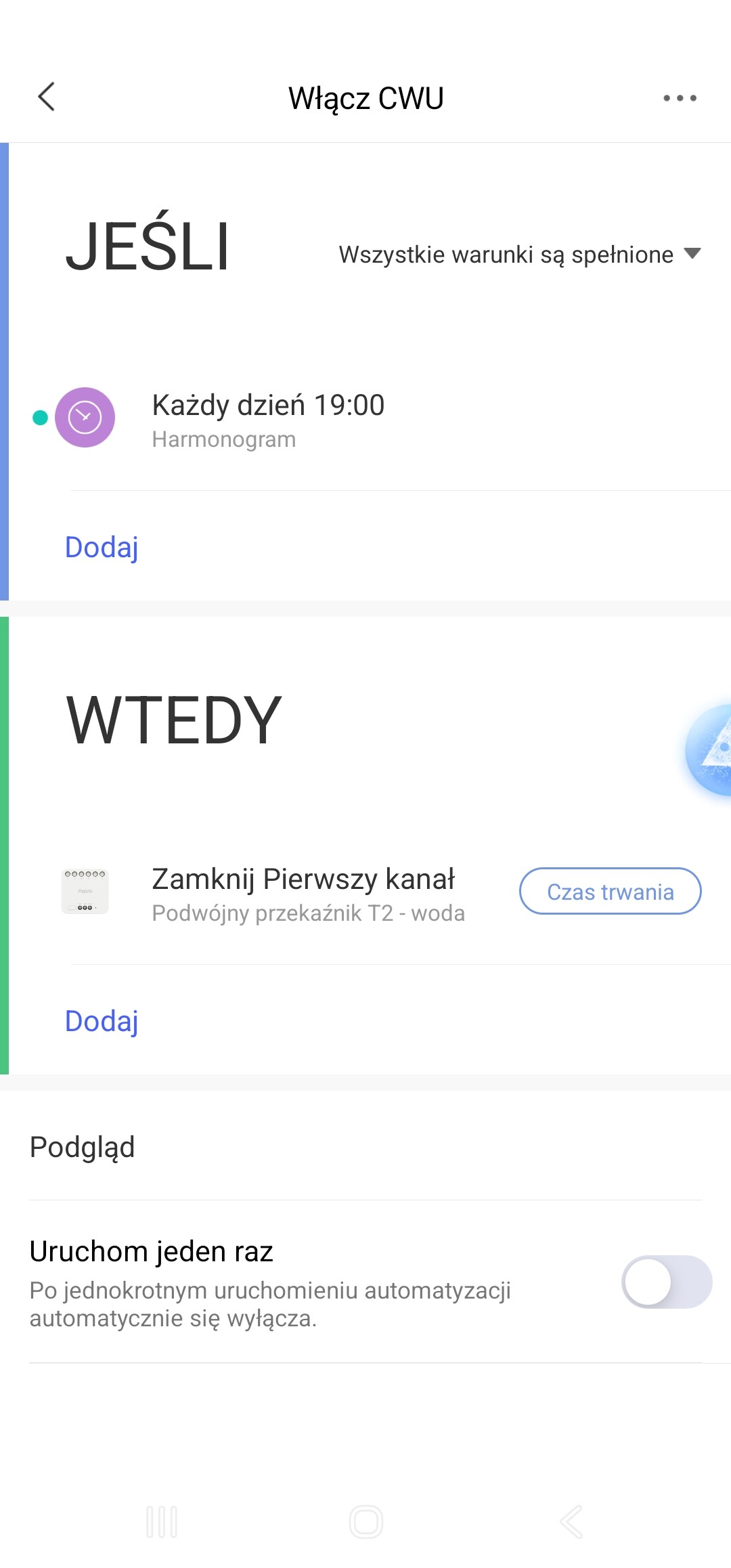
Its in Polish 
Hello, I recommend you to make the following type of automation. In the conditions you will have two independent time triggers (7.00 and switching on from the second contact T2). You can check the operability of your automation. A possible malfunction of your automation may be incorrect time in your app. I made two screenshots for automation 1.0 and 2.0, I don’t know on which version you are doing it.
You can turn on the second relay contact from the phone, then the first contact T2 should be turned on (I emphasize again, we will do this for testing, temporarily).
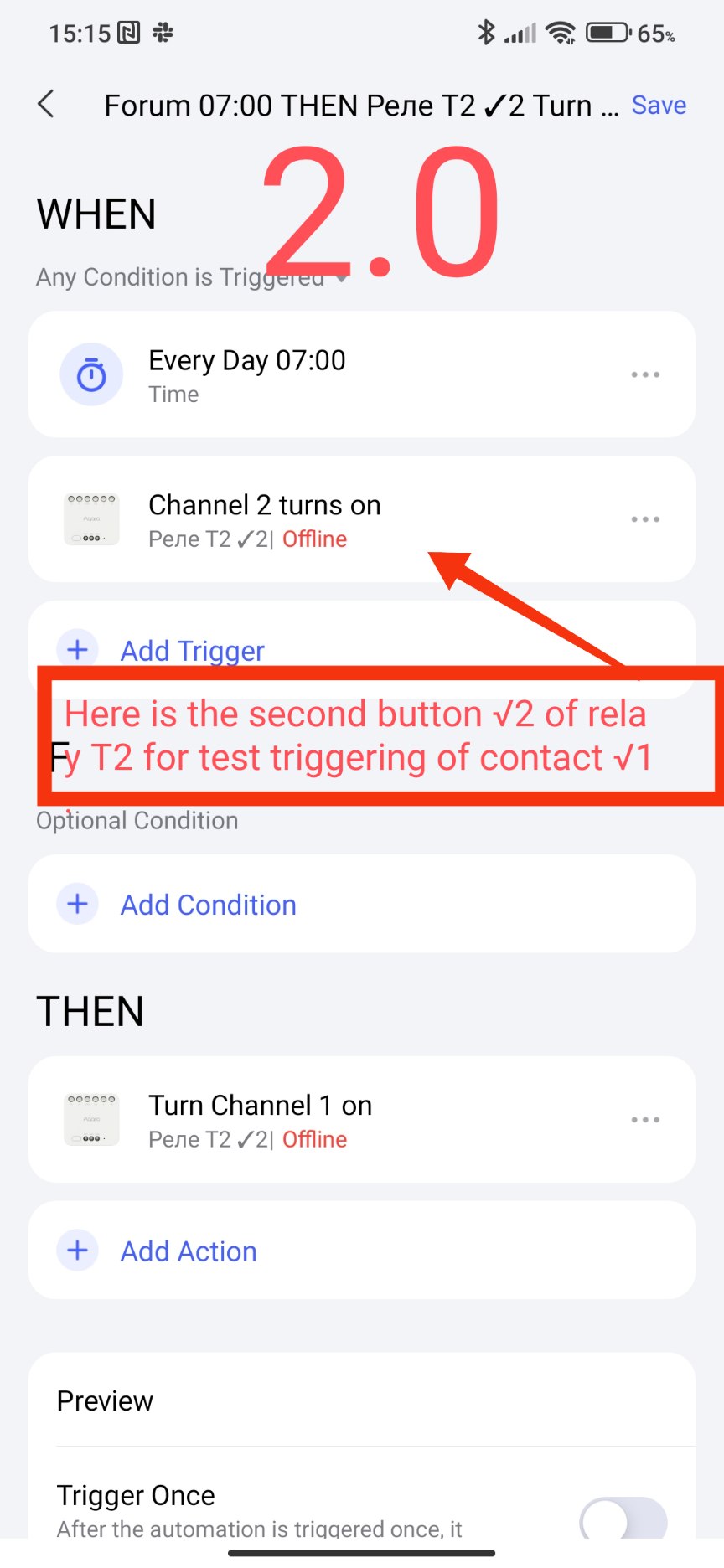
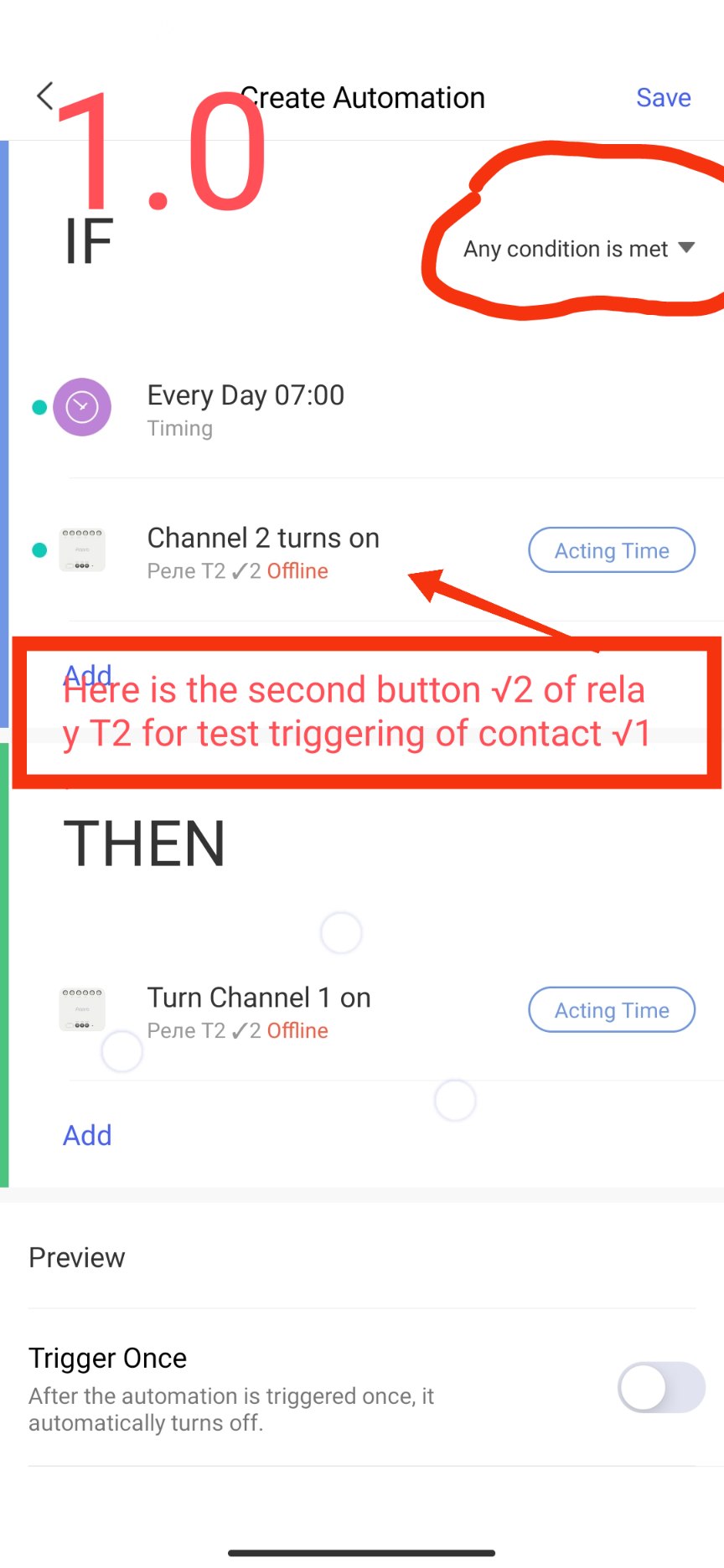
Make an analogue for yourself and write back, if it doesn’t work, we’ll look further.
After writing the text, you can add a picture from your phone by clicking on this icon.
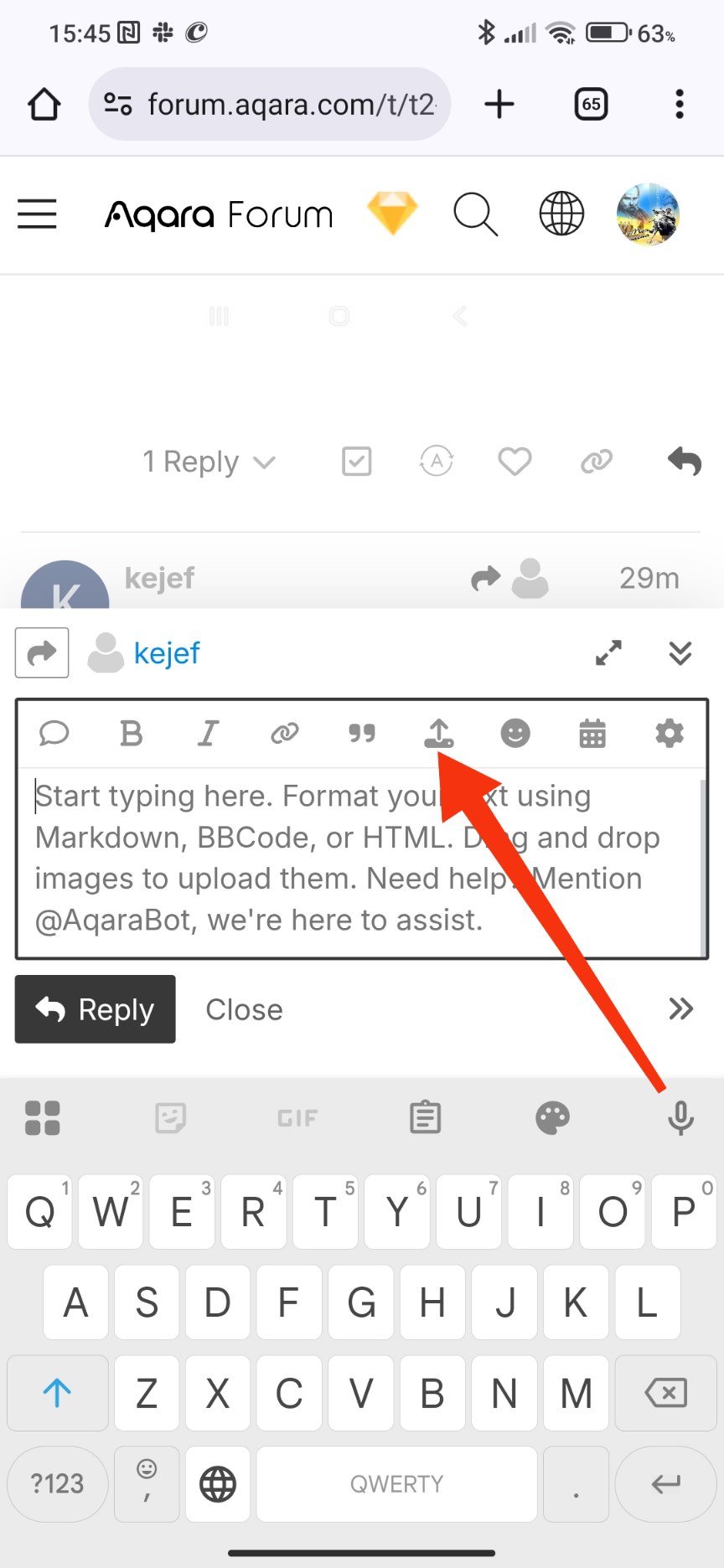
I also work 90% of the time from my phone😉
1 Like
I created the automation for 1.0. It didn’t work. Remember that for the voltage-free contact to close, we need the “close first channel” function. I don’t understand why we’re using the second channel for testing if nothing is connected to it…
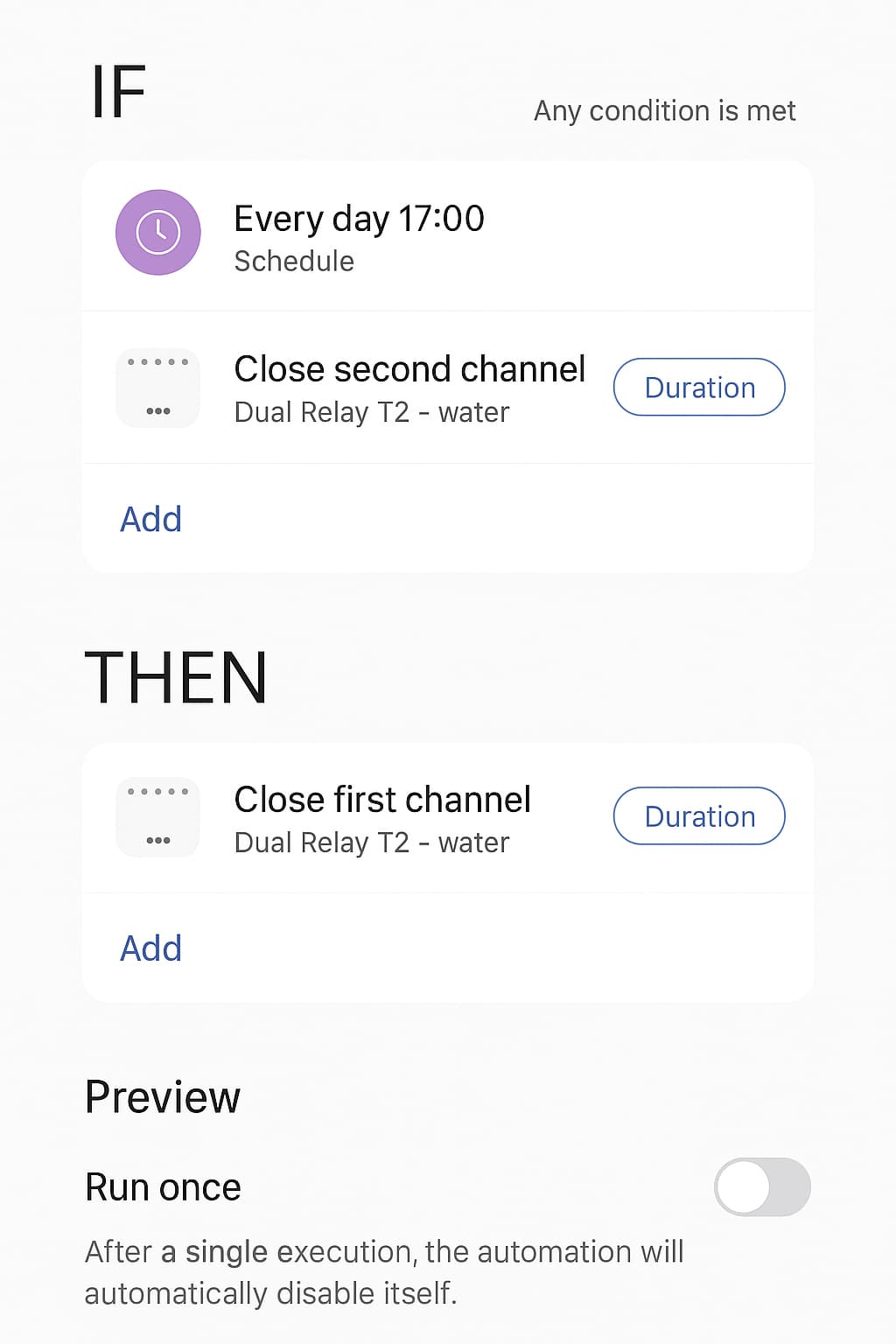
With the second channel we simulate a time trigger, when we press the second channel we are like creating a start moment (pseudo time). Then the first channel should be turned on.
1 Like
Haha, why do you have a CLOSED channel (Off) in your automation? It should be an open channel.
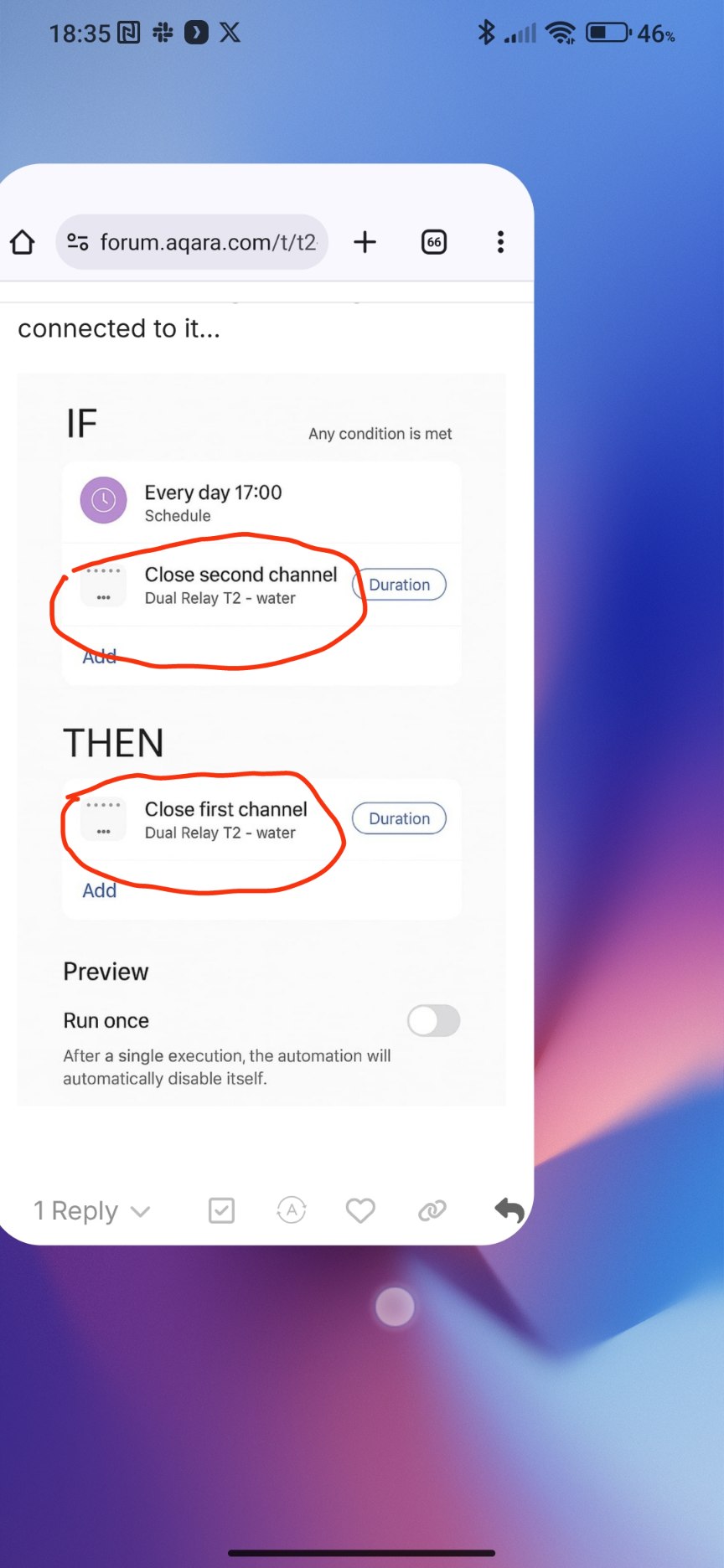
Switch to English in the application and you will clearly see On, Off in your automation.
2 Likes
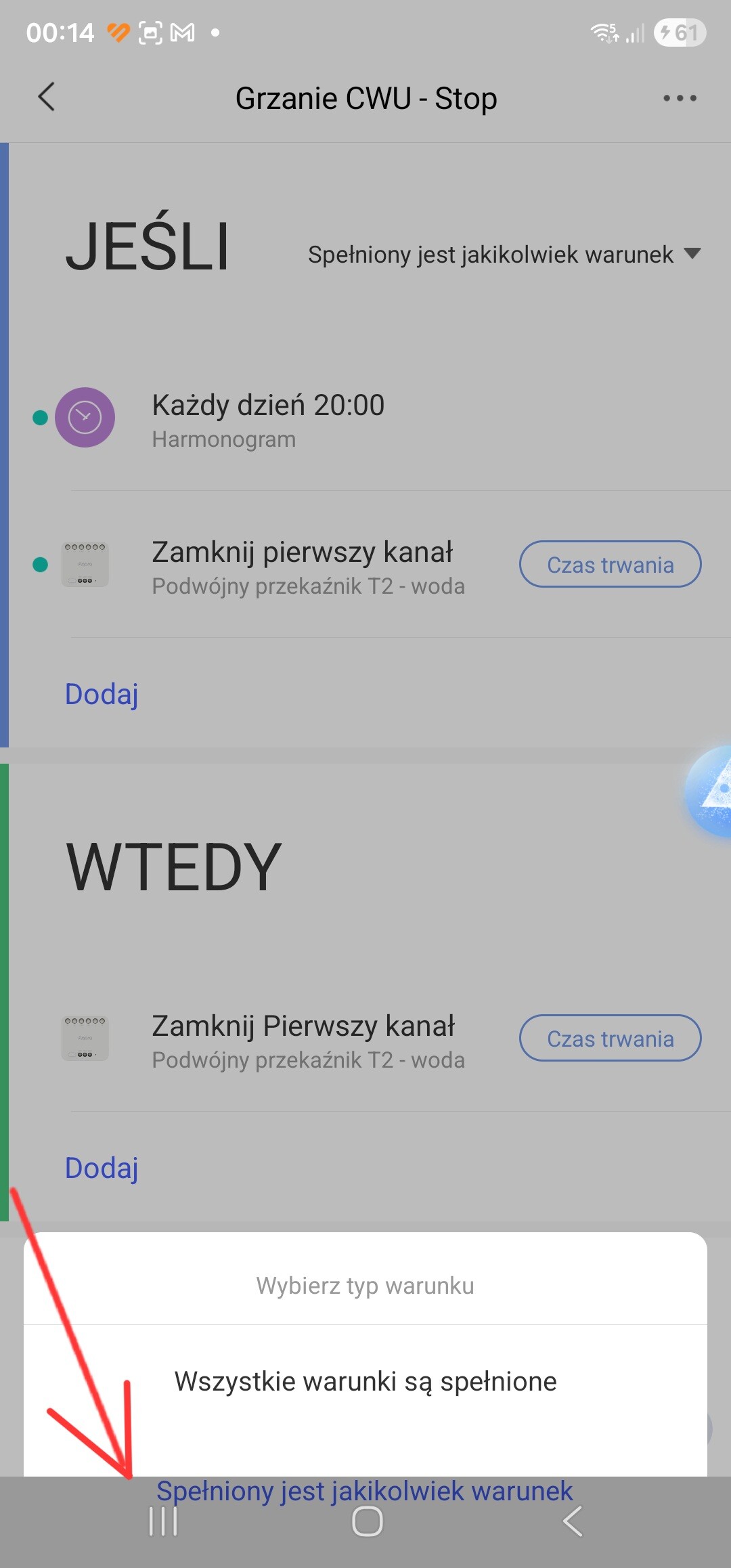
It works :). The problem was the “closed/open” option. The way to start the gas furnace using “Closing the channel” was the result of an AI suggestion. It seemed logical to me, since the circuit in the relay should then close, but it was clearly incorrect. An additional problem was that in my SG S23Ultra, I couldn’t select “any condition is met” because the bottom navigation bar obscured the selection. Thank you for your involvement and help. Good health. Best regards, Kamil
2 Likes