The app is far from wonderful. It is far from easy to navigate. Setting “pages” for things is a pain. It should be much simpler and user friendly to navigate. I am not sure why we have Cards for devices. I just want my cameras in a folder called “Cameras” my sensors in one called “Sensors.” Simplicity is needed and it should be intuitive to use. It probably was in the early days but as more products appear, so it has evolved into an ever more complicated tool. Perhaps the concentration on products had become more important than operating it all.
This concern was highlighted recently. I bought three H2 UK smart plugs. After trial and error I had found it is better to install them in Apple HomeKit. But, having installed them in HomeKit I mistakenly later added them to the Aqara app. All seemed good at first and then I found a device that should have been on was not. It took a bit of thought to work out why and it is the app itself. The plug was meant to be on but I must have mistakenly turned it off. It is so easy to do that inadvertently in the app. I decided to start afresh, but getting them into pairing mode was not easy. A quick press of the button as advised followed by holding it down did not work. I then did the factory reset but that was not easy until I found the 10 presses of the button have to be very quick and not leisurely. Ultimately success and all are in HomeKit where they are more easily managed. But the Aqara app needs some work on it. Perhaps even a prompt if an off function is pressed that says “do you really want to switch this off?”
Many just use the Aqara App to install the product and for firmware updates and find the Apple Home app or other apps are better for daily driving.
There are numerous options that you might like. You will also find the more devices you have the more it becomes important.
You could always make your own folders. Very easy.
Thanks. This is the route I intend and it will make life simpler. I have out every device on to one page/folder, but not the smart plugs. Having configured those in HomeKit all was good until this morning. When I tried to switch it on remotely it would not. HomeKit said it was not to be found. I had to switch it on manually via the side button and that then stimulated it to make its presence evident in HomeKit. This is not the first times happened with the H2 UK smart plug. I wonder if there is some inherent fault in them.
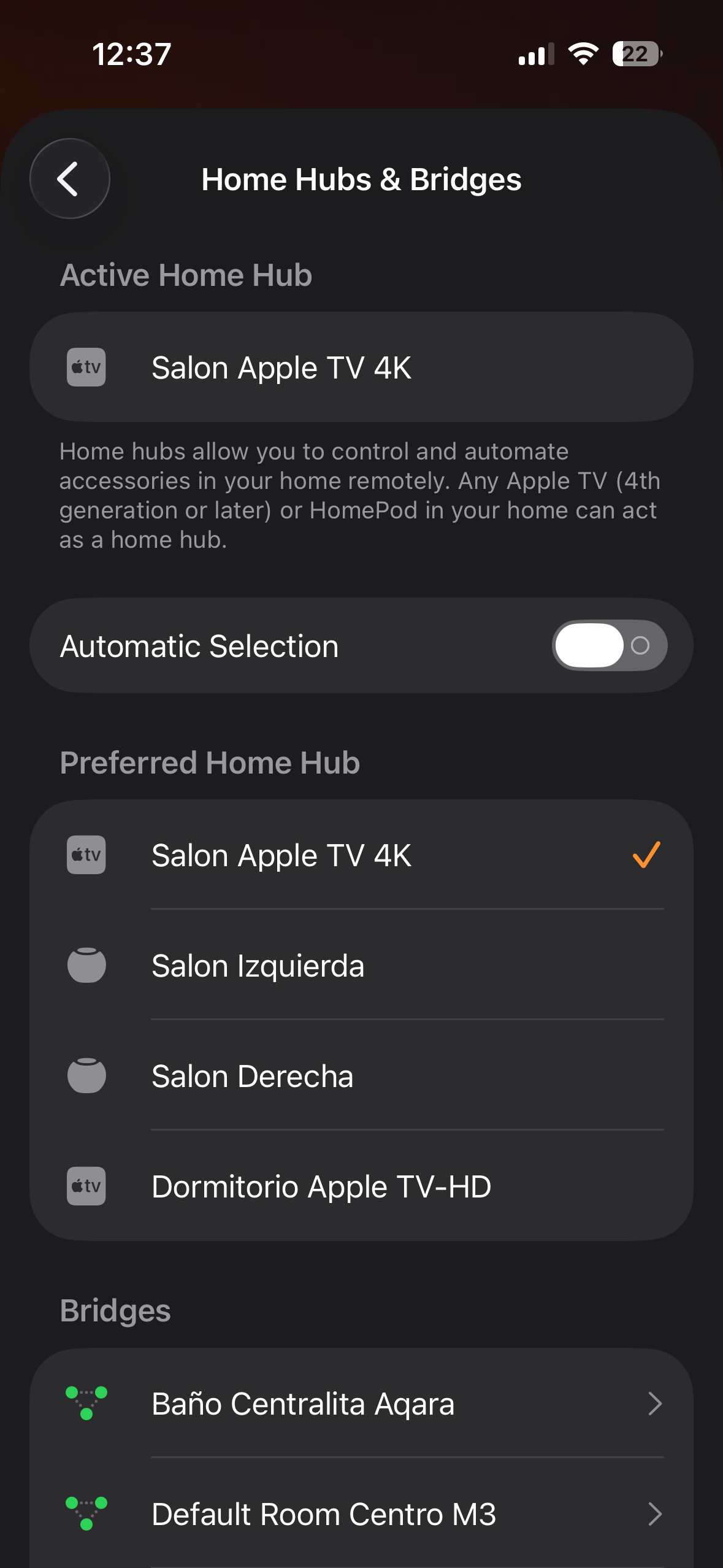
Well if the smart plug you wanted to switch ON was offline that could be that your apple device you are using as controller is not set well meaning to be on the one band like 5Ghz and not switching between both bands.also you need to set one as main controller if you have multiple apple devices on the apple home app settings on hubs instead to have it automatically just set one as main controller see if with this setups will work
All other devices in HomeKit work without issue. Mostly they are Philips Hue devices controlled by the one Hub. The H2 UK does not need a hub according to the literature seen. Other Aqara devices are installed in HomeKit and all work. I will stop here and make this subject a separate topic as it goes off the main subject under this topic!
All devices connected to apple home need an apple device like Apple TV 4K or HomePods to control them without it you can’t add them on apple home app more some smart plugs like that Aqara are more sensitive with the connection and that could show as unresponsive or offline.also it depends on were did you place it if is to far from the apple device compared with the others you have mention also could lead on loosing the connection.
Thanks. I had ignore the fact that Apple does have its own hubs! Yes the plugs are close to what would be man Apple hub. All are in my study and the Apple Hub, which is never switched off is feet away. The one I had the trouble with more than any other, was in my living room but is also was close to a hub, two in fact, the Apple TV and a HomePod mini.
Yes but you need to use one as an controller and the other as border router here what I mean
When is set to automatically then apple home app tend to switch one with other and that could make some devices like that plug to go offline or unresponsive