U400 Lock HomeKit Connection Problems (HELP)

I set my U400 up last night and like the U300’s, it wasn’t straightforward. Here were the steps I took to get mine bound via Matter and AH. Please note that I learned with the U300s to set them up inside before installing on the door as our home has a lot of space. I set them up inside between the Apple TV 4K and the M3 Hub.

  • Opened Apple Home and added it there via Matter pairing code
  • Went into Aqara Home > + accessory > pushed set button > scanned pairing code
  • Tried several times, it never bound to AH.
  • Removed from Aqara (it showed up becasue of Matter pairing) but wasn’t bound
  • Removed from Apple Home
  • Reset the device
  • Added back to Aqara Home
  • Updated firmware
  • Connected it to Apple Home from the lock settings in Aqara app > Third-party Ecosystems

All was well after that.

3 Likes

Got it… I think… so to confirm, if I’ve already bound to Apple Home, and Aqara Home but now I want to bind it to Home Assistant, first I hit the Set button, it will prompt me to enter my password or fingerprint - which I do - then all I need to do at that point is select ‘4’ from the menu to add to matter ecosystem, or do I need to do this from within Aqara Home?

1 Like

Hi there! If you’d like to bind your Smart Lock U400 to Home Assistant, please follow the steps below:

Binding Procedure

  1. Press the Set button once on the lock.
    This is enough to wake the pairing mode—as soon as you hear any voice prompt, the lock is already in pairing mode.
    :point_right: There’s no need to enter the setup menu or press 4.
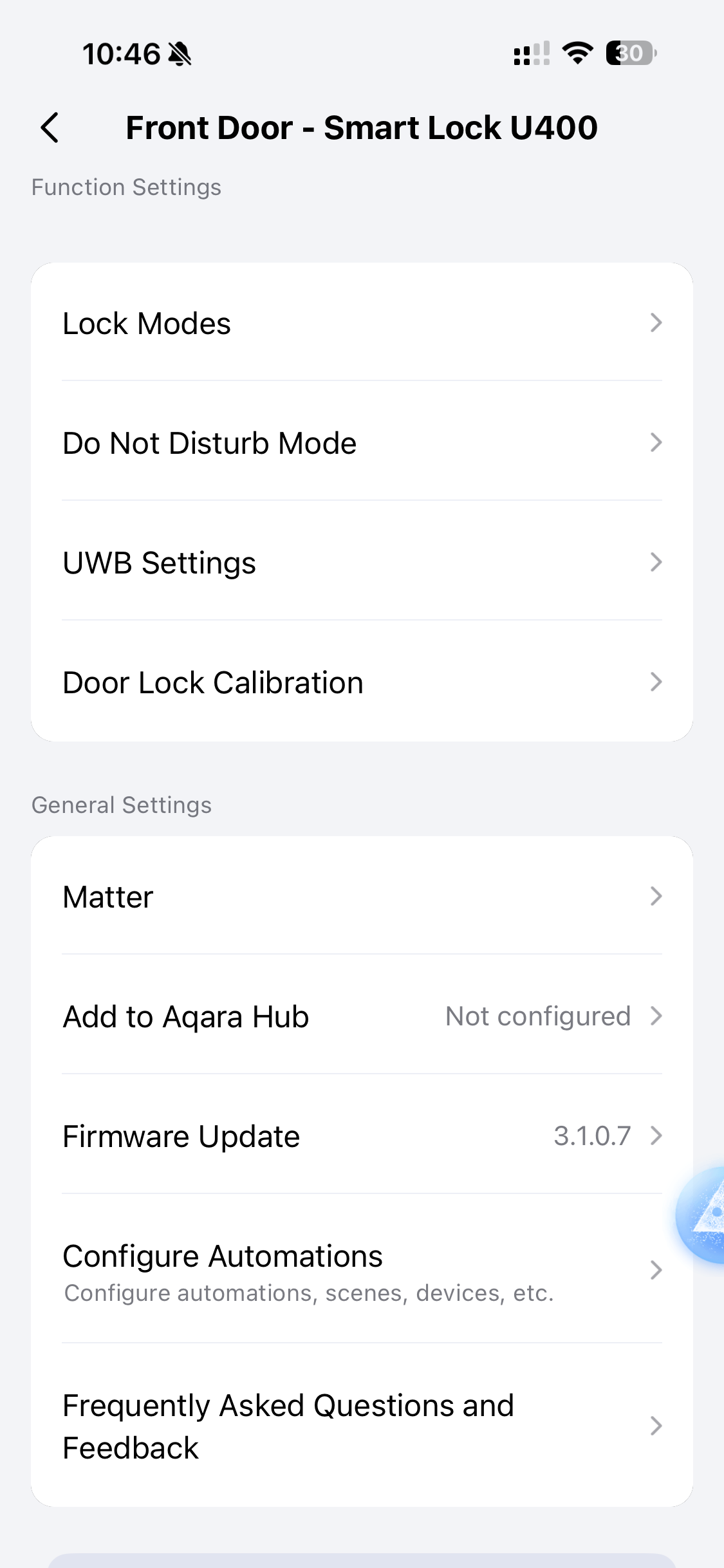
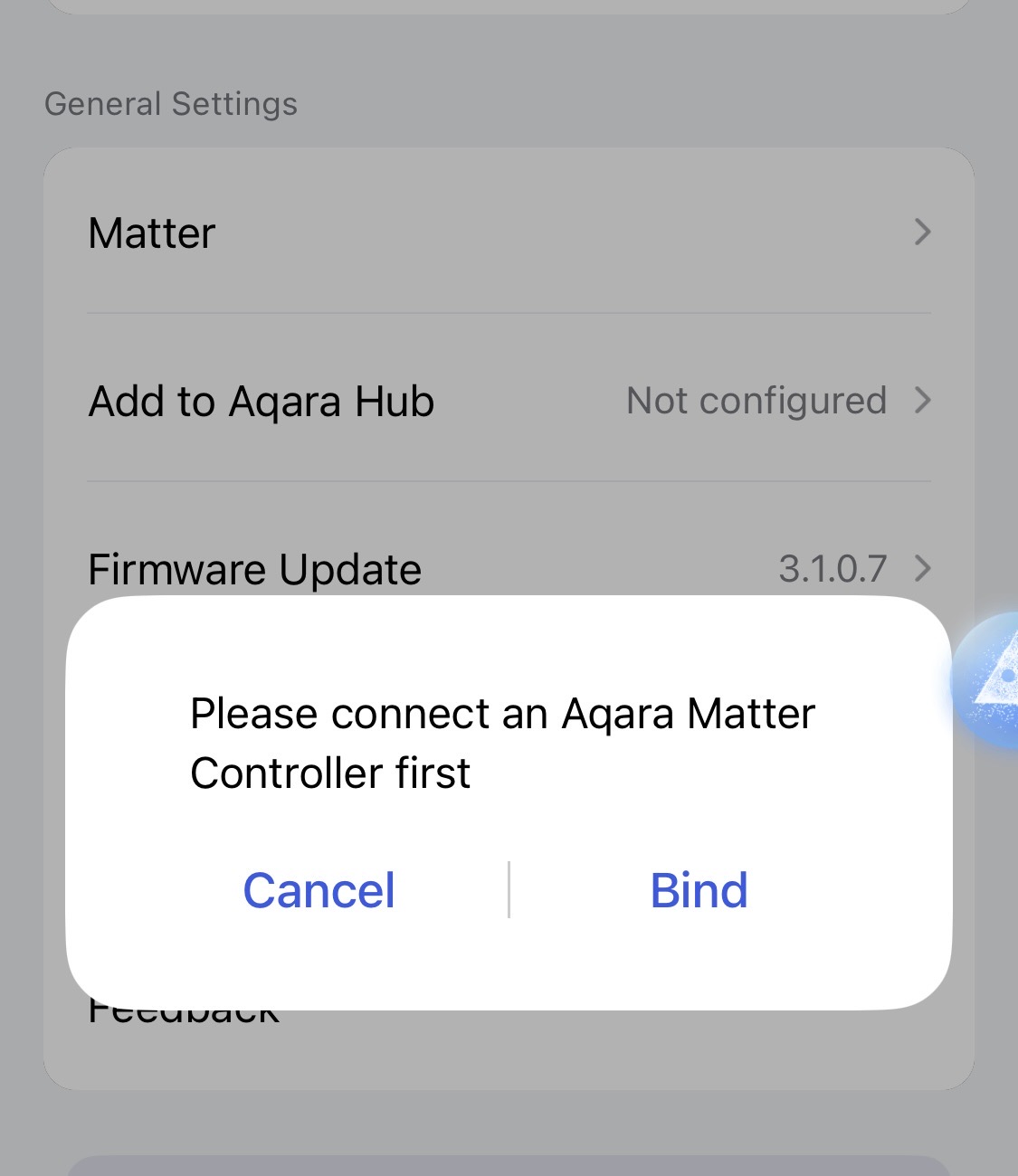
  2. Open the Apple Home app, go to the U400 device settings, and tap “Turn On Pairing Mode” to generate a new Matter pairing code.
  3. Use the generated Matter code to add the U400 to Home Assistant.

Networking & Environment

  • Same Network: Your iPhone and Hub must be on the same Wi-Fi network.
  • Bluetooth: Keep Bluetooth ON on your phone during the entire process.
  • Proximity: Stay close! Keep the lock within 5 meters of your Thread Border Router (e.g. a Raspberry Pi 4). If there are walls in between, try to stay within 3 meters.
2 Likes

This fixed my issue! THANK YOU! I used my iPad Pro M1 and was able to connect to Apple Home. Now I’m having the reverse issue. I am not able to bind to the Aqara Home now. LOL

2 Likes

I do not show the “Turn on Pairing Mode” in my device settings. When I go under “Matter” it asks which 3rd party ecosystem are you connected to and then you open AppleHome to copy the pairing code.


1 Like

I finally got It to Bind to Aqara Home! I changed to the Aqara G5 Hub Camera. Once I manually entered the pairing code (DO NOT COPY PASTE) it finally connected. Not sure why it wouldn’t pair to the M3 Hub.

3 Likes

I have tried everything and pretty surprised that Aqara makes this process a pain in the neck. You would think that getting this device into the Aqara app would be easy.

Greg Bouten

1 Like

I get no voice prompt on my M3 hub

1 Like

I wish it was that easy, but I’ve tried every method and still can’t get it to bind with the Aqara app. I did get it to bind with the Apple app.
But for right now I can update firmware

Greg

1 Like

Not sure if I need to be starting a new thread or just tacking onto this. Got my new U400, excited to use UWB and Homekey, but I CANNOT connect this device to HomeKit. I have read multiple posts on here, on Reddit, watched videos. It just will not connect.

My setup:
Ubiquiti Alien router
Apple TV 4K (3rd gen) (up to date)
iPhone 17 Pro (up to date)
iPad Pro 5th gen (up to date)
U400

I can pair to the Aqara app just fine, but HomeKit fails every time.

I have tried:
-Updating the firmware, then deleting from Aqara
-Pairing to Aqara first, then attempting to add to HomeKit 2nd
-Complete factory reset of the U400
-Creating a custom IoT 2.4 GHz network
-Creating a custom “normal” 2.4GHz network
-Letting device self-negotiate a 2.4GHz connection
-Connecting via my iPhone
-Connecting via my iPad
-Deleted and re-added the Apple TV
-Deleted my entire Home in HomeKit and created a new one

I’m not sure what else to try here

1 Like

Do you perhaps, have any other ecosystem you can connect it to first and then use matter multi admin to connect to HomeKit. In my experience connecting directly to HomeKit first has had a 100% success rate. I’ve had issues with SmartThings and multiadmin though.

1 Like

Okay after 2 days of frustration, I did finally solve this and will share it with anyone else that has a similar experience. Apparently at some point, the Alien router had some HomeKit integration where it appeared as a HomeKit device. This is no longer the case.

However, my Alien still thought it was part of HomeKit, it seems, and I was unable to remove/disconnect that feature. So, I just factory reset the router, and bam everything worked.

I had reset just about everything else, I guess that was all that’s left.

2 Likes

This tip fixed it for me! Thanks so much. I must have had a lingering Matter connection in there that needed to be cleared from the Matter Accessories menu. And then, to be clear, I reset the U400 holding the reset key and entering my code. Then I removed the lock from the Aqara app. Then I added it as an accessory by scanning the Matter code with the Apple Home app. It worked! Finally! I killed the better part of an entire day working on this. Again, thank you!

1 Like

What worked for me: Do not use any Aqara HUB. Only use Apple TV as the thread border main with HomeKit - 2.4Ghz and connected via Ethernet as well. On iPhone - turn off anoymous tracking and make sure you are connected to 2.4Ghz with IPV6.

I find that when I connect an Aqara Hub alongside Homekit, it stuffs up the network

1 Like

Take them back if you are in your return window. I had one that was nothing but issue after issue, kept dropping offline, HomeKit failures, after the fifth dropout I yanked it out of the door and took it back to Best Buy and traded it for a new one. Everything seems to be good to go now. I’m on my second full day and night and it’s staying online and binded correctly through matter.

Hi everyone,

I’m having the same problem with my Aqara U300 after updating my iPhone to iOS 26.

Before the update, everything worked perfectly. I could simply hold my iPhone near the U300 and unlock the door using Apple Home Key in Wallet. My setup did not use a HomePod, Apple TV, Aqara M3 or any other hub/Thread Border Router. The U300 was working directly with my iPhone.

After updating to iOS 26, the U300 stopped working with Apple Home. During troubleshooting I removed the lock from Apple Home, which also removed the Home Key from Wallet. Now I cannot add it back.

The lock itself is working normally in the Aqara Home app via Bluetooth.

If I reinstall Aqara Home and configure the U300, I get the option:

Network Connection Method → Connect to the Network Using Your Phone as a Controller → Direct Network Connection

This is exactly the type of direct connection I was using before.

When I select it, iOS opens the Matter setup process:

“AqaraHome would like to add this accessory to Aqara Home” → Set Up → Setting Up…

But then iOS stops the process with:

“Thread Border Router Required – To pair this accessory, your home network must include a Thread Border Router.”

Aqara Home consequently reports “Failed access to network.”

If I try Third-Party Matter Ecosystems → Apple Home → Connect, I have also received:

“The hub or device is not responding. Please check the device network and try again. (Network-612)”

My U300 firmware is 3.0.0_1028. I am using the same U300 and the same iPhone that worked before the iOS 26 update. Nothing was changed in my home network.

The strange part is that my iPhone supports Thread, and Aqara Home itself still offers “Using Your Phone as a Controller / Direct Network Connection.” So I don’t understand why iOS now insists that a separate Thread Border Router is required.

Has anyone with a U300 experienced this after updating to iOS 26, especially on an iPhone with built-in Thread support?

I’m particularly interested in knowing whether this is a known iOS 26 Matter/Thread issue, an Aqara U300 firmware compatibility problem, or if anyone has found a way to restore the previous direct iPhone + U300 + Apple Home Key setup without adding a HomePod/Apple TV/Aqara hub.

Thanks!