Hi all,
Just seeing if anyone else has this issue? I believe it to be an issue as I have the exact functionality working on an S1 Plus.
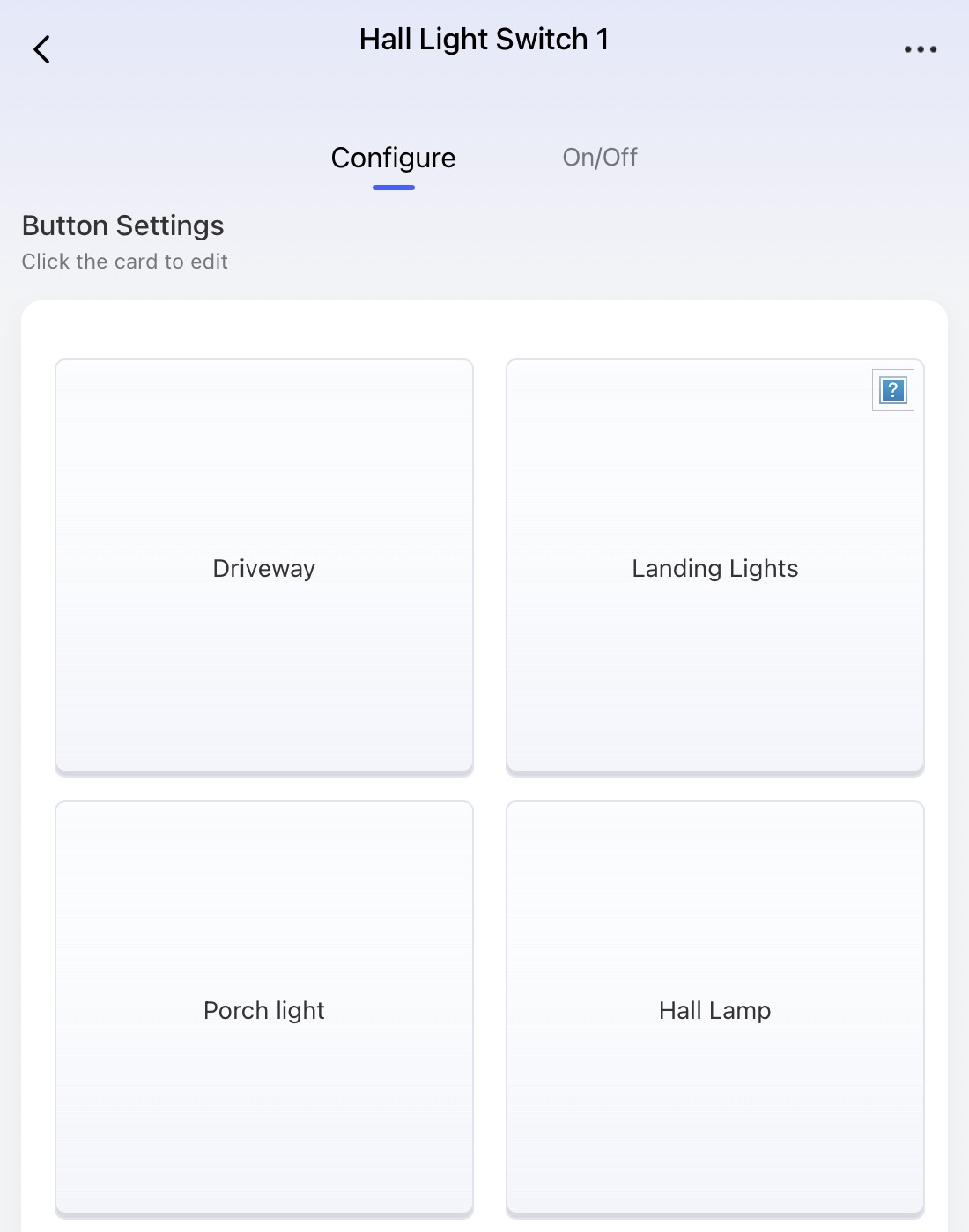
With the V1 Display, you can associate a Device to a Wireless Switch by clicking on the screen and it brings up a list of Devices, however it only lists Aqara devices and not Matter devices available in the Aqara App. This is the screen where you click on the buttons…
I would like to add an Ikea bulb I have added to my M3 and use the button to turn on / off the bulb and for the indicator / display in the switch to show if the bulb is on or off. So far, I’ve not found a way to do this on the V1 Display.
However, on my S1 Plus I can add the same bulb o the display and have it show if the bulb of on or off.
@2SC_UK From what Aqara has documented, what you’re seeing is expected behavior right now.
On Display Switch V1, the “wireless switch / exposed buttons” experience in third‑party Matter apps can be limited or even unavailable at launch, and support depends on those platforms’ updates (currently noted as only Apple & HA now)—so Matter-related exposure/control for the wireless buttons may not show up the same way you see on other panels.
Meanwhile, Panel Hub S1 Plus explicitly lists support for Aqara Matter devices on-screen (including lights), which helps explain why your IKEA bulb works there but not on V1’s on-screen association list.
So can you do it on V1 Display today?
Directly binding the V1 Display wireless button to a Matter bulb (like IKEA) in the V1 on-screen “associate device” list: likely not supported currently (based on the above limitations).
If you want Aqara to confirm whether this is a limitation vs. a bug (and whether there’s an ETA/plan), it’s best to report it with your screenshots, hub model (M3), firmware versions, and the exact Matter bulb model.
Contact the Aqara Home App Customer Service Team (Profile> Help & Feedback > Customer Service) or scan the QR code:
This will be more efficient. If you do not have an Aqara Home account, Please click here to create a ticket. Sorry for the inconvenience.
If you share what firmware your Display Switch V1 and M3 are on, folks here can also compare setups and see if anyone has a working workaround in a newer build.