Just bought an M3 Hub and was able to connect it to my network but noticed I wasn’t able to load into the page to download updates on my home network. I also couldn’t reach the forums through the app or browser. Neither on my phone or PC.
I’ve already restarted all of the devices, reinstalled all applications on said devices, including restarting my entire home network. My Firewall/Policies aren’t blocking the incoming traffic. I don’t see any incoming traffic being blocked on my flow logs.
Could I get assistance from a Network Tech to troubleshoot my connectivity issues?
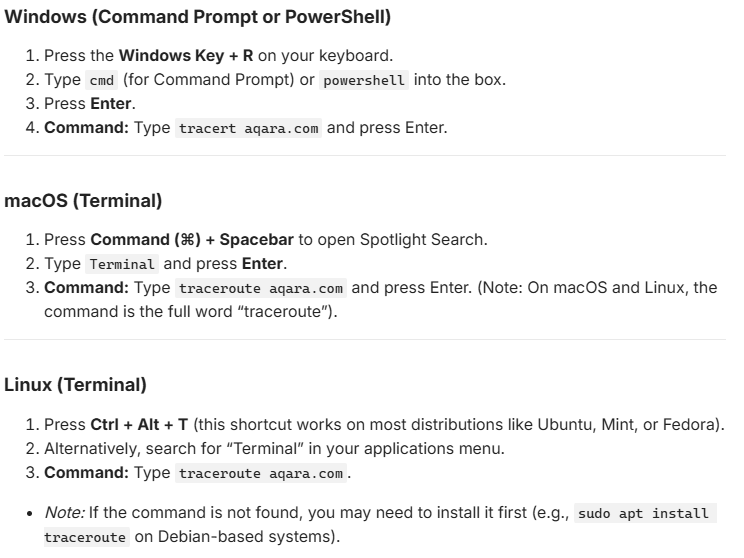
Hi. It sounds like the Aqara domain or domains are being blocked. But that’s just a guess. Could you enter the command tracert aqara.com on a console on your computer and let us know what the result was?
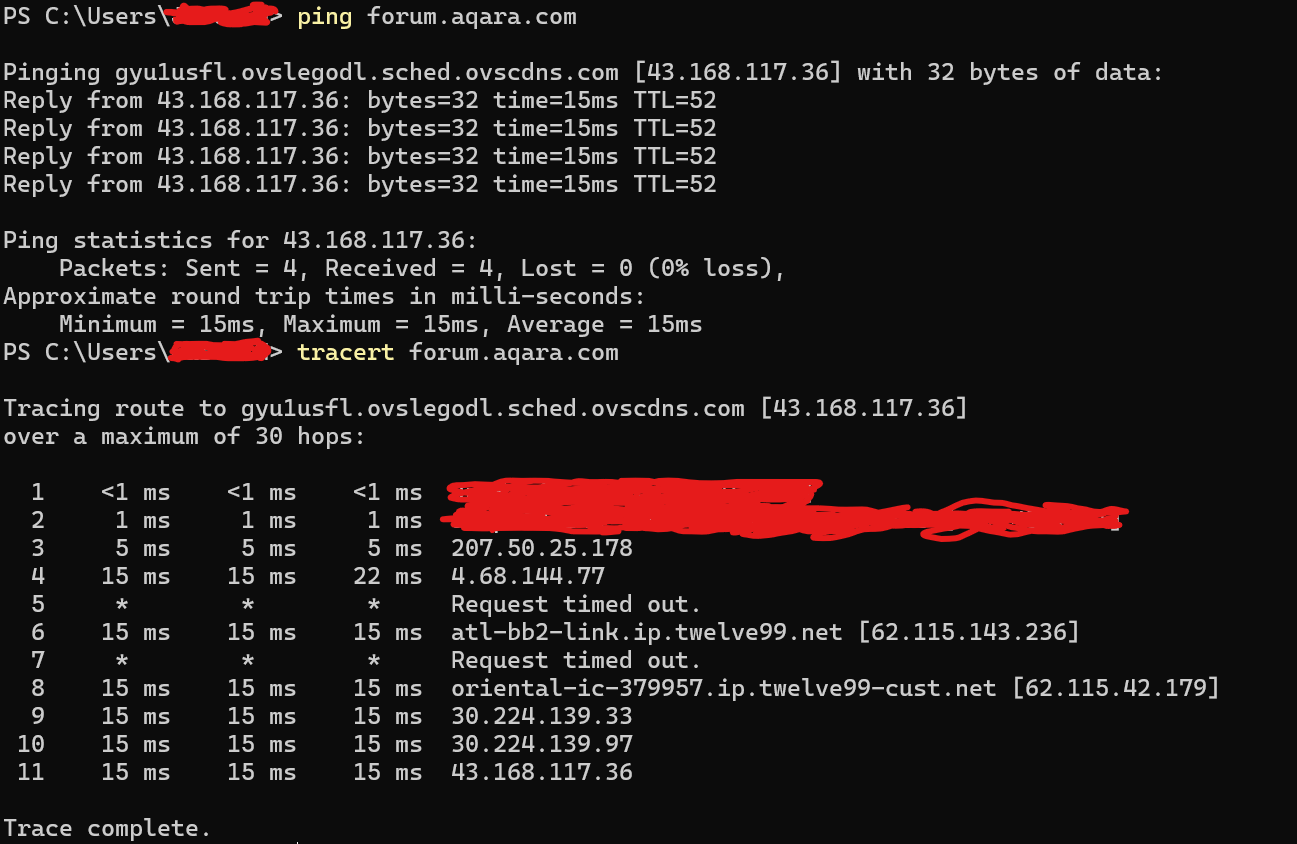
Sorry, I’m not currently home for a little while but I’ll try to detail everything. I can successfully ping and tracert to the domain DNS can identify the domains but that uses the ICMP protocol. Whenever I go to certain pages on the aqara site, it states that the website took too long to load. I ran a packet capture before I left and TCP is sending a SYN message but I don’t seem to be getting back an ACK. I keep seeing TCP retransmissions but I can’t really tell what else is happening.
Small clarification: DNS resolution does not use ICMP. So the fact that DNS works only tells us that name resolution is fine. Since you can successfully ping the domain, your OS has already resolved the IP. Furthermore, most modern browsers use DNS over HTTPS (DoH) nowadays, which makes a DNS failure even less likely.
The fact that you see TCP retransmissions after sending a SYN (without receiving a SYN-ACK) suggests that your packets are not being answered, which makes a pure routing issue less likely (especially since ICMP/Ping works).
Since DNS resolution and Ping are successful but TCP connections to ports 80/443 fail, the issue is likely caused by filtering or blocking before a TCP session can be established.
Most likely causes:
Aqara’s Web Application Firewall (WAF) might have flagged your public IP address.
Your ISP or a local firewall could be dropping outbound TCP traffic to those destinations.
Traffic might be blocked somewhere along the path (e.g. upstream provider, CDN edge).
Suggested steps:
Change your Public IP: Restart your router (if you have dynamic IPs) to rule out IP-based blocking.
Test via Mobile Hotspot / VPN
Check Local & Network Security: Ensure no endpoint protection on your PC or firewall rules on your router (e.g., SPI settings, parental controls, or blocklists) are interfering with outbound connections to Aqara’s servers.
Let us know if switching networks or IP resolves the issue!
I can confirm that I can connect via VPN on my PC but that doesn’t really resolve the issue of not being able to connect the hub properly. I don’t see any rules, ACLs or other settings that would interfere with the connection. It seems like maybe my IP is being blocked by Aqara itself.
While it can’t be ruled out that the entire IP range might have been blocked because an attack originated from there, I think that’s unlikely, so I would assume that changing your IP address should solve the problem.
On the other hand, I would still assume that it’s being blocked on your end. What router are you using?
I tried restarting my router/ONT but it didn’t seem to change my public IP address in its own. I am using an ISP provided ONT Gateway and a Ubiquiti Cloud Fiber Gateway. I’m currently trying to contact my ISP to have my public IP address changed.
Hi there, as this issue has already been resolved with our support team via email, we’ll be closing this topic on the forum as well. If you have any further questions or run into any other issues, please feel free to reply directly to our support email. Thanks for your support and understanding!