One of my (and certainly my kids’) favorite hardware features on Aqara’s latest Matter-over-Thread lights is the built-in microphone for real-time music synchronization. Out of the box, however, pairing these lights directly over Matter to third-party ecosystems like Home-Assistant only exposes standard lighting controls—power, brightness, color temperature, and RGB color. Features like Music Sync remained locked inside the Aqara Home app.
I recently spent some time digging under the hood to bridge that gap. Happy to share that native, completely local Music Sync control is now working in Home Assistant (starting with the 2026.11 release alongside the latest Matter.js Server updates) for the Aqara Floor-Lamp-T1 which I was fortunate enough to get as part of the early trial!
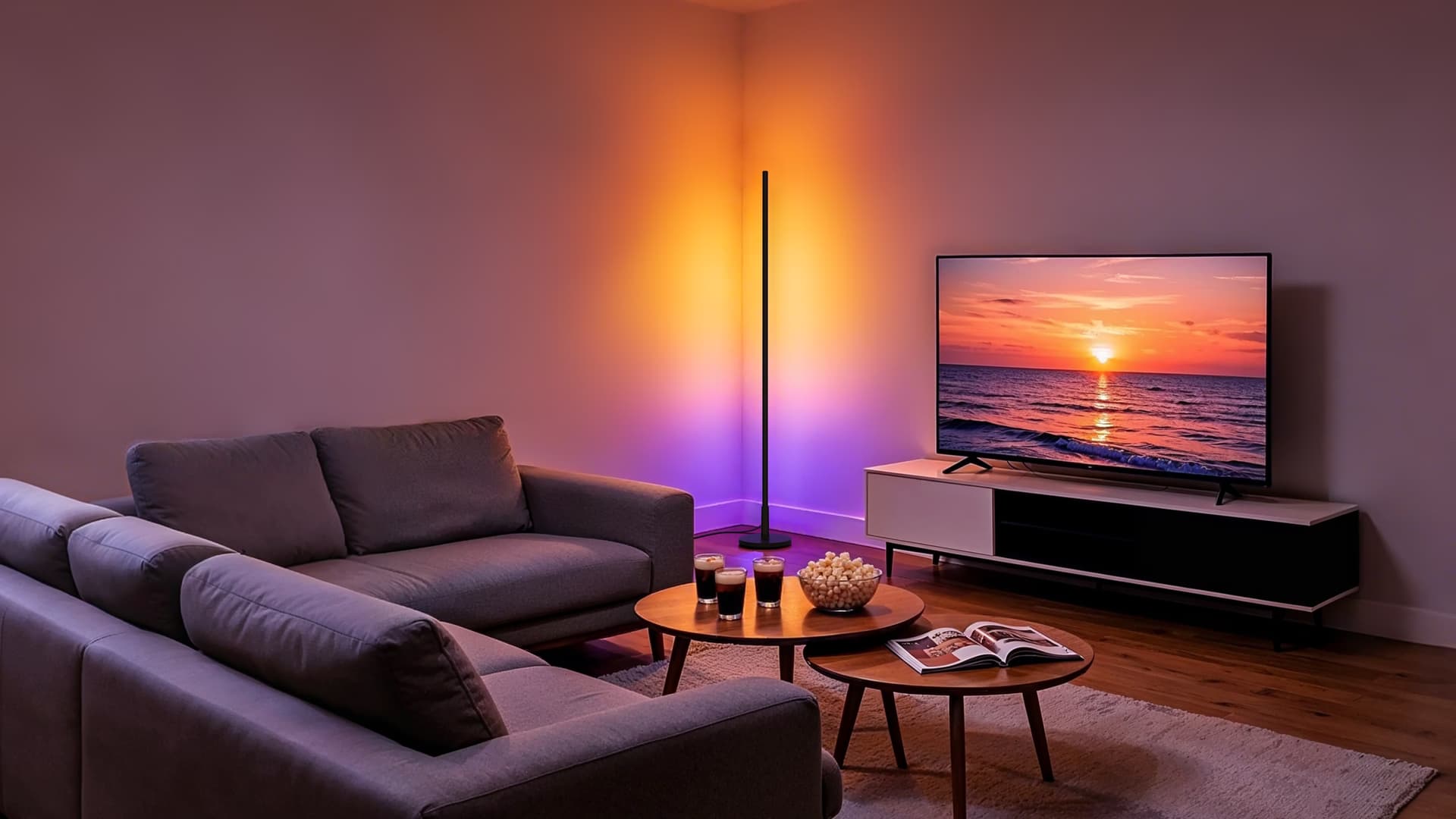
This should also work out of the box with other Matter-enabled Aqara Lighting products with the Music Sync feature. I haven’t been able to test those other models personally since I don’t own them, so if you have one, definitely give it a try and let me know in the comments!
If you prefer to watch than to read this rather long article, here’s a walkthrough of the feature 
A Quick Primer: Matter and Custom Clusters
To understand why Music Sync wasn’t available over Matter initially, it helps to look at how Matter organizes device features. In Matter, capabilities are grouped into standardized building blocks called Clusters. For example, turning a light on or off uses the On/Off cluster (0x0006), dimming uses Level Control (0x0008), and changing colors uses Color Control (0x0300). Because every certified smart home platform speaks the language of these standard clusters, basic controls work everywhere immediately.
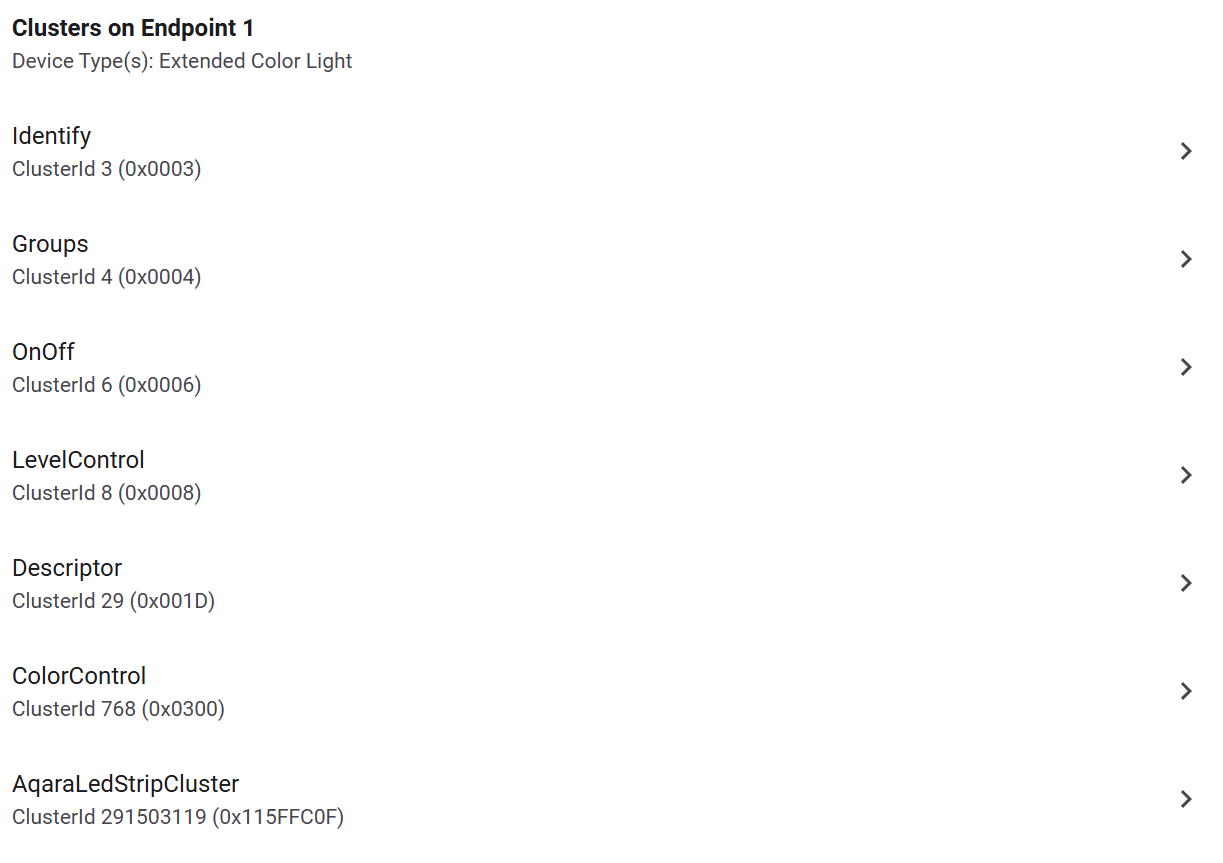
However, the official Matter specification doesn’t cover every specialized hardware feature on the market. To prevent the standard from holding back hardware innovation, Matter allows manufacturers to create Custom (Vendor-Specific) Clusters prefixed with their unique Connectivity Standards Alliance (CSA) vendor ID—in Aqara’s case, 0x115F. While any Matter controller can technically see that a custom 0x115Fxxxx cluster exists on a device, third-party platforms ignore its data unless they explicitly know what each attribute ID and numeric value represents.
Why Custom Clusters Exist and Why We Have to Reverse Engineer Them
It’s easy to ask why Music Sync isn’t just part of the standard Matter spec, or why Aqara doesn’t publish full developer documentation for their proprietary clusters. In reality, both come down to how smart home standards and product development work:
- Standardization is inherently slow: The CSA comprises hundreds of competing companies that must agree on universal data models, edge cases, security rules, and certification tests before a new cluster becomes official. Agreeing on how an addressable multi-zone light strip reacts to an onboard microphone—across dozens of brands with wildly different audio engines and effects—would take years. Manufacturers like Aqara move much faster than committees, so relying on custom clusters is the only practical way to ship rich hardware features like Music Sync over Matter today rather than waiting years for the spec to catch up.
- Why documentation stays internal: Supporting a public API or cluster specification is a massive long-term commitment. Once a vendor publishes official documentation for internal Matter attributes, they effectively freeze that design; changing how an effect or sensitivity parameter works in a future firmware update risks breaking third-party integrations and creating a heavy customer support burden. Custom clusters are designed first and foremost for communication between Aqara’s firmware and the Aqara Home app. Having to reverse engineer them isn’t Aqara trying to lock users out—it’s just a natural side effect of keeping internal firmware interfaces flexible.
How I Mapped It Out: From App Interactions to Home Assistant
Because Matter supports multi-admin, a device can be connected to the Aqara ecosystem and Home Assistant’s Matter.js Server at the exact same time. That made reverse engineering the custom lighting cluster straightforward—just a game of observation.
Observing the Custom Clusters in Matter.js Server
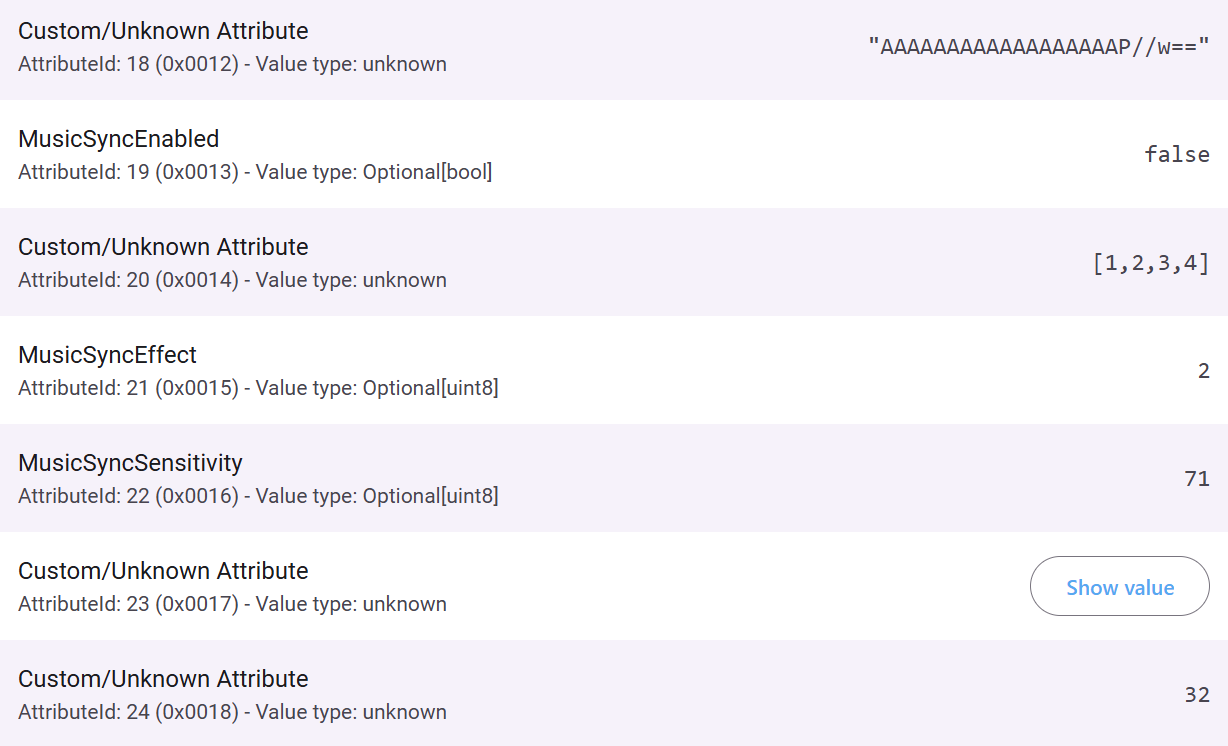
First, I paired the lamp to both the Aqara app and my Matter.js server instance. Looking at the raw node inspection view in Matter.js, I could see Aqara’s manufacturer-specific cluster (0x115F...) sitting alongside the standard lighting clusters, filled with unknown hexadecimal attribute IDs and raw integer values.
From there, I toggled Music Sync on and off in the Aqara Home app, switched between different audio rhythm effects, and adjusted microphone sensitivity settings one step at a time while watching the raw attribute values update live on the server. Once I mapped out which attributes controlled the music sync state, sensitivity levels, and effect modes I added the custom cluster definitions to the Matter.js Server so it could properly decode, read, and write those attributes by name.
Exposing Native Controls in Home Assistant
Teaching Matter.js Server to recognize the custom cluster was half the battle; next, Home Assistant needed to know how to turn those attributes into user-friendly entities.
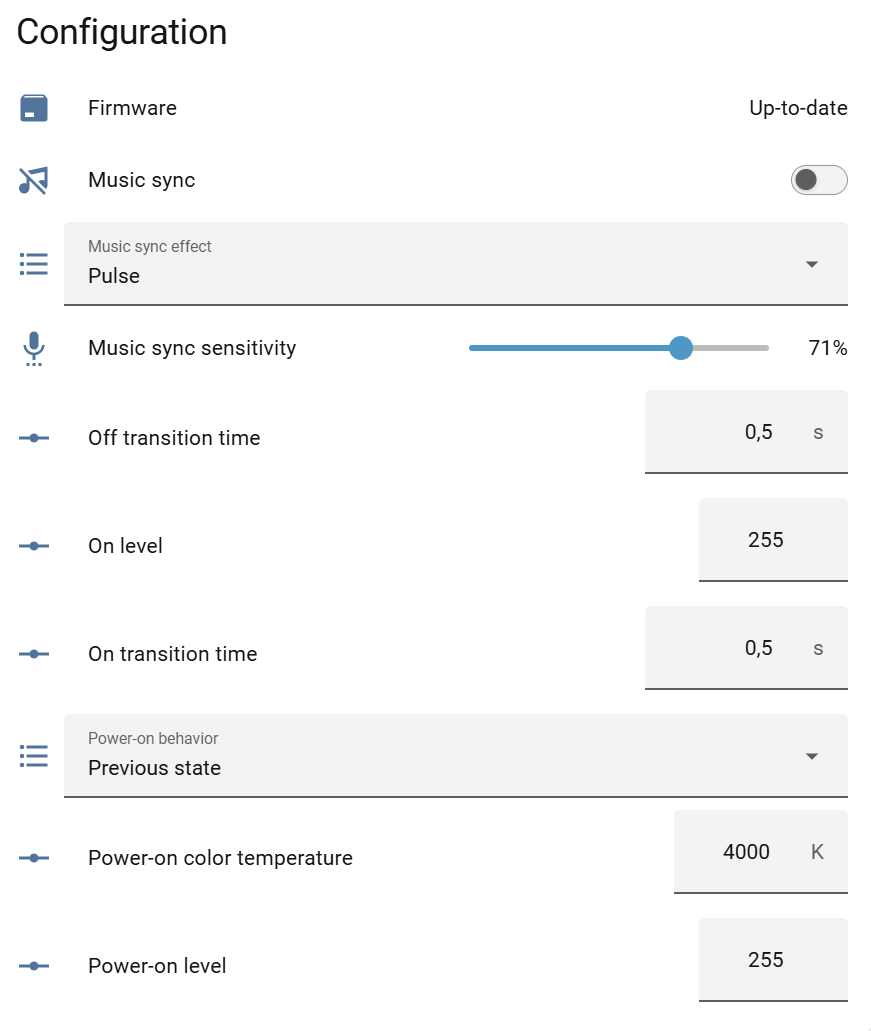
I extended Home Assistant’s Matter integration to map those newly decoded cluster attributes directly onto the device page. Now, when you view your T1 Floor Lamp in Home Assistant, you get:
- A dedicated Music Sync switch to toggle audio reactivity on and off locally (and trigger it in automations or scenes!).
- Configuration controls right inside the device settings panel to adjust parameters like microphone sensitivity and music sync effect modes without ever opening the Aqara app.
Try It Out & Share Your Results!
Everything runs 100% locally over Matter/Thread with instant state reporting in both directions. If you toggle Music Sync in the Aqara app, Home Assistant updates immediately, and vice versa.
To get these controls, make sure both your Home Assistant (2026.11 or newer) and your Matter Server (v1.5.5 or newer) are up to date. If you have other Matter-capable Aqara lights, check your device page in Home Assistant after updating—I’d love to hear which other models pick up the new controls!
