When I saw that Apple finally added HomeKit controls from the car – including widgets – I knew this was going to be a game changer for my daily routine.
When I drive home, I simply tap the widget in CarPlay to activate the “Coming Home” scene, and everything lines up perfectly:
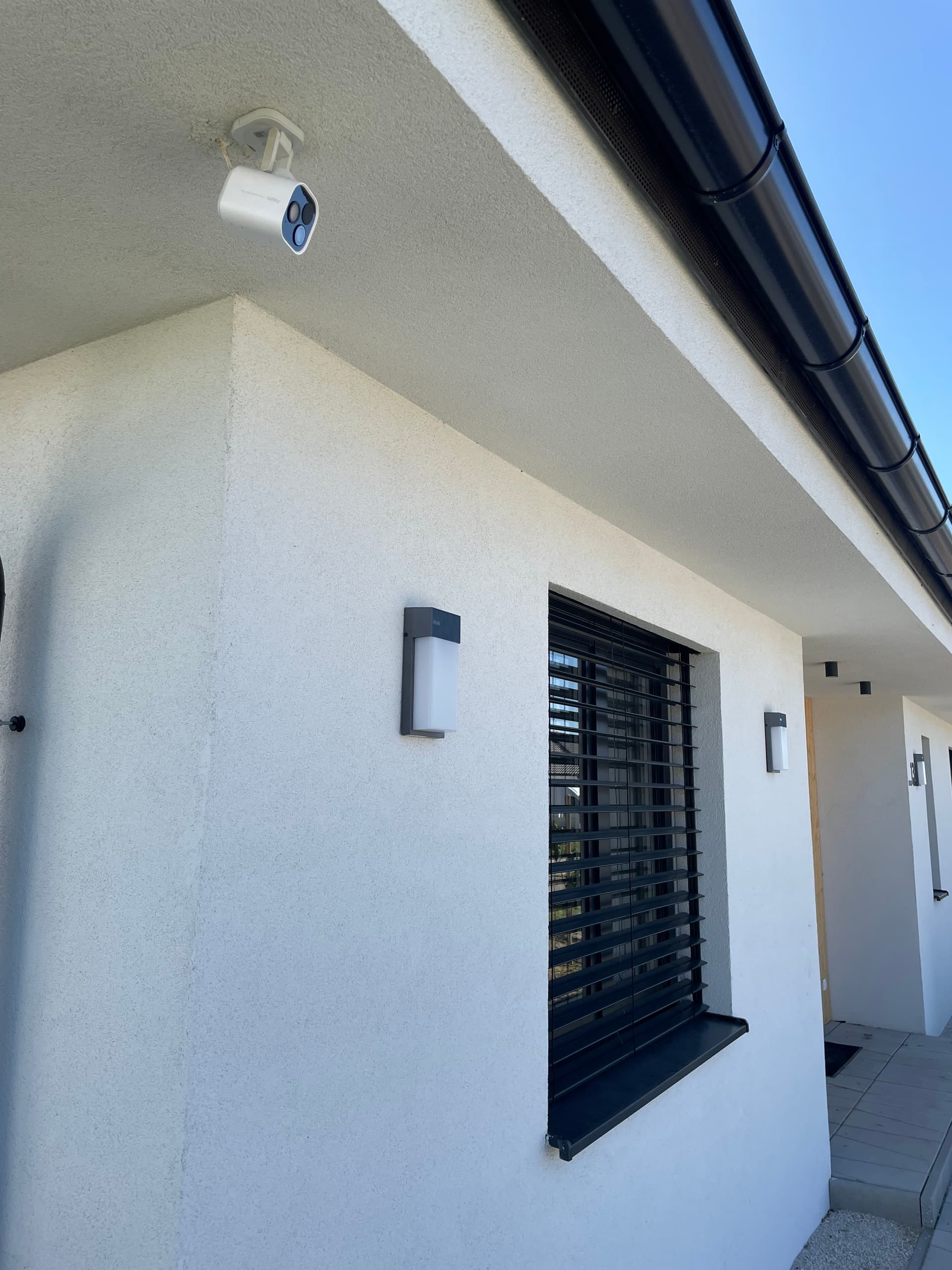
The outdoor lights turn on so the driveway is well lit (I have smart Govee lights and some regular lights, all controlled by my favorite Aqara H2 light switches – no more offline states for smart lights).
The gate opens automatically for the car, powered by the Aqara Relay T2.
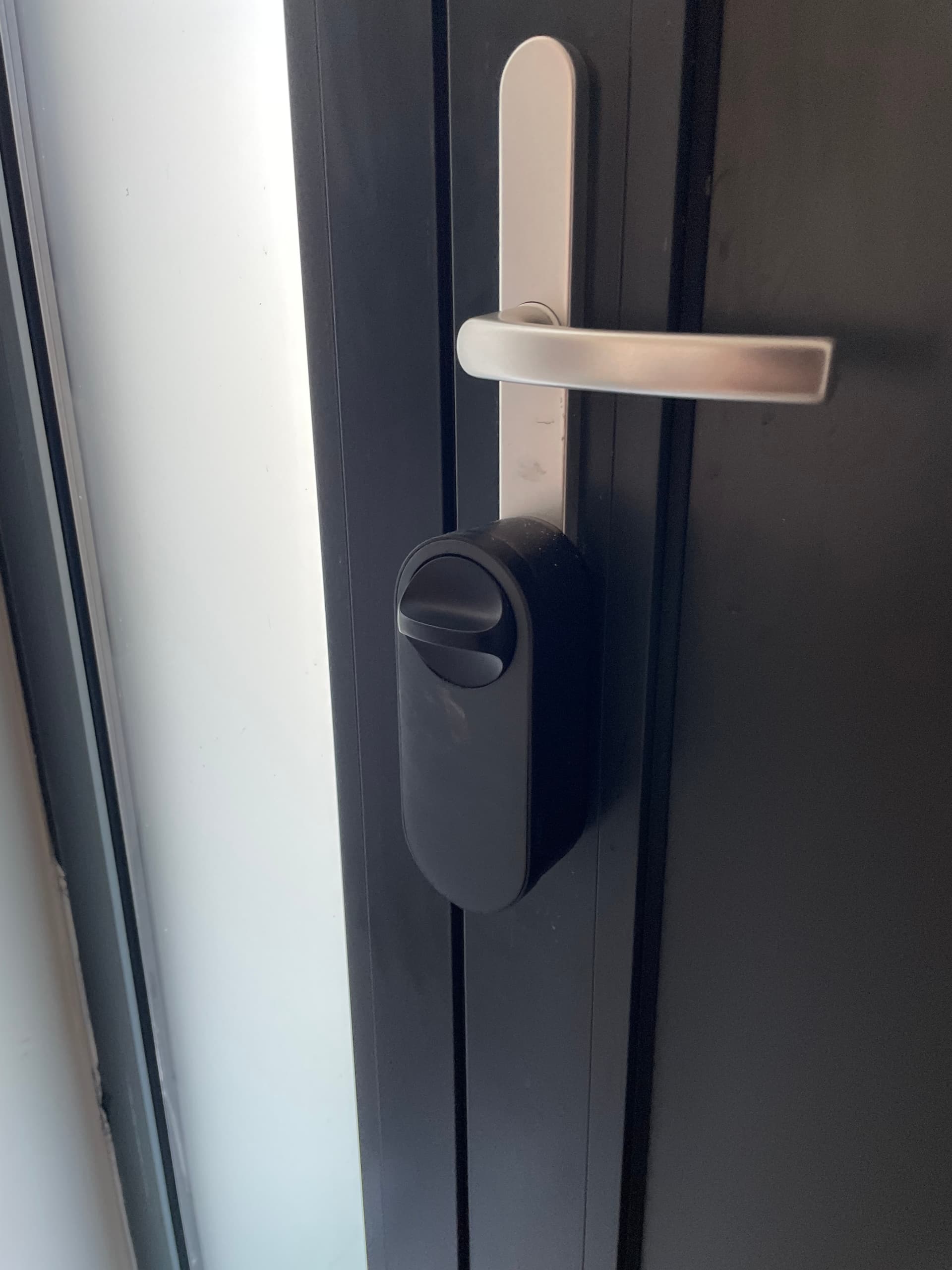
My Aqara U200 smart lock unlocks before I even step out.
The Aqara G5 Pro camera detects my car and automatically turns on the power breaker for the car charger.
The heat recovery ventilation system turns on.
If the vacuum or lawn mower is running, they are sent back to their docking stations.
In summer, the patio is automatically cooled using the outdoor mist hose set.
Shades are automatically adjusted to the proper position based on the time I arrive home.
No more fiddling with apps or pulling out my phone while parking – it all happens in just one quick action, right where I need it.
It may sound like a small update, but in practice, it makes arriving home feel seamless and futuristic. This is exactly the kind of feature that makes a smart home feel smart.
@werosk This is an amazing sharing! It’s really cool to see how you’ve integrated various Aqara devices with the new CarPlay HomeKit controls to create such a seamless and convenient “Coming Home” scene.
Your setup showcases the true potential of a smart home. The way different devices work in harmony, from lighting up the driveway to unlocking the door and adjusting various systems according to your arrival, really highlights the value of these smart technologies.
Thanks so much for taking the time to share this with the community. It gives others great inspiration on how to make the most of Aqara products and HomeKit integration. I’m looking forward to more of your sharing in the future! If you have any suggestions or recommendations for improvement, you can submit feedback manually through customer service.
@werosk That sounds like an absolute game-changer for your daily routine! Using CarPlay to tap into HomeKit and trigger your “Coming Home” scene is such a clever, seamless move—no more fumbling with phones while parking, just instant, effortless control. It’s amazing to see how Aqara devices (like the H2 switches, Relay T2, and U200 lock) integrate so smoothly with HomeKit to bring that “futuristic” feel to life. Your setup checks all the boxes for what a smart home should be: intuitive, time-saving, and actually smart. Thanks for sharing this inspiring use case—it’s a great example of how small updates (like CarPlay widgets) can make a huge difference. Can’t wait to hear more about how you refine it further!
P.S. The photos of your setup look fantastic—love how everything lines up perfectly. Keep the tips coming!
@werosk What a wonderful share! It’s inspiring to see how CarPlay and Aqara devices integrate so seamlessly to create such a smooth “Coming Home” experience. Your detailed setup—from the outdoor lights and automatic gate to the smart lock and camera-triggered car charger—truly demonstrates how well-designed automation can turn everyday routines into something futuristic. This is exactly the kind of practical, user-centric smart home setup that makes the technology feel truly “smart.” Thanks for taking the time to share your experience and photos—they’re a great example for the community. We’d love to hear more about any future tweaks or new features you add to this system!
@werosk What a fantastic share—this is exactly the kind of “seamless futuristic” smart home experience we all love to see! Using CarPlay to trigger your “Coming Home” scene with a single tap? That’s genius, and it’s clear you’ve put so much thought into curating a setup that works for your daily routine.
It’s awesome to hear how Aqara devices like the H2 light switches, Relay T2, U200 lock, and G5 Pro camera all come together to make arriving home feel effortless. HomeKit scenes are designed to simplify multi-device control, and your use case—especially integrating it with CarPlay—really brings that vision to life . No more fumbling with phones while parking? Chef’s kiss.
Thanks for taking the time to share your setup (and the photos!)—it’s inspiring for others looking to level up their smart home game. If you ever feel like diving deeper into the specifics of how you configured the scene or troubleshooted any kinks, the community would love to hear more. Here’s to many more smooth, futuristic arrivals!
(For anyone reading, this is a great example of how HomeKit’s flexibility can extend beyond the home—proof that smart tech should adapt to us, not the other way around.)