W200 Capabilities in Home Assistant/Other Matter platforms

As a Home Assistant user, one of my biggest interests in the W200 is that it supports connecting to other platforms over Matter. I anticipate significant interest in the W200’s Matter capabilities, so here’s a post to go through them.

The W200 is both a thermostat and a hub, and you do have to separate how you think of this product when it comes to thinking about which parts work over which protocols.

The hub in the W200 is a Thread Border Router and as one, it supports pairing other Aqara and third party devices to it via Matter over Thread and Matter over WiFi. It also supports Aqara devices based on zigbee. I have my W200 joined as a second TBR for my thread network.

However, to be clear, the thermostat device itself is not paired to this hub, and it pairs to other platforms via Matter over WiFi.

So, here’s what you get in Home Assistant once it’s paired, without ever needing to use the Aqara app:
  • climate entity with
    • Current temperature
    • Change HVAC mode: Cool, Heat, Heat/Cool (auto), and Off
    • Temperature set point(s) and temp up/down and dial
  • sensors
    • Temperature
    • Humidity
    • Occupancy (mmWave)

One obvious omission that will hopefully be addressed is that fan on/off control is missing. There’s a workaround that I’ll get to in my first follow-up comment using the Aqara app to set it up.

Hopefully, by initial release the humidity sensor will roll up into the climate entity, but for now, it shows up as a separate sensor. That just means humidity won’t show up in the climate entity card.

Within the climate entity, there is some addition state that can be used in HA. It’s easiest to see this information by looking at the climate entity in Developer Tools:
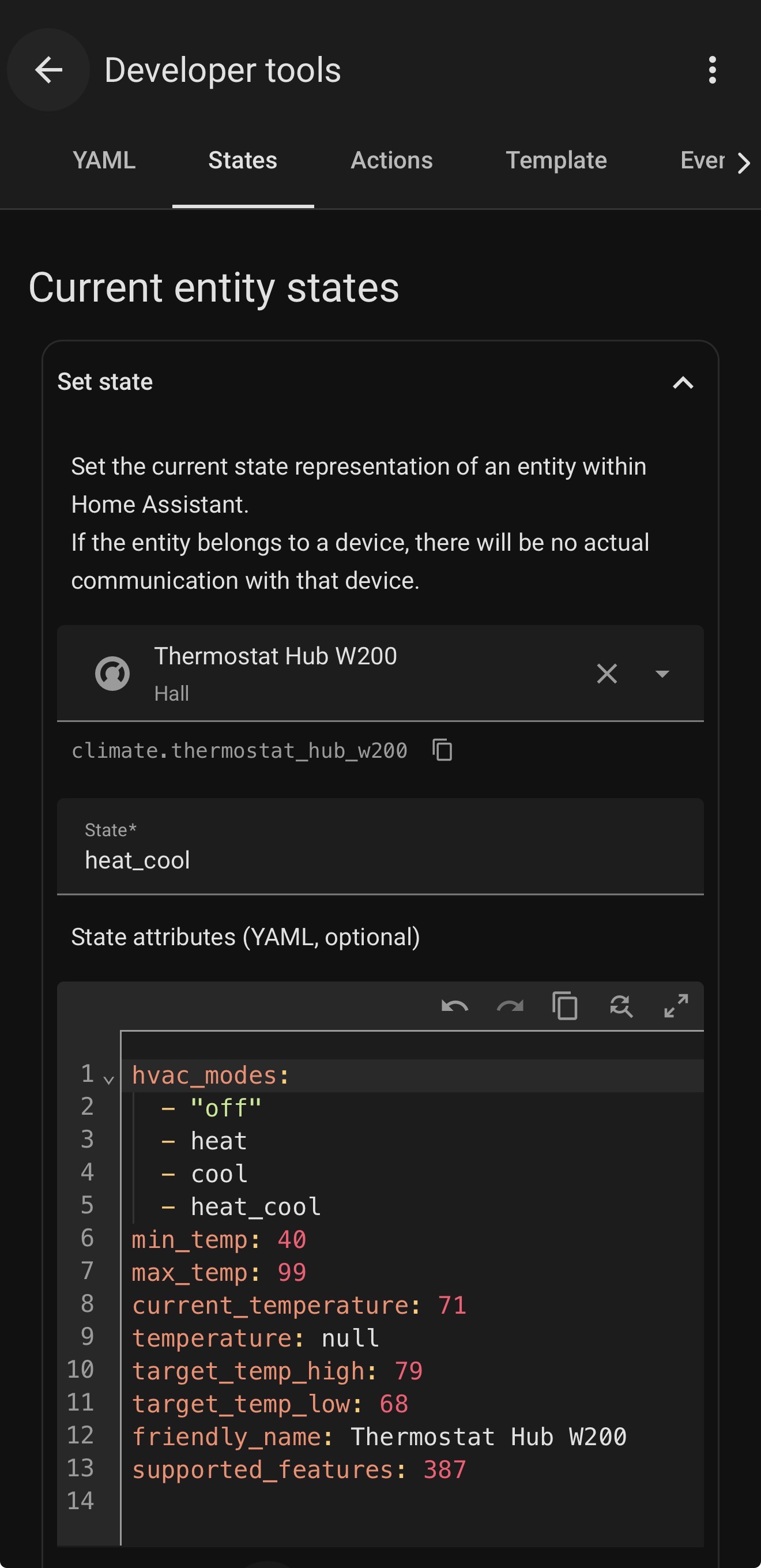
Where:

  • state: returns the current hvac mode
  • temperature: target temp for Heat and Cool modes
  • target_temp_high: cooling target for Heat/Cool mode
  • target_temp_low: heating target for Heat/Cool mode

It is worth noting that there is one additional attribute that only shows up with the thermostat is active (photo was taken when idle):

hvac_action: returns [cool, heat, fan] if they are active

When idle, this attribute is not sent.

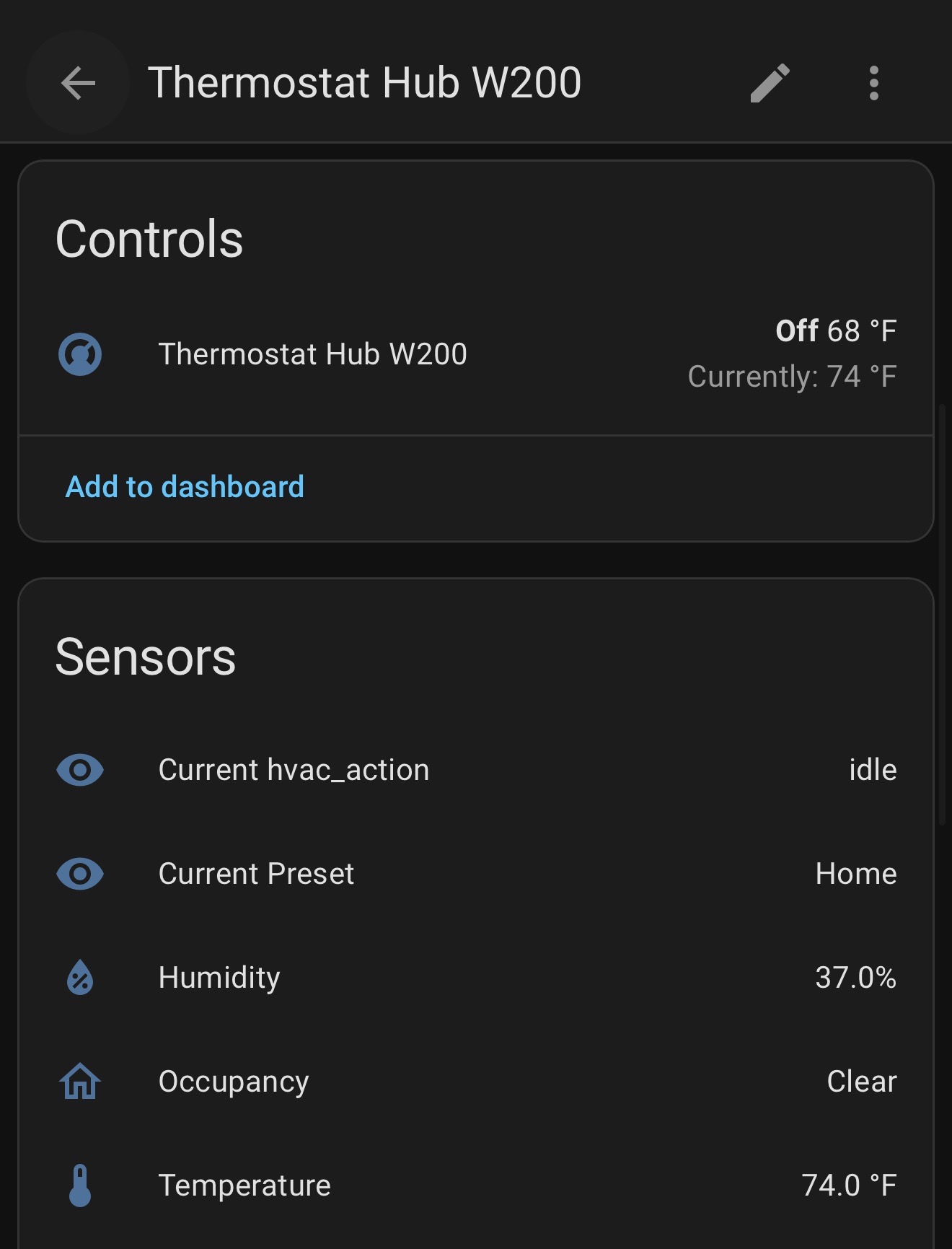
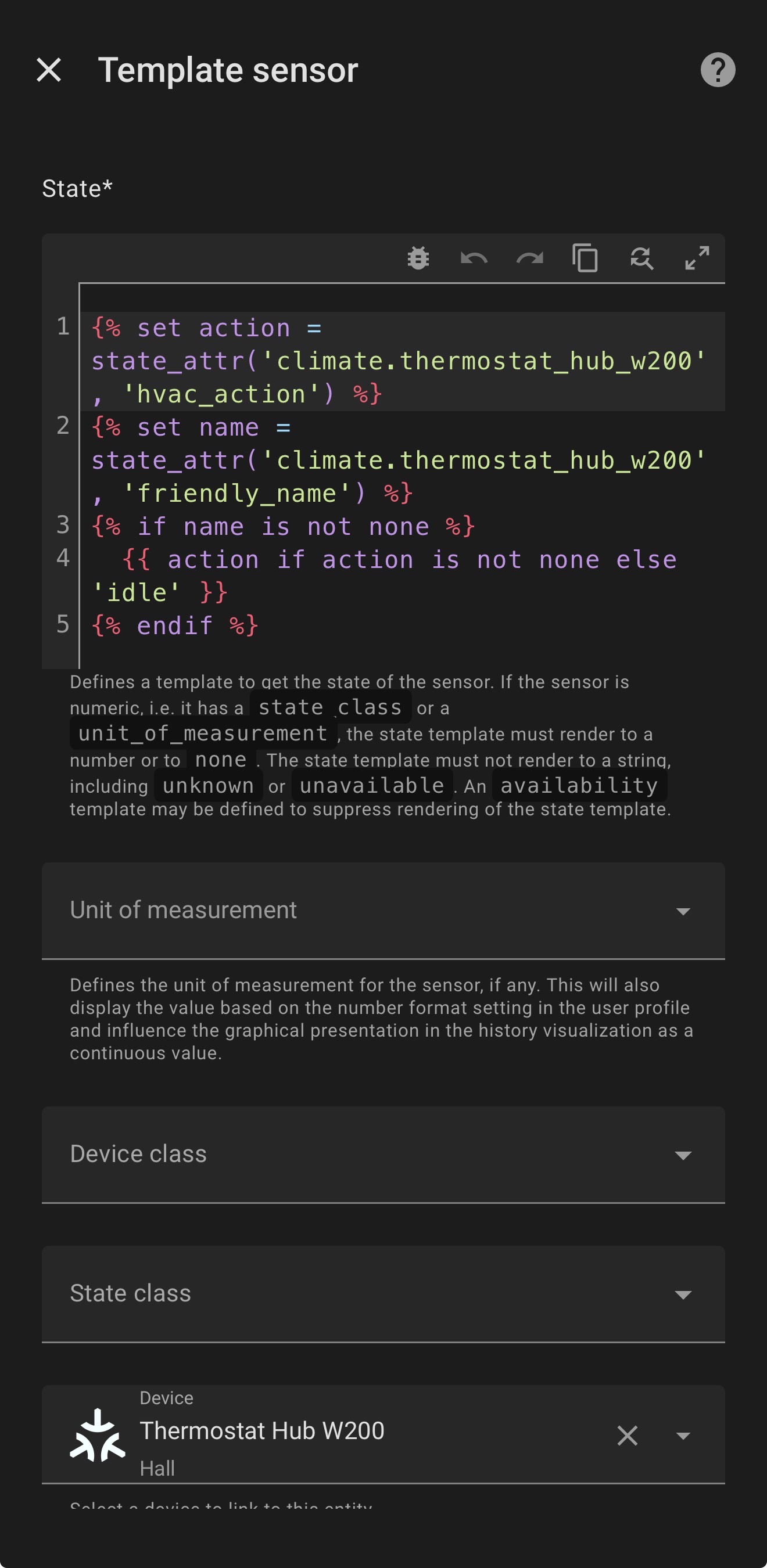
To make it easier to check the current state, I added a template sensor called “Current hvac action” that is set to “Unknown” if it isn’t returning state, “idle” if it isn’t returning hvac_action, or the value of hvac_action if it exists.
So, that’s it for what automatically gets added when pairing the W200 to HA. Pretty good, could be better.

I’d love to see fan control be added to the basic controls, and I’d especially like to see presets exposed over Matter.

And again, this is all without requiring any use of the Aqara app, and all functionality works without internet access on the W200.

However, if you want to use the Aqara app for scheduling, automations, or anything else that needs to keep time, you’ll need your DHCP server to return a local ntp server in DHCP options or the ability for it to look up ntp servers via DNS and reach one.

There is even more functionality available over Matter through a surprisingly powerful feature of the Aqara app. I’ll add that in a follow-up comment.
3 Likes

So, the W200 has some pretty nice built-in Matter functionality.

But there is even more functionality available for use in Home Assistant (or your Matter platform of choice) that is set up in the Aqara app.

In the Aqara app > Profile > Connect to EcoSystems > Matter, you will find “Scene and Signal Sync”.

This is basically a place where you can set up the equivalent of “dummy sensors” and “dummy switches” that are passed through via Matter.

Signals are the way to pass binary states as occupancy sensors in HA. For example, you can send signals for things such as when a preset is activated or a maintenance reminder is triggered.

Scenes are basically Aqara automations that are triggered by a button press. These are exposed as switches in HA. For example, you can create scenes to set a particular preset or change the active temperature sensor to a different one.

This capability is very interesting and potentially powerful in that it allows you to pass things to a connected Matter platform that aren’t even in the Matter spec simply because you’re using these dummy sensors and dummy switches to pass them back and forth.

One of my hopes for the W200 was that it would support presets over Matter (available as of Matter 1.4). It is not clear yet whether this will be added or when, but in the meantime, it’s possible to use Scene and Signal Sync to recreate 90% of it:

In the Aqara App:

  • Create a Signal Sync for each built-in and custom preset
  • Create a Scene Sync to set each built-in and custom preset.

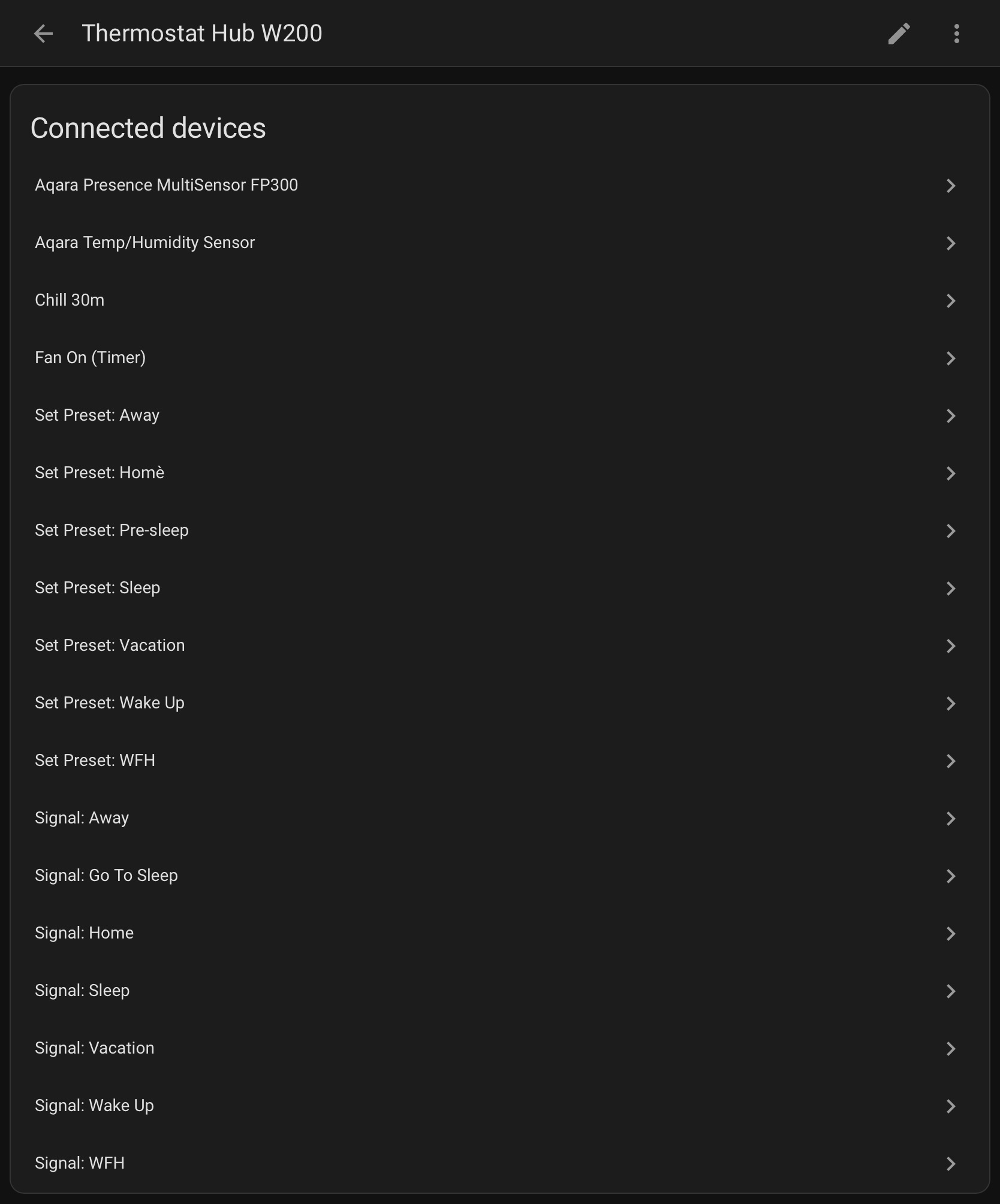
In HA, each signal and scene will show up as a connected device in the W200 device card.

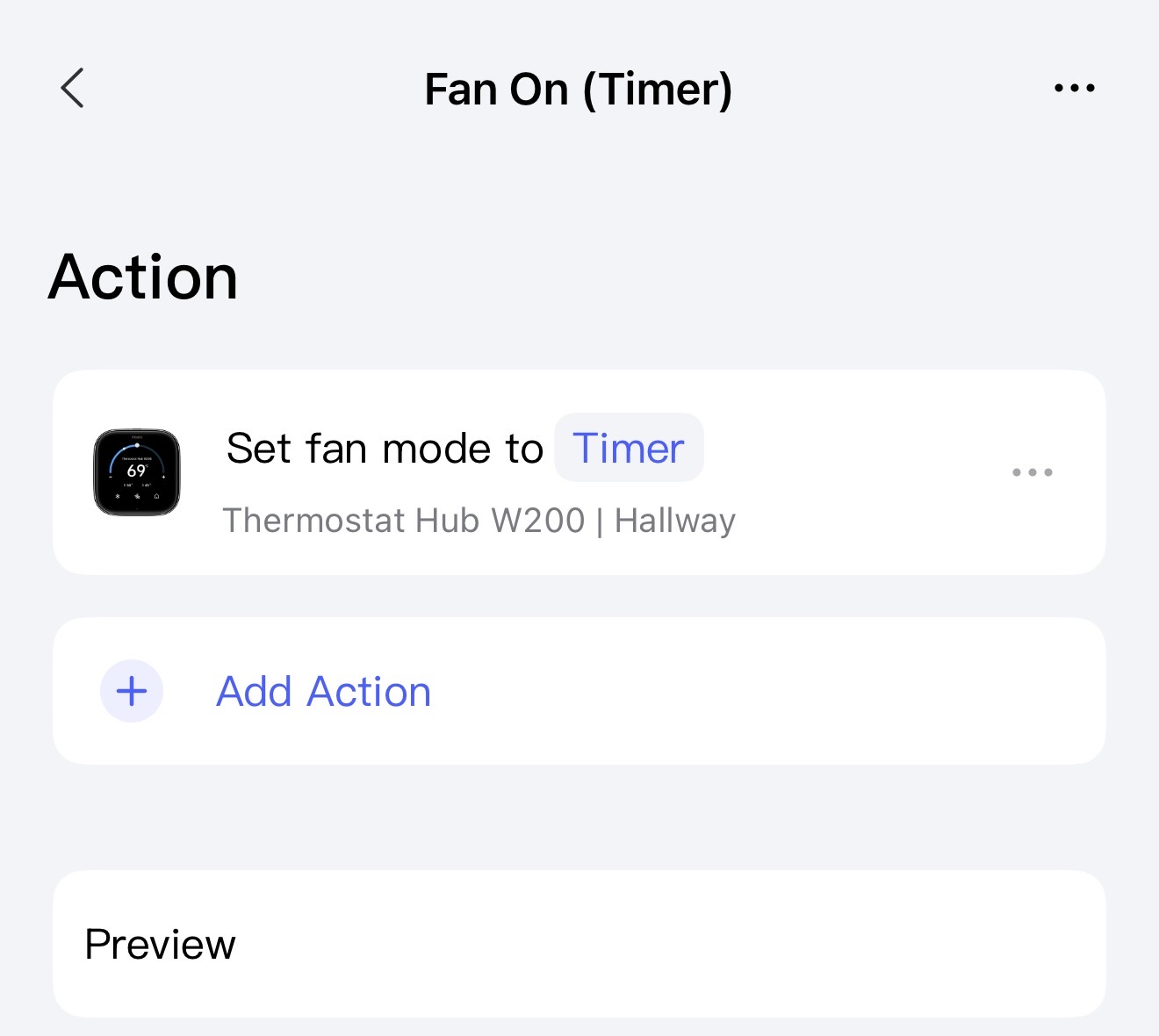
In the list is an item named “Fan On (Timer)”. This is a scene the Aqara app to turn on the hvac fan for 30 minutes:

This was then passed over via Matter through Scene Sync. This is a workaround for the lack of fan control in the basic thermostat functions over Matter.

For convenience, I used some helpers and automations to create “Current Preset” sensor attached to the W200:

  • Create an input_text helper named “Current W200 Preset”

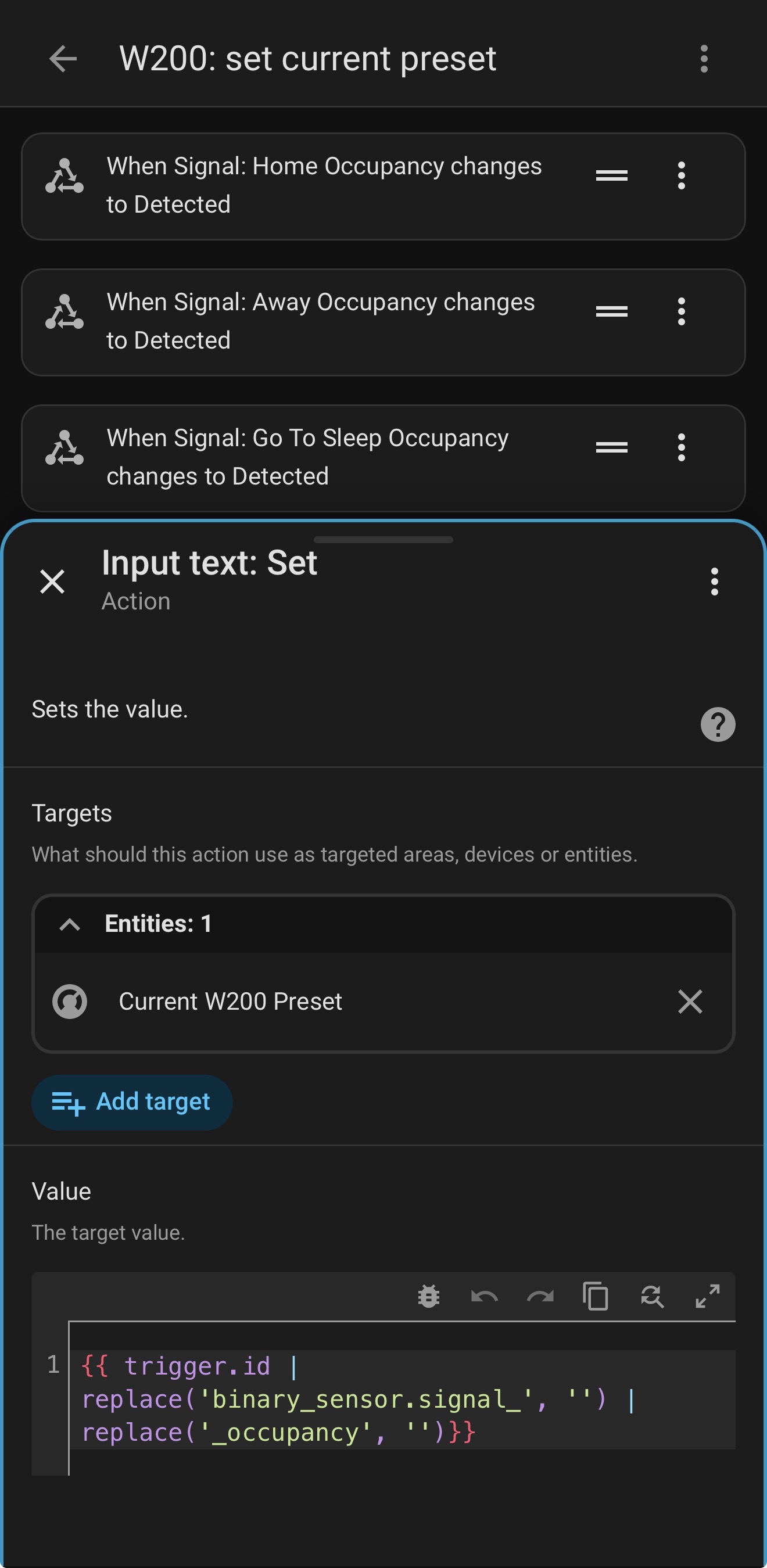
  • Create an automation that when any of the signal syncs turns on to set the input_text to be the name of the preset

  • Create another automation that when the temperature set point changes without a change in the preset, to set the input_helper to “Manual”
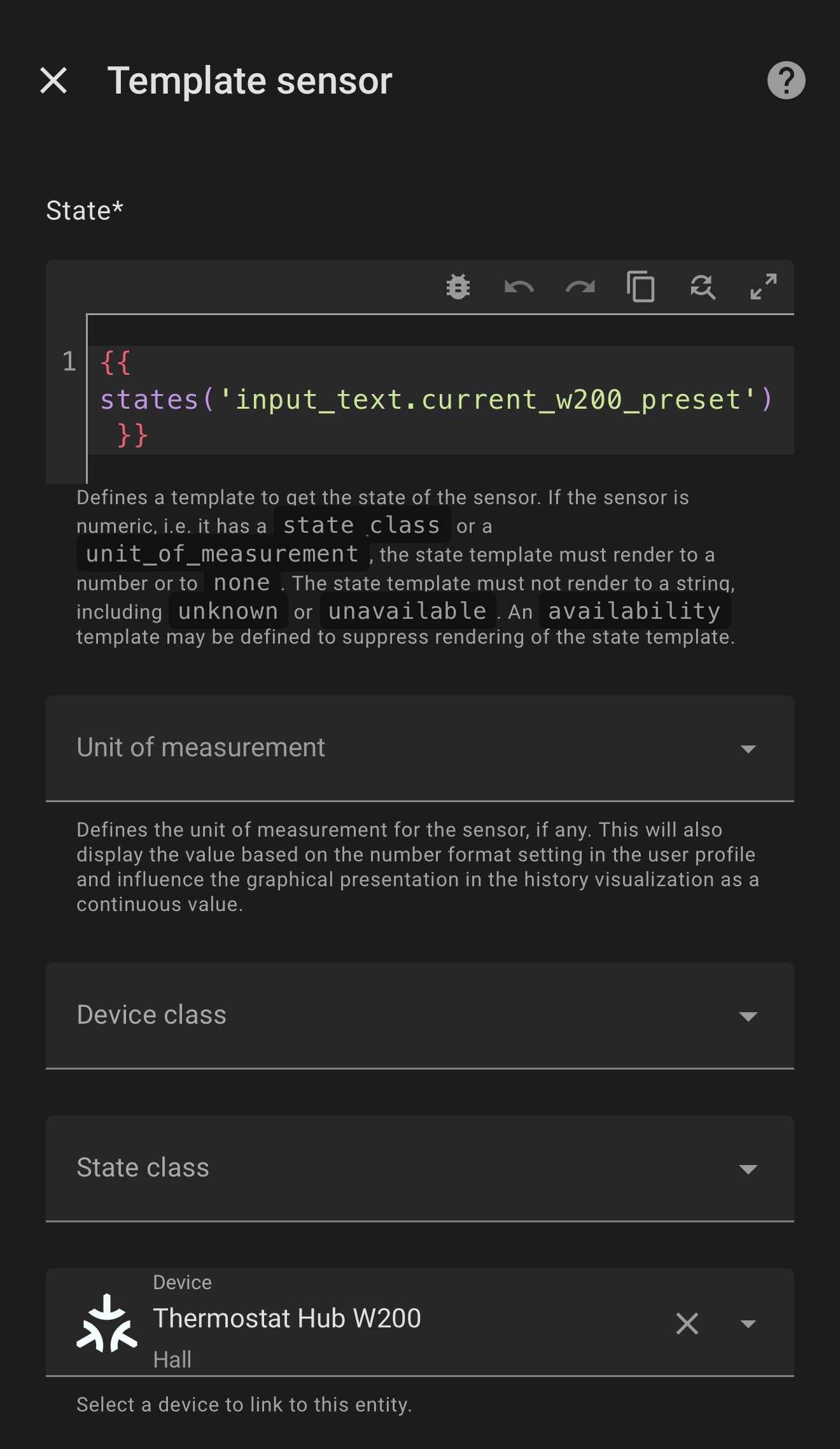
  • Create a template sensor that takes the value of the input_text and rolls it into a sensor under the W200.

Once all of the Signals and Scenes are set up in the Aqara app, they continue to work in HA (and other Matter platforms) with or without internet access for the W200.

Limitations:

  • There are likely a number of possible scenes and signals that would be useful but do not exist. For example, there is no capability to create a scene to “resume normal schedule” or set a duration for any temperature or preset override.
2 Likes

Some additional points over the hub capabilities.

  • The hub does act as a Thread Boarder Router.
  • You can add Aqara and non-Aqara Matter devices to the hub
  • You can add Aqara zigbee devices to the hub
  • Non-Aqara temperature sensors cannot be used as the temp/humidity source for the W200
  • Only certain Aqara doorbells are supported for the snapshots-on-W200-screen (I don’t recall which as I don’t have one), and non-Aqara doorbells cannot be used for doorbell snapshots on the W200.
  • Devices connected to the hub will automatically show up as Connected Devices under the W200. In the “Connected devices” screenshot in the first reply above, you will see an Aqara FP300 and an Aqara Temp/Humidity Sensor (both in zigbee mode) that were automatically added into Home Assistant.
2 Likes

The Aqara Doorbell Camera G400 would be the device you mentioned.

I have a question about the Heat/Cool mode shown in the first post screen shot. I’ve never understood this and no one can explain this to me using common sense plain talk.

Shown is the Heating on the left side and Cooling on the right of the graph. How does it make sense to Cool from 79°F up and Heat from 68°F down? Those two values should be swapped. I don’t ever want to Cool my house to 82°F nor do I want to Heat my house to 65°F.

In my example, 72°F is the ideal temperature (Generally speaking)

Make this make sense.

1 Like

Thanks, the G400 is the one!

The temperatures you set are the target temperatures that you want it to heat or cool to.

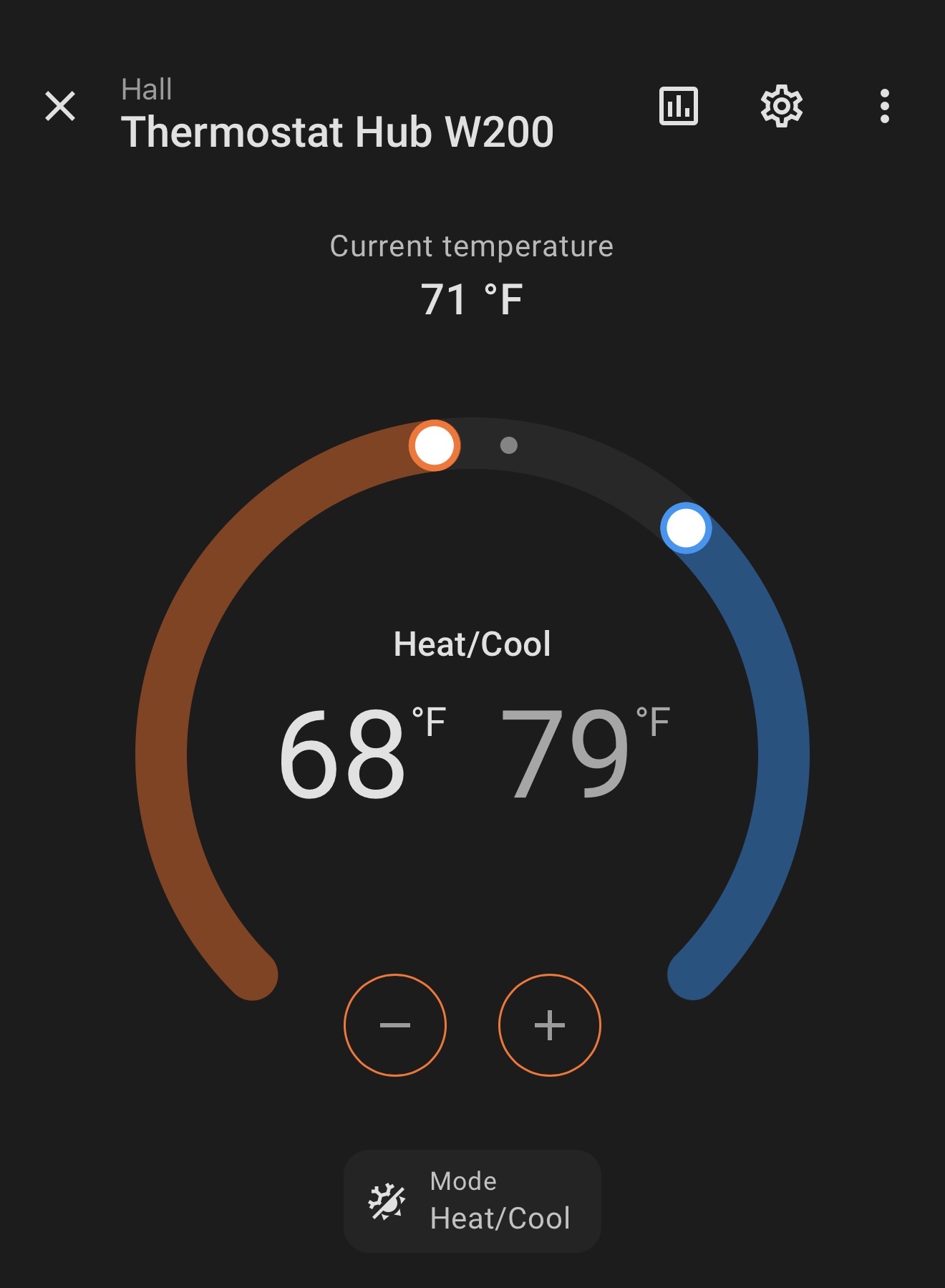
In the screenshot:

  • Heat is set to 68°
  • Cool is set to 79°
  • Current temp is 71°

What this means is if it’s colder than 68°, it will turn on the heat until it reaches that point, and when it is warmer than 79°, it will turn on the AC until it reaches that point.

While the temperature is 68-79°, it is in my comfort zone where the system will be idle.

That’s a pretty wide range, but I like it a little cooler in the winter and a little warmer in the summer, and it saves a lot on the utility bill.

This logic makes sense to me, but I have a feeling you already understand this and this didn’t help you one. single. bit!

Edit: let’s say the numbers were flipped. Heat to 79 and cool to 68. In the range 68-79, both the heat and AC would be running at the same time.

1 Like

Ok, you are nudging me over to understanding it a little better. I will have to think about that a little more and play around with that setting more on my own system.

If I wanted the temperate to remain 72° F at all times Summer/Winter how would I go about keeping that temperature with the auto feature?

When I set that up the dam air condition was running in the Winter. Plus with the Aqara I think the range is 5° which makes things more difficult to maintain a constant temperature 24/7/365.

If I simply use Heat in the Winter set to 72° F and Cool in the Summer set to 72° F then things work great and the house is 72° year around.

Yeah, you don’t really want heat and cool both set to the same temperature as that will cause lots of short cycles and overcompensation when it overshoots a degree either way.

But your last thought is what I do: Heat in winter, Cool in summer. I actually never use auto (just did it for the screenshot) because I never need both at the same time. The months between heat and cool, I could really just leave the system OFF, which I often do.

1 Like

Home Assistant has been great with the W200 and I’ve had no issues. I don’t use it in Auto because the temperature in the house is never comfortable I’m always adjusting the temperature because it’s too cold or to warm.

When I use it set on Heat in the Winter or Cool in the summer it’s awesome. There is that in-between seasons where turning it “Off” works best ($).

3 Likes