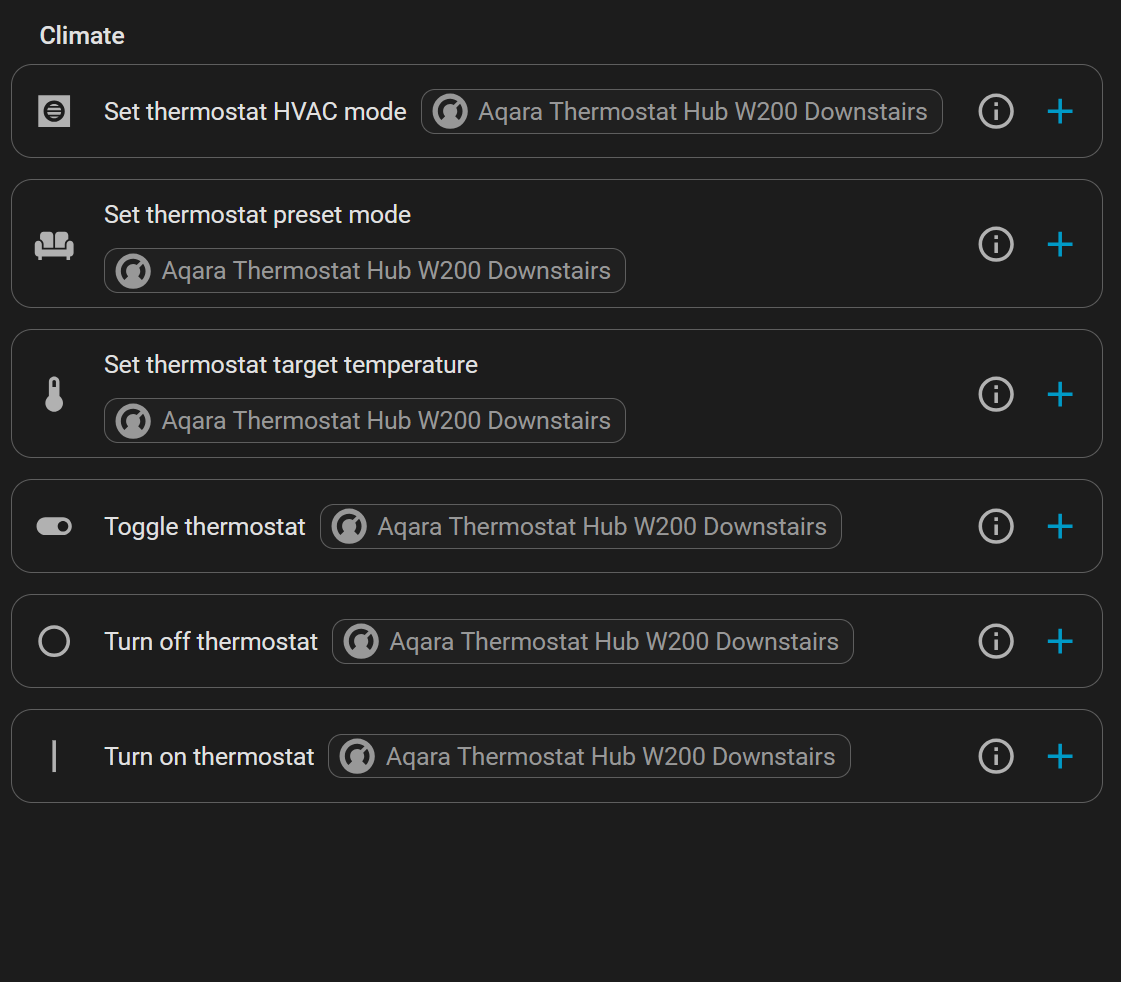
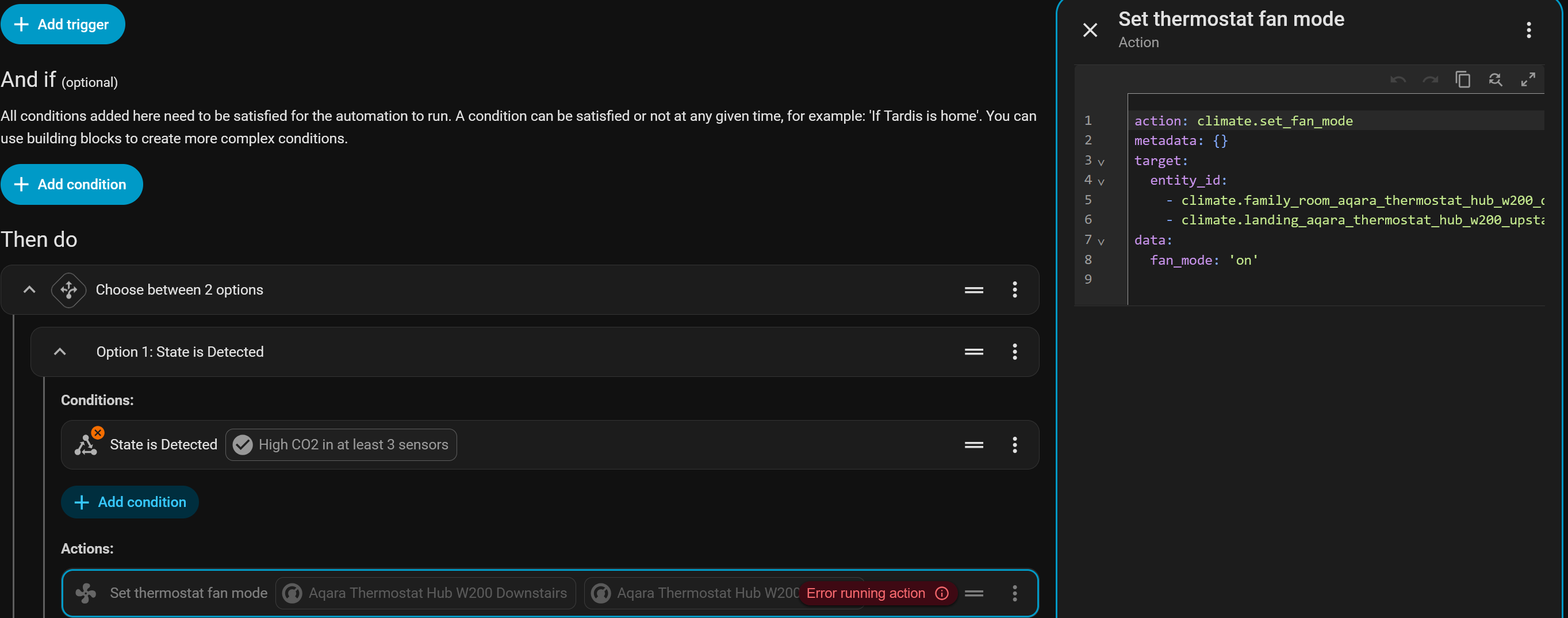
The W200 thermostat has the ability to control the fan independantly from heating or cooling. Unfortunately I can only do this from the Aqara app.
With the W200 connected to Home Assistant via Matter, it can see when the Fan is running and shows the Fan mode, but does not have the controls for the fan exposed in Matter to turn the fan on/off.
How can I control the fan over Matter without using the Aqara app?
@stoshx Hey there, thanks for sharing this—this is a great catch, and it’s one that more Matter/HA users will bump into soon.
Here’s the thing: the W200 does support independent fan control, but the way it’s exposed over Matter can feel limited. In Matter’s Thermostat cluster, fan control is typically exposed as a mode (Auto / On / Timer) rather than a simple on/off switch. So in Home Assistant, you should be able to see a fan_mode attribute or a climate entity with fan mode options, even if there’s no separate “turn fan on/off” toggle.
What you can try:
Check the climate entity in HA — look for fan_mode or preset_mode attributes. Setting it to on or auto should control the fan independently.
Use a fan_mode service call — instead of an on/off toggle, call the climate.set_fan_mode service with fan_mode: "on".
Verify Matter attribute exposure — the W200 exposes Fan Control, On/Off, and Identify clusters for HVAC fan devices, so the attributes should be there if the device is properly paired.
One thing to keep in mind: some Matter controllers or bridges don’t expose every attribute as a separate UI control, even if the underlying device supports it. So it might be an HA/Matter bridge limitation rather than the W200 itself.
If you’re still stuck, feel free to drop your HA setup details (bridge, integration, entity state) and we can dig into it together. Also worth checking the Aqara Home app to confirm the fan mode options are visible there first — if they are, it’s almost certainly a Matter attribute mapping issue on the HA side.
This information comes from community discussions and user experience summaries and may vary by environment. Please verify carefully.
Unfortunately the climate entity for the W200 does not have anything fan related which is why I included the photo. On my previous Nest thermostat there was a third option at the bottom for fan on/off/auto but it is not available on the Aqara W200.
I connected the W200 via Matter through the Matter integration. The fan controls are available in the Aqara app and offer a wide array of options such as Auto, On/Off, Timer, and Cycle. I expected these options to be available in Home Assistant but they are not exposed.
Same on my W200 in Home Assistant via Matter. The climate entity only has the HVAC modes and the presets, nothing for the fan.
So it’s not something you can fix on the HA side. The fan control is just not exposed over Matter right now. I would post it as a feature request, I would use it too.