What is the Presence Soft Sensor and how to set it up for better automations?

What is the Presence Soft Sensor?

The Presence Soft Sensor is a free feature provided by Aqara which strengthens the overall smart home system’s ability to determine “presence” or “no presence”.

In a smart home system, one of the most fundamental needs is to detect human activity within a defined space, enabling intelligent scenarios such as security monitoring, lighting, energy saving, and temperature control.

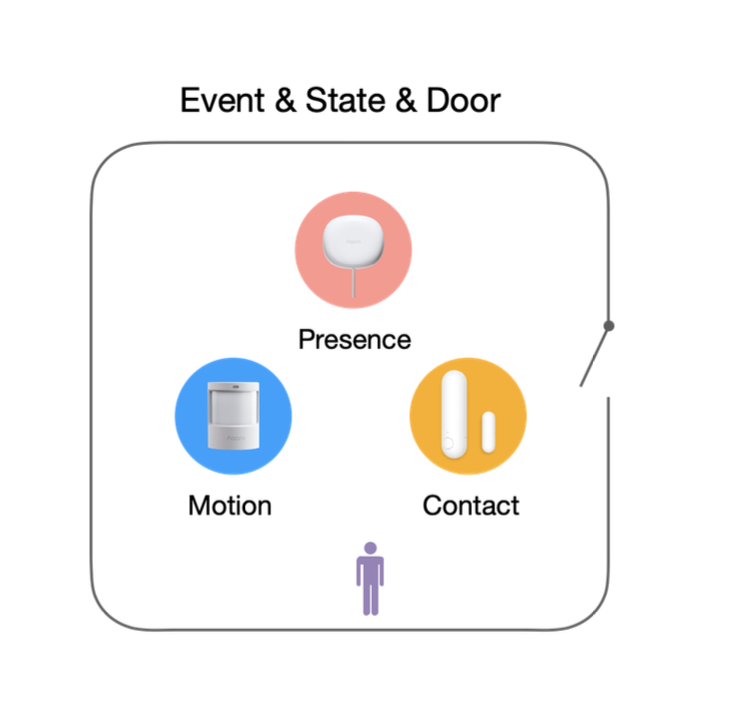
Aqara developed the Presence Soft Sensor to link devices from all over the smart house together for determining a much stronger sense of presence detection.
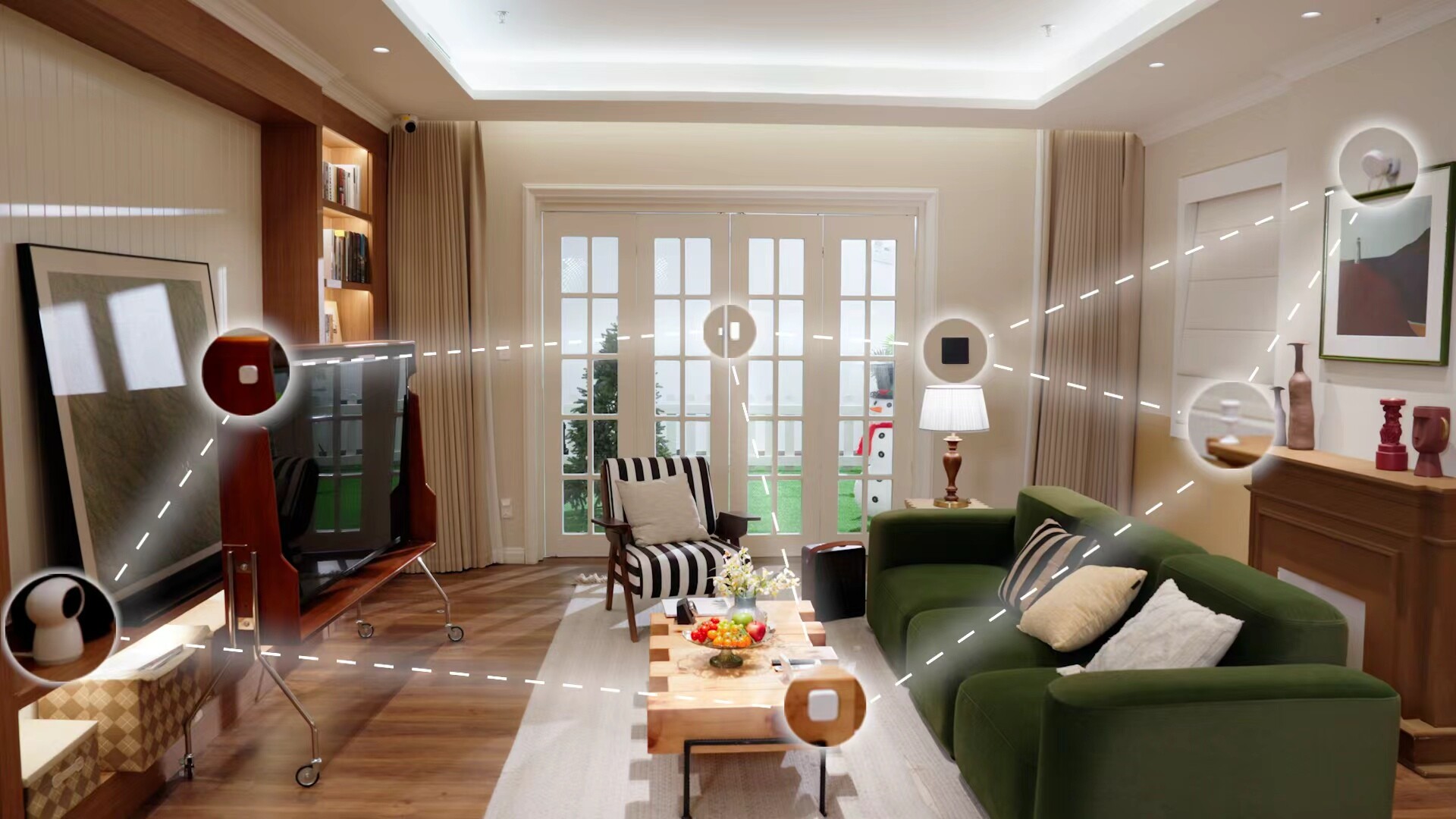
Aqara has a wide range of Presence Soft Sensor related smart home products, such as:

  • Cameras
  • Smart locks
  • Presence sensors
  • Switches
  • Door and window sensors
  • Motion sensors
  • Vibration sensors

However, these individual devices can only monitor specific points, and cannot provide full-space detection. By integrating multiple devices, performing local preprocessing, and combining them with AI-based computation, it becomes possible to determine whether a space is occupied or vacant.
Where is the Presence Soft Sensor located?

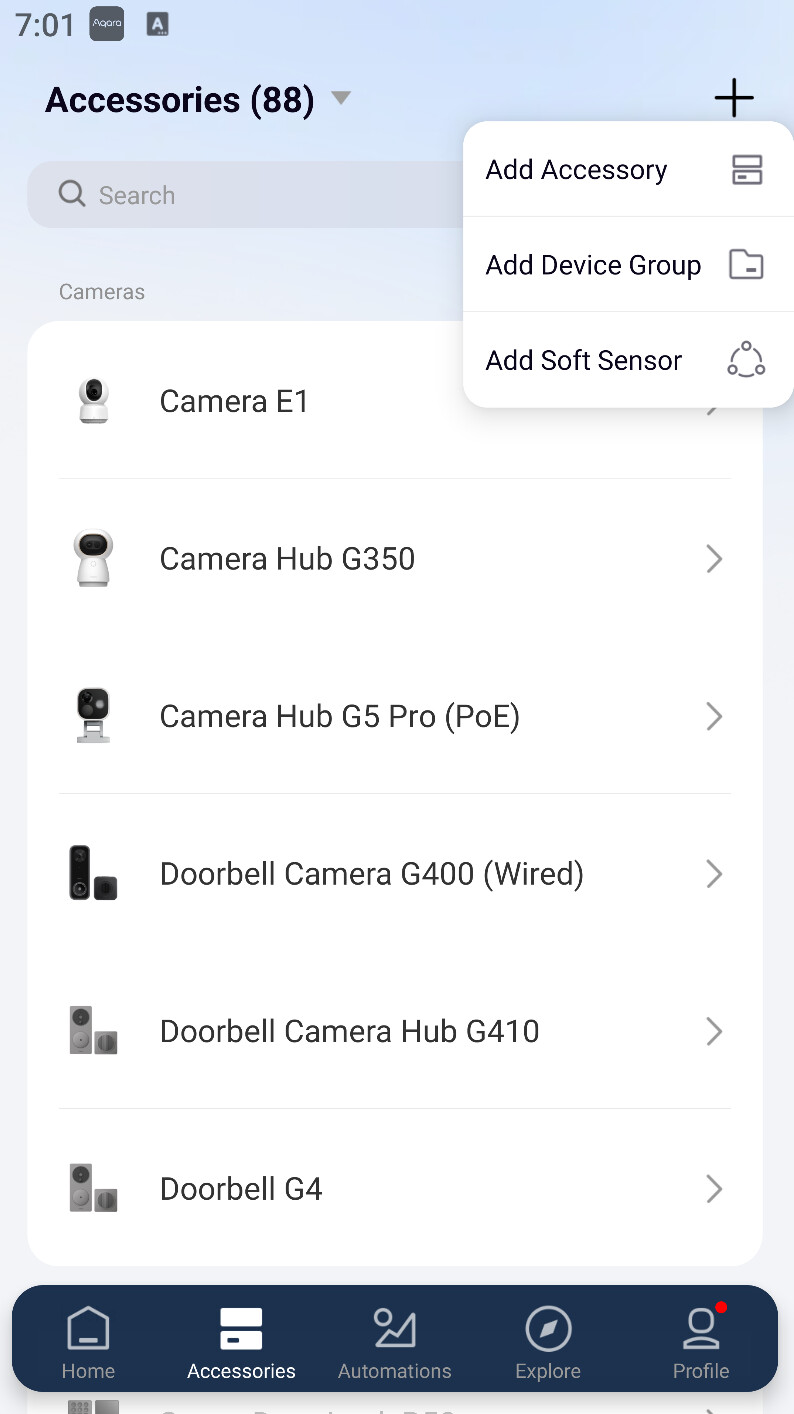
The Presence Soft Sensor is located in the accessories tab. Press the + sign at the top right of the app, and then select “Add Presence Soft Sensor” from the drop-down list.

Note: An Aqara Hub M3 is required to use this feature. Please ensure your Aqara Home App is version 6.1.1 or later and the Hub M3 firmware is 4.5.40 or higher. Support for additional Aqara hubs will be available in future firmware updates.
How to set up the Presence Soft Sensor?

  1. You need to have several presence related devices already added in your Aqara account. It is highly recommended to have smart locks or door/window sensors added for best results.
  2. Select the space you want to install the Presence Soft Sensor in (e.g. the spaces you have already made in the app for specific rooms).
  3. Choose if the room you are setting the Presence Soft Sensor up in have doors or doorless entrances/exits.
  4. Select the devices you want to add to the Presence Soft Sensor.
  5. Choose the delay duration for determining “No Presence Detected”.
  6. Select the Hub for the Presence Soft Sensor to be added to.
  7. Configure automations using the Presence Soft Sensor.

Give it a try and let us know!

The Presence Soft Sensor is a fantastic way to breathe new life into your existing devices. Drop a comment below to share your experience or ask any questions. We look forward to reading your feedback!

45 Likes

What version of app? It’s not here in 6.1.5

8 Likes

Hello, sorry for the issue. You should be able to find it now. Let me know if the issue persists! :face_with_monocle:

15 Likes

Will give it another test. keep up the good work!

7 Likes

It’s showing now, thanks. Does it work with 3rd party matter devices or only with Aqara products?

7 Likes

I was testing it for a while already and it’s definitely a great option to get motion detected without any additional sensor !
Awesome and thanks for this additional upgrade :x2fozabcpx9xrbxmdpseb3_61:

13 Likes

Very nice new feature, thanks for sharing.

9 Likes

For bedrooms, I have an automation in Home Assistant for each bedroom that sets a virtual occupancy sensor to on if:

  • the motion sensor detects motion while the door is closed and stays on so long as the door remains closed.
  • when there’s motion detected when the door is open.

I then use the virtual sensor instead of the actual sensor for room status, lights, etc.

This works amazingly well. Can the Presence Soft Sensor do this? If not, please consider adding it as an option!

14 Likes

I have FP2 that I used for two rooms (living room and an adjacent room, there is no door).

But unfortunately I cannot select zones when I create a soft sensor so it sometimes picks up presence in the adjacent room. I would be glad if I could increase the accuracy of the sensor by selecting zones that are significant.

8 Likes

is this exposed to other ecosystems via direct integration or Matter?

7 Likes

yes, as if it’s connected to the Aqara Home app then works.

6 Likes

It can be exposed to Homkit via Matter

6 Likes

Do I understand correctly that the present status is shown as soon as something happens to a device (light on, door moved, movement detected,…)?

I would like a system similar to Philips hue which tracks the Zigbee signals and thread signals and recognizes from it if and where someone is.

1 Like

Definitely giving this a try! I’m using something similar in Home Assistant already. Something like this helps a lot!

1 Like

Nicee!!

Been testing it since beta, and I can only say for people like me with a lot of sensors and cameras this for sure give a more accurate result. :muscle:t2: Great addition. Thx @AqaraOfficial

5 Likes

Hey, how do I get this update? I have the latest app and M3 gateway. What else can I do?

You can find it in tab “Accessories”-“add accessory” after updated the hardware.

Everything updated as described above. Perhaps the option does not apply to my location, the Netherlands.?

not the dashboard page

1 Like