Let me start off by saying… I am not an electrician  However, in the past I have successfully installed quite a few smart light switches in single gang setups. Recently though, I wanted to upgrade my kitchen light switches. Since both switches are in a 2 gang setup, I figured I would use the 2 channel version of the H2 light swtich.
But I ran into a couple issues…
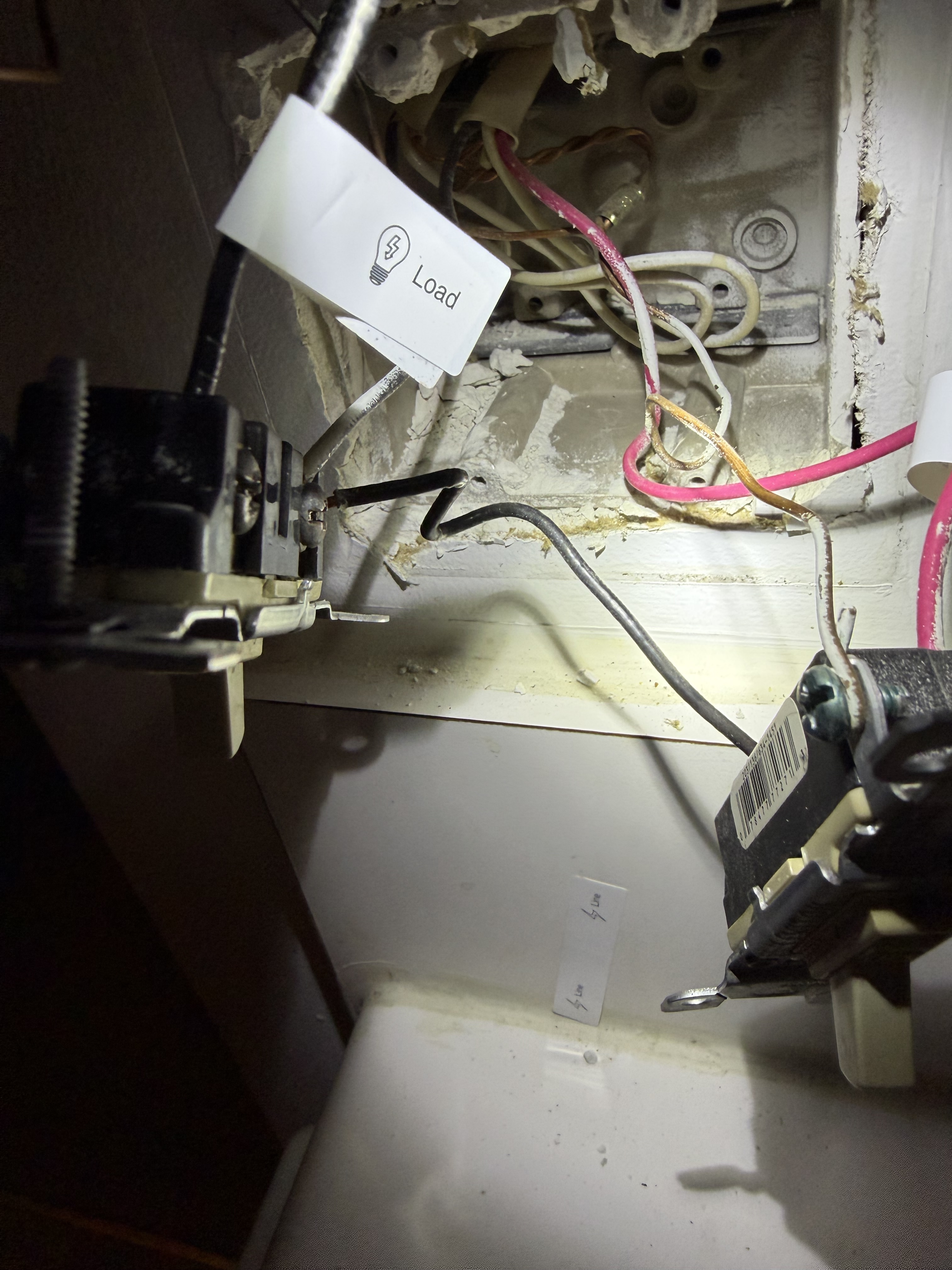
For one, it seems that both dumb switches were sharing a singular line wire. A small portion of the wire was exposed and wrapped around one of the screws of the first light switch… while the end of the wire was connected to the second switch like normal.
Second, Unlike with the line wire… both dumb switches have their own dedicated ground wires.
How should I wire this up with the H2?
Should I connect both ground wires to the H2? Or should I connect 1 and cap the other?
For the line wire, should I connect it to the H2 as normal and wrap that small exposed portion with electrical tape? Or should I use wire cutters, cut where the small exposed area is and use that?
Sorry if these are stupid questions. I’ve tried looking for answers online and couldnt find anything. Any help would be appreciated.
@jasonpatrick72 You seem to be experiencing an issue with wiring the Aqara H2 US 2-channel switch in a 2-gang setup, particularly regarding shared line wire and multiple ground wires. You can contact customer support for assistance.
Contact the Aqara Home App Customer Service Team (Profile> Help & Feedback > Customer Service) or scan the QR code:
This will be more efficient. If you do not have an Aqara Home account, “Please
click here” to create a ticket.
Can you show some photos of the wiring?
1 Like
Sorry for the late reply. I did get one photo before putting everything back in its place, but it’s not great…
Ok, I get why you’re confused lol. Can you tell me how do those switches work now? Is one a switch for one light? And is the second one a 2 way switch probably?
It looks like someone connected the live using the screw instead of splitting it using a wire nut. And the left switch (judging by the photo) is just a simple switch that connects the common + L, and the second one looks like a 2-way switch with travelers probably? But I’m not sure
1 Like
So the switch with the line wire being connected by screw controls the lighting above the kitchen sink, while the switch with the line properly installed controls the kitchen ceiling light
And both work independently? And are those the only switches that control those lights (there aren’t any secondary switch for the sink/ceiling light)? Sorry for the questions, I cannot check the wires so I try to deduct as much as I can instead of suggesting calling a sparky haha
Yes they both work in independently with no secondary switch
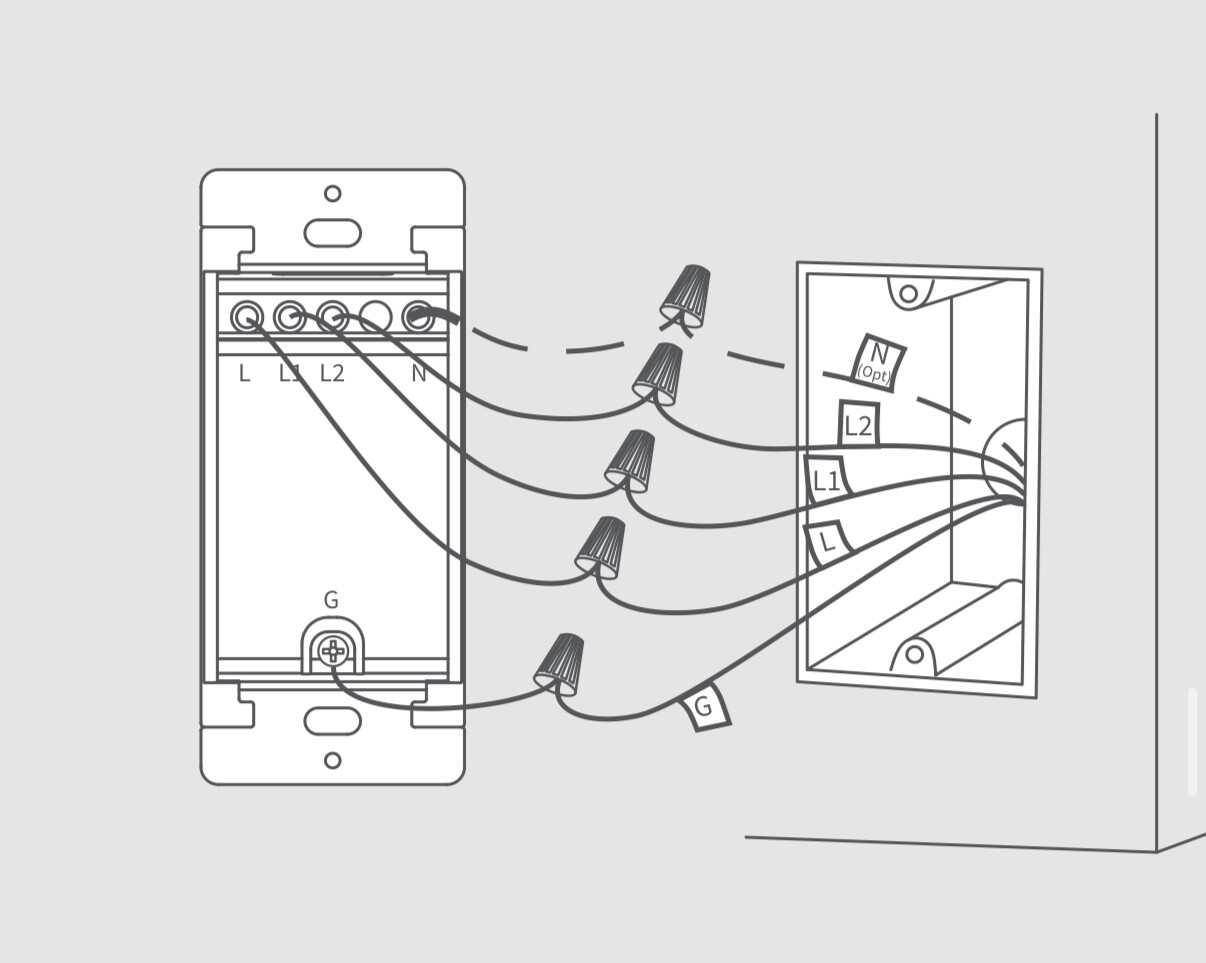
So in this case you probably can just throw out the jumper between the switches - this is your L, you can connect this to the L of the H2 switch. The wires marked as Load will be your L1 and L2.
In your case, I don’t see the the N, but it’s optional anyway.
Connect (any or both) ground wires to the G screw on the bottom of the H2 switch.
And that’s practically all you have to do, and I believe it will work.