Hi everyone
after about three weeks of daily use, I can say that I am extremely satisfied with the Aqara FP400, especially with its presence detection, people counting, and the ability to create precise detection zones.
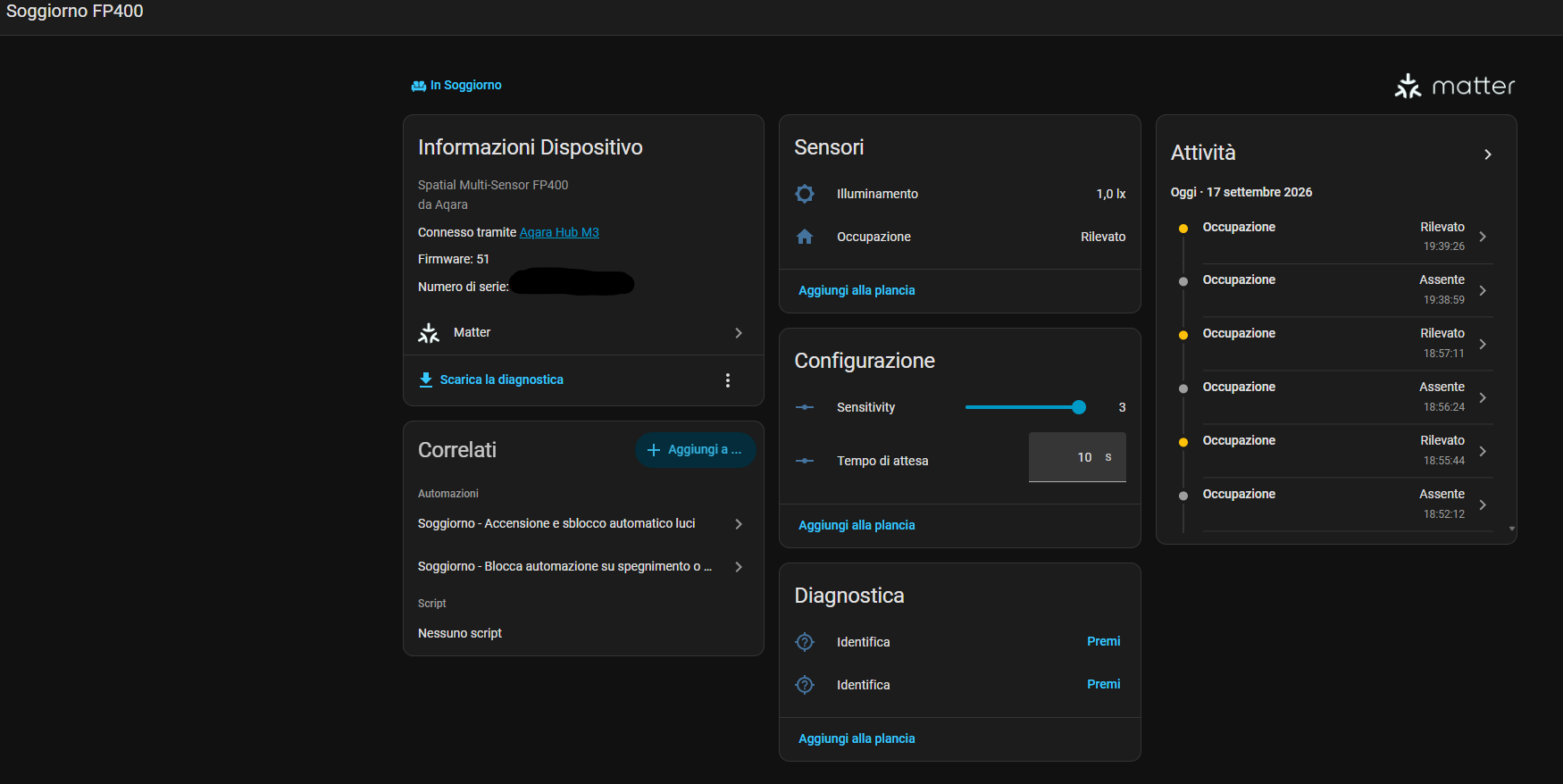
Initially, I connected the FP400 directly to Home Assistant using Thread/Matter. However, I eventually decided to switch it to Zigbee, mainly because all my Aqara child devices are already connected to my Aqara Hub M3, which is then integrated into Home Assistant.
For my particular setup, this turned out to be the right choice.
What impressed me the most is the ability to configure specific zones directly in Aqara Home and then have those zones available in Home Assistant. This means that the FP400 isn’t simply being used as a presence sensor for the entire room — I can actually determine which specific area of the room is occupied.
The automations I’m currently using
I’ve created a few fairly simple automations, but they have turned out to be extremely useful in everyday life.
The first one is dedicated to the sofa area.
During the night, when my two-month-old son wakes up for a feeding, my wife sits down on the sofa in the living room and the FP400 immediately detects her presence in the dedicated sofa zone.
Home Assistant then automatically turns on the floor lamp:
- warm white, around 2710 K
- brightness set to 25%
- automatically turns off after 2 minutes of absence
This means there is no need to manually turn on a light in the middle of the night and, more importantly, the main living-room lighting doesn’t suddenly turn on at full brightness.
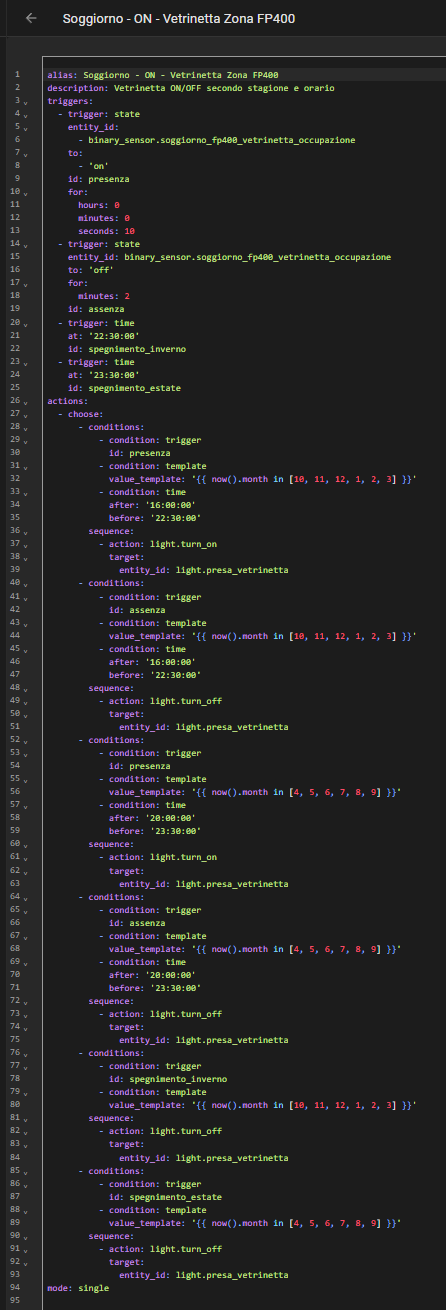
I’ve also created a second automation for my daughter’s play area.
When my daughter enters her dedicated play area, the FP400 detects her presence and Home Assistant automatically turns on the LED strip installed inside her toy cabinet.
The light is then automatically switched off after she leaves the zone.
These are small automations, but they are exactly the kind of automations that make a real difference in everyday life.
AI and people counting
One of the features I particularly appreciate is the combination of the FP400’s AI capabilities and people counting.
Knowing not only whether someone is present, but also how many people are in the room, opens up the possibility of creating much more detailed and intelligent automations.
Instead of simply having:
«If someone is present → do something»
you can build much more specific logic based on the number of people detected.
For example, an automation can behave differently when there is one person in the room compared with several people. This adds another layer of context to presence detection and makes it possible to create automations that are much more precise and better suited to the actual situation in the room.
Combined with the different detection zones, this makes the FP400 much more than a simple presence sensor.
A winning team with the FP300
I am also already familiar with Aqara’s FP series because I own three FP300 sensors.
Adding the FP400 to the setup has been a great experience. The FP300s were already giving me excellent presence detection, but having the FP400 working alongside them gives me an even more powerful combination.
Three FP300s + the FP400 is, for me, a winning team.
Having multiple presence sensors covering different areas of the home, together with the more advanced capabilities of the FP400, allows Home Assistant to build a much better picture of what is actually happening in the house.
It also makes it possible to create automations based on the presence in specific rooms or zones instead of relying only on simple motion detection.
Presence detection
Another feature that has really impressed me is the way the FP400 can detect and count people in the room.
Compared with a conventional PIR motion sensor, the difference in everyday use is significant. A person doesn’t need to keep moving in order to continue being detected as present.
For my particular use case, where someone can remain seated on the sofa for quite a long time, this is extremely important.
The ability to work with specific zones makes it even more useful. I can have presence in the sofa zone control one light, while presence in the play area controls a completely different light.
Placement is critical
In my opinion, this is one of the most important things to consider when installing the FP400.
The sensor can be extremely accurate, but proper placement and correct room boundary configuration are essential.
I spent some time getting the detection area and individual zones properly configured before creating my automations. Once the room perimeter and zones were set up correctly, the sensor became extremely reliable in everyday use.
I would strongly recommend taking some time to properly position the sensor and define the room boundaries before judging its performance.
Aqara + Zigbee + M3 + Home Assistant
My current setup is:
FP400 → Zigbee → Aqara Hub M3 → Matter → Home Assistant
For me, this setup works particularly well because I can keep all my Aqara devices connected to the Aqara Zigbee ecosystem while using the M3 as a bridge to Home Assistant.
What I particularly appreciate is being able to configure the FP400’s zones in Aqara Home and then use those zones in my Home Assistant automations.
Initially I was using the FP400 directly over Thread/Matter with Home Assistant, but moving it to Zigbee through the M3 turned out to be a better solution for my particular ecosystem and use case.
If you only want to use the FP400 as a general presence sensor, there are obviously several ways to integrate it.
But if your goal is to monitor and automate specific areas within a room, I have found this setup to be particularly effective.
Final thoughts
After around three weeks of daily use, the FP400 has become one of those devices that you notice precisely because you don’t have to interact with it.
The nighttime scenario is probably the best example.
My wife has to get up to feed our baby, sits down on the sofa, and the floor lamp automatically turns on at exactly the brightness and color temperature we configured.
No switch to find in the dark. No need to reach for a phone. And, most importantly, no bright ceiling light suddenly illuminating the entire living room.
As my wife pointed out, this is one of those situations where home automation isn’t just technology for the sake of technology — it’s a small convenience that genuinely makes everyday life easier.
The combination of accurate presence detection, configurable zones, people counting and AI-based features has made the FP400 one of the most useful presence sensors in my setup.
And together with my three FP300 sensors, it has become a really powerful team for presence-based automations throughout the home.
After three weeks, I am extremely happy with the FP400.
Finally, I would like to thank the Aqara Team once again for giving me the opportunity to test this fantastic device.
It has been a pleasure putting the FP400 through its paces in a real home environment and, most importantly, seeing how its features can translate into useful automations that genuinely improve everyday life.
Thank you Aqara for the opportunity!
Here my automation:
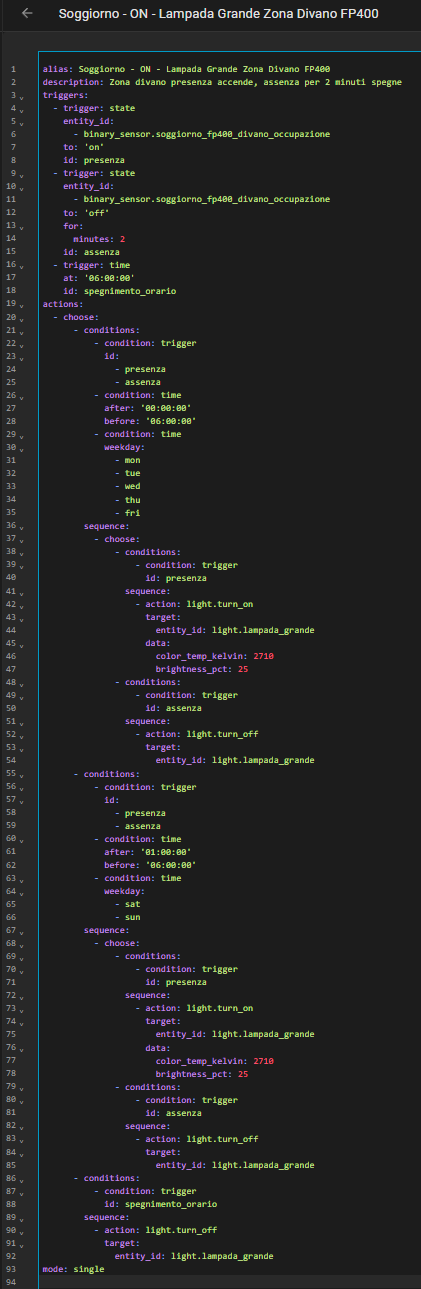
and