Aqara G400 Doorbell with 2-way audio in Home Assistant

I’ve recently been playing with dissecting the workings of the G400 Doorbell and have come up with a proof of concept integration for implementing 2-way audio in Home Assistant. No cloud, no hub, fully local.

Disclaimer

This is NOT a complete production ready integration for the Aqara G400 Doorbell, it is a proof of concept designed to test if fully local two-way audio independent of any hub/app/cloud connection is possible with the device. It is recommended to use the doorbell in Home Assistant via the official HomeKit integration.

Please do not install this integration and expect it to provide a fully functioning doorbell, it is purely a proof of concept for 2-way audio in Home Assistant

Features

  • Video streaming via RTSP (H.264)
  • Two-way audio via go2rtc backchannel — speak through the doorbell from the HA dashboard
  • Doorbell press detection via UDP multicast
  • Audio file playback — play pre-recorded messages through the doorbell speaker
  • Fully local — all communication stays on your LAN

I’ll hopefully be adding more features and making it work smoother in the coming future.

The end goal is to get the Aqara 2-way audio backchannel implemented natively in Go2RTC.

And now for the technical bit.

How it works

The Aqara G400 LAN talk protocol was reverse-engineered from the Aqara Android app. It uses three independent network channels:

Channel Protocol Port Purpose
Video/Audio stream RTSP over TCP 8554 H.264 video + AAC audio from camera
Voice control TCP 54324 Session management (start/stop/heartbeat)
Voice audio UDP (RTP) 54323 AAC-LC ADTS frames to doorbell speaker
Doorbell press UDP multicast 230.0.0.1:10008 Button press notification

Control channel (TCP 54324)

Uses a custom LmLocalPacket binary format:

Magic (0xFEEF) | Type (1B) | Payload Length (2B) | Payload (N) | CRC-16 (2B)
  • START_VOICE (type 0): Opens session, payload is epoch milliseconds
  • STOP_VOICE (type 1): Closes session
  • ACK (type 2): Response from camera (0 = success)
  • HEARTBEAT (type 3): Sent every 5 seconds to keep session alive

CRC is CRC-16/KERMIT (polynomial 0x8408, init 0xFFFF, final XOR 0xFFFF).

Audio channel (UDP 54323)

RTP (RFC 3550) with payload type 97 (dynamic AAC):

  • Codec: AAC-LC ADTS, 16kHz, mono, 32kbps
  • Frame size: 1024 samples (64ms per frame)
  • RTP timestamp clock: 16kHz

Available Services

Service Description
aqara_doorbell.talk_start Open a voice session with the doorbell
aqara_doorbell.talk_stop Close the active voice session
aqara_doorbell.talk_audio_file Play an AAC audio file through the doorbell speaker

Full details, install instructions, dashboard cards, and example automations are in the Github repository:
12 Likes

Dashboard card

Add a WebRTC Camera card to your dashboard:

type: custom:webrtc-camera
streams:
  - url: aqara_doorbell_DOORBELL_IP
    mode: webrtc
    media: video,audio,microphone
style: >
  video {aspect-ratio: 3/4; object-fit: fill;}    

Replace DOORBELL_IP with your doorbell’s IP address (dots replaced with underscores, e.g. aqara_doorbell_192_168_1_100).

Multi-stream card example with a toggle between listening and speaking:

type: custom:webrtc-camera
ui: true
streams:
  - url: aqara_doorbell_DOORBELL_IP
    mode: webrtc
    media: video,audio
    name: Listening
  - url: aqara_doorbell_DOORBELL_IP
    mode: webrtc
    media: video,audio,microphone
    name: Speaking
style: >
  video {aspect-ratio: 3/4; object-fit: fill;} .volume { padding: 4px 6px;
  display: flex } .stream { padding: 4px 8px; flex: 1 0 0; } .space, .header,
  .fullscreen, .screenshot, .pictureinpicture { display: none }

Note: The card must use url: (go2rtc stream name), not entity: (HA entity ID). The go2rtc stream name is aqara_doorbell_{ip_with_underscores}.

Note: The browser must be served over HTTPS for microphone access to work. The first connection will prompt for microphone permission.

Audio file playback

Play pre-recorded audio files through the doorbell speaker using the talk_audio_file service:

# Example automation: play a greeting when doorbell rings
automation:
  trigger:
    platform: state
    entity_id: event.aqara_doorbell_DOORBELL_IP_doorbell
    attribute: event_type
    to: ring
  action:
    service: aqara_doorbell.talk_audio_file
    data:
      file_path: /media/doorbell_greeting.aac

The file path must be in HA’s allowlist_external_dirs configuration.

Note: Talk services and browser two-way audio are mutually exclusive. The doorbell supports one voice session at a time.

Doorbell Press Detection

The doorbell sends a UDP multicast packet to 230.0.0.1:10008 when the button is pressed. The integration listens for these packets and fires a ring event on the doorbell entity. This works independently of the Aqara hub — no cloud or hub connection needed.

Use the event entity in automations:

automation:
  trigger:
    platform: state
    entity_id: event.aqara_doorbell_DOORBELL_IP_doorbell
    attribute: event_type
    to: ring
  action:
    - service: notify.mobile_app
      data:
        message: "There's somebody at the door!"
7 Likes

Nice sharing!

3 Likes

This is a great project!
Shouldn’t this work with the G410 as well, or am I mistaken?

3 Likes

Thanks! This looks promising. I am still hoping for native Matter 1.5.1 Video Doorbell support in the G400 and G410, but this would make it more handable in the meantime.

2 Likes

It may well work, but I don’t have a G410 to test.

3 Likes

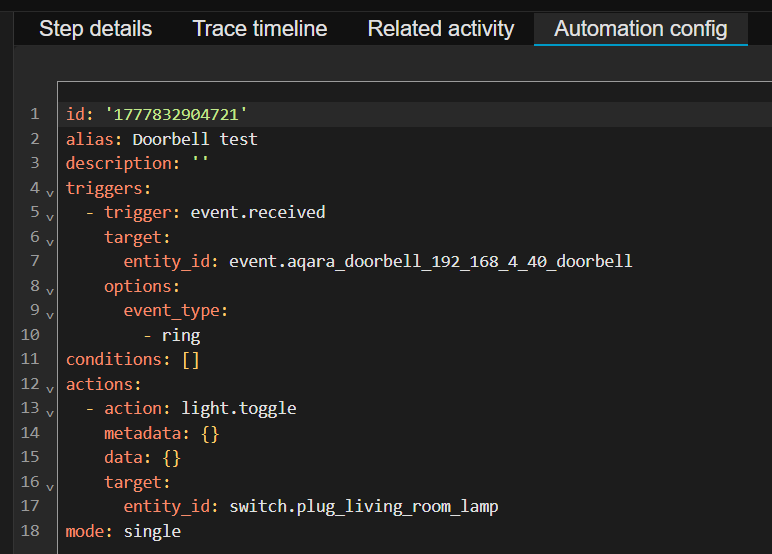
Could you provide the automation trace to see what part of it it’s failing on?

And does a simple basic automation work? Like:

alias: "Doorbell test"
description: ""
triggers:
  - trigger: event.received
    target:
      entity_id: event.aqara_doorbell_10_1_20_150_doorbell
    options:
      event_type:
        - ring
conditions: []
actions:
  - action: light.toggle
    metadata: {}
    data: {}
    target:
      entity_id: light.office_lamp
mode: single

2 Likes

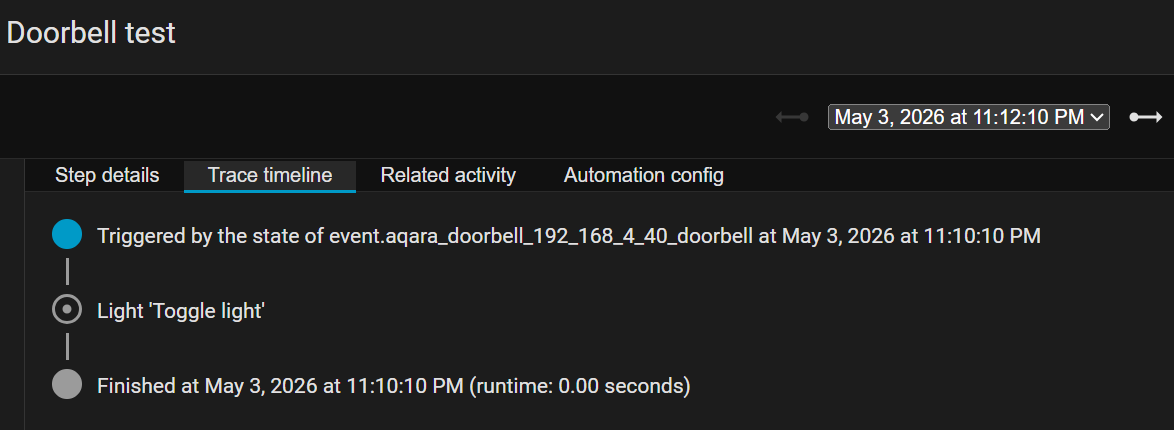
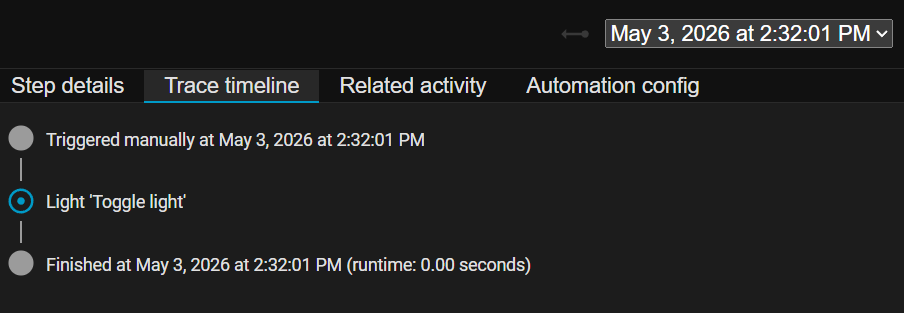
Hi, I used the sample automation you supplied and can successfully trigger it manually.

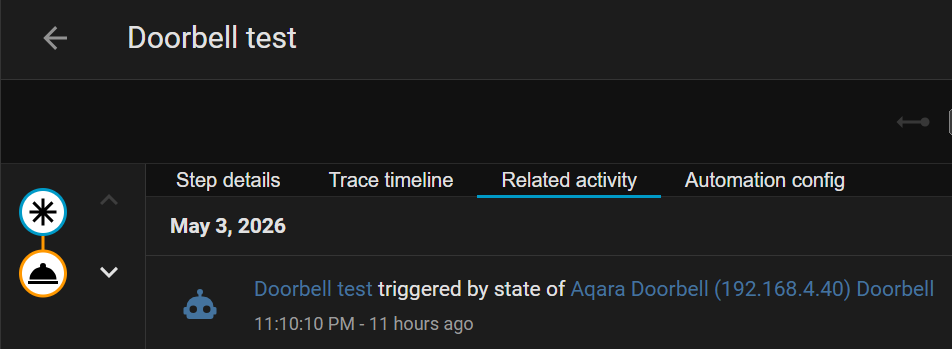
See below for YAML and Traces timeline. It doesn’t fire, though, when I ring the actual doorbell.

2 Likes

What step in the trace is your automation failing though? Does it detect the doorbell ring event or does it fail at a later point? Do the ring events show up in the device panel? Is your doorbell and Home Assistant on the same subnet?

2 Likes

It never detects the Ring event, so doesn’t ever enter the automation.

Yes it is on the same subnet (which I use for IoT devices). When I added your integration it was automatically discovered. Also, I get full camera notifications directly in Home Assistant from the G400 doorbell (via Frigate). i.e. person or car detected.

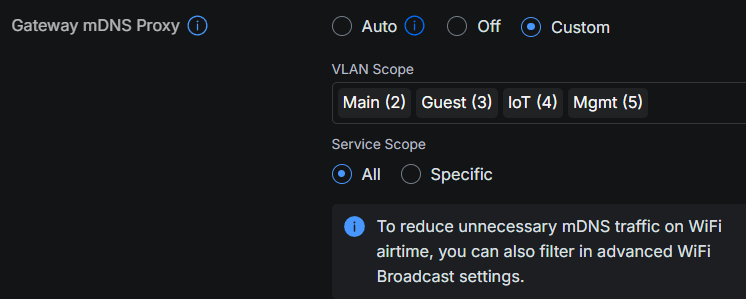
I run a Unifi home network and allow mDNS across VLANs, although this traffic should stay within the IoT network.

2 Likes

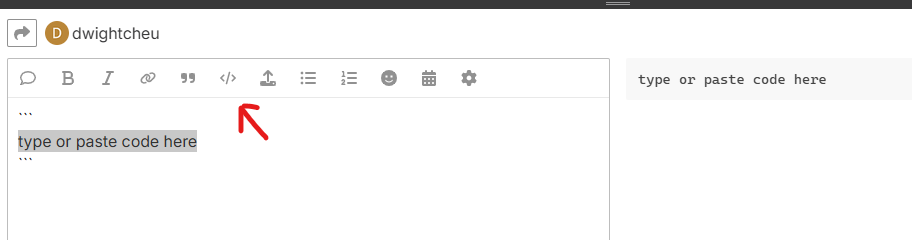
Please use the “Preformatted text” option (Ctrl+E) for log files. Thank you.

1 Like

Good to know, thanks!

1 Like

That error should be fix now in v0.1.2. But please be aware, as stated this is just a proof-of-concept for 2-way audio and not a fully working doorbell integration.

2 Likes

Thanks a bunch & glad to help test the integration.

FYI, about 11pm last night the Doorbell Test automation that you provided triggered itself five times without anyone pressing the doorbell. Here’s the trace from the first event. BTW, I’m still running version 0.1.1

Changed Variables

this:
  entity_id: automation.doorbell_test
  state: 'on'
  attributes:
    id: '1777832904721'
    last_triggered: '2026-05-04T03:09:40.497523+00:00'
    mode: single
    current: 0
    friendly_name: Doorbell test
  last_changed: '2026-05-04T03:08:16.288250+00:00'
  last_reported: '2026-05-04T03:09:40.499171+00:00'
  last_updated: '2026-05-04T03:09:40.499171+00:00'
  context:
    id: 01KQRFD0RHV70AVH3MG0813ME2
    parent_id: 01KQRFD0RF4214VFJA2YYPXCEF
    user_id: null
trigger:
  id: '0'
  idx: '0'
  alias: null
  platform: event.received
  description: state of event.aqara_doorbell_192_168_4_40_doorbell
  entity_id: event.aqara_doorbell_192_168_4_40_doorbell
  from_state:
    entity_id: event.aqara_doorbell_192_168_4_40_doorbell
    state: '2026-05-04T03:09:40.494+00:00'
    attributes:
      event_types:
        - ring
      event_type: ring
      device_class: doorbell
      friendly_name: Aqara Doorbell (192.168.4.40) Doorbell
    last_changed: '2026-05-04T03:09:40.495121+00:00'
    last_reported: '2026-05-04T03:09:40.495121+00:00'
    last_updated: '2026-05-04T03:09:40.495121+00:00'
    context:
      id: 01KQRFD0RF4214VFJA2YYPXCEF
      parent_id: null
      user_id: null
  to_state:
    entity_id: event.aqara_doorbell_192_168_4_40_doorbell
    state: '2026-05-04T03:10:10.495+00:00'
    attributes:
      event_types:
        - ring
      event_type: ring
      device_class: doorbell
      friendly_name: Aqara Doorbell (192.168.4.40) Doorbell
    last_changed: '2026-05-04T03:10:10.495848+00:00'
    last_reported: '2026-05-04T03:10:10.495848+00:00'
    last_updated: '2026-05-04T03:10:10.495848+00:00'
    context:
      id: 01KQRFDY1ZMXKGCEMN9RZJVW88
      parent_id: null
      user_id: null
2 Likes

That’ll be the multicast detection not working properly with your network setup. The integration currently doesn’t filter multicast propely, that’s not implemented. It’s only supposed to be a proof-of-concept for the 2-way audio, not a fully working doorbell integration, and I currently don’t plan on developing it into one. I suggest you use the official Homekit implemention for a properly working doorbell.

2 Likes

Someone else has already taken the 2-way-audio method devised here and made a functioning Sycrypted Aqara plugin - you’d be much better off using that since it is being actively developed into more complete solution:

https://www.npmjs.com/package/aqara-scrypted

2 Likes

The G410’s LAN protocol does not expose ring events directly — Aqara migrated to an encrypted ECDH+AES tunnel in newer firmware and the event is not visible to third-party plugins without a runtime DEX unpack of the official app (out of scope here). The plugin works around this by exposing a webhook URL per camera. You wire that webhook up once to any trigger source (Aqara’s own Matter Signal Sync via Home Assistant or Apple Home, an existing NVR, a physical switch, or anything else that can make an HTTP request). When the webhook fires, the camera’s Scrypted Doorbell / BinarySensor turns on for 10 seconds — HomeKit, Scrypted NVR, and everything else downstream see it as a real ring.

That probably won’t solve his problem with the doorbell’s trigger. Or rather, he can then solve it directly via a Matter signal. The linked page only mentions the G410. Is it any different for the G400?

2 Likes

The integration is only meant to be a proof of concept for 2-way-audio not a fully working doorbell integration, and I won’t be developing it any further into one. I’ve folded the core of it into another project I’m doing, which does solve encrypted events mentioned, but it won’t be ready for a while.

The G410 and the G400 share the same basic architecture for these so the linked Scrypted project should work on both, and by reports I’ve seen it does.

3 Likes

If I understand correctly, the issue with the doorbell trigger has been resolved in the linked Scrypted project using a Matter signal. It seems that, for choochoo44, the automation was all about the trigger. The two-way audio function does not appear to be a problem for him. So I’d just let the trigger run on the Matter signal. Problem solved, right?

2 Likes