How do we keep the water leak detector in a single place? e.g., 80% of the way up the tank.
1 Like
Very nice, I will try soon
1 Like
The Andriod version indeed had a bug with the verification code login as well. We released an update v1.0.2 to fix this issue. Please scan this QR code again to download v1.0.2 and give it another try.

4 Likes
Regarding the issue you reported where discovered Zigbee devices are shown as “Device unable to connect”, please try updating this official universal plugin to the latest version v1.0.7, as this bug has been fixed.
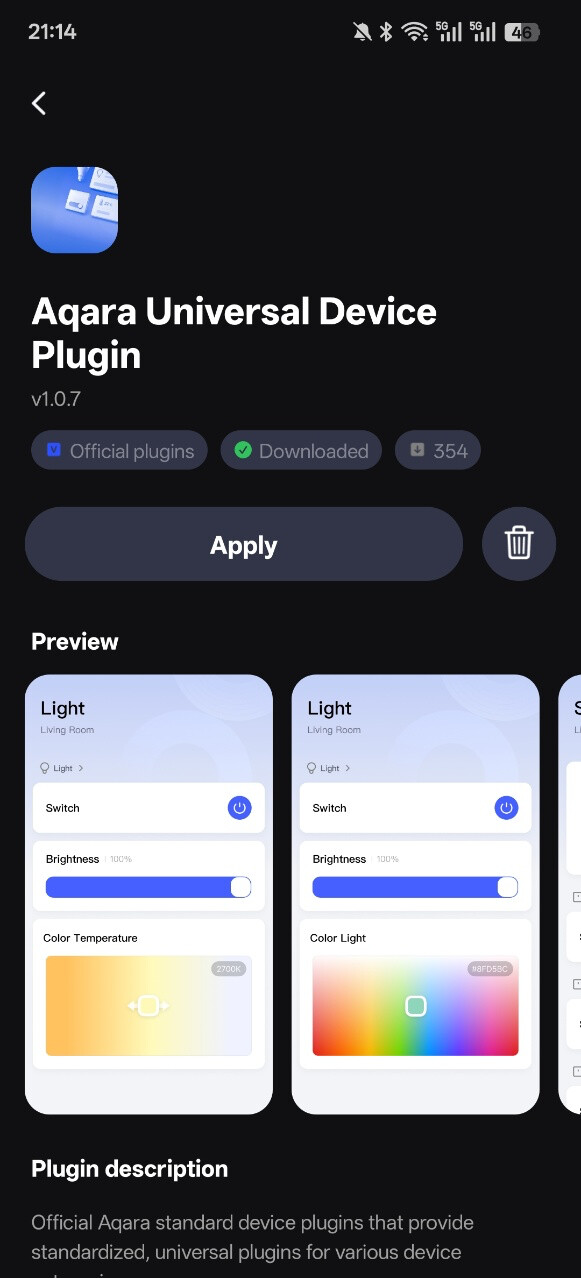
5 Likes
Hello, it’s launched, registered, I’m testing it.
4 Likes
Got it downloaded and looking forward to playing around with it a little. I hope that it is more functional. Initial impressions is that seems it a bit more game like.
3 Likes
Thank you, it’s working now
3 Likes
It is recommended to use lead wires (possibly a type of electrical wire), with one end attached to the contact points of the water immersion sensor, and the other end glued to the tank wall at the water level line where the water is full. Two such wires are needed because they must be connected in parallel to trigger monitoring. When immersed in water, it indicates “water is full”; when not immersed, it indicates “water is low”. The inspiration for this solution comes from this post:Automation 2.0 lesson 20. Plugin for the Aqara leak sensor, water control in the pool (tank)
5 Likes
Hello Mandy. I just reinstalled the new android version. All game mentioned in the last post are still not working for me.
2 Likes
Doesn’t work for me. Just trying a couple lights with the snake and lamp jump game. It turns the lights on and off but won’t change the color
3 Likes
Hello, my lamps work, and they also dim. I have an Android, and only the Zigbee protocol.
3 Likes
Is the Aqara Life plugin “marketplace” going to be open for user created plugins with an SDK available?
3 Likes
Yes, we are trying in this direction and hope it can be achieved.
4 Likes
Regarding the issue you reported about having 6 buttons but only 4 showing in another app, please try updating the universal plugin to the latest version (v1.0.7) and see what happens. Some issues have been fixed, and we need your help to check whether it works normally again.
3 Likes
Hello, after receiving your issue, we have really been unable to reproduce it. Please upgrade the universal plugin to the latest version (v1.0.7) and try again to see if it returns to normal. If you still find extra color sliders, please let us know the device ID information of your device. We will need to ask the developers to investigate the issue once more.
2 Likes
Our testing and development colleagues have been unable to reproduce this issue. Could you please upgrade the problematic plugin to the latest version? If the issue still persists, we will need you to provide the device ID and device name of the affected device so we can investigate further why this bug is occurring. The device ID can be copied from the settings in the top-right corner of the plugin, or you can find it in the Aqara Home app.
2 Likes
We regret that this issue occurred on your device, but our testing and development colleagues have been unable to reproduce this issue. Could you please upgrade the problematic plugin to the latest version? If the issue still persists, we will need you to provide the device ID and device name of the affected device so we can investigate further why this bug is occurring. The device ID can be copied from the settings in the top-right corner of the plugin, or you can find it in the Aqara Home app.
2 Likes
Hello, I think the problem arises due to the user’s misunderstanding of the algorithm of the plug-ins. Aqara team, please make a small video of the setup and use as an instruction.
3 Likes
Still the same think with all the game.
Device id: lumi.54ef4410012cb2e7
Name: AQ - L - Plafonnier Chambre Principal 04
3 Likes
Do you mean that neither the general plugin nor the gameplay plugin can make the device work, or that the general plugin can but the gameplay plugin cannot?
2 Likes