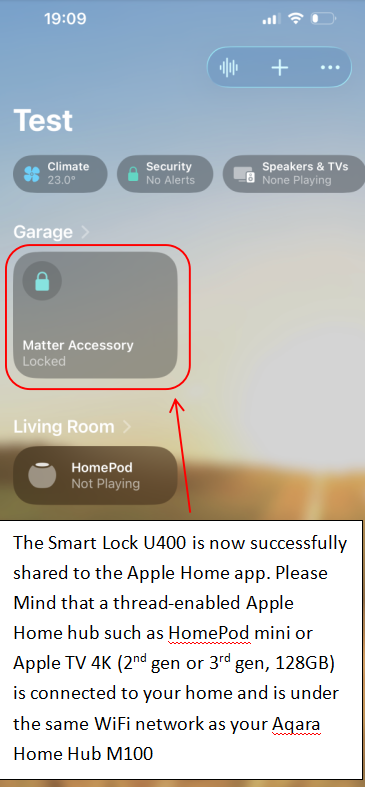
Dear users, we sincerely apologize for the inconvenience caused when binding an Aqara hub (such as the Hub M100) to the Aqara Home app. We understand that the current UI can be misleading, and we’re committed to improving the experience in upcoming updates.
Alternative Setup: Binding via Aqara Hub First
If your Apple Home Hub (like an Apple TV) is located far from your door, but you have an Aqara Hub (e.g., Hub M100) positioned close to the lock, we recommend this setup flow.
Assumed Hardware Configuration:
- Apple Hub: Apple TV 4K (2nd Gen)/(3rd Gen, 128GB) located far from the door.
- Aqara Hub: Hub M100 (located within 3m of the lock).
- Phone: iPhone 11 or later (running iOS 18.5+).
The 3-Step Setup Process
1. Initialize & Reset
Start with the lock in its factory default state.
- To Reset: Press and hold the Reset button for 5 seconds. (You may need to verify the Admin fingerprint or password to complete the reset).
2. Step 1: Bind to Aqara Home via Bluetooth
- Follow the Bluetooth pairing instructions found here: Aqara U400 Basic Guide.
- Note: No hub is required for this specific step.
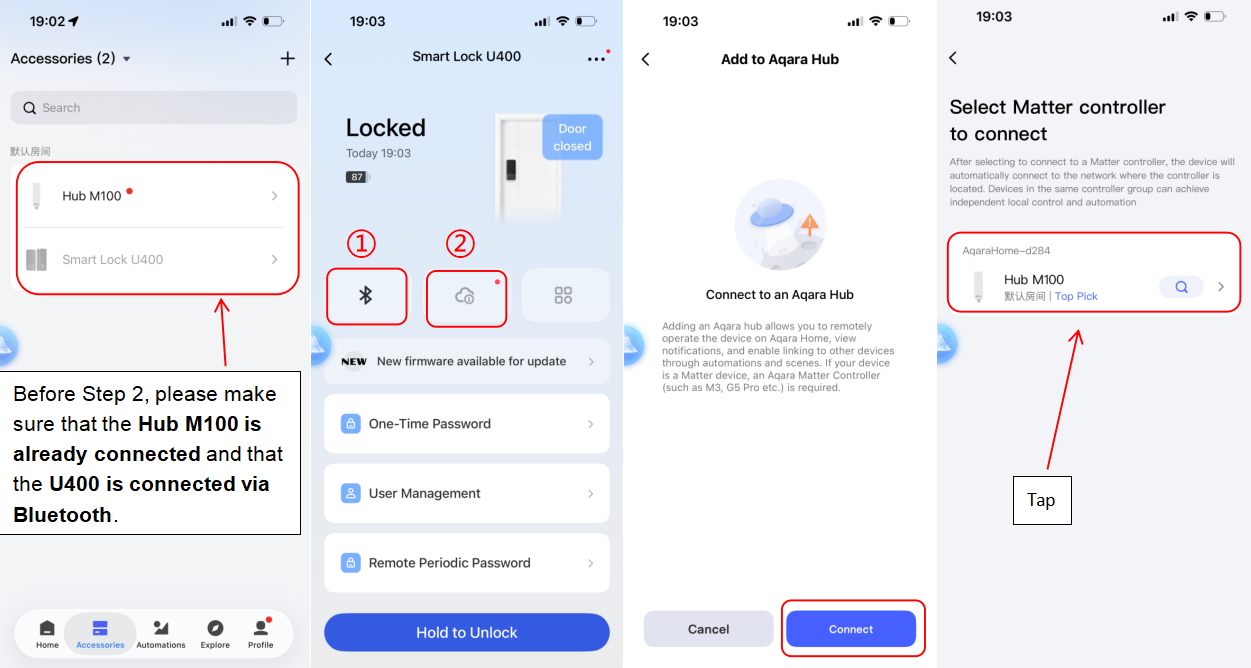
3. Step 2: Connect to the Aqara Hub (Matter Integration)
This step connects your lock to the Aqara Hub via Thread for remote access.
- Check First: Ensure your phone is on the same Wi-Fi as the Hub, Bluetooth is ON, and IPv6 is enabled on your router.
- In the Aqara Home app: Open the U400 page and tap the Cloud icon.
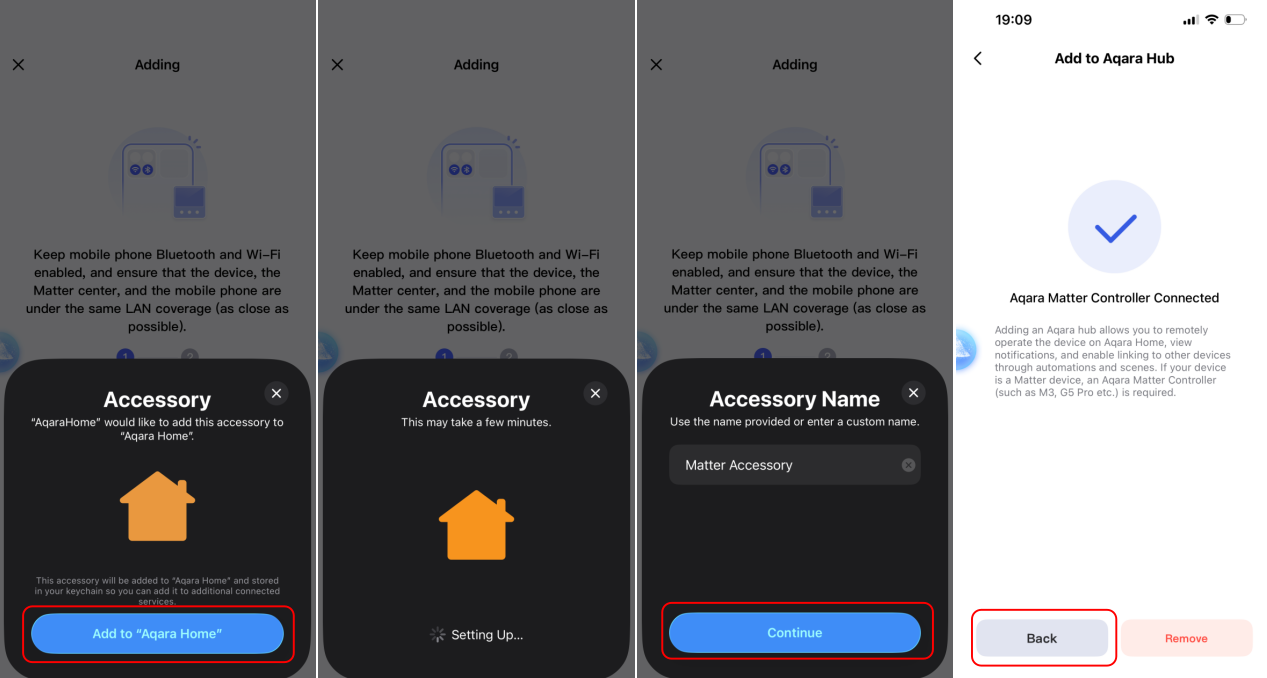
- Connect: Select “Connect” and choose your Hub M100 (or M3)
- Follow the prompts to finish the Thread connection.
4. Step 3: Share to Apple Home
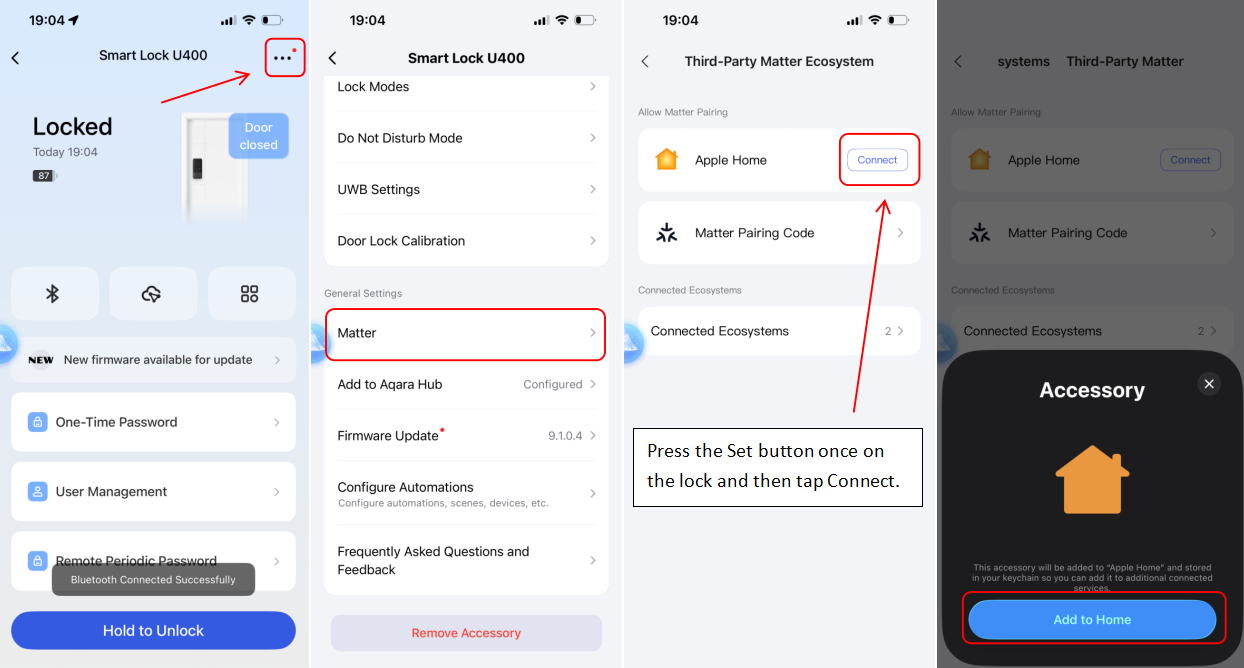
Now that the lock is on your Aqara Thread network, you can share it with Apple Home for UWB and home key features.
- On the U400 main page, wait a moment for the Bluetooth connection to stabilize.
- Go to Settings > Matter.
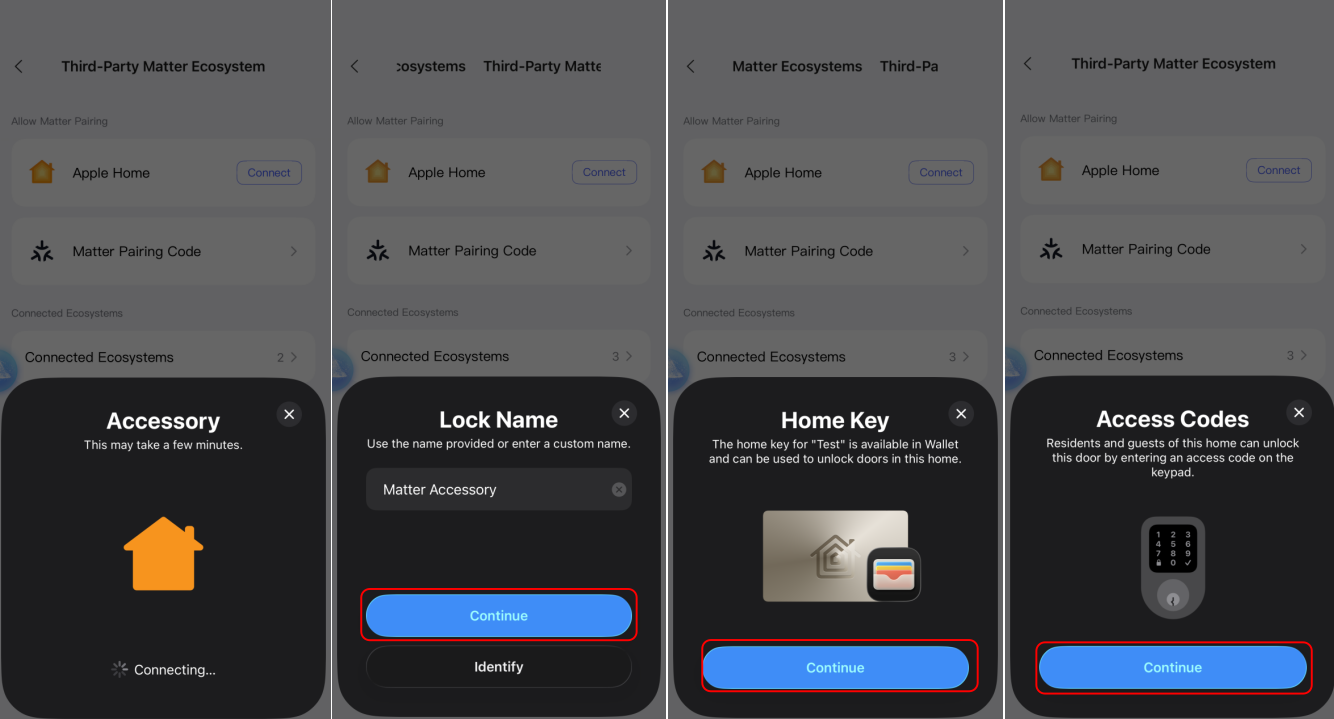
- Press the Set button once on the physical lock, then tap “Connect” in the app to share the lock to Apple Home.
- Follow the prompts and finish the binding.
Key message for this Connection method
If you choose to use the Hub M100 as your primary Thread Border Router, please keep these two points in mind to ensure a stable experience:
- Network Unity: Your Apple TV and your Aqara Hub M100 must be connected to the same Wi-Fi network. This ensures the remote access to the lock in the Apple Home app
- The Role of the M100: In this specific setup, the Hub M100 acts as the “bridge” (Thread Border Router) for your U400.
- If the M100 is unplugged, moved, or goes offline, the U400 will become “Unresponsive” in the Apple Home app.
- You will lose the ability to control the lock remotely via Thread until the M100 is back online.
Visual Guide