Lesson1 Automation 2.0 Tutorial Collection - Lesson 1 report
Good afternoon.
It has been half a year since the official launch of automation 2.0 Aqara.
I decided to describe the algorithm for transitioning 1.0 to 2.0. and the working algorithm 2.0. This process confuses most users (and I was among them at the beginning of the introduction).
Let’s start.
I want to start the explanation by explaining the conditions that are set in automations. There are two types of conditions:
- instantaneous (impulse), denoted as (°);
- permanent (equipment status), denoted as (°°).
Example:
- instantaneous is I turned on the switch (impulse);
- permanent is the switch is in the on state (switch status).
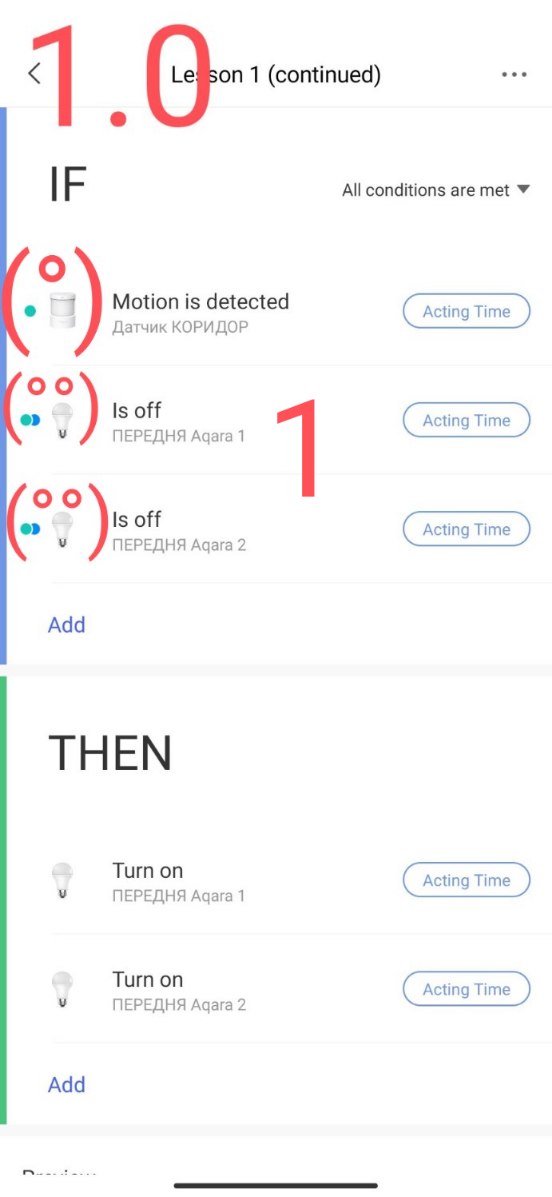
Automation 1.0 is built on a single-block control principle, has only the IF section. The IF section in 1.0 combines instantaneous (°) and constant (°°) conditions.
The automation algorithm simultaneously checks all conditions (°) and (°°) in case the conditions are met, the THEN section (action) is launched.
Automation 2.0 is built on a two-block control principle. It has a WHEN and IF section.
Now ATTENTION!!!
The WHEN section works only for instantaneous conditions (°), even if you see the (°°) icons when selecting conditions, this is still an instantaneous action. This discrepancy with (°°) is due to the possibility of switching at any time from automation 2.0->1.0 (see lesson 1).
The IF section works only for a constant state (°°). For this reason, some users complain that there are few conditions in the IF section, they should understand that there is only the device state (°°) and this means a limitation in the choice of conditions.
Algorithm 2.0.
If the instant condition (°) is met in the WHEN section, the IF section is immediately checked. If the specified state conditions (°°) are met in the IF section, the THEN section action is triggered.
Graphically, this is (°)WHEN->(°°)IF->THEN.
**Consider my example.*"
We have automation 1.0.
IF the motion sensor (°) detected movement and the bulbs are off (°°) THEN turn on the bulbs.
Fig.1.
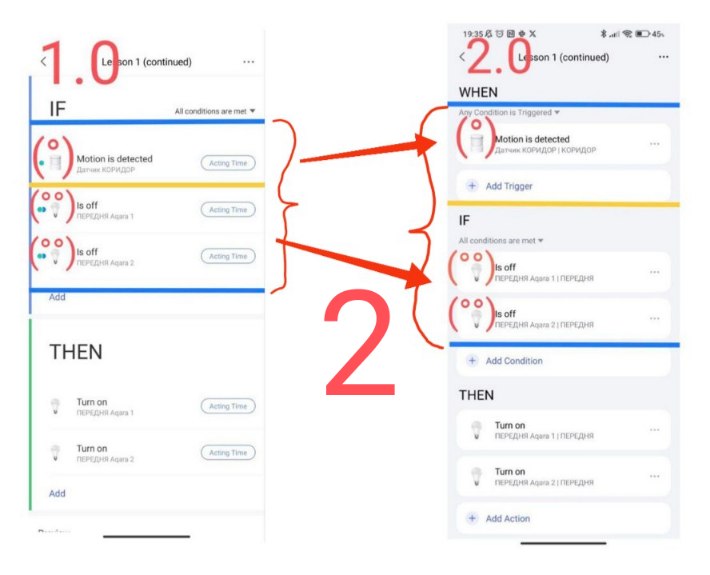
After the automatic transition to 2.0, we will get according to the above description the motion sensor (°) goes to the WHEN section and the state of the bulbs (°°) goes to the IF section.
Fig.2
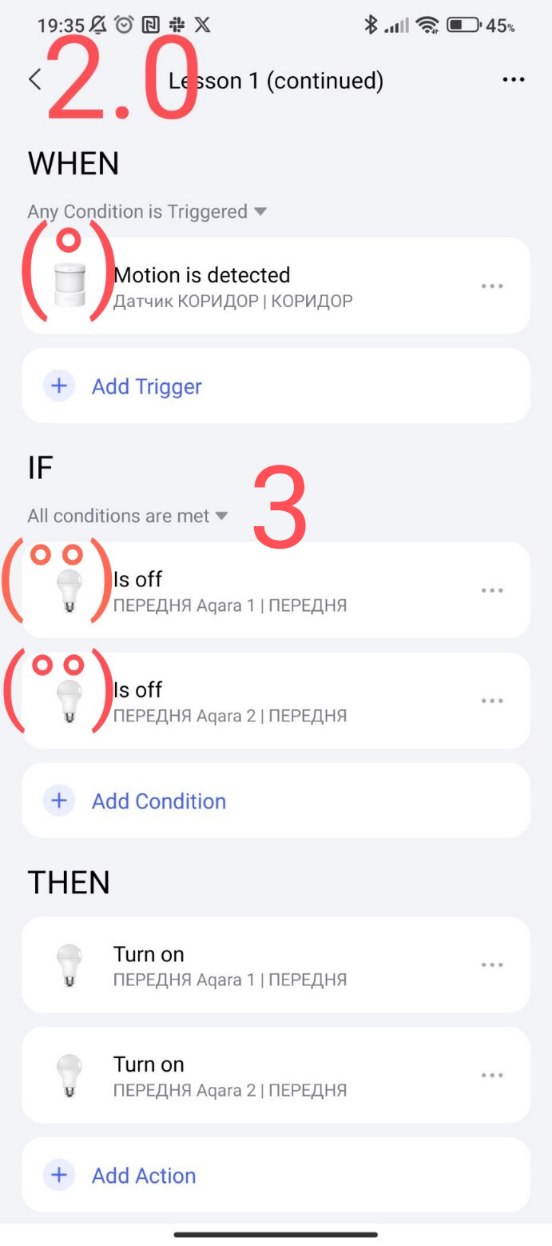
As a result, we get such automation
Fig.3
NOTE.
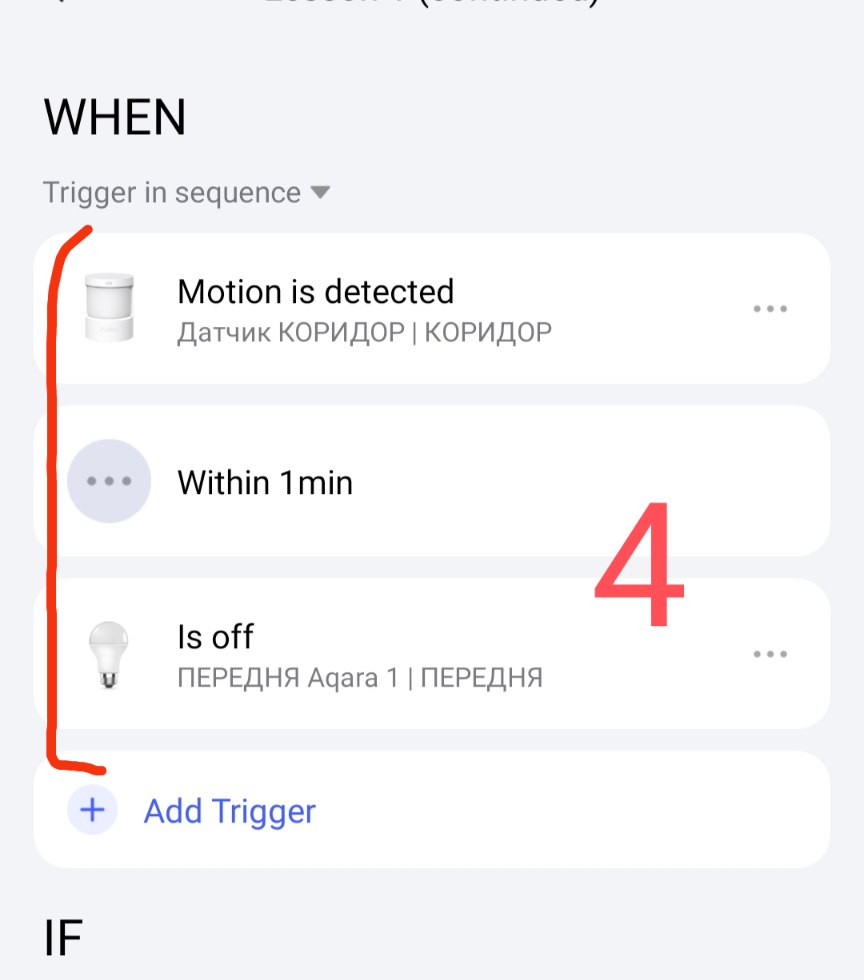
If a sequence is used in the WHEN section, it also works only on instantaneous (°) conditions.
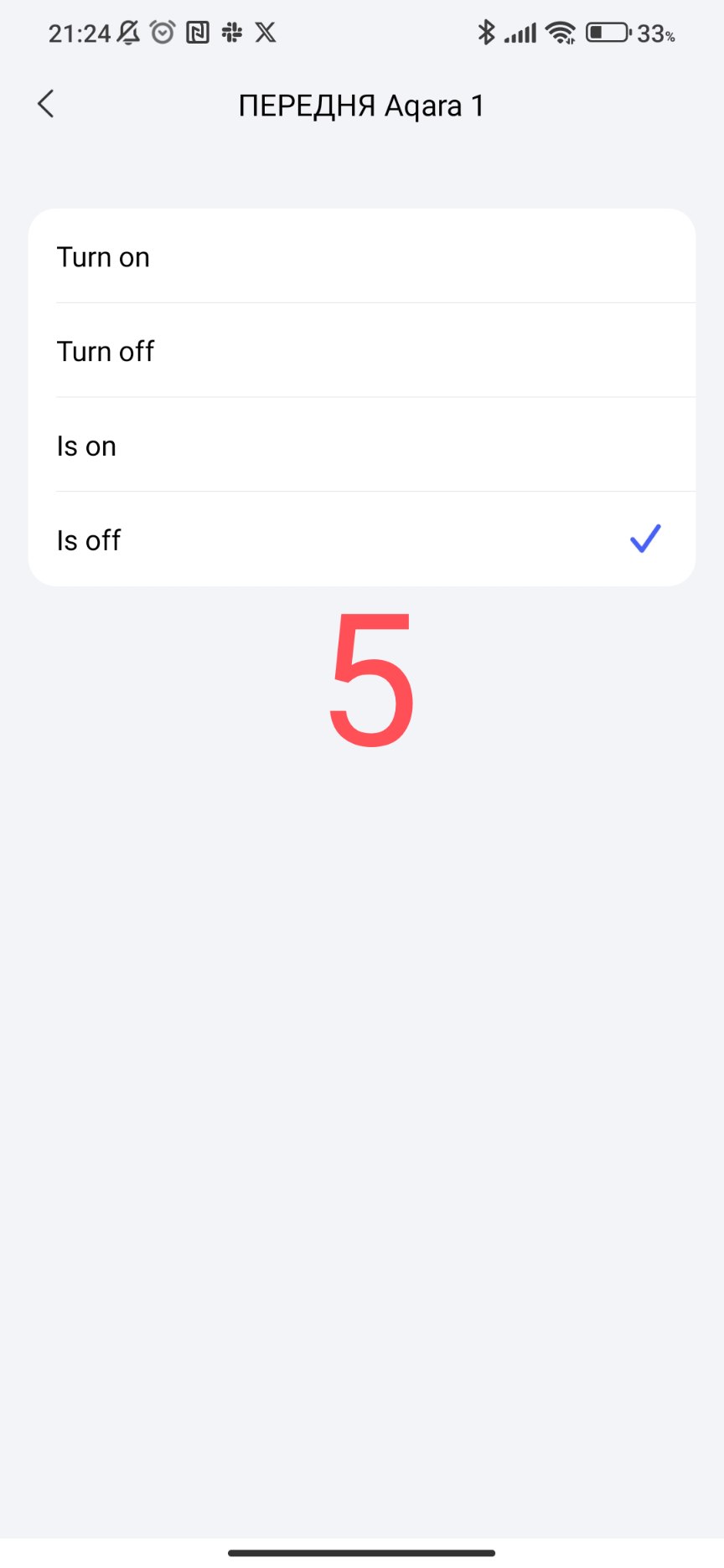
Example, if there is movement (°) and within 1 minute the (°) bulb is turned off. The figure 5 shows two lamp states (°) and (°°), but any of them works as (°).
Once again, only instantaneous conditions (°).
Fig. 4,5.
Short video of the topic.
The official explanation of the work of 2.0 was given by @Mandy in the comments to the question 2.0 ( Automation 2.0 problem - #3 by Mandy )
This concludes this lesson.
Thank you for reading and sharing the topic (you can also on other platforms with a link to our forum).
More to come.