If you’ve ever been inside a new build house here in the UK, you’ve probably noticed that the bathrooms tend to be in the centre of the house. And this means 2 things; light and humidity can be a problem.
So how do we solve that in an over engineered way? Automations!
Firstly, let’s shed a little light on what’s going to be needed for this, pun intended.
For this I’m using the Aqara H1 EU Double Rocker, Door and Window Sensor, P1 Motion Sensor, and Temperature and Humidity Sensor. This is then being automated within HomeAssistant, but you can achieve very similar results in the Aqara app or in other eco-systems.
The way the light works is almost like a soft sensor - based on what the sensors are doing, can we determine someone is in the room? When the door opens, the contact sensor flag as being open and this creates a window in which motion from the sensor will trigger the light to turn on.
Example > door open + motion detected = lights on
This then works in reverse when the door closes. But, the caveat we add to this part is timing. The last thing we want is to sit down a little too still on the toilet and be plunged into darkness! So when the door closes, if there is no motion for 5 minutes, the light will turn off.
Now we can see what we’re doing, let’s move onto the humidity issue.
For this, I’ve positioned a sensor directly above the shower so that it picks up the humidity but (unless I’m having a really big shower karaoke session) runs a very small risk of actually getting splashed.
The next part does take a little bit of time to figure out, because every house is different. But you need to work out the room’s baseline humidity. This means charting it over a 24 hour period, and jotting down any time anyone uses the shower or runs a bath. Sorry to your family in advance for that! Once you’ve got this, you should end up with a nice chart that looks a little like this.
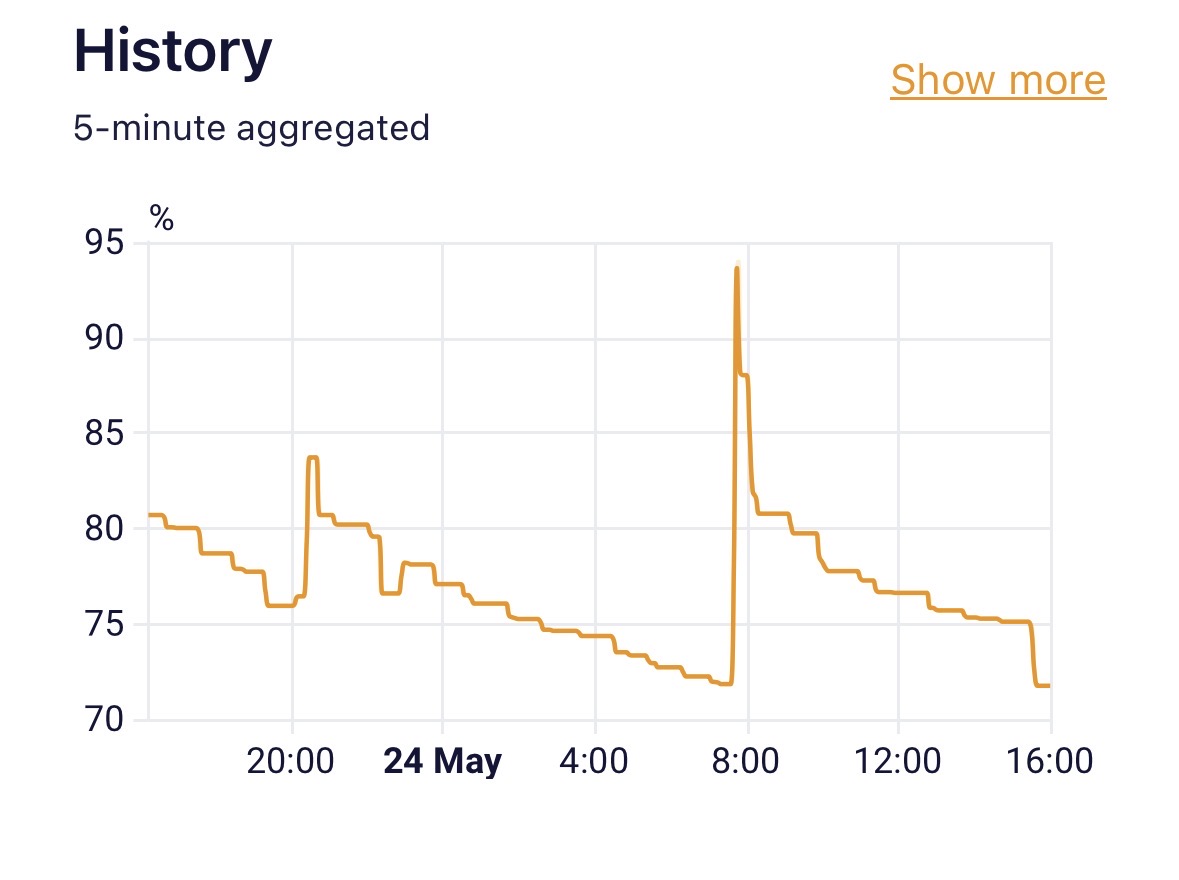
Those spikes you see, give you the levels at which you want to trigger the automation. With mine, you can see the humidity sits around 75 - 80% at its baseline. Which means anything above 80% indicates that the shower is on. So that’s when the second switch on the H1 Double Rocker clicks into action.
Then for the off, simply create a second automation that says “when the humidity is below X% for 10 minutes, turn off the switch”. The reason for the delay is simply to accommodate any micro fluctuations in the humidity. We want the fan to have well and truly done its job before turning off!
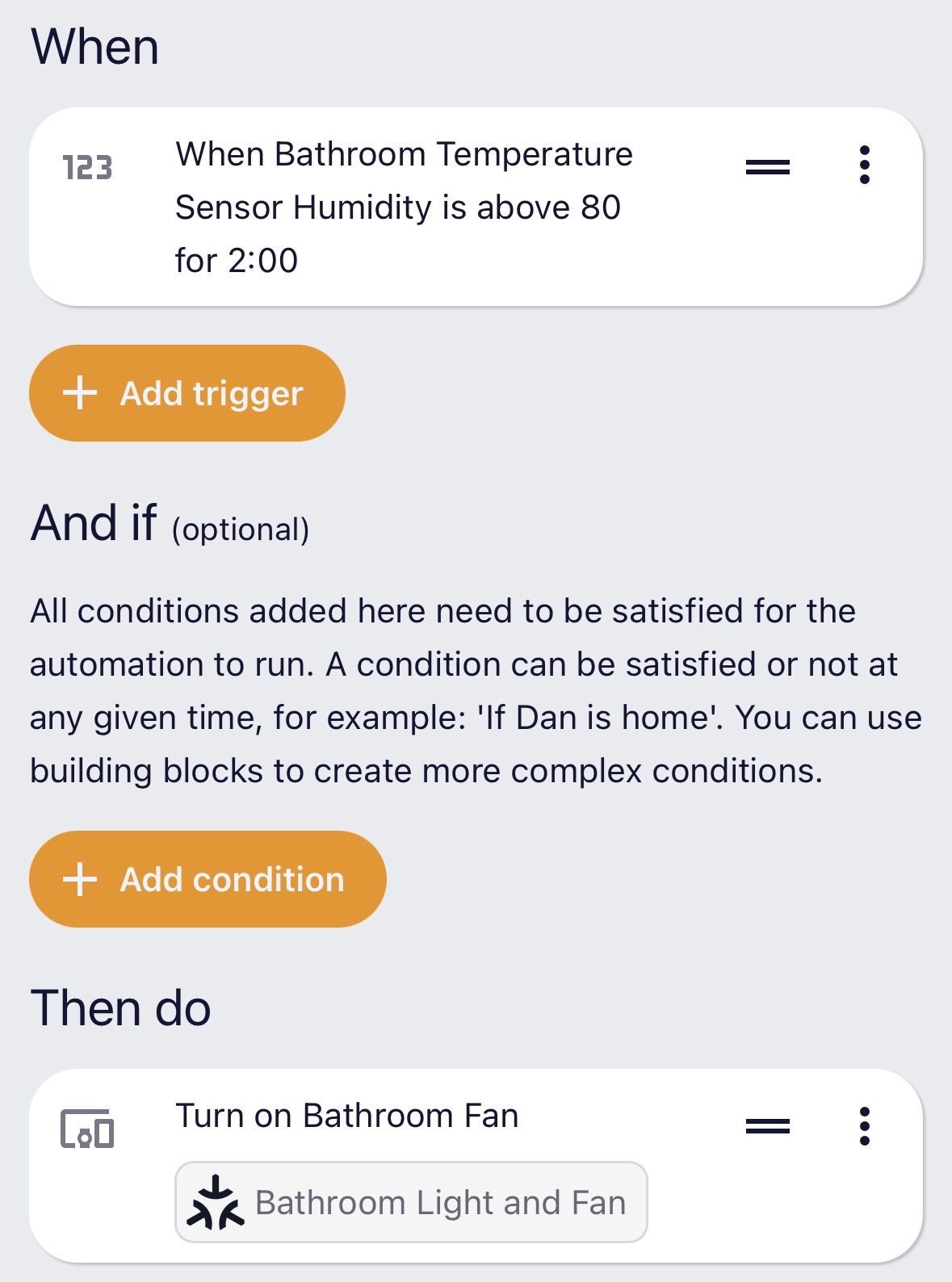
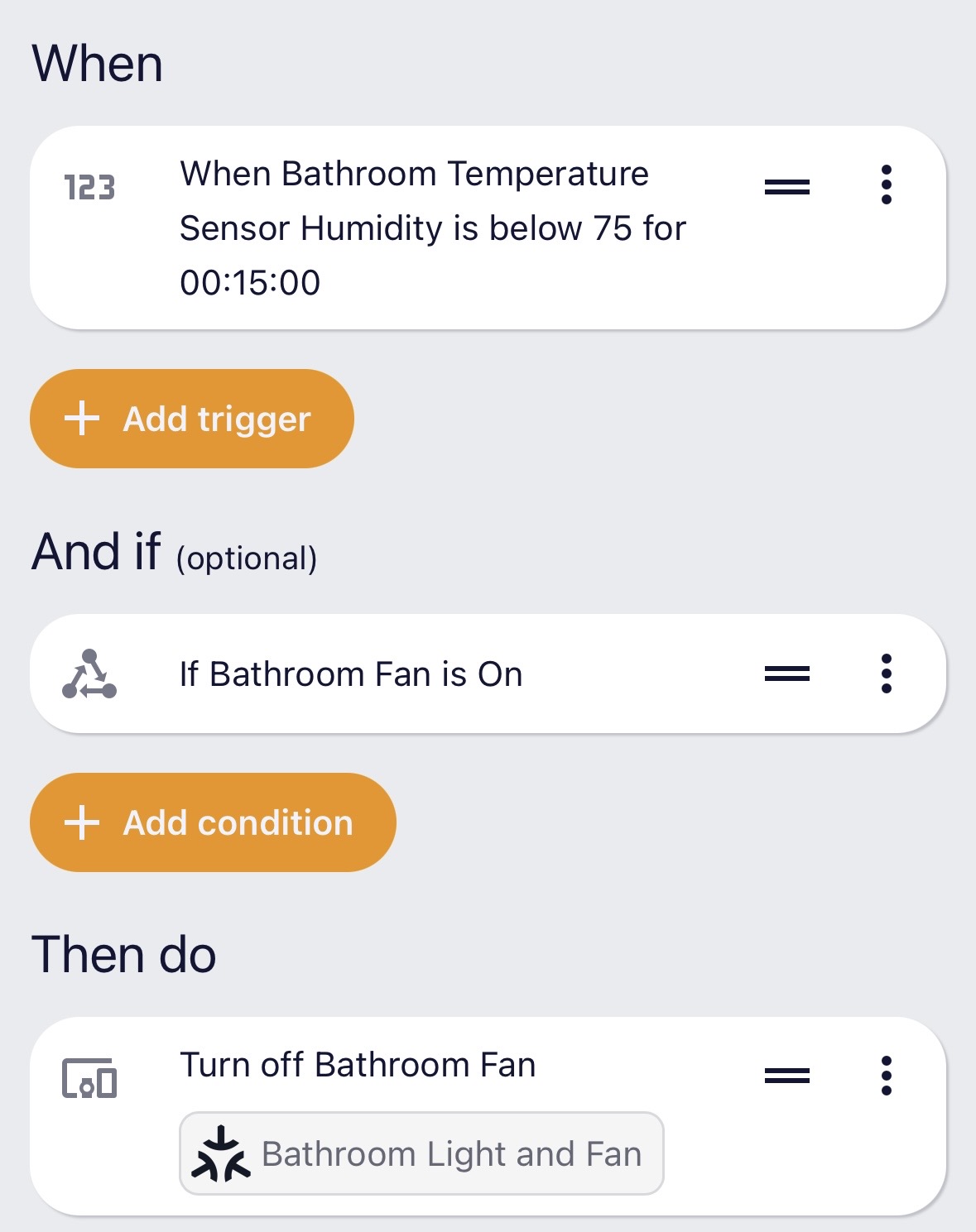
This whole setup can then be fine tuned to match your activity (e.g. automation only triggers 7am - 11pm, so you aren’t getting blinded on a midnight toilet trip)
What do you think? Would you add something like this to your setup?