Ive got a W100 climate sensor connected to both Apple Home and Home Assistant via thread (my thread border router is an Apple TV that’s always powered on). after a couple of months (I’ve not timed it exactly but if feels like 2 months) it will just suddenly become unresponsive and not connect at all. Ive tried just simply pulling the batteries and letting it power down or re adding it to my smart home but the only thing that makes it connect again is a hard factory reset (pressing the back button 10 times)
Is their another way I can try to get this to reconnect without having to reset it and re add it every few months?
@Itchster Hi there! Thanks for sharing your experience and for the detailed troubleshooting steps you’ve tried so far.
Based on the available reference information, the standard troubleshooting methods for the W100’s connectivity issues include pulling the batteries to power cycle, resetting the device (which clears network info but keeps other configurations), or performing a factory reset (clicking the reset button 10 times) which erases both network and configuration settings. Unfortunately, there isn’t a documented alternative method in the official guides for the W100 to force a reconnection to Thread/Matter platforms without either a network reset or full factory reset.
If your W100 consistently becomes unavailable after a couple of months and only a factory reset revives it, this could indicate a deeper firmware, network, or compatibility issue that isn’t addressed in the current documentation. Here are a few things you might want to try or check, based on the official setup and operation information:
Make sure your Apple TV (Thread Border Router) is running the latest firmware, and check for updates to your HomeKit and Home Assistant platforms.
When adding the W100, ensure it’s as close as possible to your Thread Border Router during pairing, as proximity can sometimes impact long-term stability.
Try resetting just the network info (single click the reset button twice, then hold for 5 seconds) rather than a full factory reset, to see if that’s enough to restore connectivity.
Monitor if the issue coincides with battery replacement cycles or any environmental factors that might cause the device to lose its network session.
If none of these steps help, I’m afraid there isn’t a documented alternative solution right now. I recommend reaching out to Aqara’s Customer Service Team directly for this recurring issue. Please contact Customer Service Team by Aqara Home App (Profile>Help&Feedback>Customer Service) or scanning the QR code:
Hello, I will forward your question to the product developers in the near future. Thank you for describing the problem. Please clarify, what is the operating mode of your W100 Matter?
Hi, I’m running it in Thread mode via Matter it’s connected to an Apple TV thread border router, and it’s being used in both Apple Home and Home assistant.
@gafich10@AqaraBot@AqaraOfficial I’d also like to point out another issue, which I believe is already known but not yet resolved. If the W100 is paired with an E1 radiator valve via ZigBee, after a while it disconnects from it and must be re-added to the radiator valve to make it work again.
@gtxteo Thank you for bringing this up! Your observation about the W100 disconnecting from the E1 radiator valve when paired via Zigbee is very valuable to the community. While the reference documentation primarily covers setup procedures and connection protocols for the Climate Sensor W100—including steps for resetting, pairing, and switching protocols—it doesn’t currently address long-term stability issues or automatic reconnection behavior with paired devices like the E1 radiator valve.
We really appreciate your detailed feedback, as it highlights a potential area for improvement that could benefit many users. I encourage others who may have experienced similar issues to share their insights or solutions here, so we can collectively identify patterns and workarounds.
Thank you again for contributing to the forum, and please keep sharing your experiences—your input helps drive future updates and improvements!
@gtxteo@AqaraBot I have the same issue with two W100 devices connected first to E1 radiator thermostats and now to W600 thermostats. . The problem persists. The thermostats lose connection to the W100 device and therefore do not recognize the real temperature anymore when sensor data is coming from the W600. Would be very happy if this issue will be fixed.
@timo_degen Thanks for sharing your experience, timo_degen! It’s really helpful to hear that this issue persists across different setups with W100 and thermostats (both E1 and W600)—your detailed feedback helps the community better understand the scope of the problem. We appreciate you taking the time to contribute this insight!
If you have suggestions or ideas for improving this long-term connection stability, feel free to submit them through customer service for more efficient handling. Contact the Aqara Home App Customer Service Team (Home > Help & Feedback > Customer Service) or scan the QR code:
Hallo und willkommen im Forum. Dieses Problem lässt sich beheben, indem Sie das Abfrageintervall für die W100 auf 10 Minuten einstellen. Die Vorgehensweise ist hier beschrieben: W100 Explanation of the temperature sampling setting для то
Hi @timo_degen I had the same problem and after several attempts I found the right settings by following and modifying the @gafich10 guide. it will definitely work for you too.
@gafich10@gtxteo Danke für den Tipp. Das scheint tatsächlich das Probem mit der verlierenden Verbindung zu beheben .
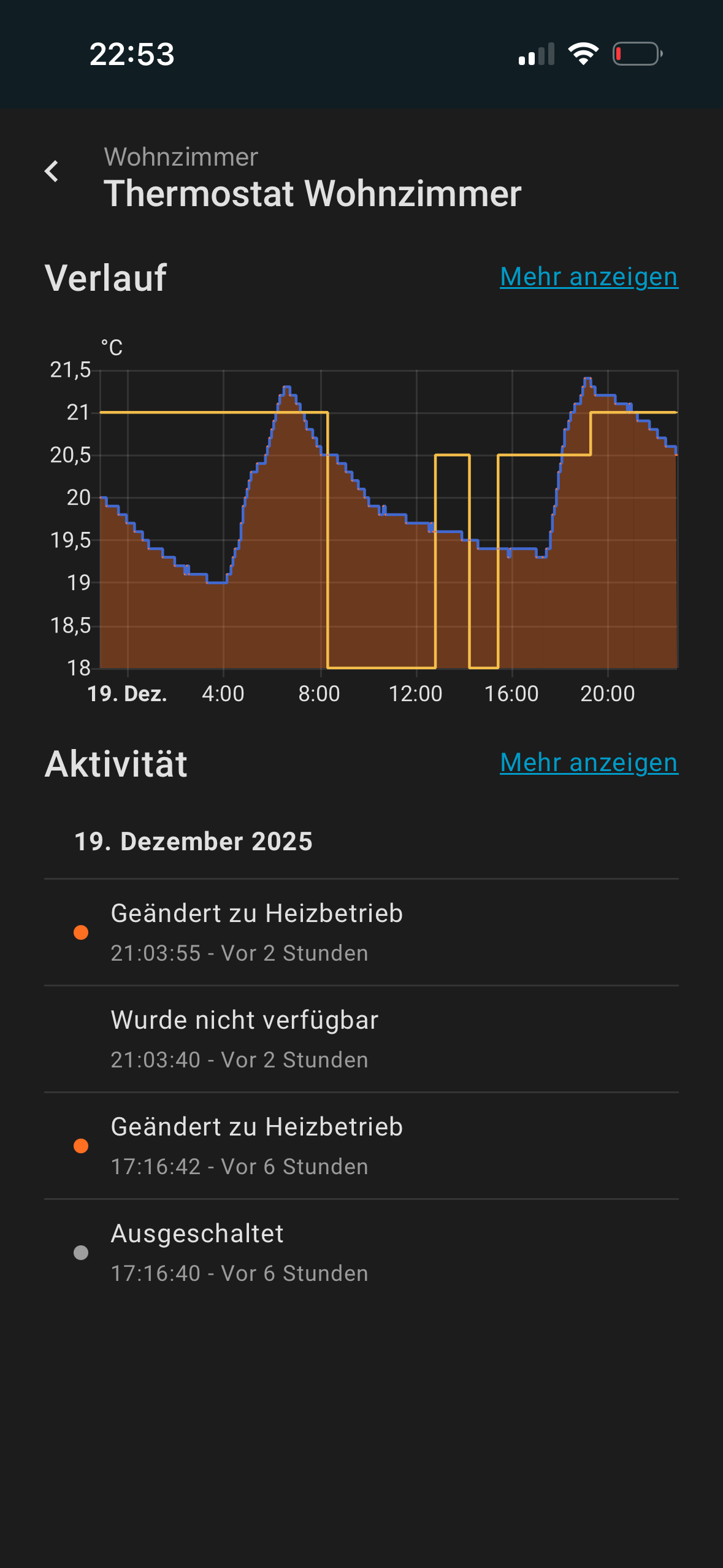
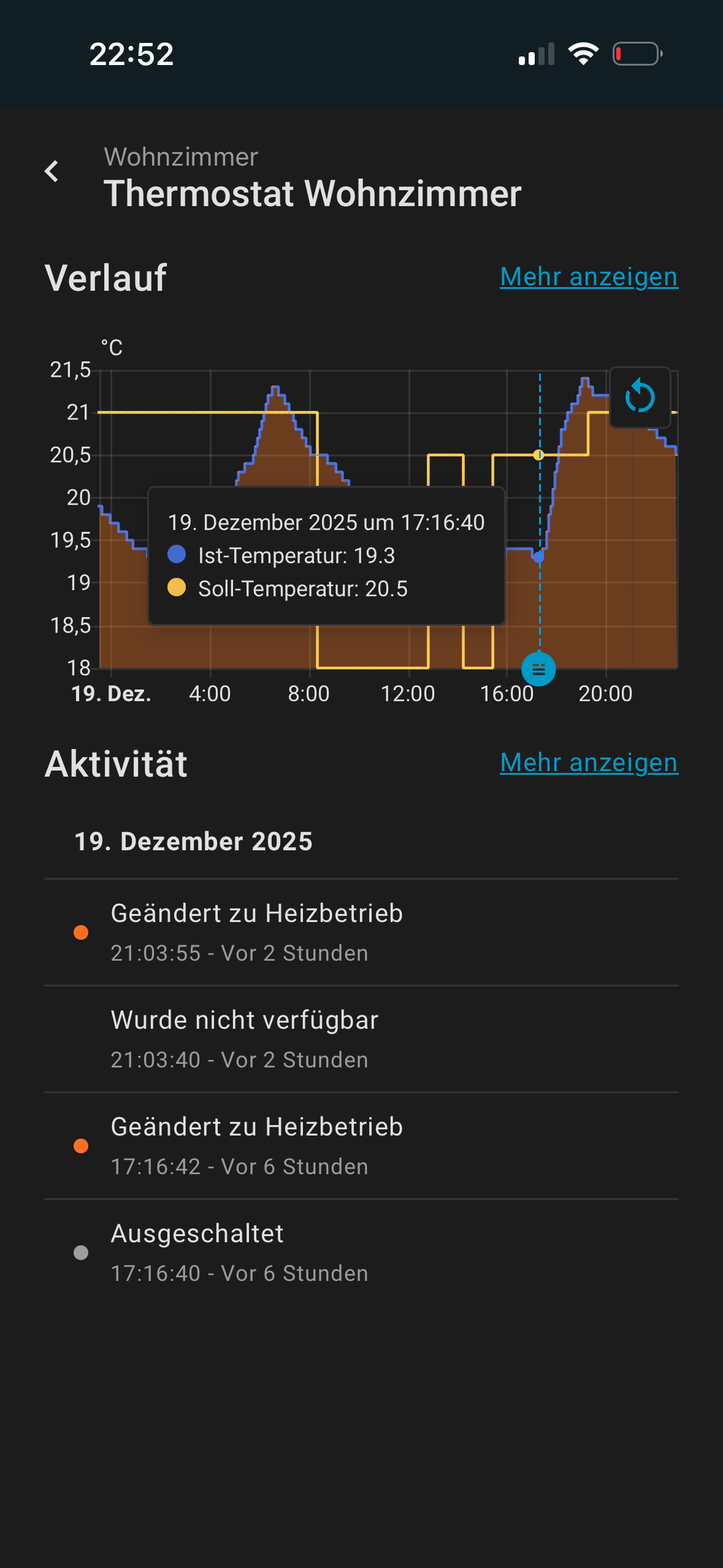
Ich habe allerdings noch ein weiteres Problem. Ich habe eine Zeitplansteuerung aktiviert, allerdings löst die Heizung zur eingestellten Uhrzeit nicht aus. Erst wenn ich das Thermostat aus- und wieder einschalte fängt sie an zu heizen. Das ist gerade am Morgen sehr nervig, da wir immer in kalte Zimmer kommen .
Gesteuert wird über die Aqara App, ich habe allerdings Home Assistant zusätzlich angeschlossen.
Hier ein Beispiel, wo man die eingestellte Solltemperatur sieht sowie die Ist-Temperatur. Im zweiten Bild sieht man auch den Auslöser (Aus-Einschalten, nach dem es dann heizt).
@timo_degen Moin, das kommt darauf an, wie du deine Routine eingestellt hast. Oder du kannst ganz einfach einen Zeitplan erstellen, der deinen Wünschen entspricht.
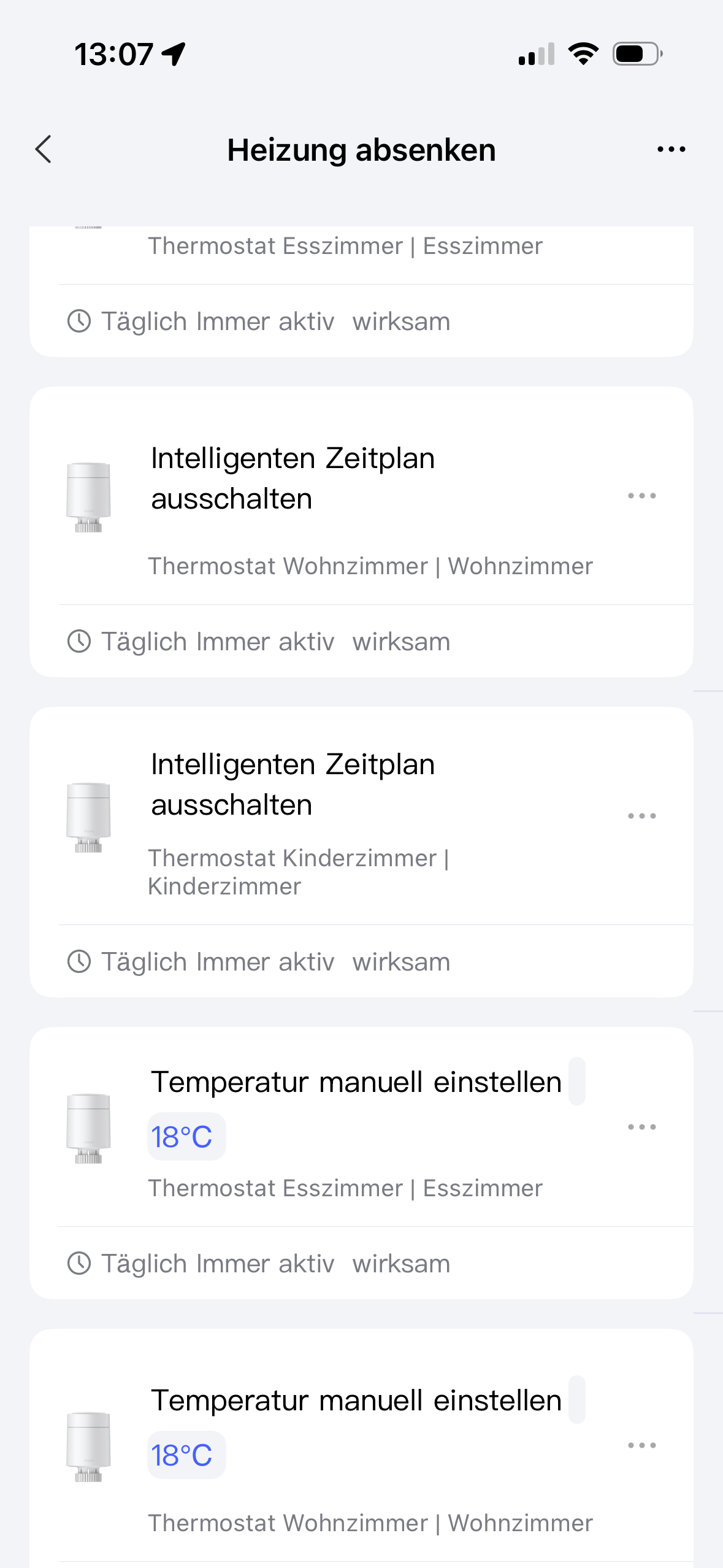
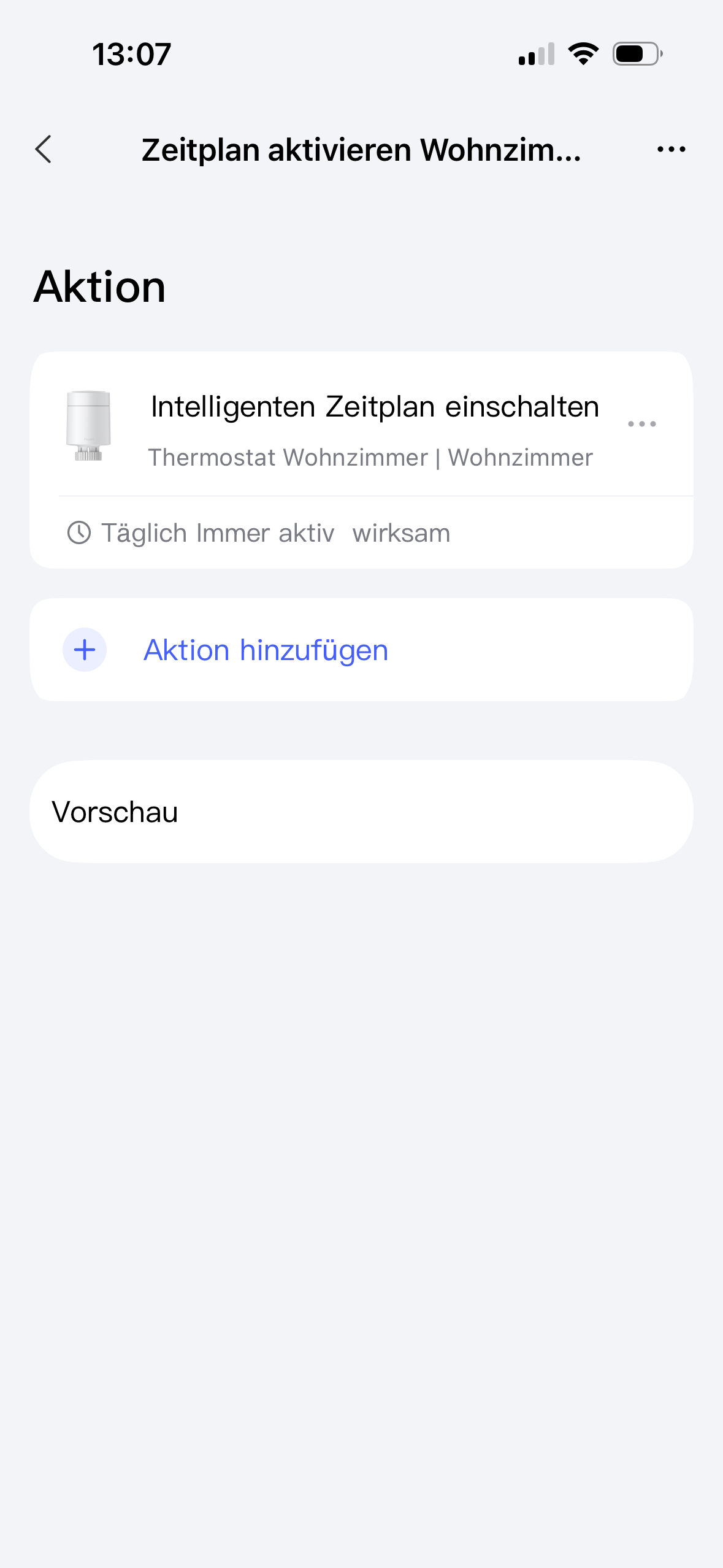
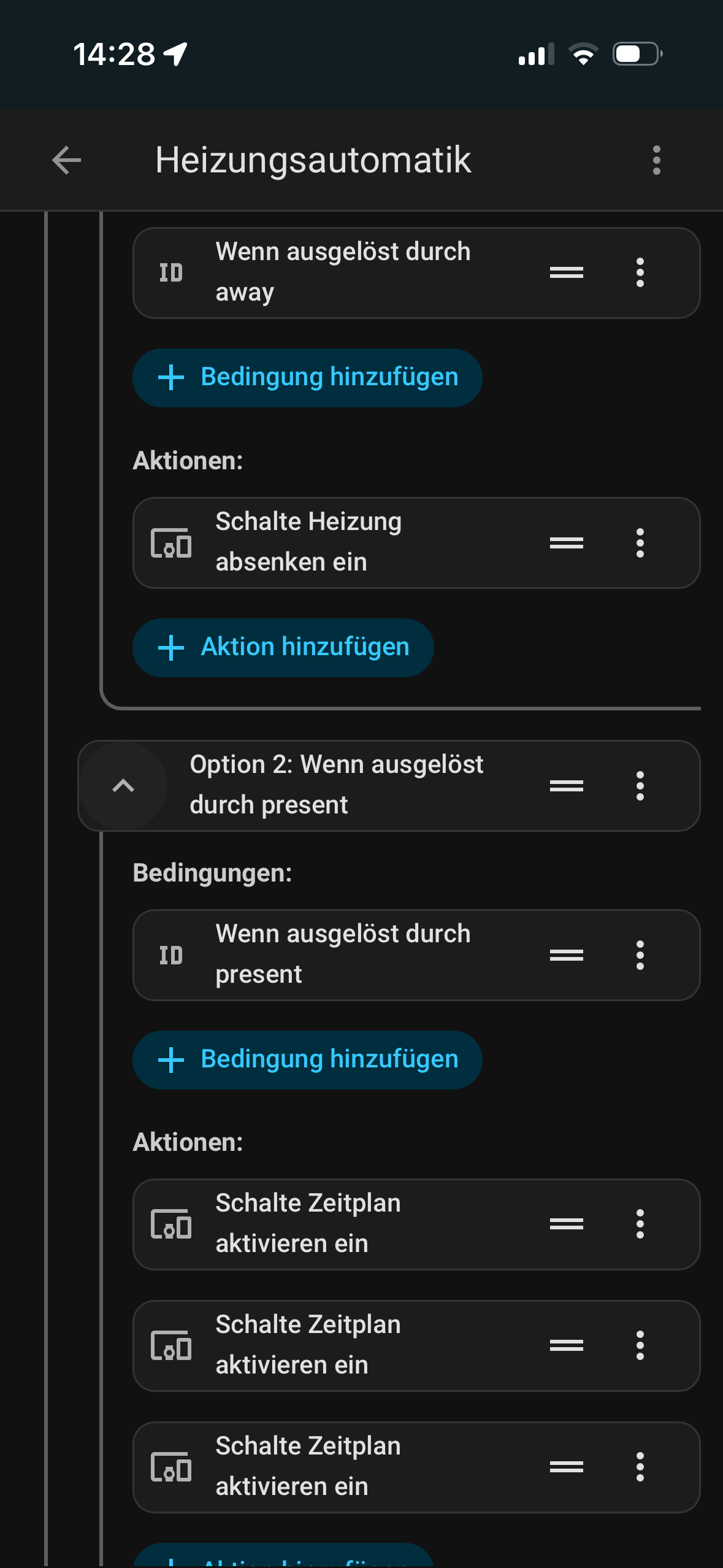
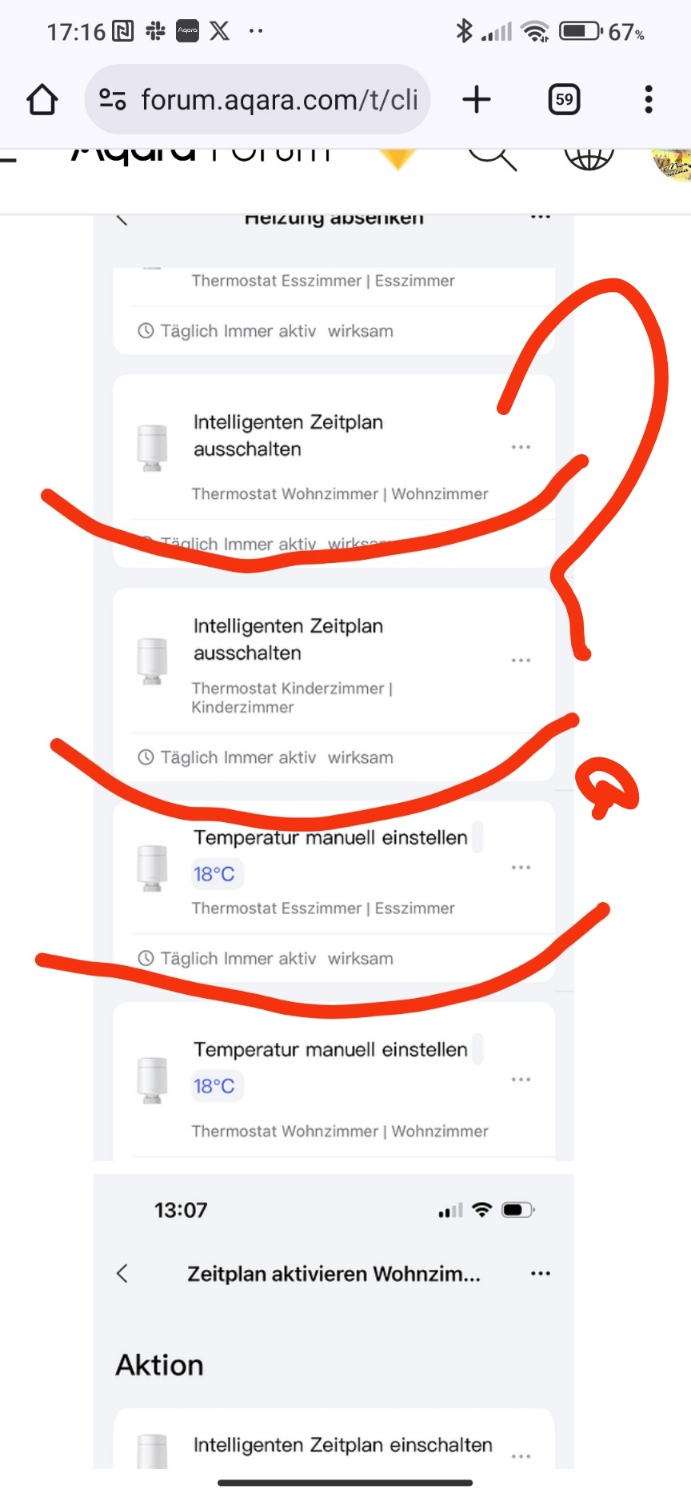
Zusätzlich habe ich zwei Szenen eingestellt, die über eine Automatik im Home Assistant angesteuert werden. Wenn niemand mehr zuhause ist wird die Szene Heizung absenken ausgelöst. Dabei wird der Zeitplan deaktiviert und die Heizung auf 18 Grad eingestellt. Wenn jemand zuhause ankommt werden die Zeitpläne wieder aktiviert.
Das Problem sehe ich auch nicht darin, dass der Plan nicht verfolgt wird. Das Thermostat zeigt jeweils die korrekte Soll-Temperatur an, aber es heizt nicht, obwohl die Ist-Temperatur unter der Soll-Temperatur liegt.
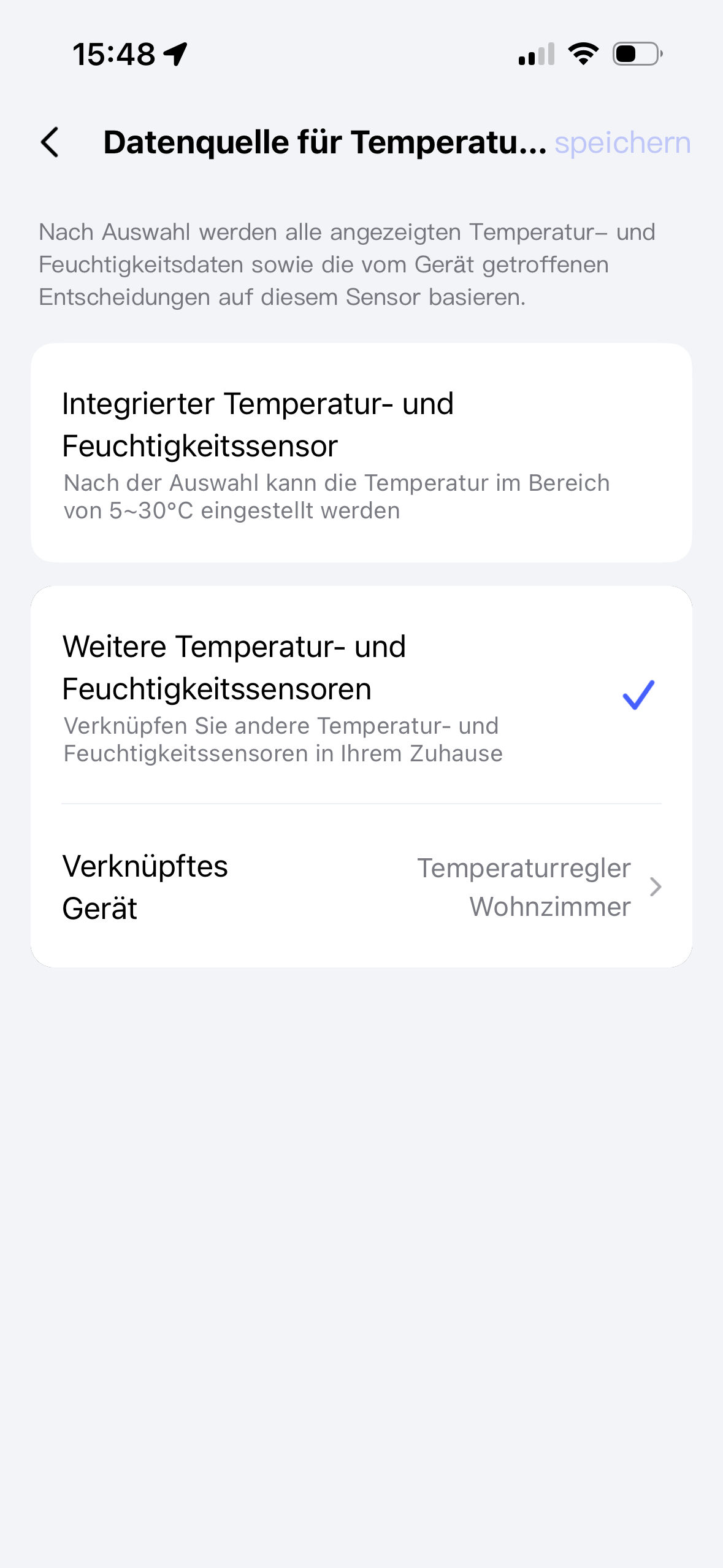
Ok @timo_degen. Ich glaube, du hast keine separaten Temperatur-Sensoren mit deinem Heizkörperthermostat verbunden.
Das macht viele Unterschiede. Aber ich habe auch ein paar Mal gelesen, wegen eines Firmware-Problems für die W600. Ich habe vier Heizkörperthermostate E1 mit der W100 verbunden. Persönlich habe ich keinen Zeitplan eingestellt, sondern eine Routine für jeden E1.
z.B. Wenn Temperatur von W100 ist unter 19°C, dann Heizkörper einschalten in manuellen Modus auf 30°C und nach 30 Minuten die Temperatur auf 22°C einstellen.
Das habe ich so gemacht für jeden Zimmer.
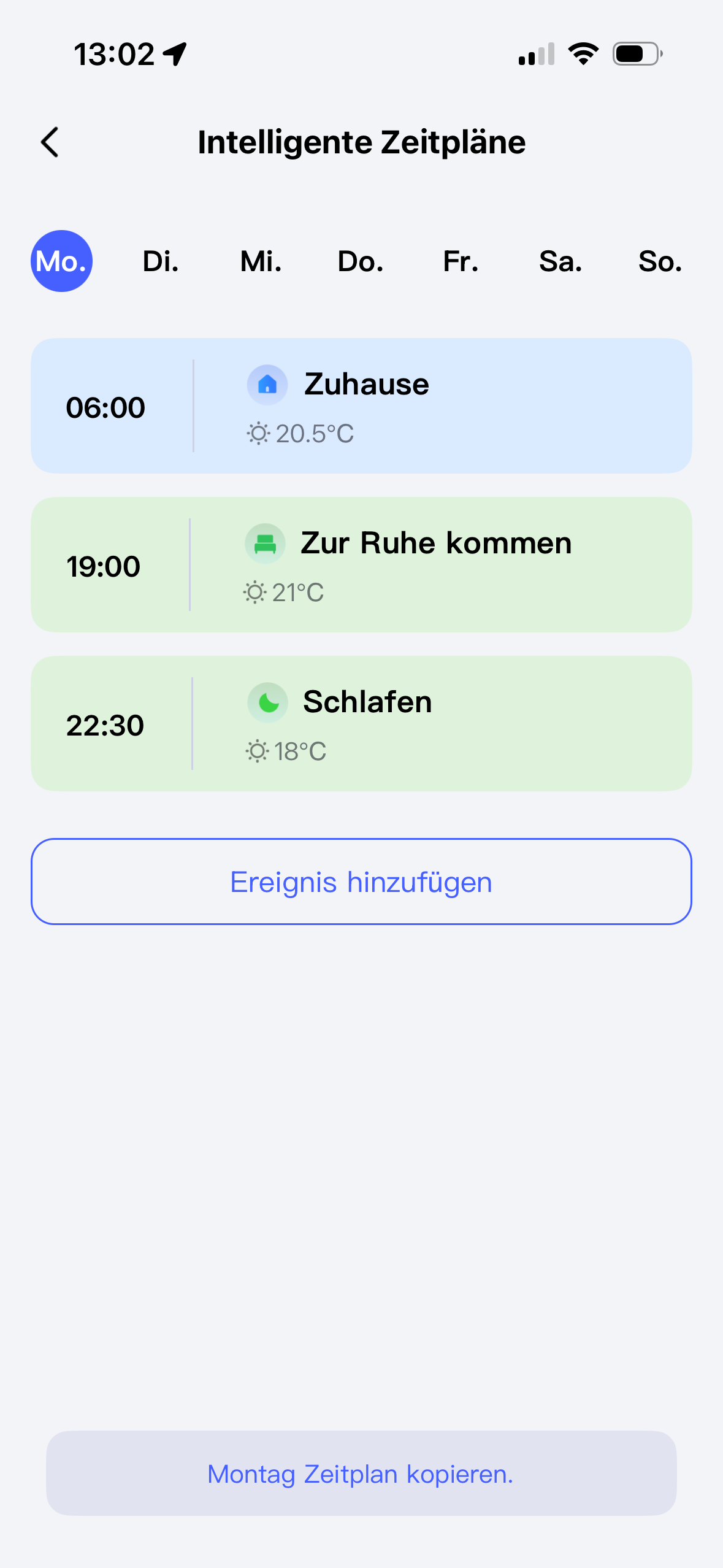
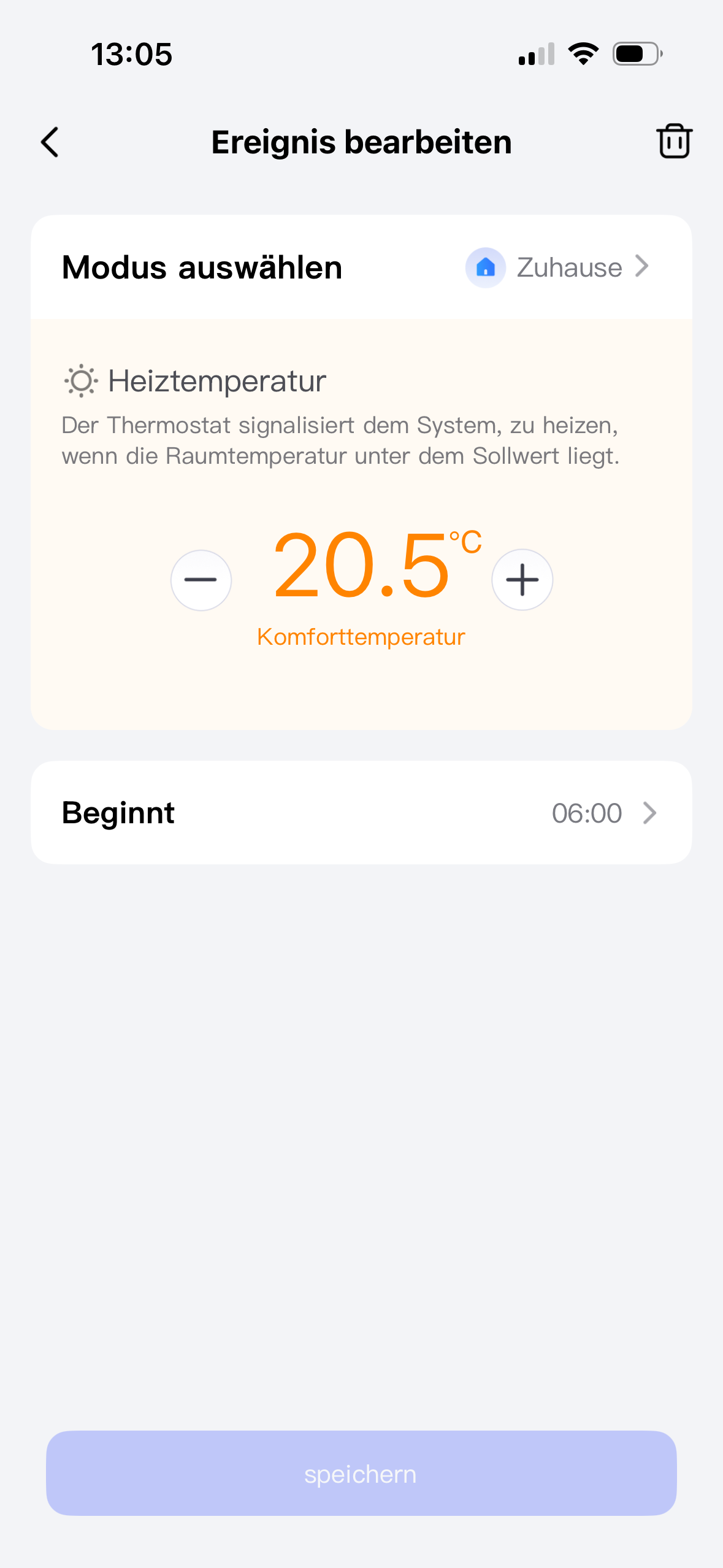
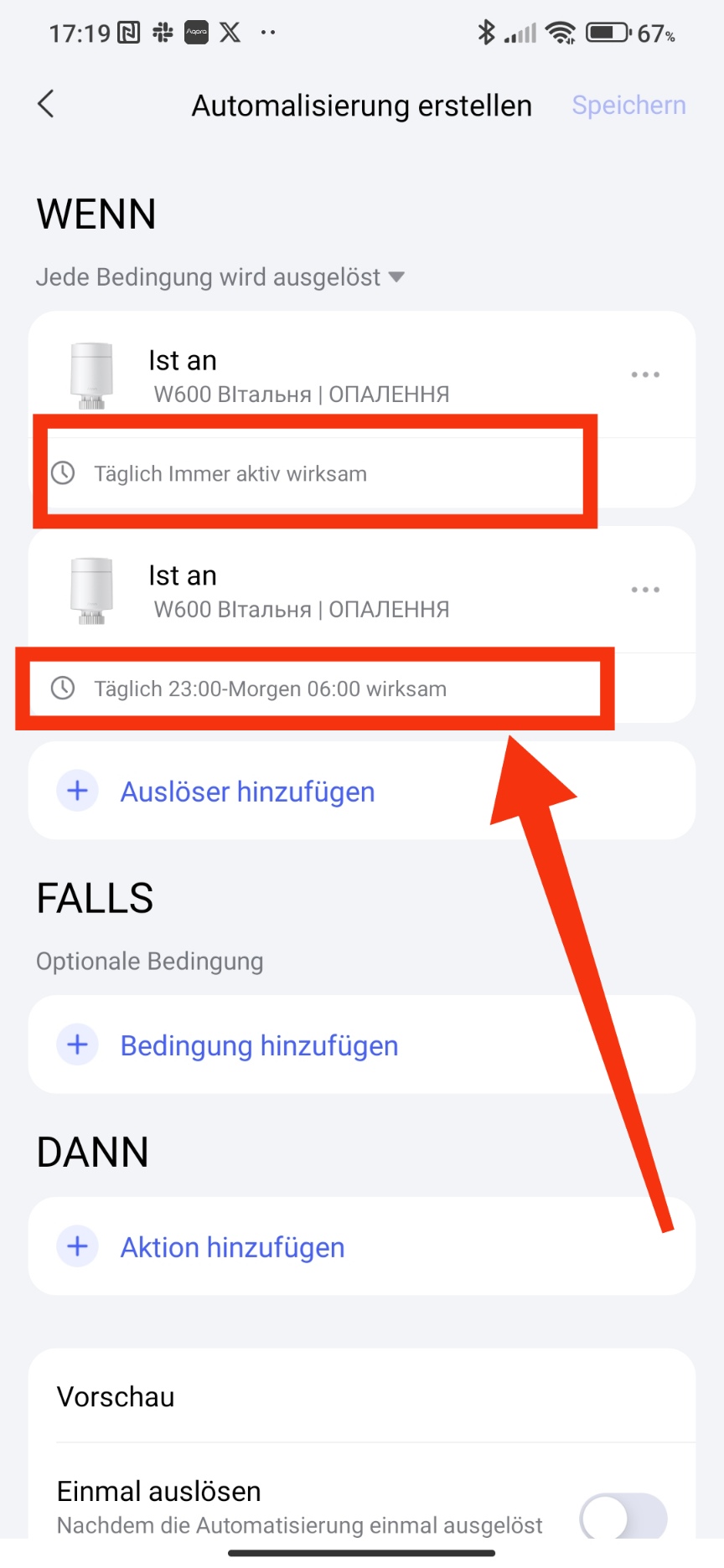
Hallo, ich glaube, bei Ihnen ist einfach die falsche Zeiteinstellung. Ich habe einen Screenshot von Ihrer fehlerhaften Einstellung gemacht und mir (vor allem auf Deutsch) vorgestellt, wie die Arbeitszeit aussehen sollte. Vielleicht liegt da das Problem.


 .
. .
.