I am not sure how this cameras works via IP without bothering with upload and download speeds my be they are not ment to work via IP because of their 2/4k resolution.I am lost with this but you have nothing to loose by telling Verizon to increase your upload speed to be at least half of your download speed or equal.but think that even with your download speed when you try to download multiple packages your speed will decrease same thing happens with cameras when you want to access all together that poor upload speed is shared between the camera with 4k resolution takes more because want to send you the 4k resolution the rest will get what left.so in my opinion talk with Verizon and ask them to increase your upload speed and see then and for sure they will work much better.
Here is what Gemini say regarding your IP as I am using Gemini as he helped me more then Apple or my internet provider to fix and setup my networks and to have
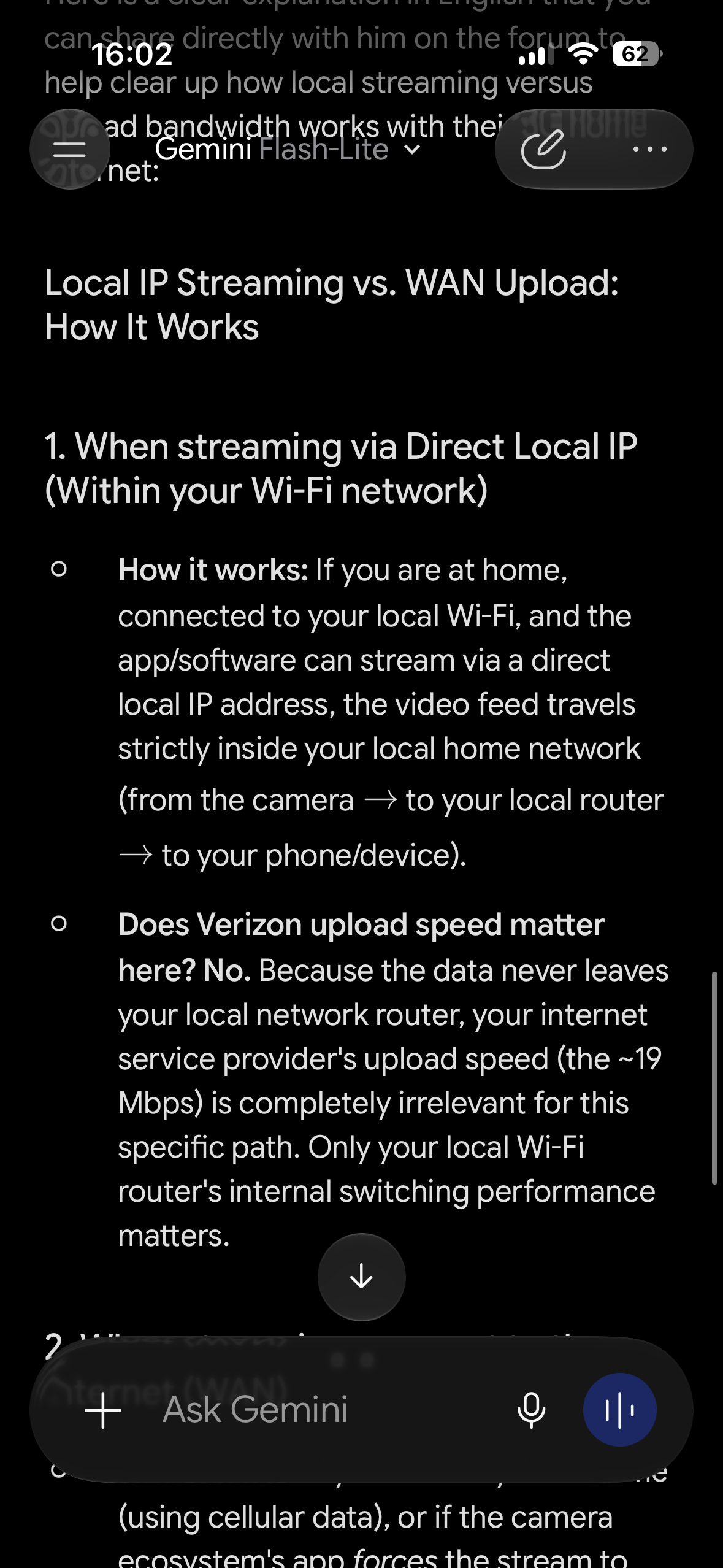
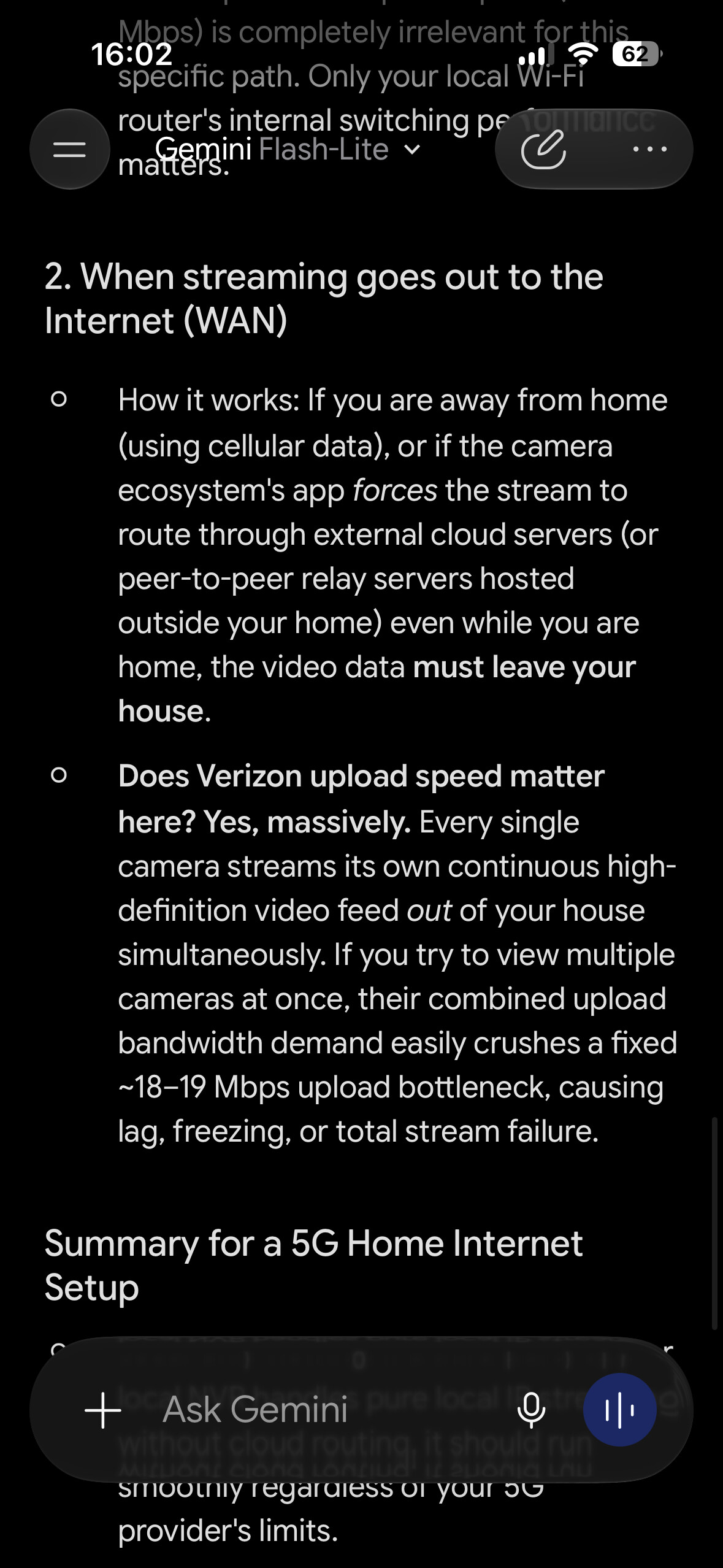
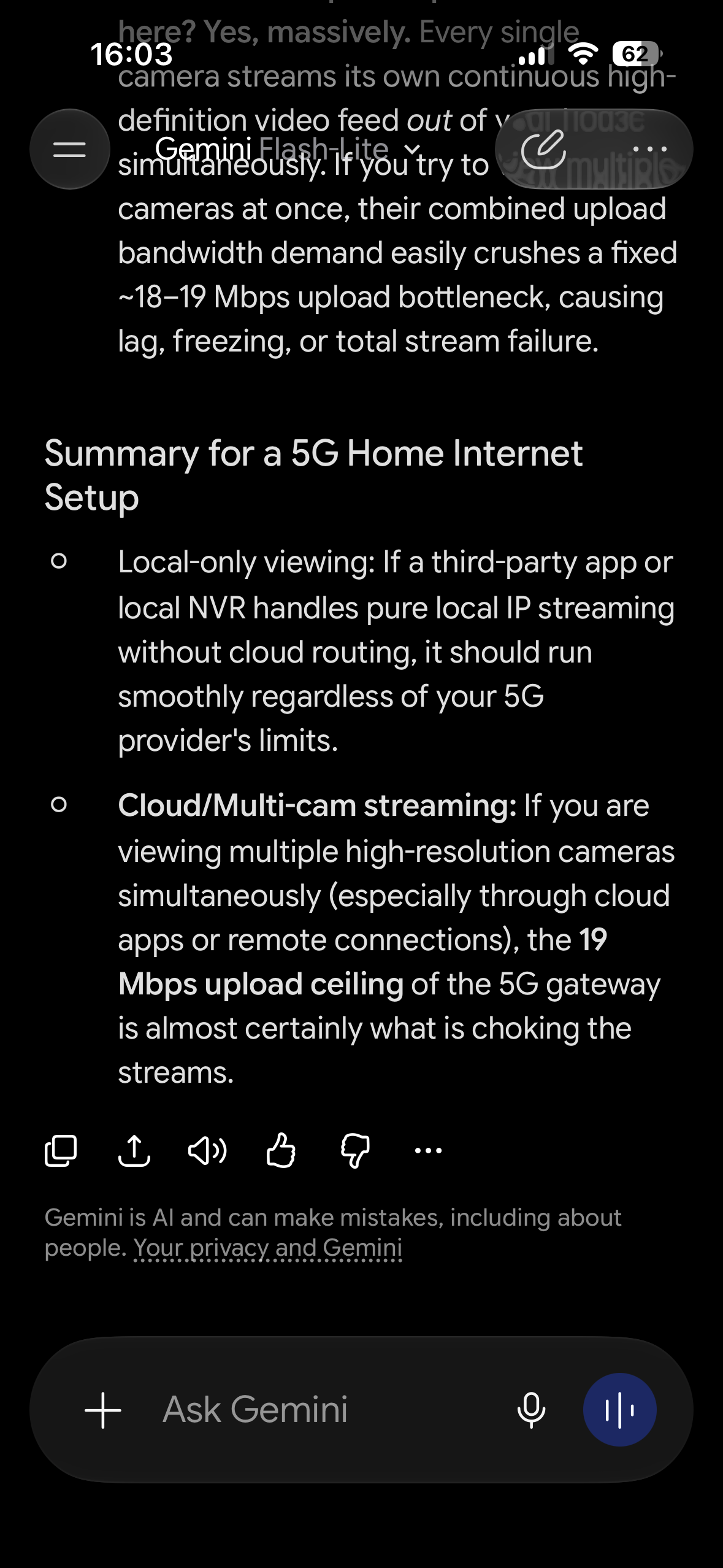
stable smart home.
I hope this also help you
Thank you, that was my conclusion as well. So assuming all of that is accurate and my signals are staying within my local area network and not going out to the wide area network/Internet, my issue lies within the router! I know it could be settings or it could be just limitations of the router itself.
This is one of the reasons I came to this forum.
If other smart home users have experienced similar problems with just five or six cameras, and they discovered a better Wi-Fi router that can handle this kind of traffic, I would love to hear some suggestions!
The suggestions I keep getting are to lower the resolution of the camera, use fewer cameras, spread them out over separate channels if possible, unfortunately only one camera can connect to the 5G. The rest are all 2.4. This router also has an IOT set up that can isolate the cameras from other devices on my network, but that apparently is not enough since just the five cameras alone choke it!
What I need to find out is if there is a router out there that is more capable of handling this kind of simultaneous streaming from multiple cameras.
Anybody out there have any suggestions or recommendations??
Thank you!
Here you go some example
Option A: High-End / Advanced Mesh Solutions (e.g., TP-Link Deco X50 or higher)
If you want a robust Wi-Fi network that handles multiple nodes and offers excellent local packet switching:
Why it works: Units focused on local performance with smooth roaming and great handling of dense wireless client loads. They prevent internal Wi-Fi network congestion when running multiple simultaneous streams.
Option B: High-Performance Standalone Routers (e.g., ASUS RT-AX82U or ASUS ROG / TUF models)
If you prefer a traditional single-tower router with external antennas aimed at advanced users:
Why it works: ASUS routers (running ASUSWRT) are legendary for demanding smart home environments. They allow you to:
Fix static IP assignments ultra-reliably.
Configure traditional QoS to prioritize local camera video streams.
Access advanced network isolation and internal port forwarding functions without interference from the ISP gateway.
Option C: Prosumer Modular Systems (e.g., Ubiquiti UniFi Cloud Gateway / Express or TP-Link Omada)
For users looking for professional-grade network control (Prosumer):
Why it works: Isolating smart home traffic using dedicated networks (VLANs), guaranteeing that local IP camera streaming flies over a completely clean and optimized path, totally ignoring any limitations from the carrier modem.
Thanks for posting all of those extra tests - they’re actually really useful.
Based on everything you’ve tried, I don’t think the Apple TV is the culprit. The fact that it happens in the Aqara app and over RTSP as well points away from HomeKit.
One thing that hasn’t really been ruled out yet is Wi-Fi airtime rather than raw bandwidth. Five cameras all transmitting live video over 2.4 GHz at the same time is very different to having a 300 Mbps internet connection. Even if each stream isn’t huge, they all have to compete for airtime on the same radio channel.
A couple of questions:
- Are the G100s all connected to exactly the same 2.4 GHz SSID and channel?
- Have you checked the channel width? If it’s set to 40 MHz, I’d actually try forcing it to 20 MHz, as that can sometimes improve stability in congested environments.
- Do you have any other IoT devices (smart plugs, bulbs, etc.) heavily using the same 2.4 GHz network?
The other thing I’d be interested to know is whether the cameras are all using the same video settings. As an experiment, try dropping just one or two cameras to a lower bitrate or frame rate while leaving the others unchanged. If suddenly all five streams stay stable, that would point more towards the cameras or Wi-Fi contention than the router itself.
The only thing I can’t quite explain is why you also see occasional freezes when viewing a single camera, especially the one on 5 GHz. That makes me wonder if there could be something else going on, such as multicast/IGMP handling, a firmware issue, or even a bug in the camera streaming service itself.
You’ve done a really thorough job ruling things out already. Hopefully Aqara engineering picks this up because you’ve given them some excellent diagnostic information.
One other thing just to consider. If you can get your hands on an Ethernet adaptor for your phone that plugs into the lightning or USB port, try viewing multiple streams of a wired connection and see if this makes a difference
- Are the G100s all connected to exactly the same 2.4 GHz SSID and channel? ** Yes, all the G100s are, the doorbell is on 5Ghz SSID**
- Have you checked the channel width? If it’s set to 40 MHz, I’d actually try forcing it to 20 MHz, as that can sometimes improve stability in congested environments.** I knocked it down to 20 megahertz a while ago, no improvement**
- Do you have any other IoT devices (smart plugs, bulbs, etc.) heavily using the same 2.4 GHz network?** four light bulbs and a thermostat, TV, and phones and laptops all using 5Ghz**
I dropped down all of the cameras on the 2.4 to low resolution, no improvement.
The IP viewer app that I use lives in the Apple TV, which is also Wi-Fi, but I also use my Samsung TV, which has smart things, and I get very similar failures to connect, clocks not updating, cameras dropping out, etc, etc, etc. The only thing all of these things have in common is the Wi-Fi.
This is why in one of my other messages I asked if anybody out there has found a different Wi-Fi router that handles more smart home devices such as cameras especially. With just 8 cameras total, including the TAPO spotlight camera and a wireless solar powered camera on a bird feeder I have on the network.
I’d Like to repeat that question here, so maybe some who didn’t see it in the other message might see it here. If anyone can recommend a Wi-Fi router that has been proven to do a better job of handling multiple cameras, please reply with that recommendation. I would greatly appreciate it!
I post some routers for you can chose but now that I see you are using that app on your Apple TV did you check when was the last time the dev update it?many apps on AppStore doesn’t get updates as the devs are not so interest to support their apps for whatever reason.but you can check those routers from my post .
Ah I see. For context, I use 2x ASUS ZenWiFi ET12 Pro routers with my virgin media (isp) router in modem mode. I have over 90 IoT devices 14 cameras, 2 doorbells, M3, Apple TV, 5 HomePod Mini’s, Echo 4th Gen, Home Assistant custom NUC, 2 smart TV’s. At my parents, I put them in a similar amount of tech, again on ASUS but this time they have 1 ROG STRIX GS-BE18000 and a WAVLINK BE5100 for outside with about 50 IoT devices. I manage both houses neither of which have the problems you describe.
I think topology matters somewhat (the way the system is actually set up. For instance I set mine up like this:
Everything starts as if from new, ie factory reset.
Set isp router to modem mode and use your own (and definitely better) router.
Set up M3 (or best Aqara hub you can get) I would definitely get M3 if you can. Make sure Thread network is set up. If you have M3, (or other hubs that allow it) after setting up Apple TV in the next step, connect the 2 ecosystems (and any other you want to use like HA, Alexa, smart things)
If you can, put Apple TV on Ethernet.
Set up Apple TV.
Set up any HomePods.
Set up any other Hub devices for Alexa, Smart Things etc.
On your router, set static IP’s for all these devices.
Set up cameras 1 by 1 and set static IP’s. Hardwire where possible
Set up any other devices.
The way I use it all is this:
Aqara is the backbone. The M3 connects everything using the stable connection of the Ethernet port to the stable and reliable routers. This handles all the backend like automation, logic and interoperability.
Apple HomeKit is the easy to use interface that my good lady, and my parents use daily, plus I get the benefit of HKSV.
Home Assistant bridges any gaps that I can’t get to work natively in Aqara (plus I’m a massive nerd so I can have a Star Trek interface on my devices)
Alexa is only there so I can showcase smart home capabilities ( ) on reviews.
Some tips.
Cameras need stability more than speed. Put all cameras (in fact all IoT devices) that you can on a dedicated 2.4 IoT SSID.
If something has Ethernet, use it. If your router doesn’t have enough ports, get a switch. Even a cheap tp link switch will give better results than a wireless alternative.
Try and find the least congested channels for each band of your WiFi.
I hope this helps in some way.
Wow , that’s a lot of information, thank you!
One question: what is 1 ROG STRIX GS-BE18000 and a WAVLINK BE5100?
I probably know what the technology is. I’m just not sure of the name or brand or whatever it is your referring to them as.
And if I don’t know what the heck they are, then I’m gonna need to know how they work their way into this network plan.
All my cameras are Wi-Fi.
The only hub I have is the one on the doorbell camera, and it doesn’t talk to cameras at all.
Aside from that, I think I can follow everything else in your email.
Thank you so much for the recommended Wi-Fi router and all that information. He’s been driving me crazy for over a year, trying to figure out how to make this stuff work better!
Hi. The ROG STRIX GS-BE18000 is the model of my mums ASUS router, and a WAVLINK BE5100 is a PoE powered access point that goes outside. If you visit my channel on YouTube (Andy’s Reviews And Smart Home Tips) you can see what the Wavlink does. Basically, before putting it in, mums signal for the WiFi drops off about 3 feet away from the house because of its construction. After I install the Wavlink, she can connect to the WiFi literally from the other side of a public football pitch that is behind the property.
If you have the means, I’d definitely invest in an M3 hub and if you’re going to get a new router, I would definitely reset everything and start over. I have a couple of articles I wrote on my profile a while ago. I believe 1 is called something like A full reset is worth it sometimes, and Starting the best smart home updated. (In fact I need to do another update I think because since I wrote it I discovered Home Assistant)
Thank you, I will definitely look for your YouTube videos!!!
Thank you, for those definitions, and an introduction to some equipment, I have not included in my network .
The odd thing is, I have also a bird feeder b that works by solar charger and battery operated and Wi-Fi, which is way out in my backyard and it seems to connect much more reliably than the cameras that are within 15 feet through a 30- year- old townhouse wall, no superstructure, that’s for sure.
I’m one of those people that searches for updates, I don’t wait for them to be announced. In fact, I very often enroll in beta releases, so I get the latest early. It appears that the new Apple TV coming out will be much more enhanced to handle home networking better than it does now.
I’m looking forward to that update. Or, I might switch to the HomePod, which also will be an improved version of handling smart home networks. Will know more in September.
None of the Aqara hubs deal directly with cameras. I’m using the doorbell hub now, so with the M3 recommendation, I went and read all about that, but it also does not include the ability to incorporate cameras into its sphere of influence and control. 
I am not so sure about that I am with Apple from iPhone 3 and in the past years Apple just change the chip on many of their devices so for functionally wise will be exactly like the actual HomePods or Apple TV 4K my be a bit faster but that’s it.i have Apple TV 4K 3th gen and 2 HomePods mini and all my smart devices works perfectly now that I changed the internet provider too.
I also use the Apple TV 4K, but I have been listening to a lot of the Apple insiders who claim that it’s being redesigned, both the TV and the HomePod, to handle home networking better, and including more compatibility with matter devices and thread et cetera. We won’t know for sure until September when the actual details come out
ASUS recommended these devices, are you familiar with any of them?
- ASUS RT-BE88U is a WiFi 7 router featuring 4x4 2.4GHz and 5GHz bands, a powerful 2.6GHz quad-core processor, and multiple high-speed LAN ports, designed for very large homes with advanced ASUS features like AiProtection and AiMesh to ensure stable and secure connections for multiple devices including cameras.
- ASUS ZenWiFi AX Hybrid (XP4) is a WiFi 6 powerline hybrid system offering 2x2 2.4GHz and 5GHz bands plus HomePlug AV2 MIMO for extended coverage in very large homes, equipped with AiProtection and AiMesh for reliable network performance and security for IoT devices and multiple cameras.
- ASUS RT-AX1800S is a WiFi 6 router with 2x2 2.4GHz and 5GHz bands, suitable for large homes, featuring parental controls and AiProtection for secure and stable connections, ideal for supporting several wireless cameras without crashing
And which do you think might be the best choice for six or eight Wi-Fi security cameras and managing a smart home network?
Thank you so much again for all of your expertise!!
Of those three, I’d go with the ASUS RT-BE88U without hesitation.
A lot of people start with just a few smart home devices, but the reality is that smart homes tend to grow over time. Today’s six or eight cameras can easily become twelve, alongside doorbells, hubs, Matter controllers, Thread border routers, smart plugs, sensors, speakers and other connected devices.
The RT-BE88U offers the best future-proofing thanks to its more powerful hardware, Wi-Fi 7 support, faster networking and better ability to handle lots of simultaneous connections. Even if your current devices don’t support Wi-Fi 7, buying a router is usually a 5–10 year investment, so it makes sense to buy something with room to grow rather than replacing it in a couple of years.
The ZenWiFi AX Hybrid is a good choice if you specifically need the powerline backhaul because you can’t run Ethernet, but otherwise I’d still lean towards the RT-BE88U. The RT-AX1800S is perfectly adequate for smaller setups but would be my last choice for a growing smart home.
If the goal is a reliable network for multiple cameras, Home Assistant, Matter, Apple Home, Alexa and future expansion, the RT-BE88U is the one I’d recommend. The extra upfront cost is likely to pay off with a longer usable lifespan and fewer compromises as the smart home expands.
That would be my honest opinion, and I hope it helps in some way.
Well I do not think an redesign will change much in terms of functionality.ether way they will be powered by tvOS 27 and HomePod OS 27 exactly what I have now on my Apple devices so the functionality will be the same for smart home the only thing many are waiting for an HomePod with display and this in terms of functionality for many like me that using HomePods mostly for sound system for my Apple TV the display will be useless.