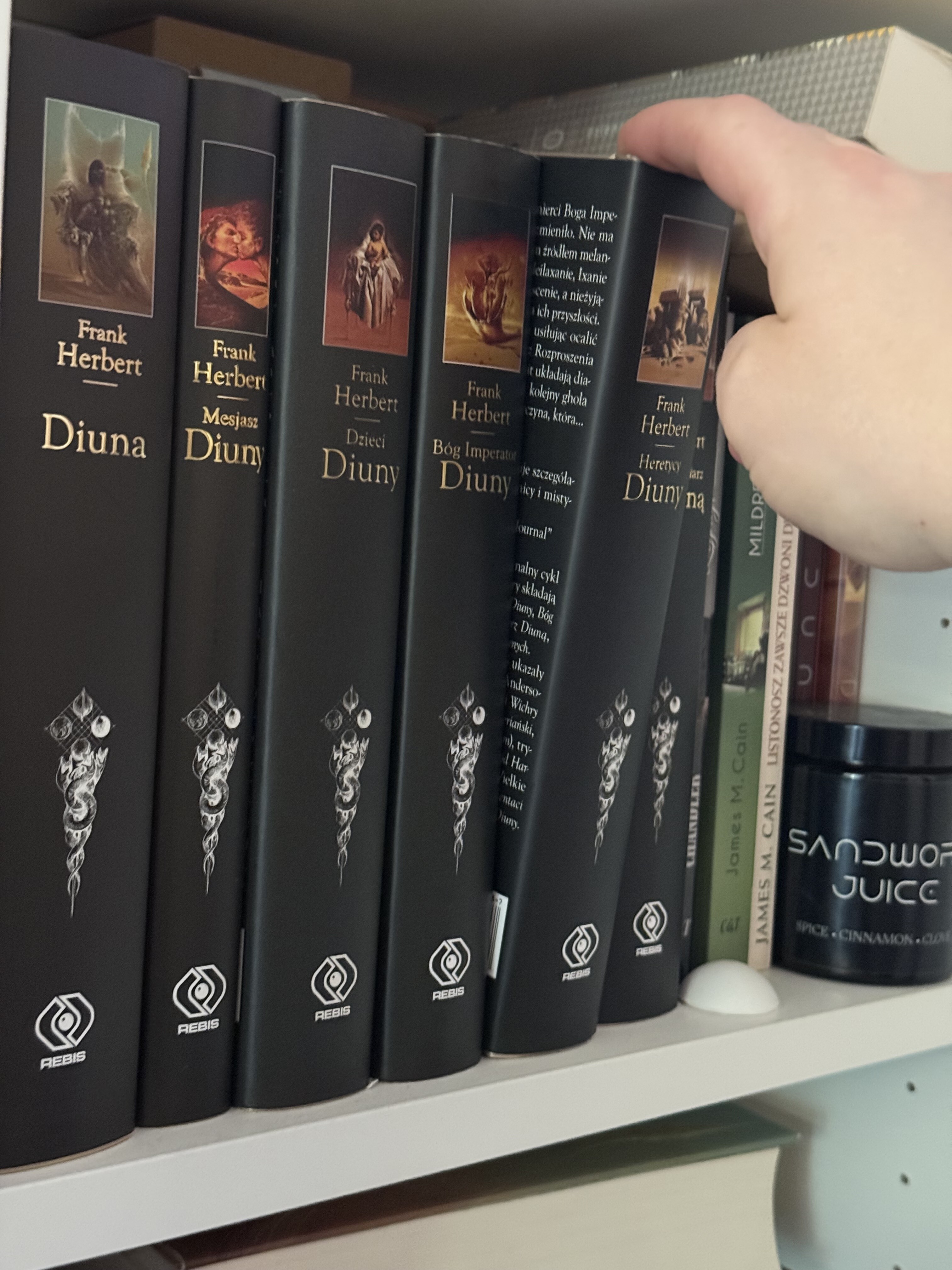
You may be intrigued by the title - how I managed to make a secret passage, but unfortunately it’s not the whole truth. It’s only a secret bookcase passage style automation
A very common theme in older mystery/adventure movies is that someone has a secret passage behind a bookcase, activated by tilting a specific book. For example, that’s how the Addams’ fortune was hidden in the Addams Family (1991).
So currently our bookcase is purely esthetic, as we now have all our books on our Kindles (yes, we even re-purchased all those books on the bookcase).
When I bought the P100, I started testing it in various use cases. I put it down on the bookshelf for a moment and then I got an idea - what if I put it atop of one of the books?
I left it here and configured it in object monitoring mode and I can confirm - you can use it to have a secret automation activated by moving a specific book.
I only played with it for a while and automated the lights, but I believe you can make some other fun automations with it, like dim the lights, or unlock the door to your study (if you have a smart lock like U200).
So if you have a spare P100 and a bookshelf with books that were not read for a while, then you can also make your own cool automation
I actually don’t have any doors I could use another lock on (because I have only two doors in my apartment), so I joked to my wife I could install a U200 on the toilet door.
When a guest comes, they won’t be able to go to the toilet. “Where’s the toilet?” They would probably ask.
And then I would silently come to my bookshelf, pull the book, and observe the look on their faces when the toilet unlocks. And this sound would be a cherry on top.
Of course I don’t plan on locking the toilet with a smart lock
That would be a brilliant idea for an escape room! I ask myself whether one could get Aqara on board as a sponsor for something like this? The “Digital Dungeon” escape room, proudly presented by Aqara.
An escape room could be a great promotional event Open the doors locked by Aqara locks by solving a puzzle made with the P100, presence sensors or other sensors (like the leak sensor).
Or maybe some fantasy/DnD themed event? You have to roll the Aqara Cube and then select a magic book from the shelf - depending on the roll and the book you get a different result!
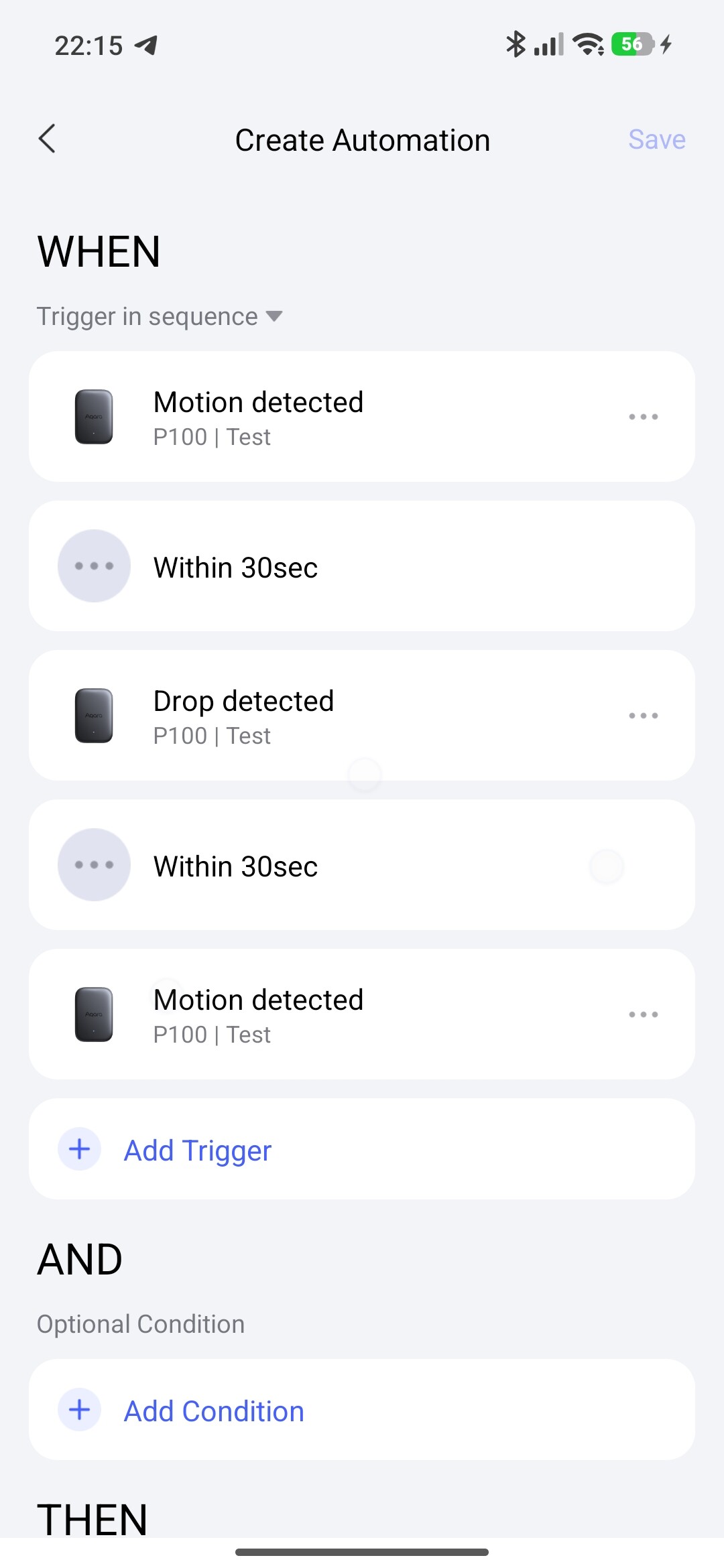
Hi, @cezary806. You saw a problem in automation 2.0. In the WHEN section for the P100 sensor (alone, without other devices) the sequence cannot be done. It says “same conditions”, although I used different sensor states.
Hi! What automation are you referring to? My P100 sensor is currently used as a door sensor, I believe I used WHEN motion detected (or something like this, it’s currently in door monitoring mode so my automations are different now) for the book automation.