Dear Aqara Support Team,
I would like to report an issue with my Aqara H2 switch where a single button action appears to have triggered two different commands.
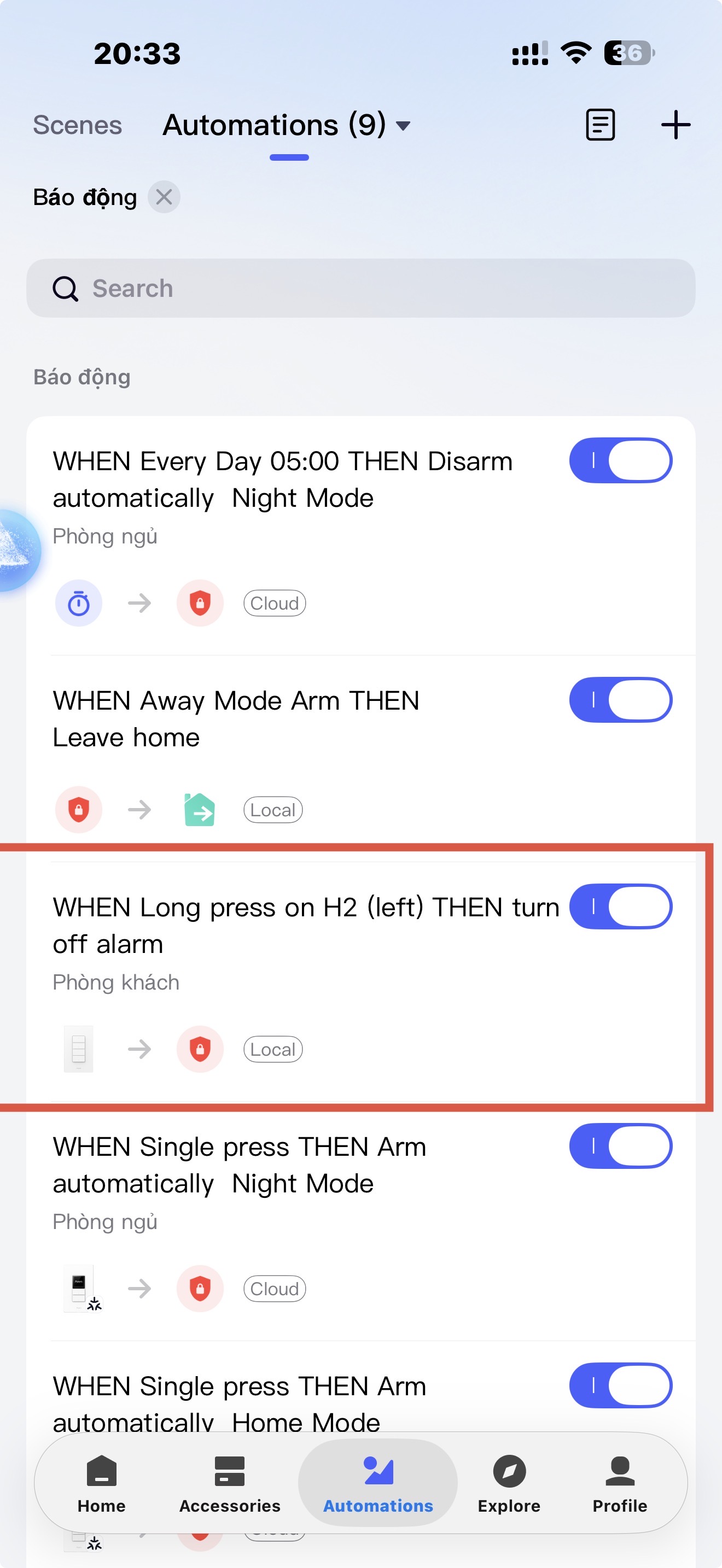
I have an automation configured for the H2 switch as follows:
When I long press the H2 switch → Turn off/disable the alarm.
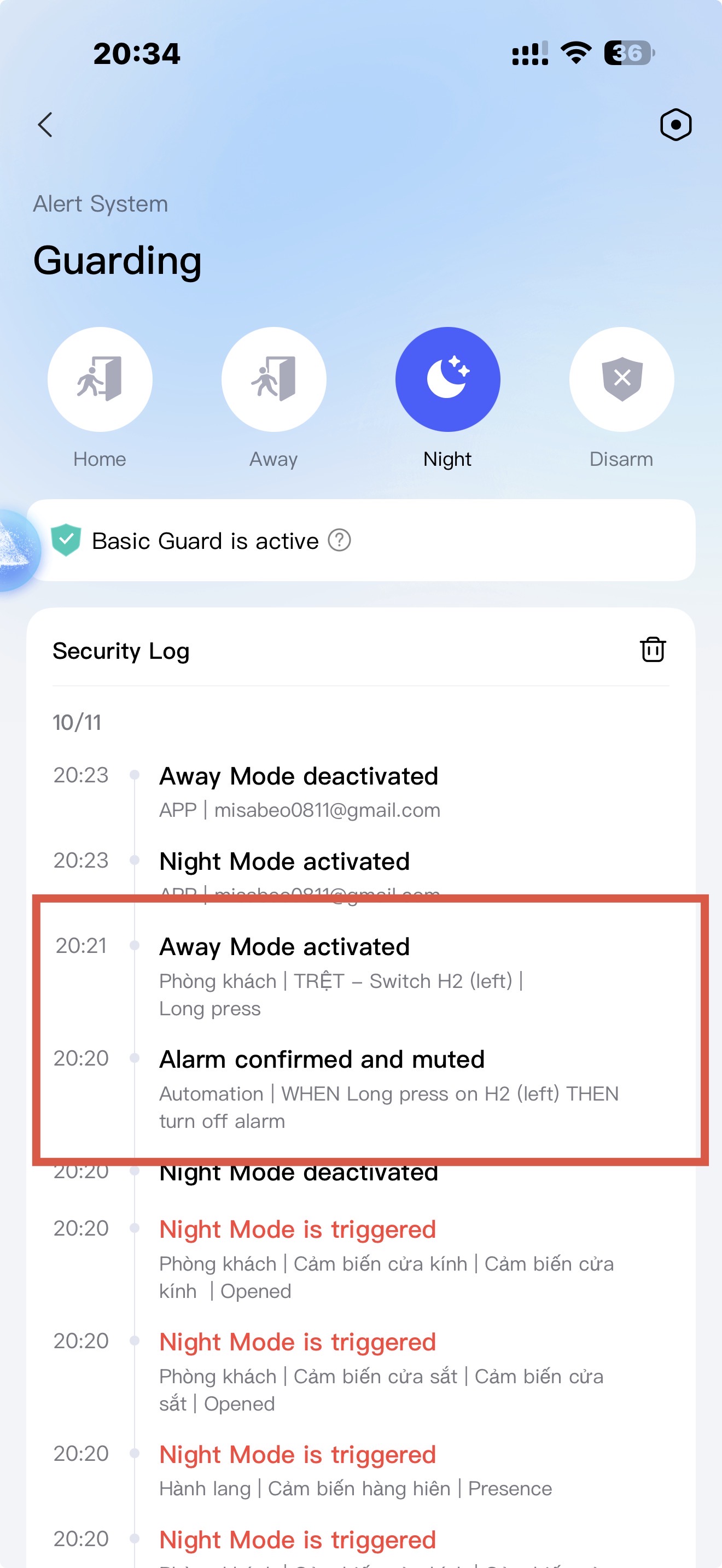
Last night, I accidentally triggered Night Mode, which caused the alarm to sound. Since my phone was in the bedroom, I used the H2 switch and performed a long press to turn off the alarm using the automation mentioned above.
The alarm was successfully turned off. However, shortly afterward, I noticed that Away Mode had also been activated unexpectedly.
I checked the notifications/activity records in the Aqara app, and they indicated that Away Mode was activated as a result of the long press on the H2 switch.
This is very strange because I have never configured any automation on this H2 switch to activate Away Mode. As far as I can see, the long-press action on this switch is only configured to turn off the alarm.
In other words, one long press on the H2 switch appears to have resulted in two actions:
- Turn off the alarm — this is the action I configured.
- Activate Away Mode — this action was not configured by me.
Could you please investigate why the H2 switch triggered Away Mode even though there is no automation configured for it to do so?
Please also let me know if there are any logs, screenshots, device information, or other diagnostic information that I can provide to help you investigate this issue.
Thank you for your support.