Hi folks, I’ve been facing issue in paring my FP400 and M3 Hub. Very painful experience (3hours trying to connect with no success)
At initial setup, I was able to see the pick of Thread and Zigbee protocol. I don’t remember what I picked at very first, I however remember seeing purple light and switching to Zigbee protocol. There was a page showing 3 steps, where 2nd step seems to be downloading the firmware and 3rd is to apply?
This was the closest step that I almost connected FP400 and my M3 Hub. However I was prompt that my M3 needs to be updated. After updated my M3 Hub to latest, FP400 can no longer be discovered. Press and hold reset button 5 seconds give quick blue blinks for about 2 - 3 seconds (~6 blinks)
I’ve certainly tried the following
Restart my M3 hub after firmware update
Press and hold 5 seconds on FP400 to enable discovery mode
Quick tap 10 times to perform factory reset
Unplug power from FP400 for more 1h, 2h, 3h and retry.
Ensure my Aqara Home app is on latest version (Android, Play Store)
Tried using different cable & power adapter
Variable to clear your assumption
My WiFi 6 signal is strong, we are all sitting in the same room.
M3 is just right beside my FP400
My WiFi 2.4 GHz and 5GHz shares the same AP, so basically device pick their need.
Hey there.i am really sorry to hear that you can’t pair your FP400.now just for reference were is you M3 placed?how much distance is in between your M3 and FP400?also what power supply do you use for FP400?more what server do you use on your Aqara home app?
Dealing with a device stuck pairing mid-firmware update is the absolute worst… honestly, super annoying!
Here are a few quick things worth trying to get it unstuck:
Complete Protocol Reset: Give it a 10-click factory reset, then jump straight into a 10-second long press on the reset button. Since the FP400 handles both Zigbee and Thread, my guess is it got confused toggling between the two right when the update hit.
Add directly via the M3 Hub: Instead of waiting for auto-discovery to pick it up, head into the Aqara app → M3 Hub settings → Add Child Device / Accessory directly from there.
Split your 2.4GHz and 5GHz Wi-Fi: Dual-band combined networks love to mess with the initial Aqara setup on Android during that local handshake step… try separating them temporarily.
If that LED still won’t drop back into a slow breathing pairing pattern after the 10-click reset, there’s a good chance the interrupted update bricked it, and you might just need to get it swapped out.
Hope one of these does the trick! Let us know how it goes.
Ta-da, FP400 back alive in breathing mode. In my case it’s in Purple (zigbee mode)
Finally, after 2000 years later. I manage to pair my FP400 with the solution mentioned in the TLDR.
First hand review (prior to any setup of Zone Management, mostly default setup)
The presence & absence detection is SLOW.
Due to the 1st reason (absence is slow), soonest I walk from 1 corner to another, then further. It shows 3 person in the room (actual case, 1 person just me).
FYI monitor settings are set as
Detection direction - default (my FP400 is ceiling mounted)
Mounting direction correction - Auto
Presence Detection Sensitivity - High
Proximity Sensing Distance - Medium
It’s my first presence sensor, yet pretty disappointed. Hopefully I’m doing it wrong, so I can configure to a better settings to make things better.
Great yeah I never use that accidental removal option but I am glad you manage to fix and pair your FP400 because is an awesome device.i have it from the trial and it still working strong no ghosts or slow detecting on my end.just make sure to set it up well even on the height set it right on the Aqara home app.
That’s good for you. Im curious at the no slow detecting for you. I’ve configured automation to switch on and off light based on my presence and absence.
At my presence it works fine (not instant kind, no complain), however for absence it may take say 5 seconds after I left the area. That’s, pretty weak.
Out of curiousity, what are the place you use at? what’s the height / distance? what’s your configuration set?
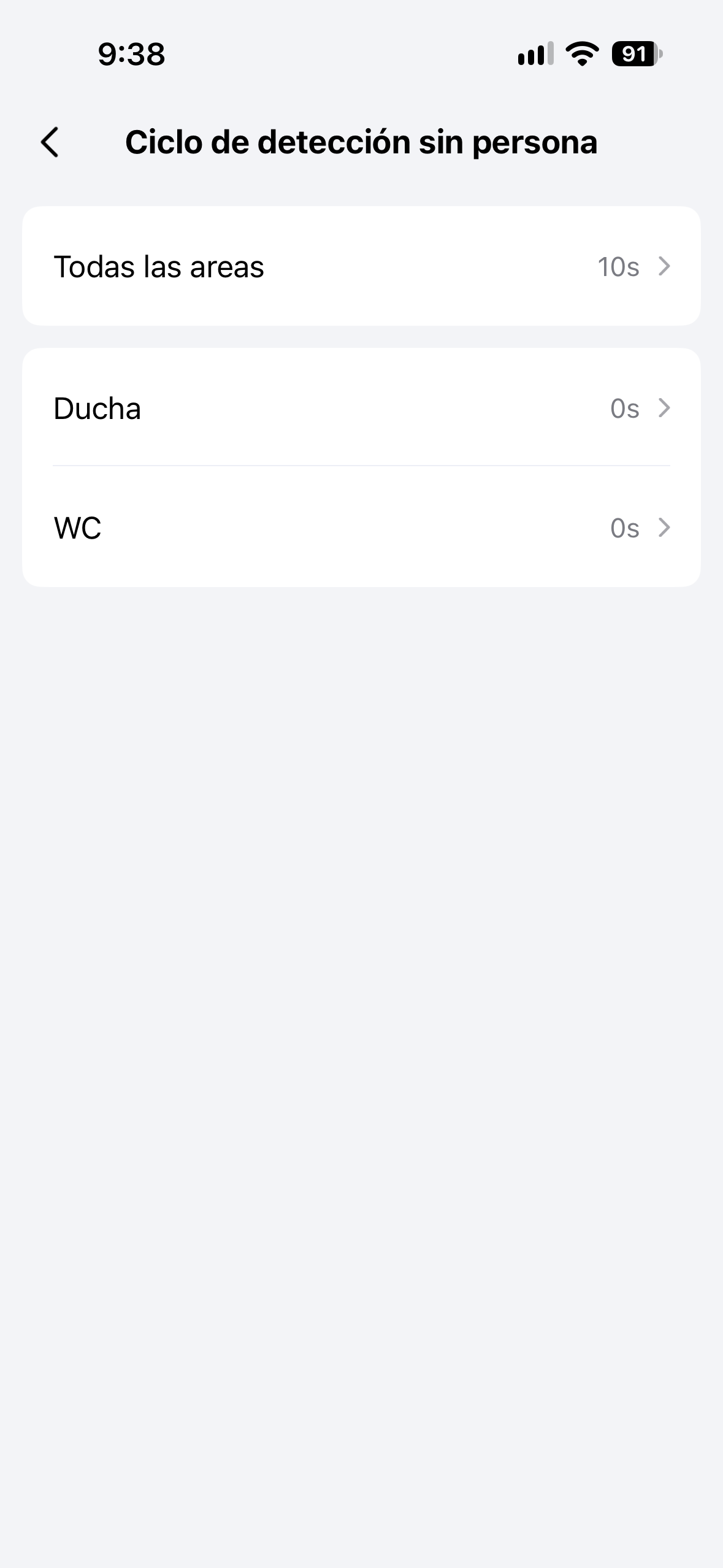
Mine is set on the bathroom and is fast on detection meaning that I use it to control fan light and light light the only thing witch is 10s slow is when turn off the light but I am fine with that also make sure to set the seconds on the setting of the FP400 as you can see there is the detection in sec for each zone you made
Indeed. Setting to 0 seconds gives instant effect soonest you’re out from the zone, bravo brother
Im being a little greedy placing this sensor in between kitchen and dining and slighty not too far from my living room, I was hoping to capture activity there too. So I get to experience “smart” home with 1 presence sensor, guess it’s just too far for the coverage.
These zones are certainly within 800 sqft (im sure way lower), Aqara advertised FP400 ability 860sqft doesn’t seem to deliver
Well each place it for their needs I wanted one on my bathroom as I have an small apartment living room and I do not need an presence sensor here but on the bathroom is more effective an useful for my needs