Hello, I want to tell you the recommended settings for the Aqara H2 smart switch and Aqara smart lamps (or another manufacturer.
Introduction
Users have a problem when combining a smart switch and a smart lamp. The essence of the problem is that the smart lamps go into “offline” mode after turning off the smart switch.
As an example, consider the settings of the Aqara H2 smart switch (single-channel) and the smart lamp
Section 1 Setting up the H2 switch.
The logic of setting up the switch consists of the following requirements.
The first is to ensure that the smart switch operates in such a way that the smart lamp never goes into “offline” mode after manipulations (On/Off).
The second is that the smart switch should become “dumb” at any time. In the event of a loss of communication with the gateway, it is often impossible to turn on the lamp, which is a very unpleasant moment in a smart home. Also, the light in the room after an unexpected loss and restoration of industrial voltage should turn off. This is important when industrial voltage restored in the middle of the night when you are sleeping.
The third requirement is to control the smart lamp using the second button of the H2 switch (wireless) smart lamp.
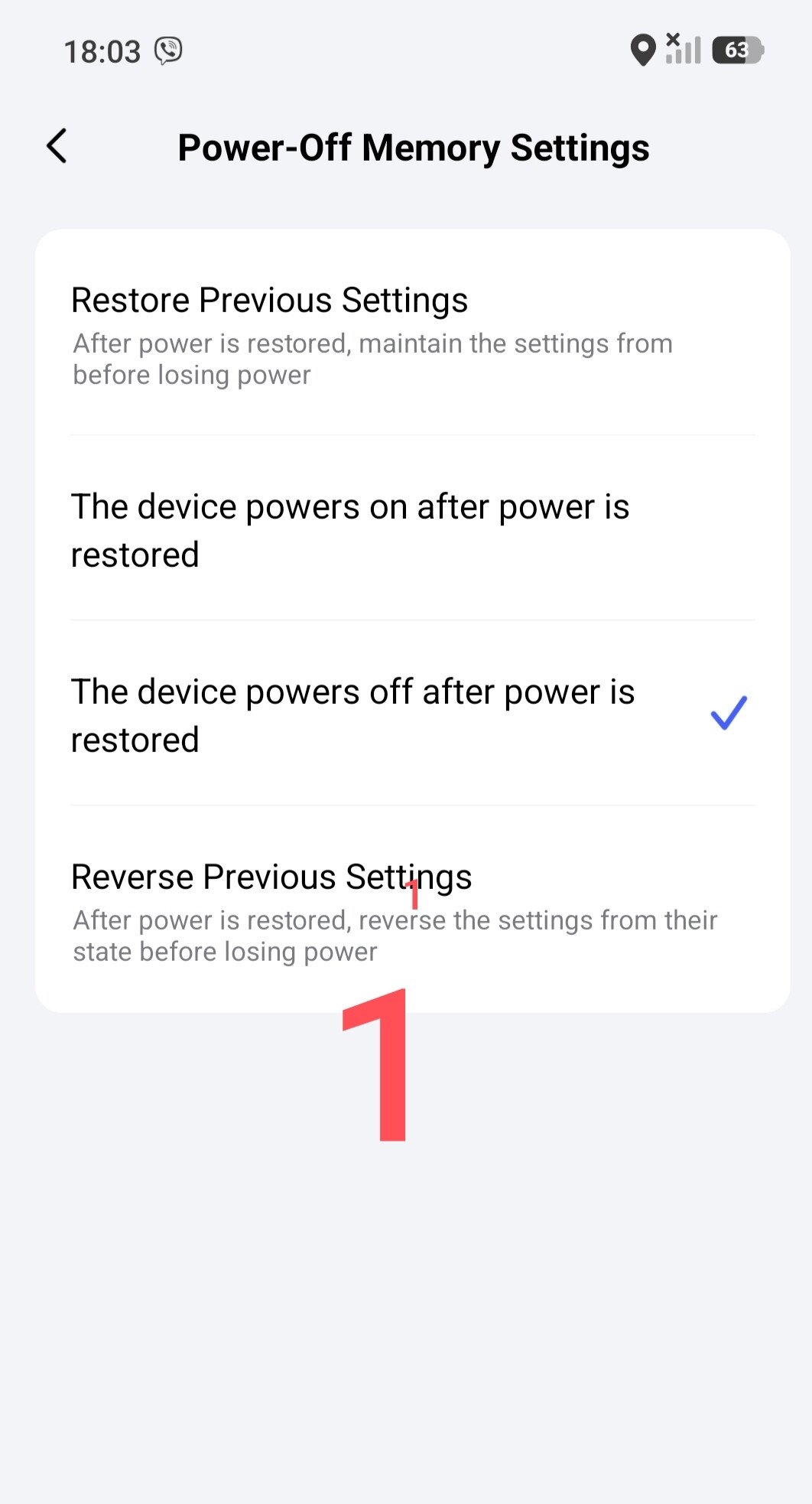
Solution to the first requirement. In the switch settings, we never put the PHYSICAL relay control button into logical mode.
Solution to the second requirement. Setting the power mode of the H2 switch, we select “turn off the switch after voltage recovery”. You turn the light back on with one touch.
Fig.1.
Solution to the third requirement. We will consider this section at the end of the lesson.
Chapter two, setting up the smart lamp.
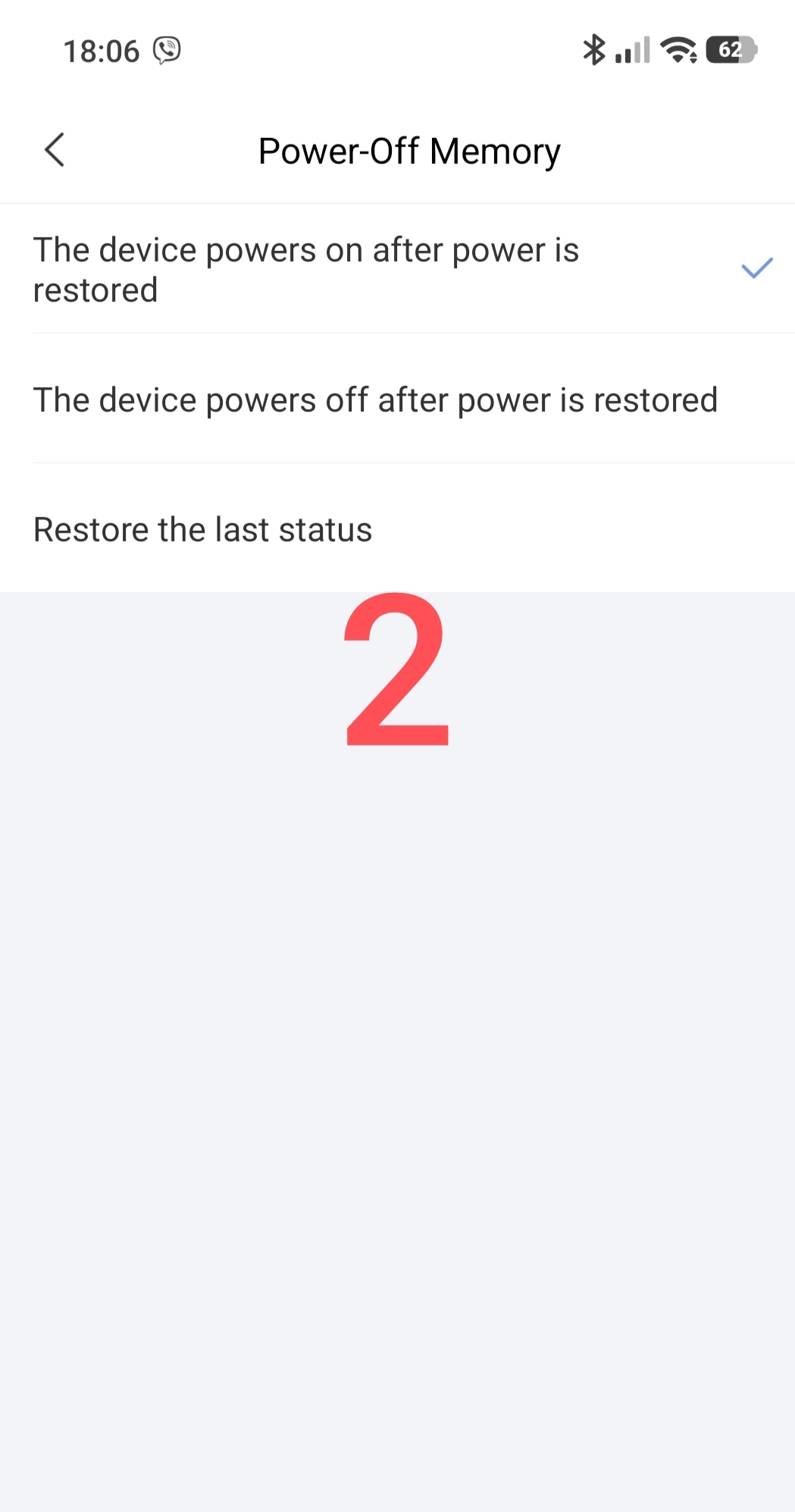
The smart lamp must meet the requirements to turn on at any time and in the event of a “falling off” of the smart home. I mean, an automation malfunction that can affect the lamp control at any time.
To do this, we select the option for the lamp “restore power after voltage recovery”.
Fig.2.
EXPLANATION of the algorithm work.
- The industrial network has disappeared and recovered - the smart lamp has turned off. Re-activation (emergency) will be from the physical button.
- The smart house has broken - the physical button works like a dumb switch with a regular dumb lamp.
In conclusion, I will show automations that control the lamp using the wireless button of the switch H2.
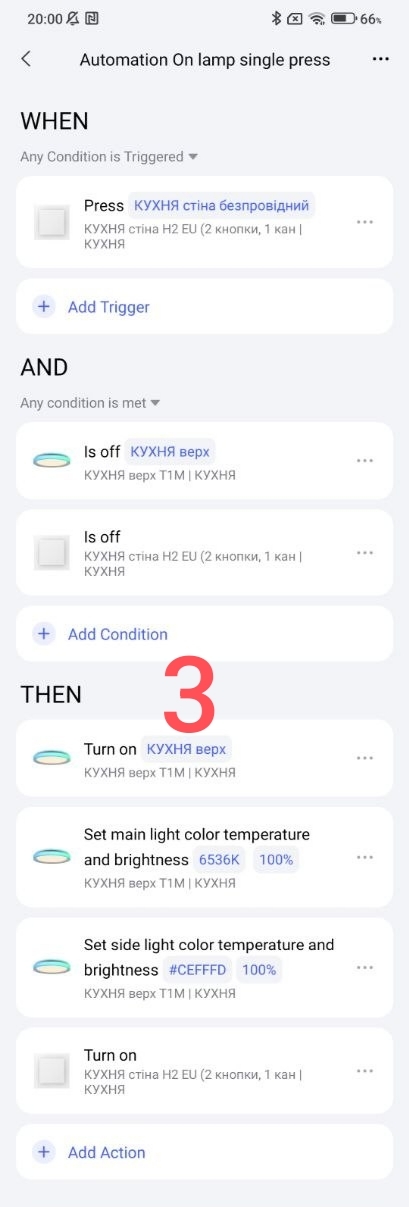
“Automation On lamp single press”
Note, the last action in THEN is a duplication of turning on the physical switch in case of mistaken shutdown by the user or after restoration of industrial voltage. (Off mode).
Fig.3
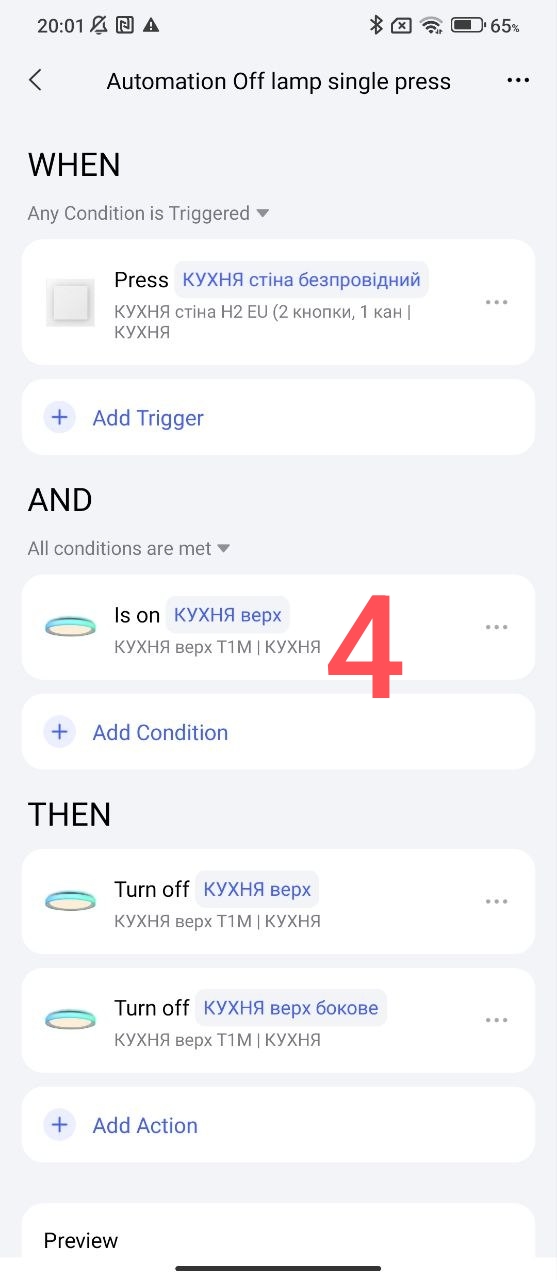
“Automation Off lamp single press”
Fig.4
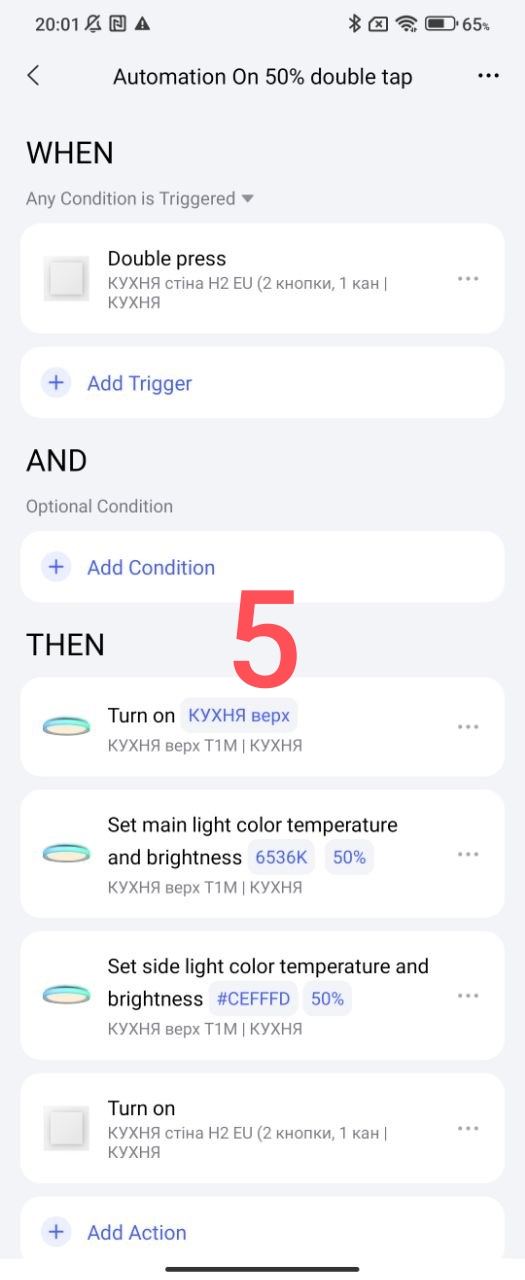
“Automation On 50% double press”
Fig.5
Automation On 20% long press"
Fig.6

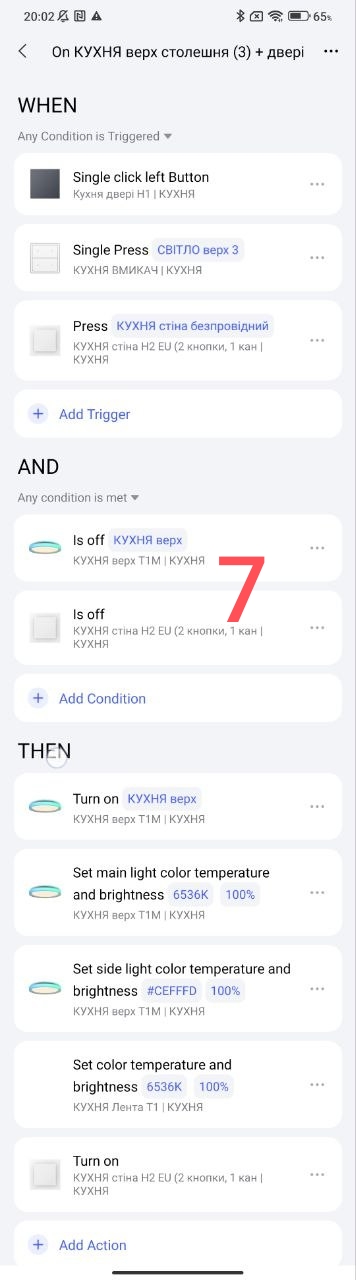
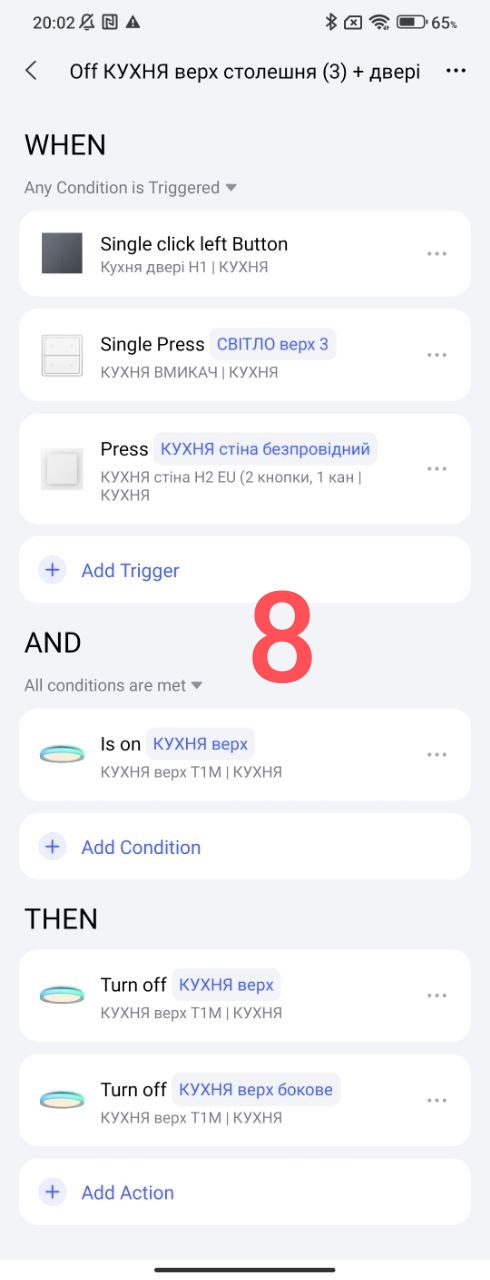
As evidence, I show my working automations in in full. All others given in the example are specially created for demonstration.
Fig. 7,8.
This concludes the topic.
Thank you for reading and sharing the topic (you can also on other platforms with a link to our forum).
Here I leave a link to the automation lessons 2.0
Lesson 1_ Automation 2.0 Tutorial Collection - Lesson 1 report