@gafich10 Thank you for your suggestions.
I’ll try to use your input during the weekend.
Regarding the vibration approach, vibration also happens when someone uses the door.
Therefore, it still needs to filter out movement.
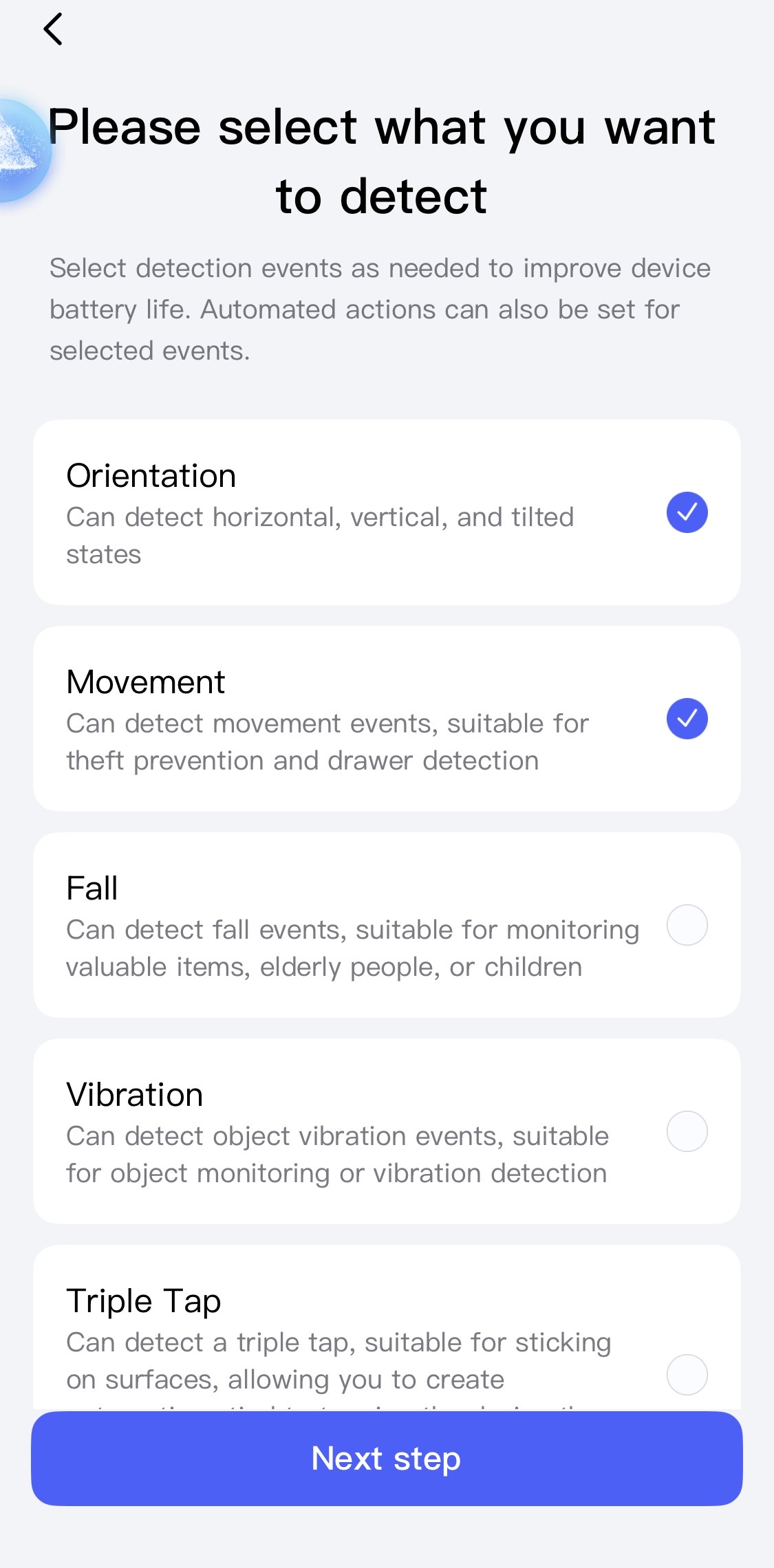
Since it is a multi-state sensor, it feels like it should allow to create automations based on certain events not happening. By the way, I am currently testing it using the “Object monitoring” setting, rather than the “Door” type shown in your screenshots, and I have selected only “Orientation” and “Movement”.
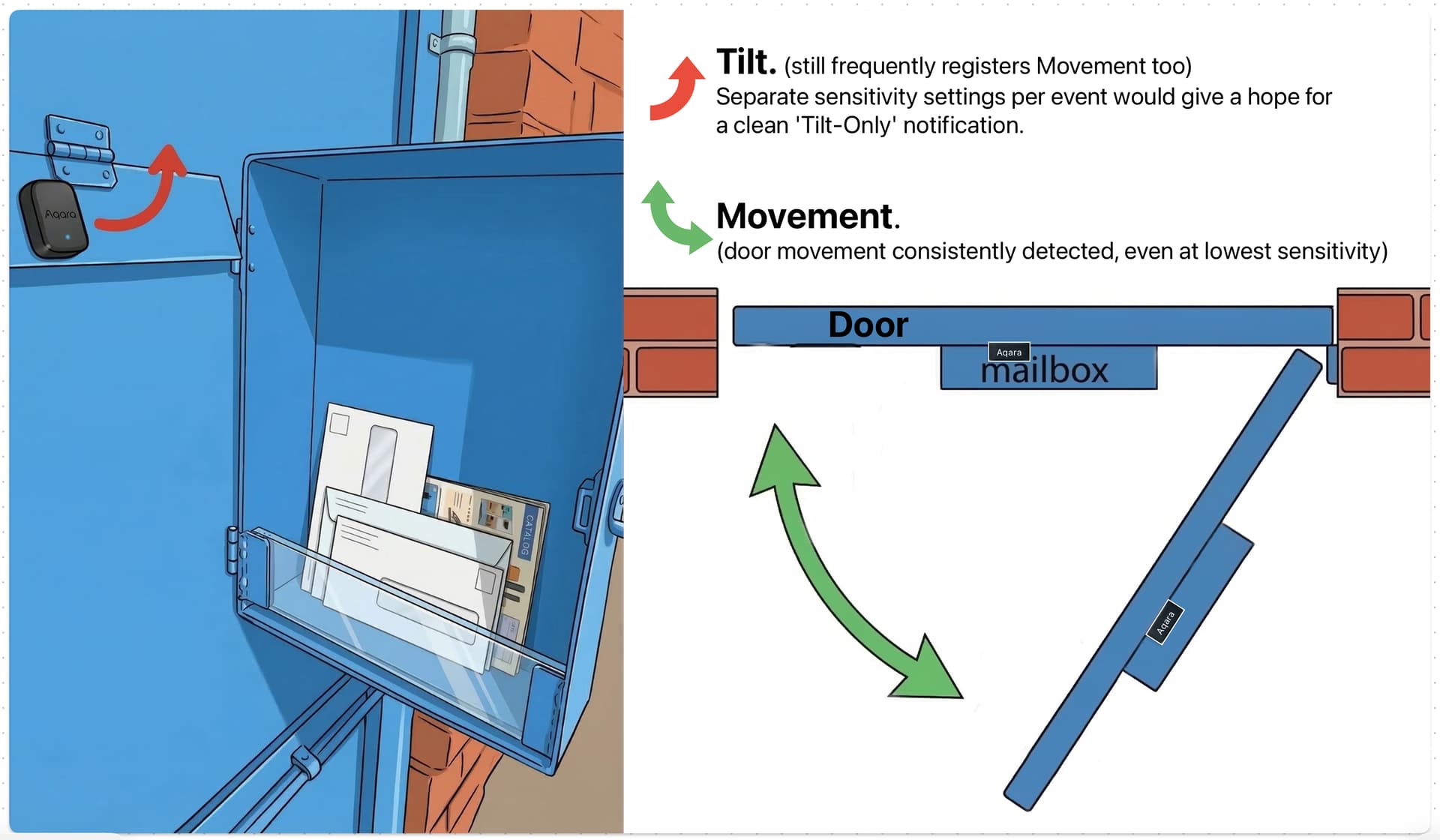
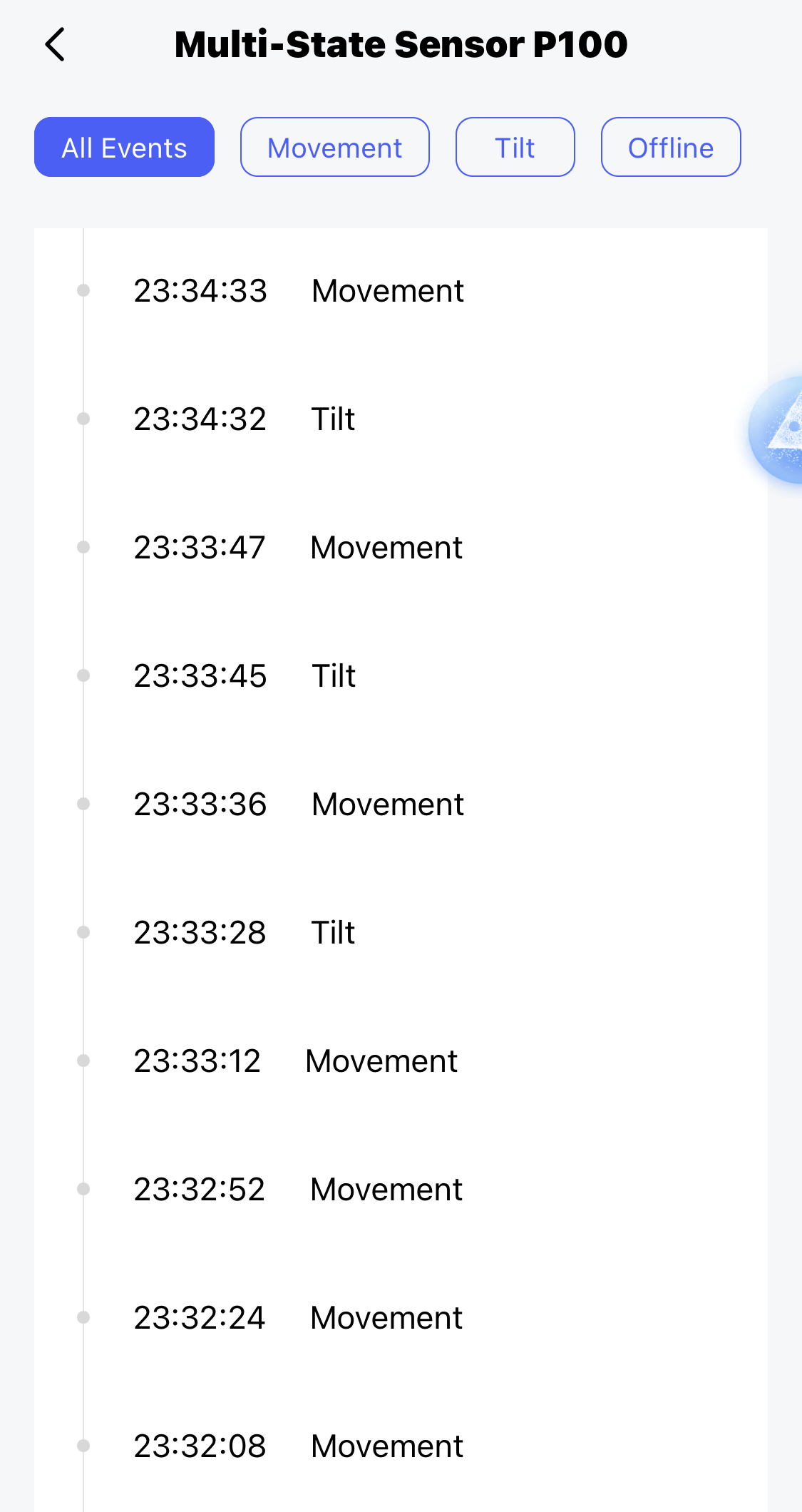
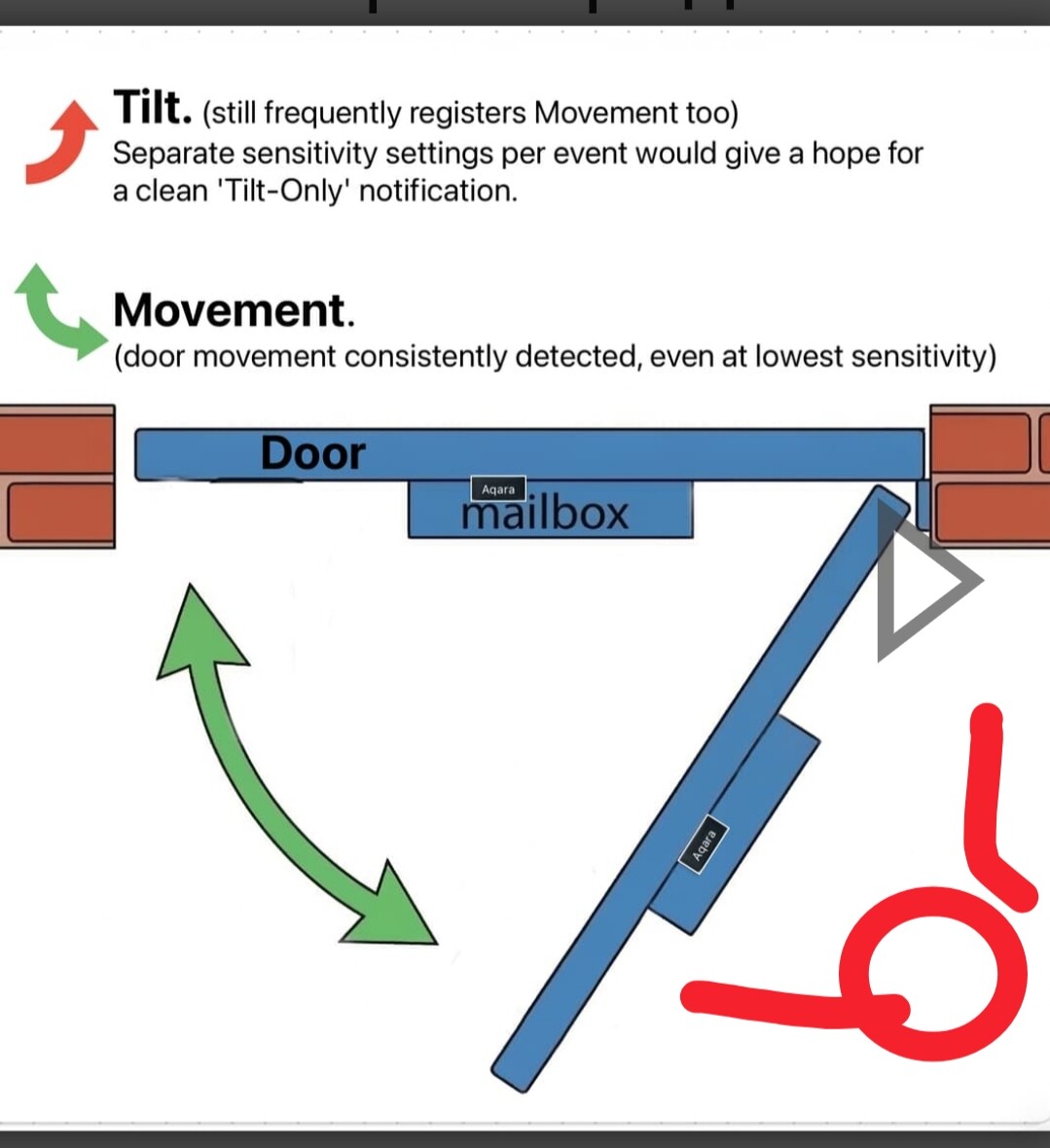
Speaking of “Tilt,” in my current setup, it frequently registers along with “Movement”. (will try to put it even closer to the hinging point)
@MakerMing, perhaps it would be useful if we could adjust the sensitivity for each event separately? Lowering the “Movement” sensitivity while increasing the “Tilt” sensitivity could potentially allow for a clean, distinct ‘Tilt-Only’ detection, I think. Or is it more about instant velocity, not a distance of relocation… (Either way, separate sensitivity settings for different events would be useful in other setups too.)
1 Like
Hello, I switched the sensor to monitoring to help with your question. There should be no problems there. If the box is standing still and there is a blow (correspondence falls), an alarm will sound. I will take a screenshot for you later.
I checked, the vibration didn’t work when I was moving. It only worked when I threw an envelope of correspondence into the mailbox (I simulated it on purpose).
1 Like
Thanks, I’ll try vibration. Though that metal door is clearly vibrating for couple seconds when gets closed.
1 Like
If I end up giving up on the single P100 sensor approach, another way to solve this is to just add a motion sensor to the automation, since I already have one facing that door anyway. 
Thanks for the earlier hint, @JohnD !
What do you think, @gafich10 ?
1 Like
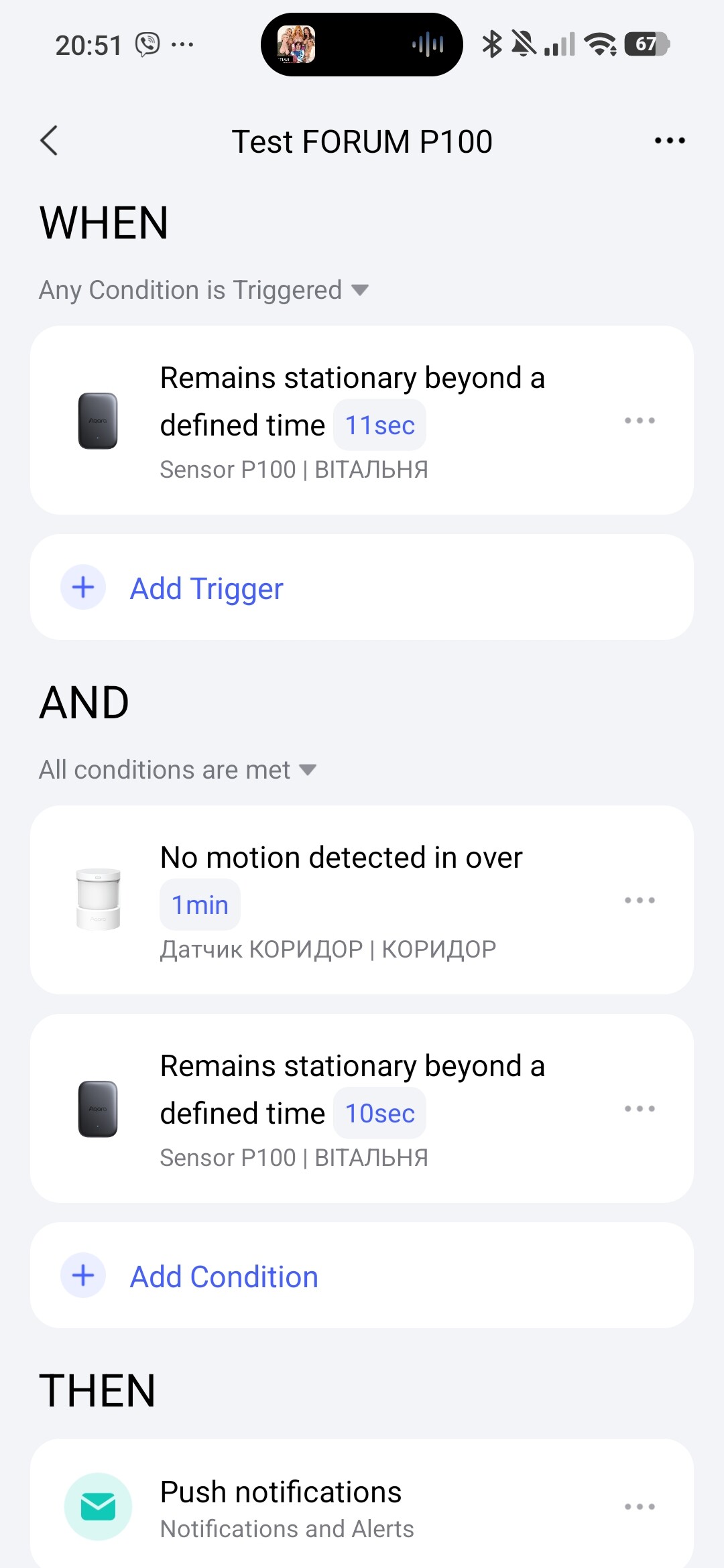
If you have a motion sensor in the yard (I drew it in red), then this automation will suit you.
EXPLANATION, we currently cannot use the “motion” or “movement” trigger in the WHEN section due to the lack of the “delay” condition, the IF section with the P100 condition sensor will always be unready for analysis in the “rest” state. Therefore, I used “no motion” in the WHEN and the group “no motion motion sensor” and “no motion P100” in the IF section. Please note that the time in the WHEN section should always be longer than in the IF section (preparation of the condition for readiness P100).
2 Likes
This will never work. 
EXPLANATION.
Let’s consider your mistakes.
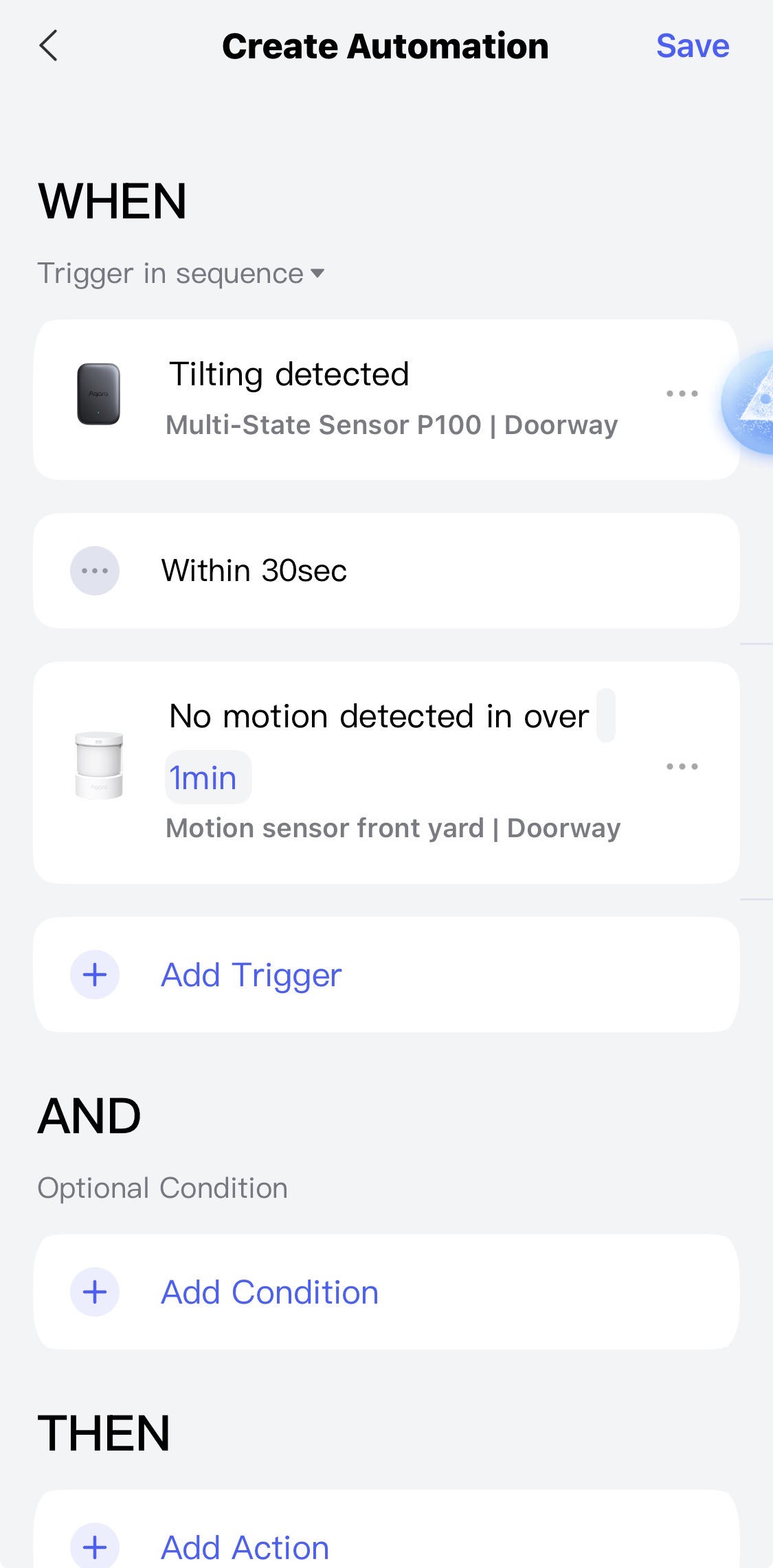
The first mistake is there is a movement (P100) after it comes the period of activation of the next tnigera (30 seconds), how in 30 seconds should an action take place with a time of 60 seconds?.
The second mistake is there is a movement (P100), you theoretically plan that there will be no movement for more than one minute (motion sensor) before the movement P100, therefore the second condition will never be a trigger after the first condition is met (there is a movement P100).
Afterword, read my explanation of the algorithm of work. 2.0, don’t be angry that I ask you to do this again. Your mistake is picture 4. Automation 2.0, lesson 1 (continued), description of the algorithm for transitioning automation 1.0 to 2.0
1 Like
Great! If I go with a 2-device setup, I’ll use suggested approach.
Thanks for the Automation 2.0 breakdown lesson, I’ll reread it so it sticks.
1 Like