You can find my initial unboxing thoughts in my previous post: First Impressions.
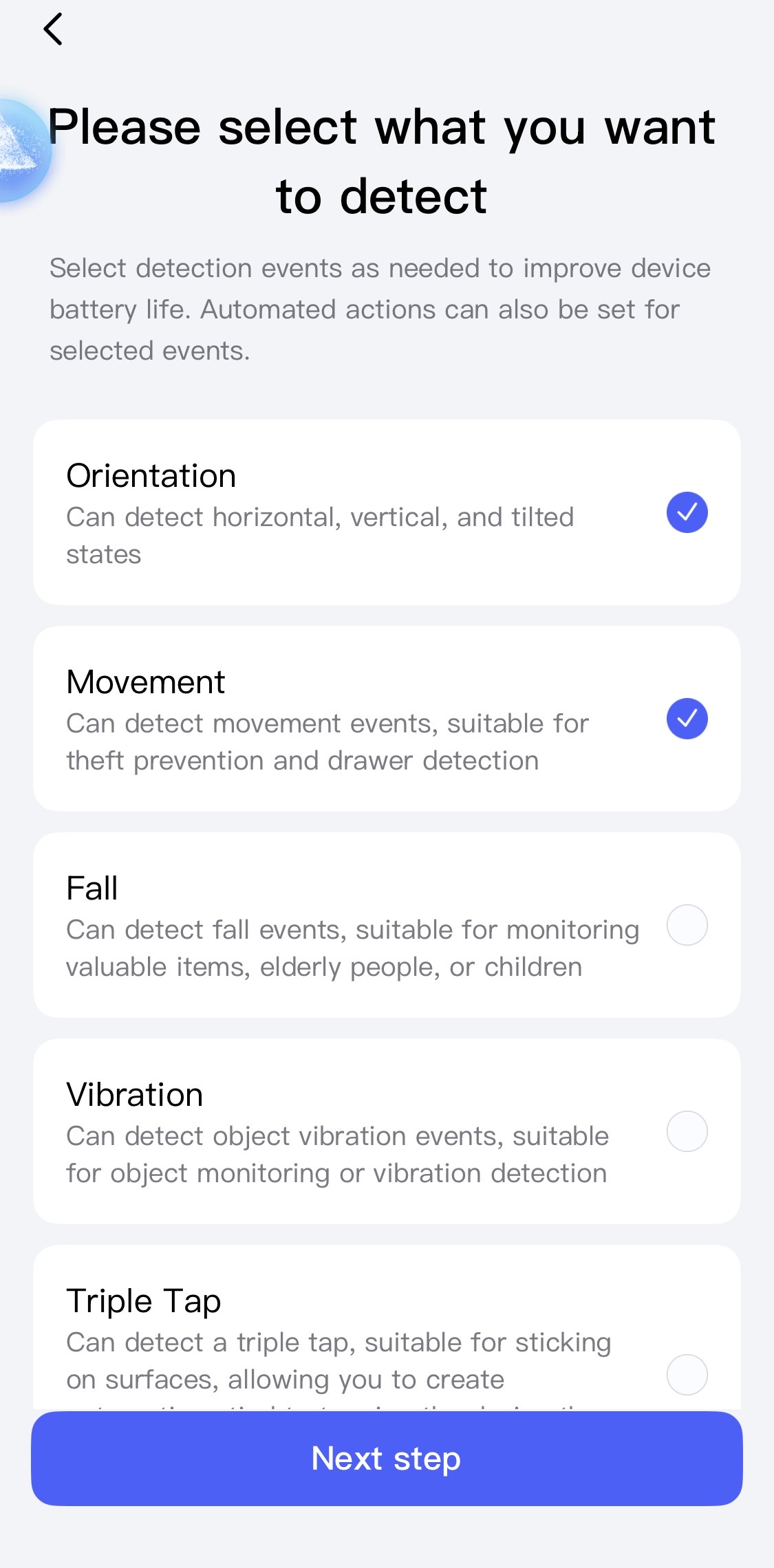
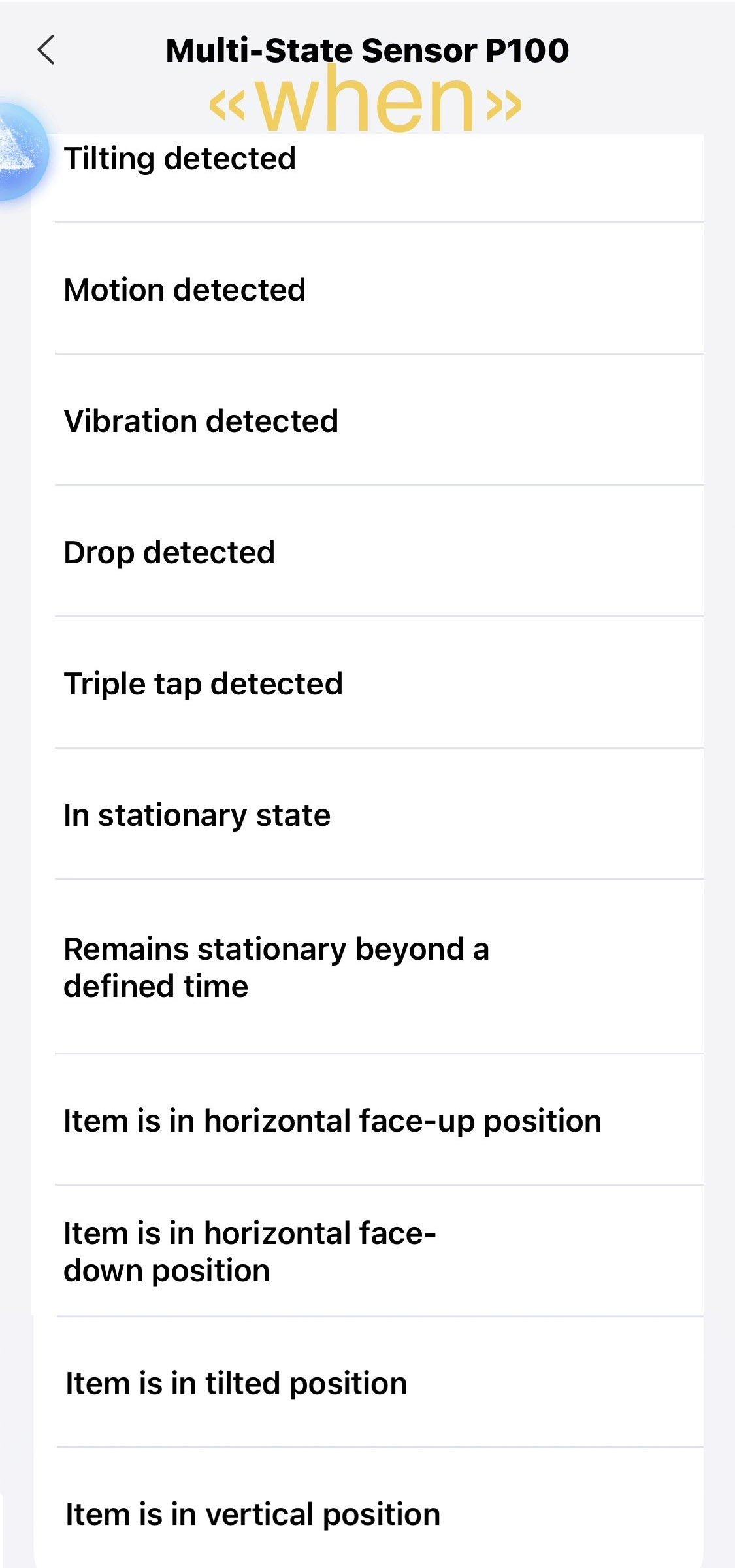
P100 Settings Menu(Zigbee mode)
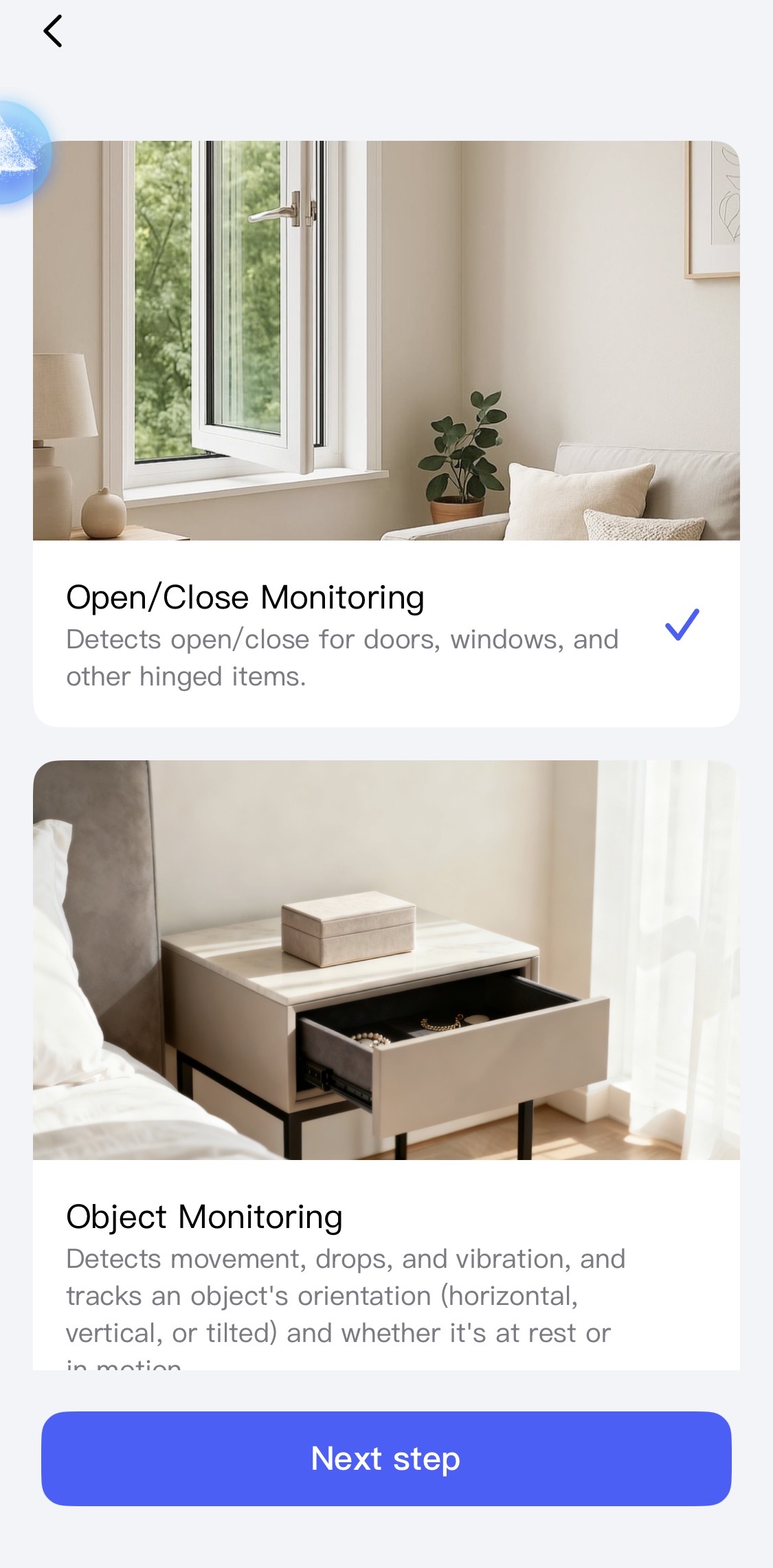
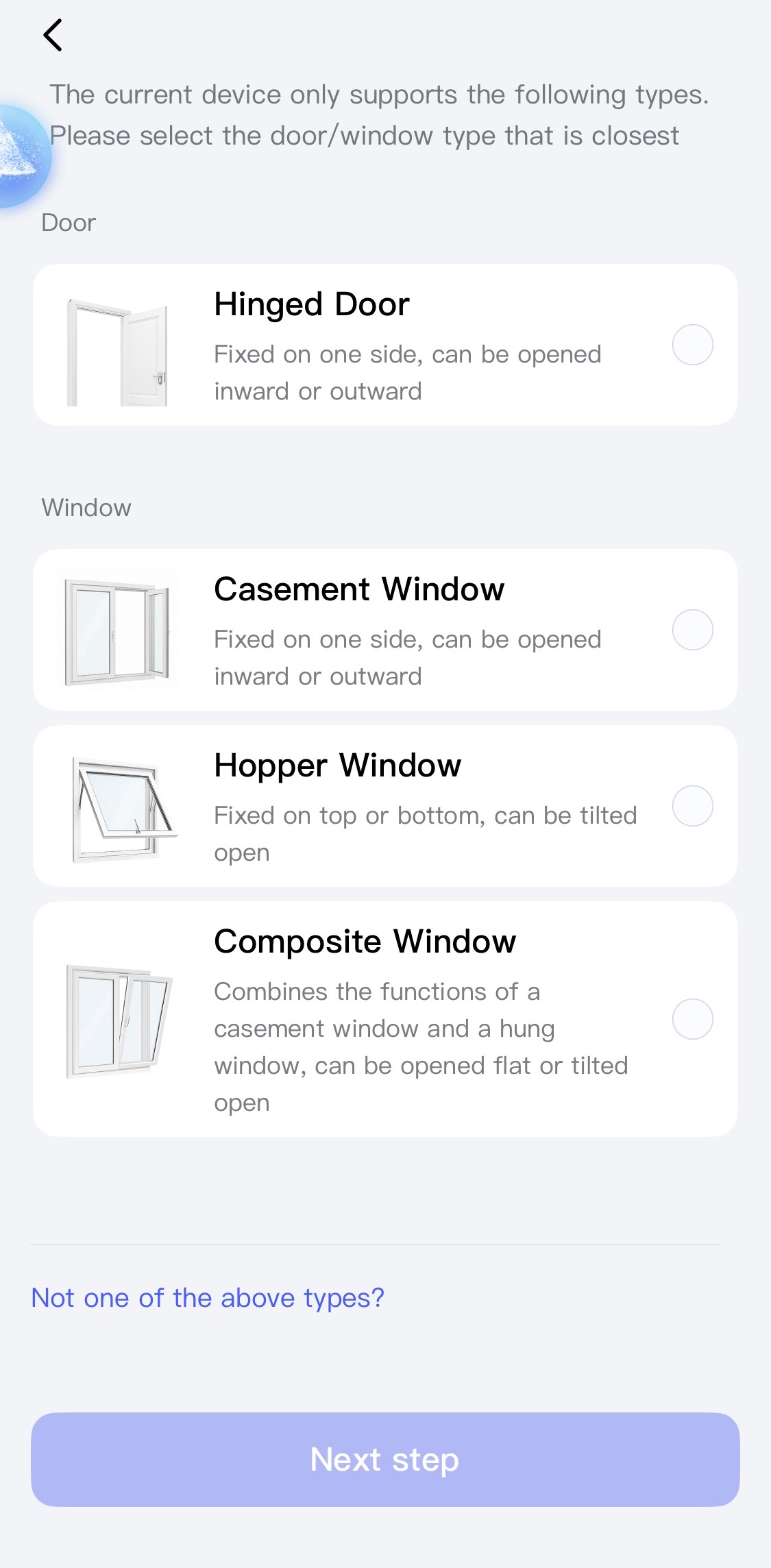
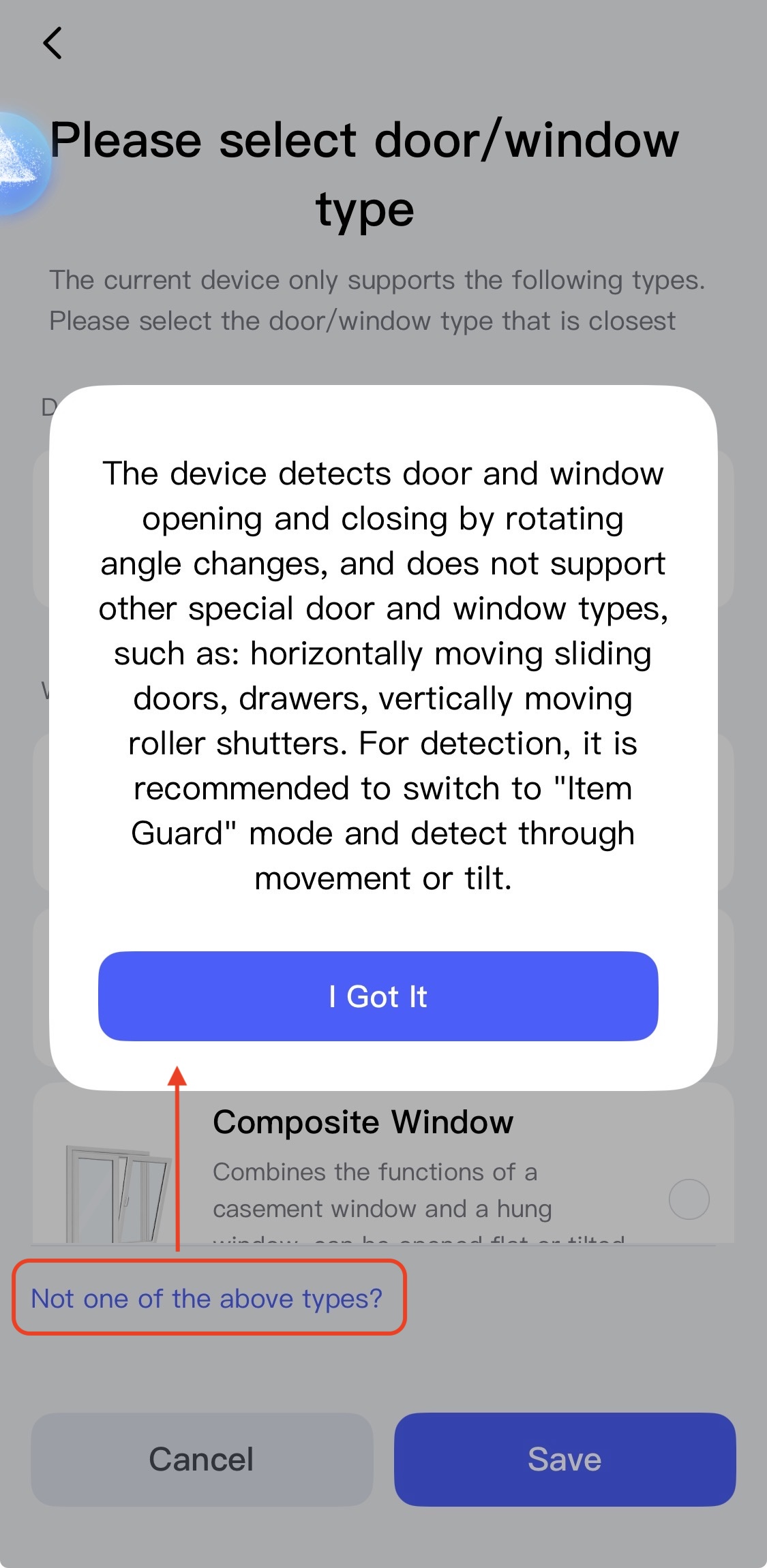
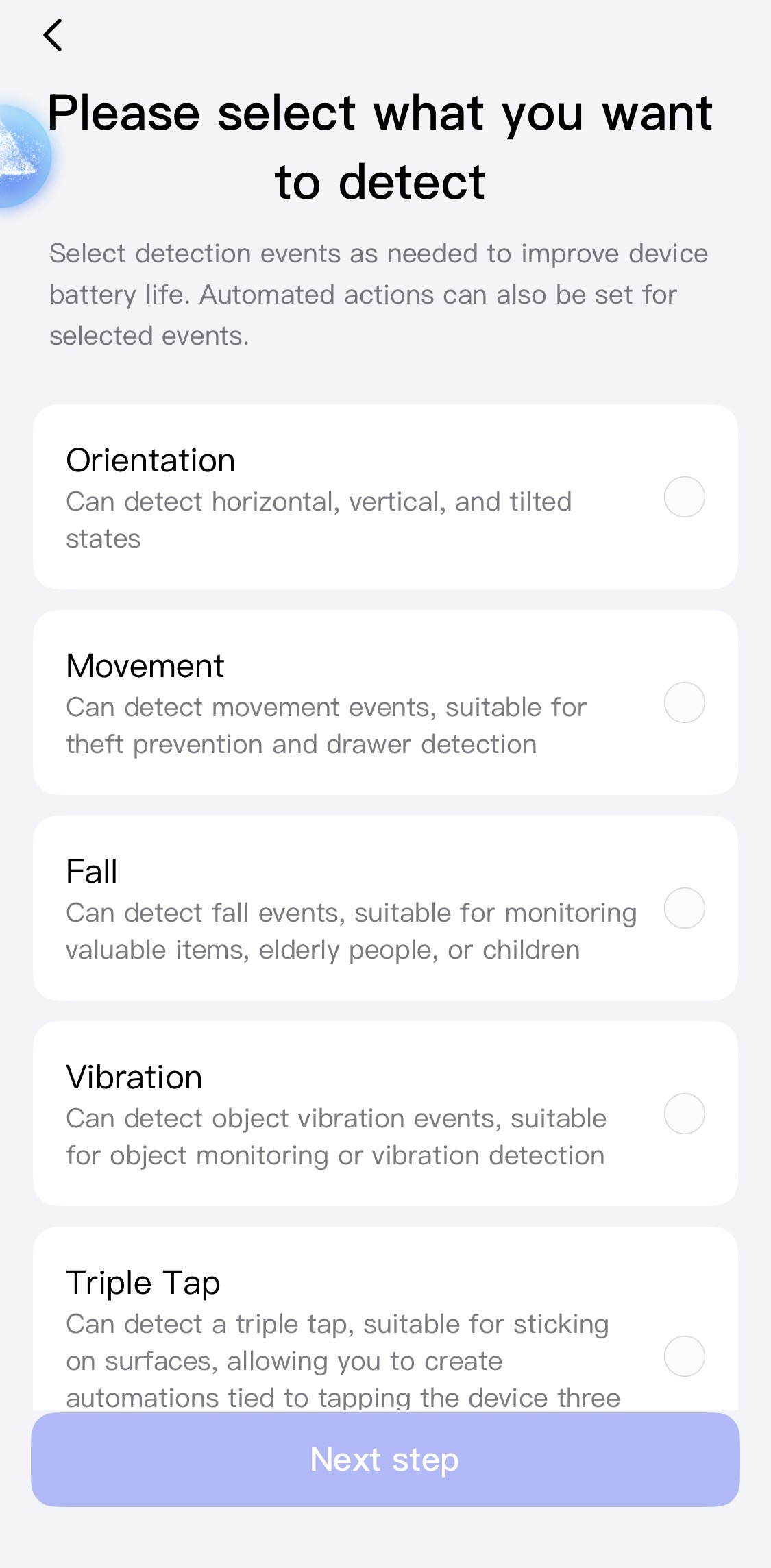
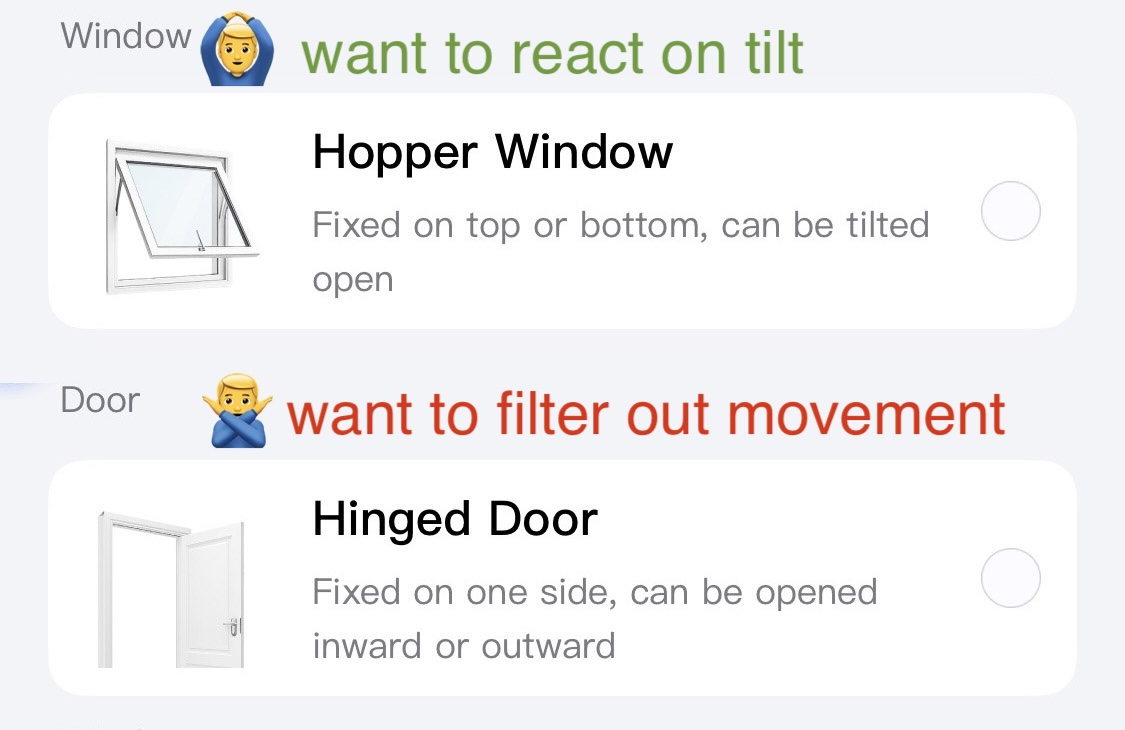
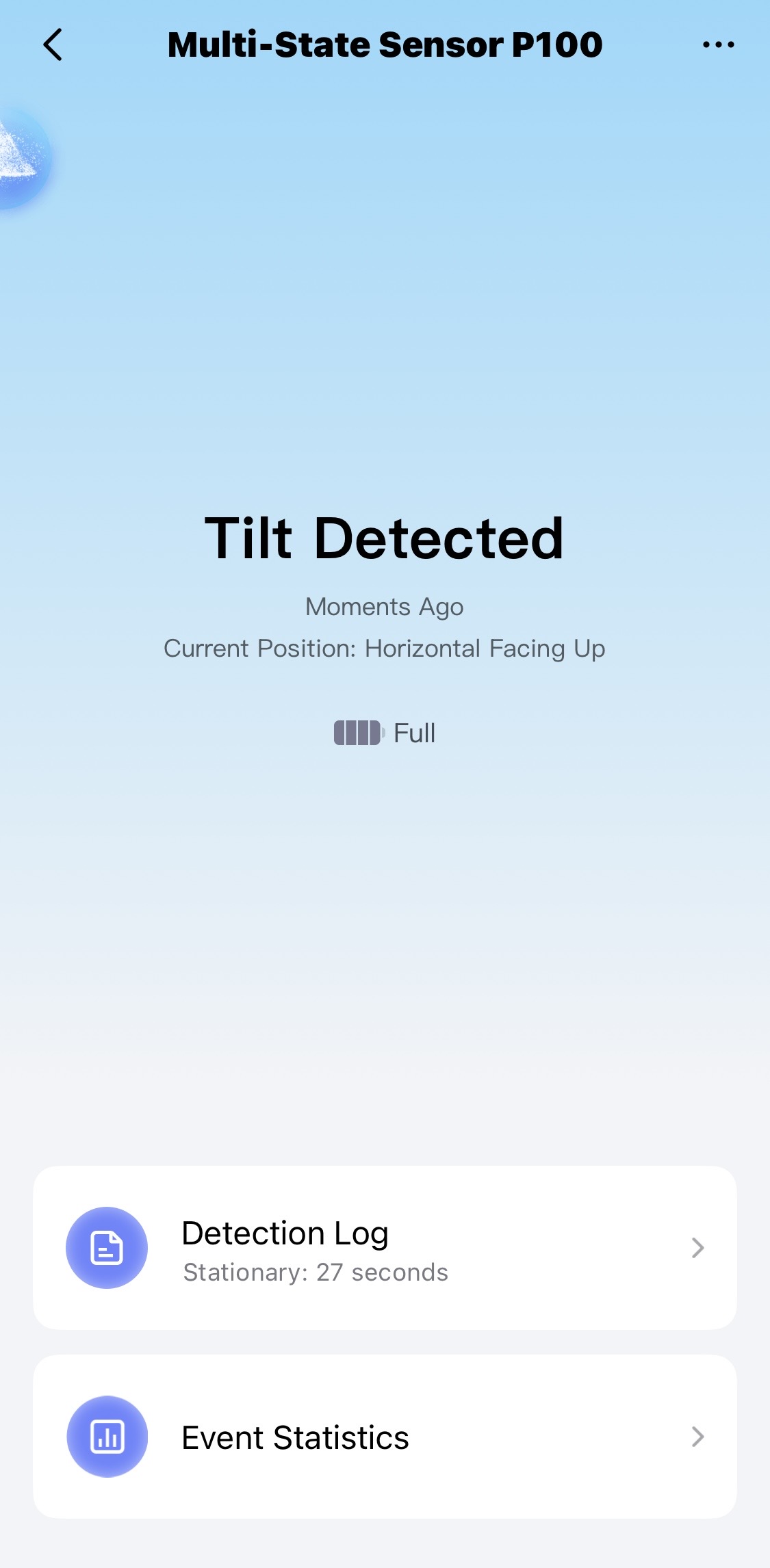
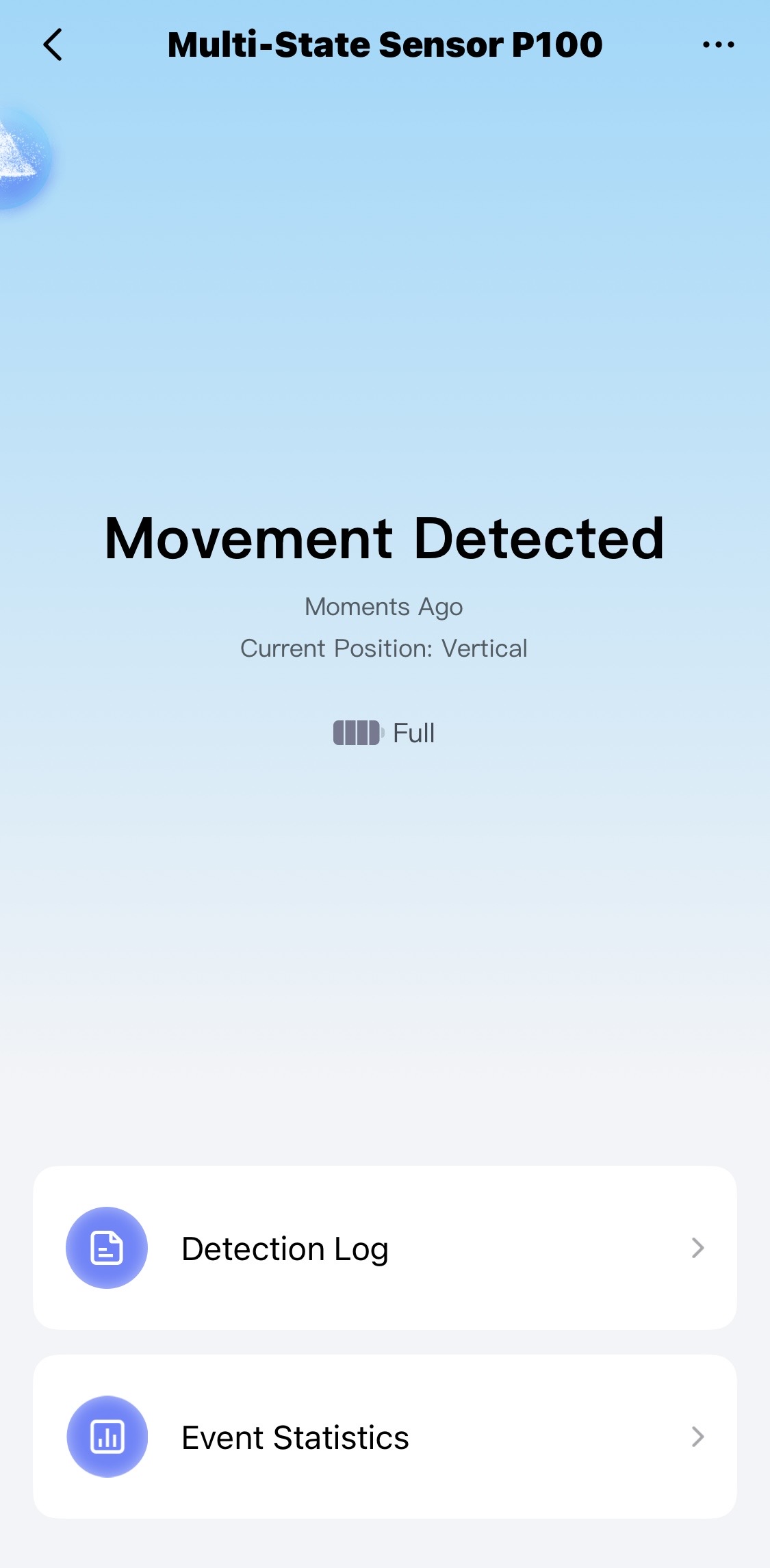
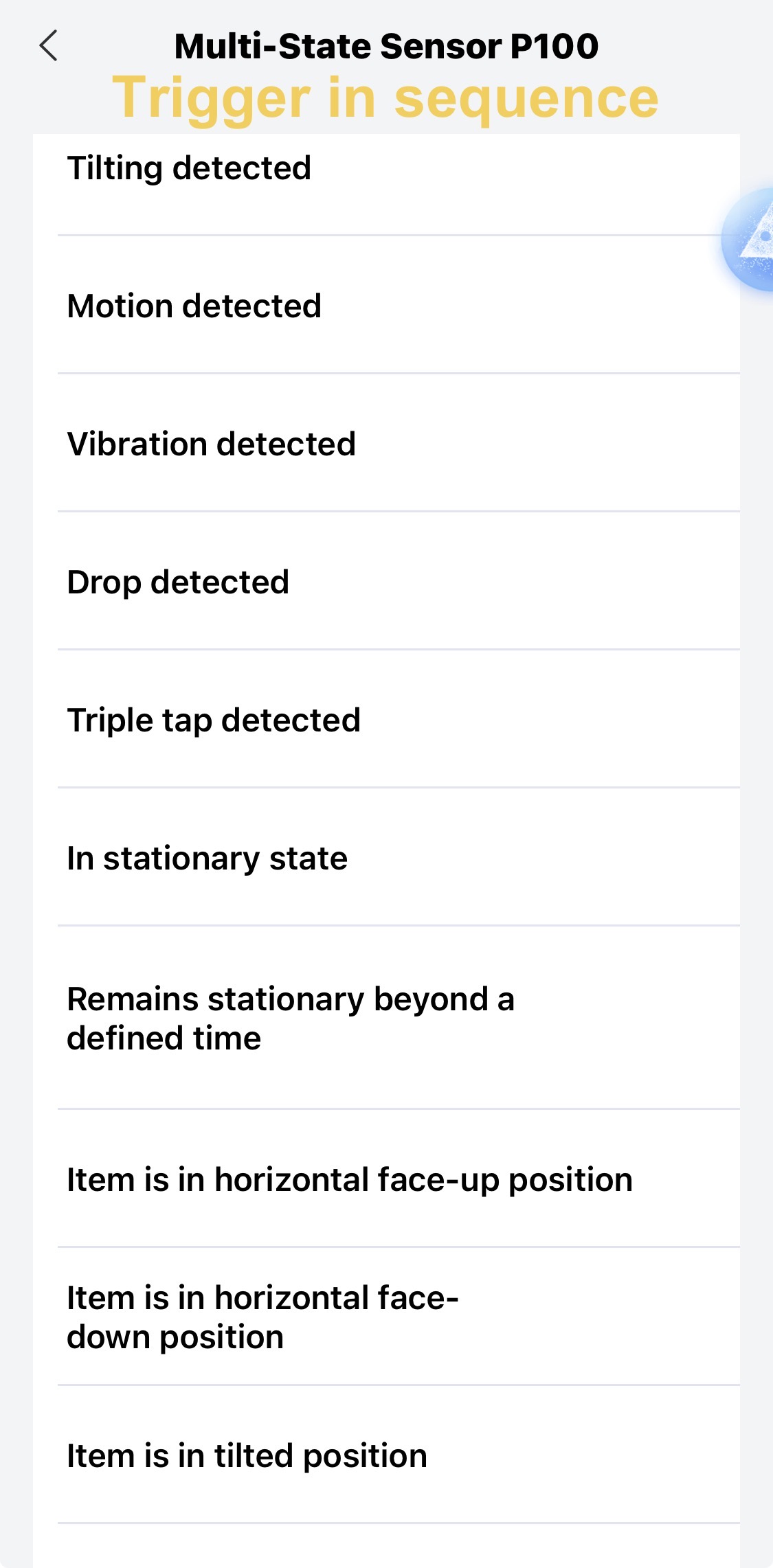
For context, I’ll start by sharing screenshots of the settings menu. While the software may be in a pre-release state and subject to change, the current Aqara Home app interface is already quite helpful for selecting right monitoring modes:
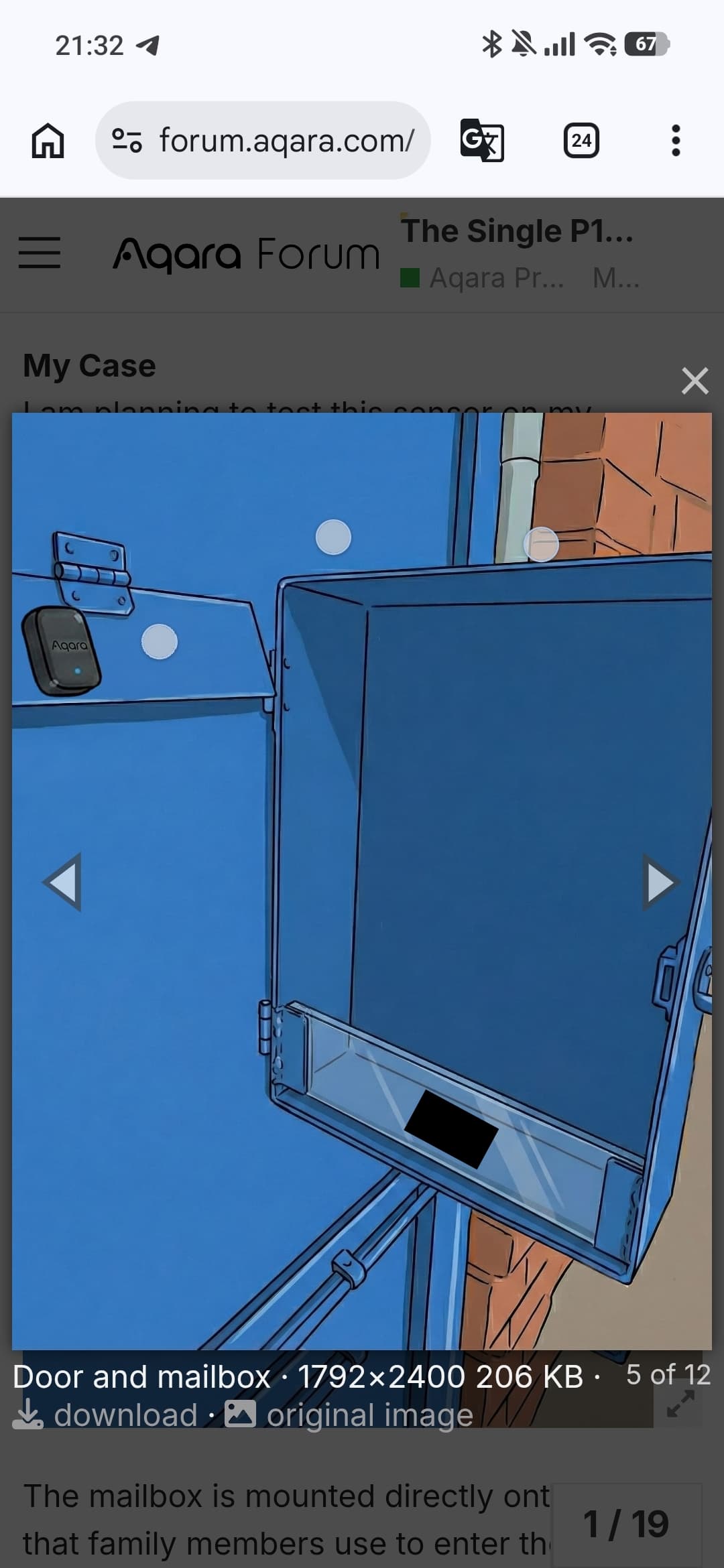
The mailbox is mounted directly onto a door that family members use to enter the yard. To open the door, they always lift the mailbox lid to reach a secret latch inside. This creates a situation for potential false detections:
The Conflict: If the sensor is simply set to “Hopper Window” which does tilt detection, it will trigger every time someone puts hand inside the mailbox to open the front door.
Ideally, I want to trigger a notification when the lid tilts (like a ‘Hopper Window’), but filter it out if the entire door also swings open (like a ‘Hinged Door’).
Besides, Open/Close Monitoring, is designed to work with one primary mode at a time.
Therefore, instead of using “Open/Close Monitoring” I will move to “Object monitoring”.
The “Single Sensor” Goal
While this could be solved by adding a second device like a standard door sensor to act as a filter, I want to see if this task can be accomplished with a single P100.
My next step is to experiment with the logic to filter out door movement so that a notification is sent only when a “clean mail drop” happens. It think it will be a good test of the P100’s capabilities.
Hi! Thanks for the super interesting insights. I’m already quite excited to see when I’ll receive my P100.
I think we first need to distinguish between two states for the mailbox:
A letter was dropped in: This could theoretically be detected via Fall detection, as the sensor on the lid “falls” downwards. This is assuming that the Fall detection doesn’t work differently than it did on the old vibration sensor.
A rolled-up newspaper is stuck in the slot: This holds the lid open, which should theoretically be detectable via horizontal orientation, ideally combined with a duration time.
If you create two separate automations, you could even distinguish between “something was dropped in” and “something is stuck in the mailbox”. Alternatively, you could combine both in one automation to send a notification.
Then, of course, there’s the issue of wanting to filter out the door movement. With Fall detection, this should theoretically be possible, since you could define the “Fall” as the trigger in the automation and check in the “IF” condition whether there is a general movement of the door. Unfortunately, I don’t have the specific sequence in mind for how opening the door via the hidden latch inside works in practice.
Regarding detection via horizontal orientation, I imagine it being a bit more difficult. Is the hand still in the slot while the door is in motion? How should I picture that? With Fall detection, it seems clear that the hand has already been removed from the slot and the door is likely just starting to move, right?
Thanks @JohnD
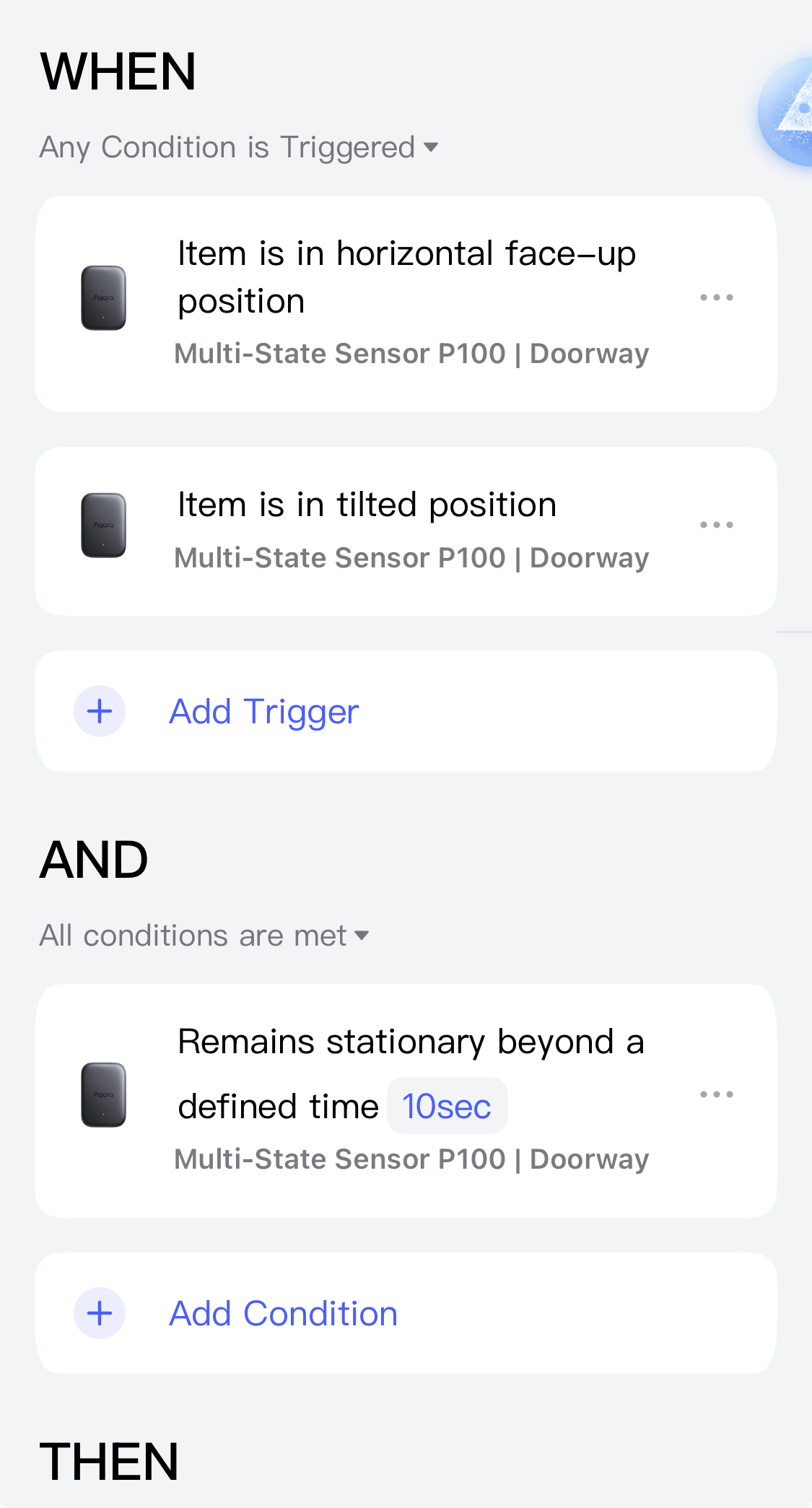
・That is a great point about the “something is stuck in the mailbox”. If the sensor remains in a tilted or horizontal orientation for 10 seconds, that would be a perfect trigger for a notification.
・Regarding “Fall” detection, I should give it a try since we don’t know exactly how those algorithms work yet. I originally assumed it required high velocity or a strong impact for the accelerometer to trigger, but I’ll definitely test if the tiny “slam” of the lid falling back down is enough for this option
・Though still needs to cut out door movement.
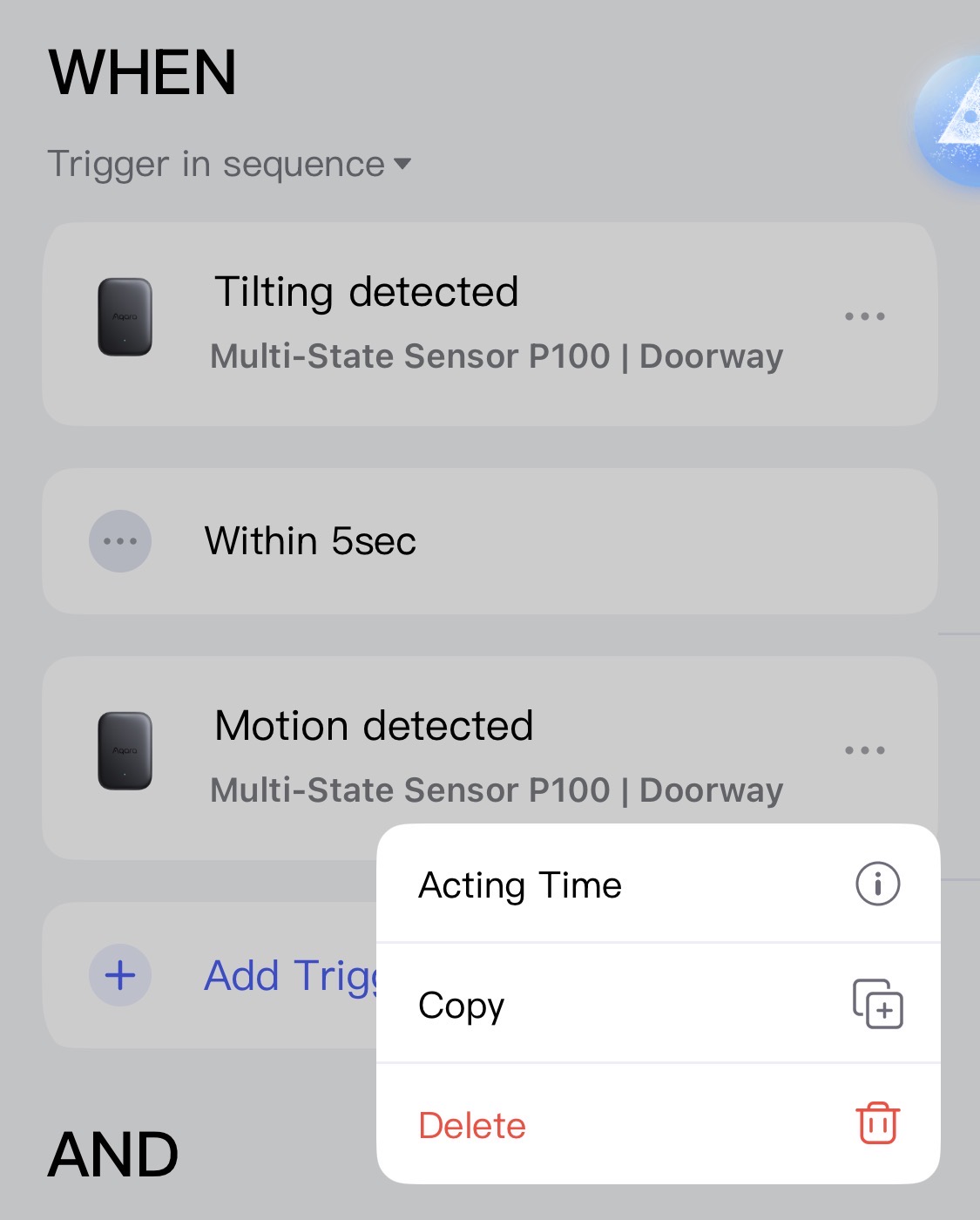
For the door movement, it depends on the person, but usually, a hand is pulling the latch (which is on a spring) while pushing the door to open. This means the sensor will be in motion while tilted or facing up. Ideally, I guess, I would set up an automation like:
When: “Tilting detected”
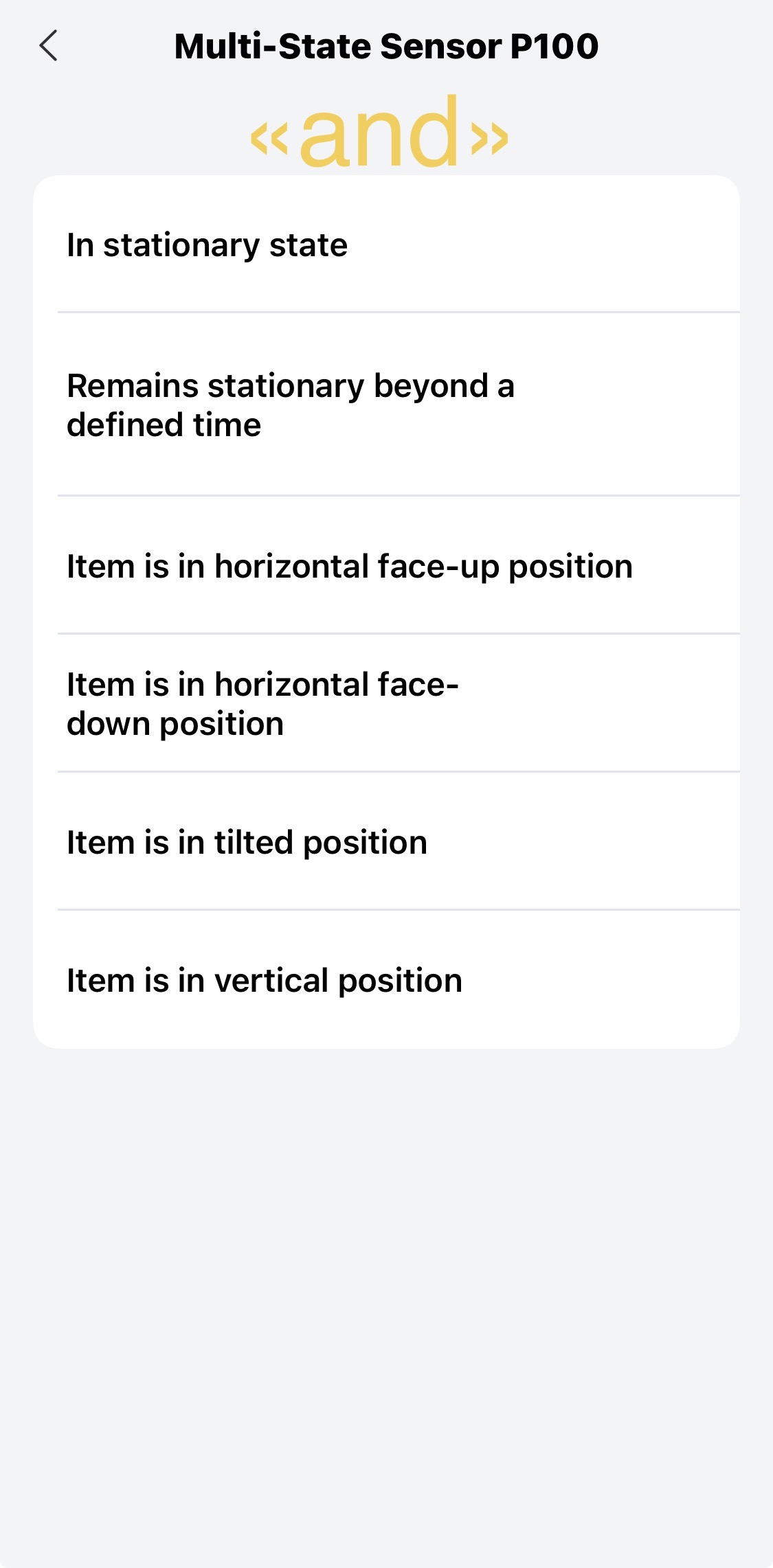
AND: “Movement detected” — “Set to Not Met”
Unfortunately, in the AND section “Movement detected” option doesn’t exist. I’ll have to keep experimenting.
Thanks @JohnD for your ideas!
Let’s wait until the Aqara team is back from the holidays. Maybe they can clarify or consider cases where a user wants to detect different events, but trigger an automation only if some of those events are not detected. @MakerMing
@JohnD Mein Aqara P100 Sensor ist gestern angekommen. Also müsste deiner auch bald da sein :).
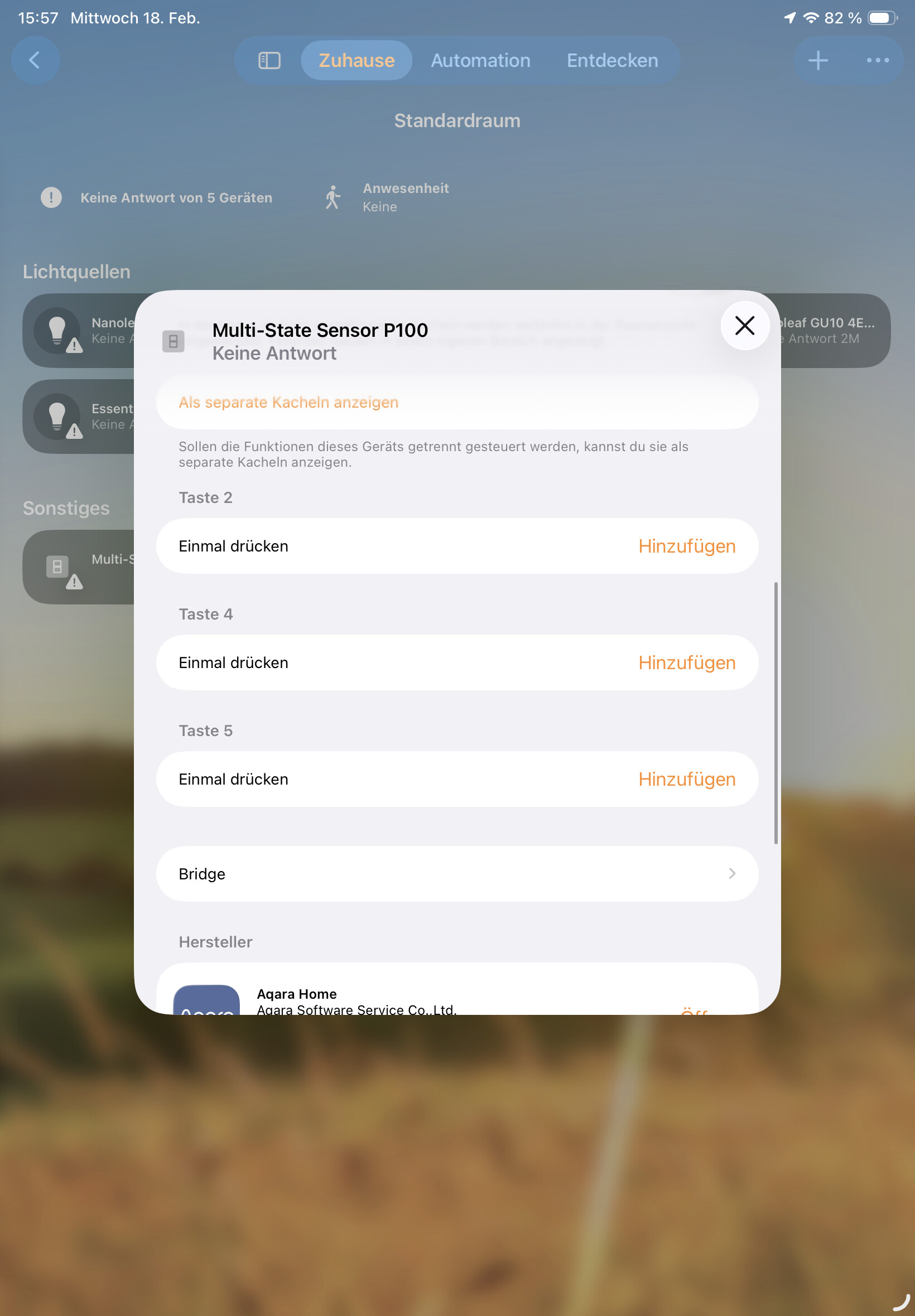
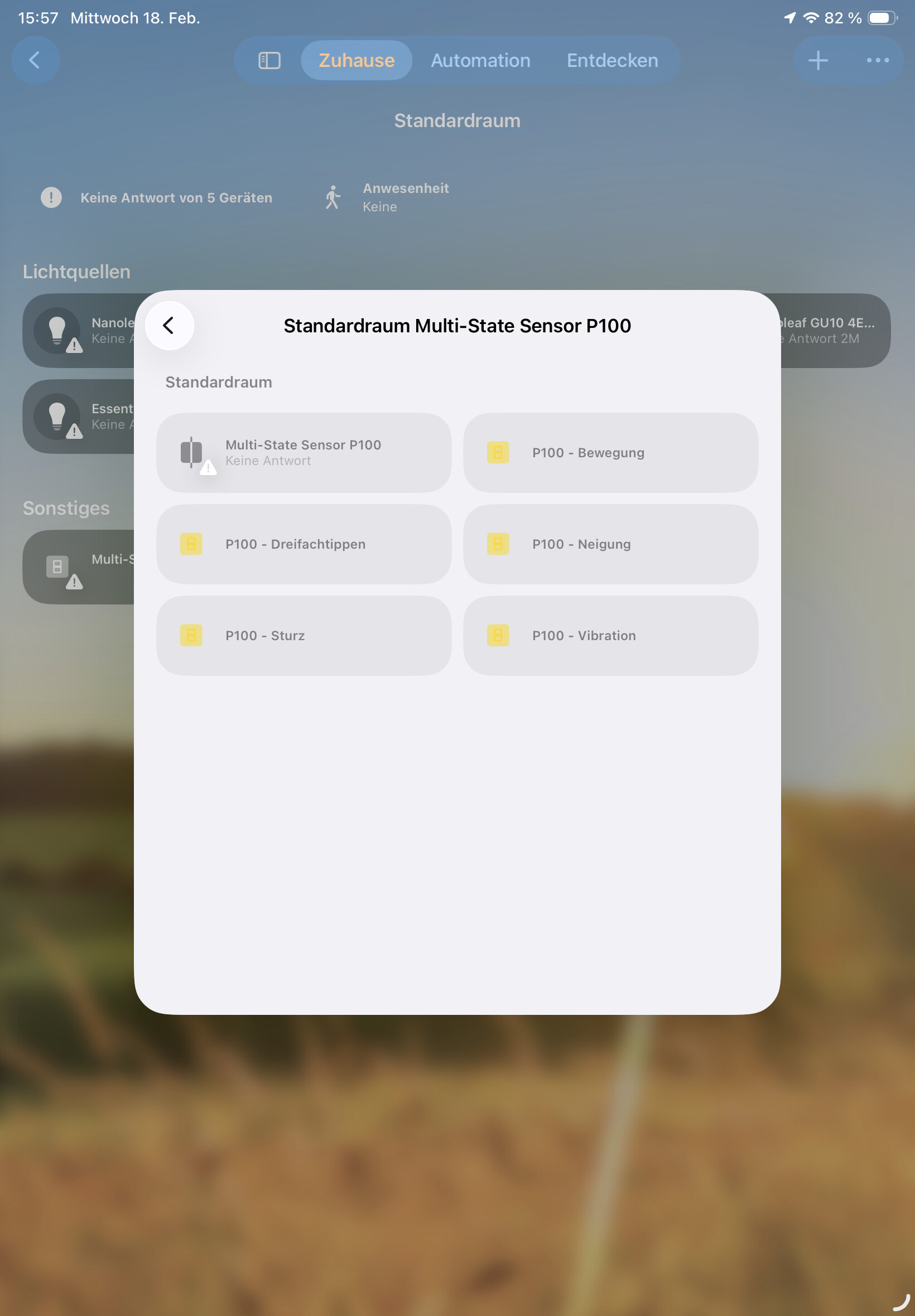
Einbindung ins Apple Home und Home Assistant ist noch verbesserungsbedürftig weil es als Button / Taste angezeigt wird (?), was ich nicht so ganz verstehe. Die heißen dann alle Taste 1/2/3/4/5 (werden dann aber nur die angezeigt, die man aktiviert hat). Muss man halt rausfinden was was ist aber dann geht das schon. Wenn man es als Türsensor konfiguriert, wird er als Kontaktsensor angezeigt (das funktioniert) wie es sein sollte.
Wenn man zwischen den Modis wechselt, weis Home nicht mehr was es anzeigen soll und zeigt irgendwie beides seit heute.
I wanted to use it as a ‘doorbell’, because ours is broken and then when someone knocks, a ringtone on the Hub M3 is played. The knock detection does not work perfectly yet but will have to tinker in the next few days.
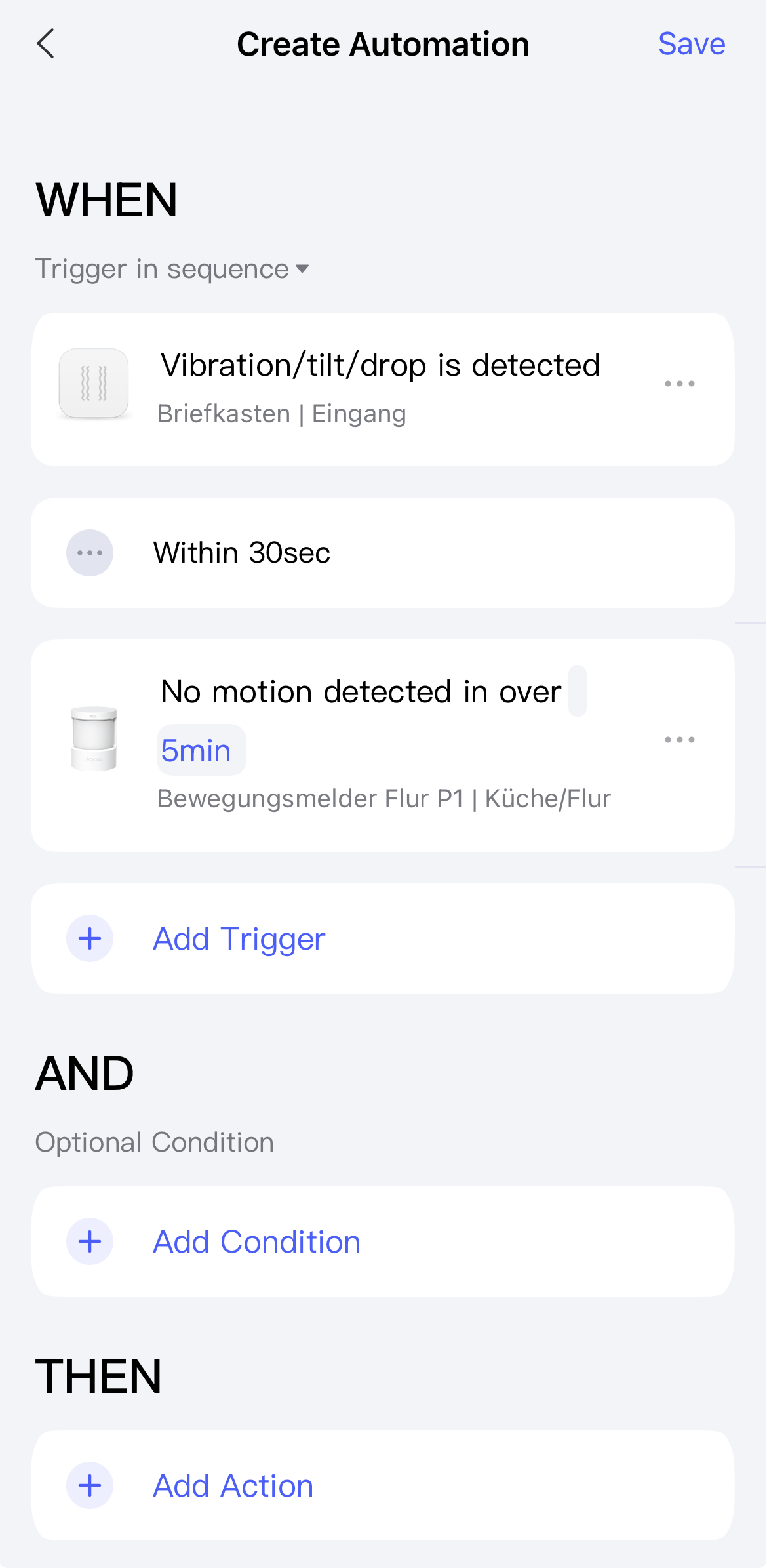
Hi @MakerMing. Would it be possible in future updates to cut out unwanted triggers in automations for this device? Example: WHEN “Tilting detected” within/and “Motion Is NOT detected”.
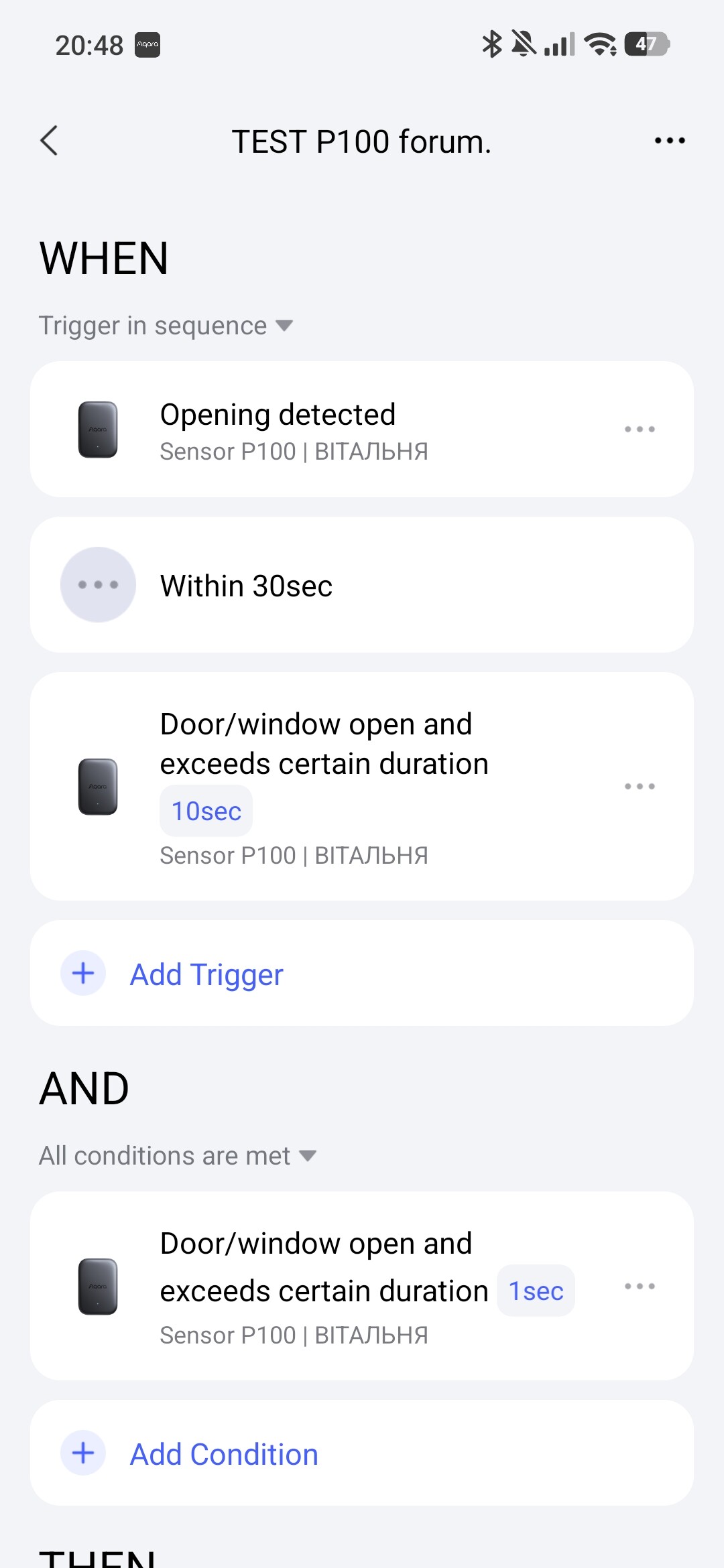
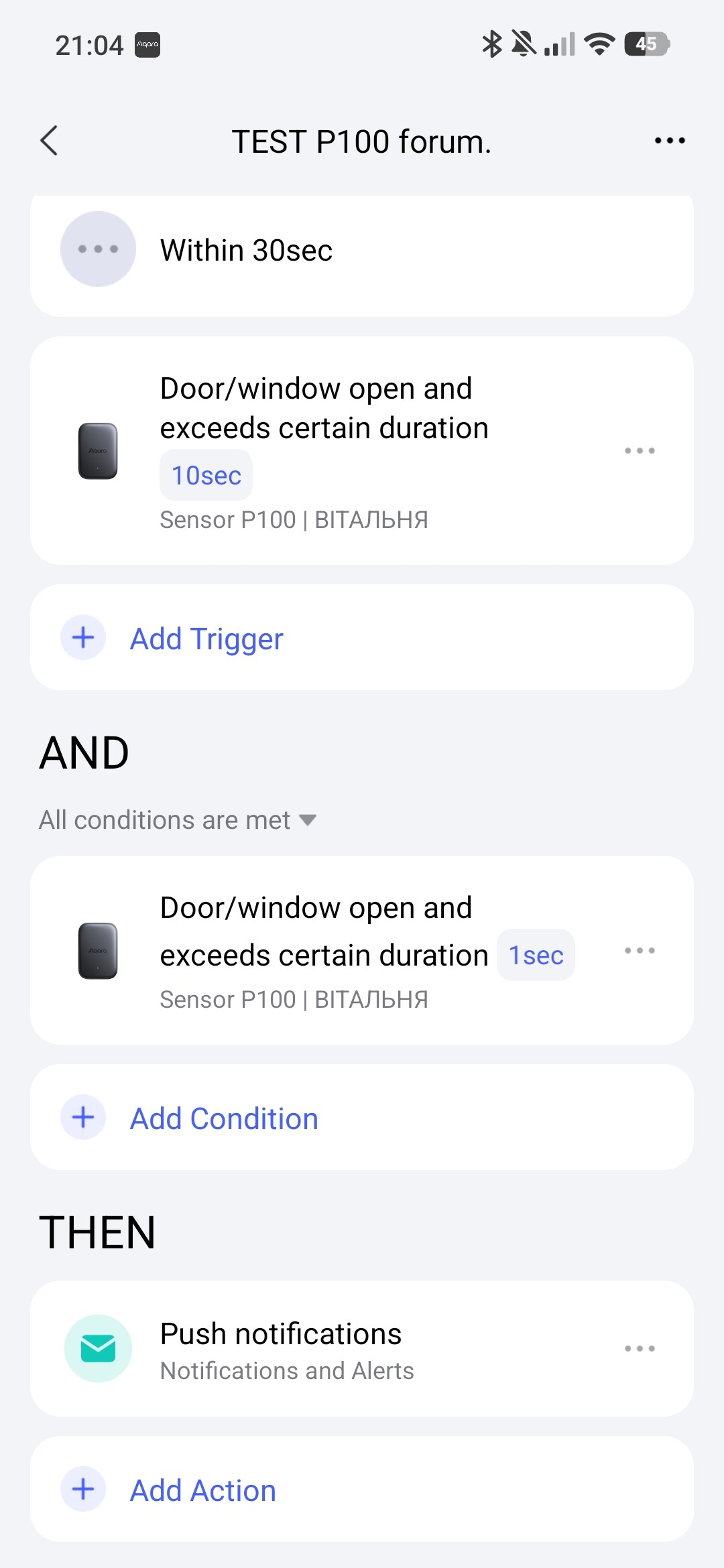
Hello, I want to explain. You are making a serious mistake when creating automation. In the IF condition, the condition must be met at the time of launch in the WHEN condition. You need to make (correct) such automation so that there is mailbox control. Fig. 1.
Hello, all conditions are relevant, you can always use them. The main thing is to follow the logic of automation 2.0. Give me the condition you want to do in 2.0 and I will help you.
Hello, @MakerMing, I would like to ask you to add the “Duration” option to the WHEN “…” section in the automation for the P100 sensor. Explanation: this option will allow for more flexible use of the P100 sensor conditions in the IF section.
If necessary, I can separately substantiate my proposal.
Thanks for the reply, but I think there might be a slight misunderstanding. Let me clarify: I want a notification to trigger only when the sensor detects ‘Tilt’ and does not detect ‘Movement’ within a 5-second window. This confirms the mailbox slot was used, but the door remained closed. The screenshot in JohnD’s reply showed a possible approach for setting up the P100; however, we currently don’t have a ‘No movement’ condition available to select.
Explanation, inserted mail (there was a tilt), correspondence went into the box (exactly the sensor), no movement for 5 seconds - a notification went. We specifically omitted the exact sensor in the condition. Also for information, the 30 interval between conditions is the interval during which the condition WILL BE EXECUTED, in our case it is 5 seconds of no movement. Read my lessons, it is written there.
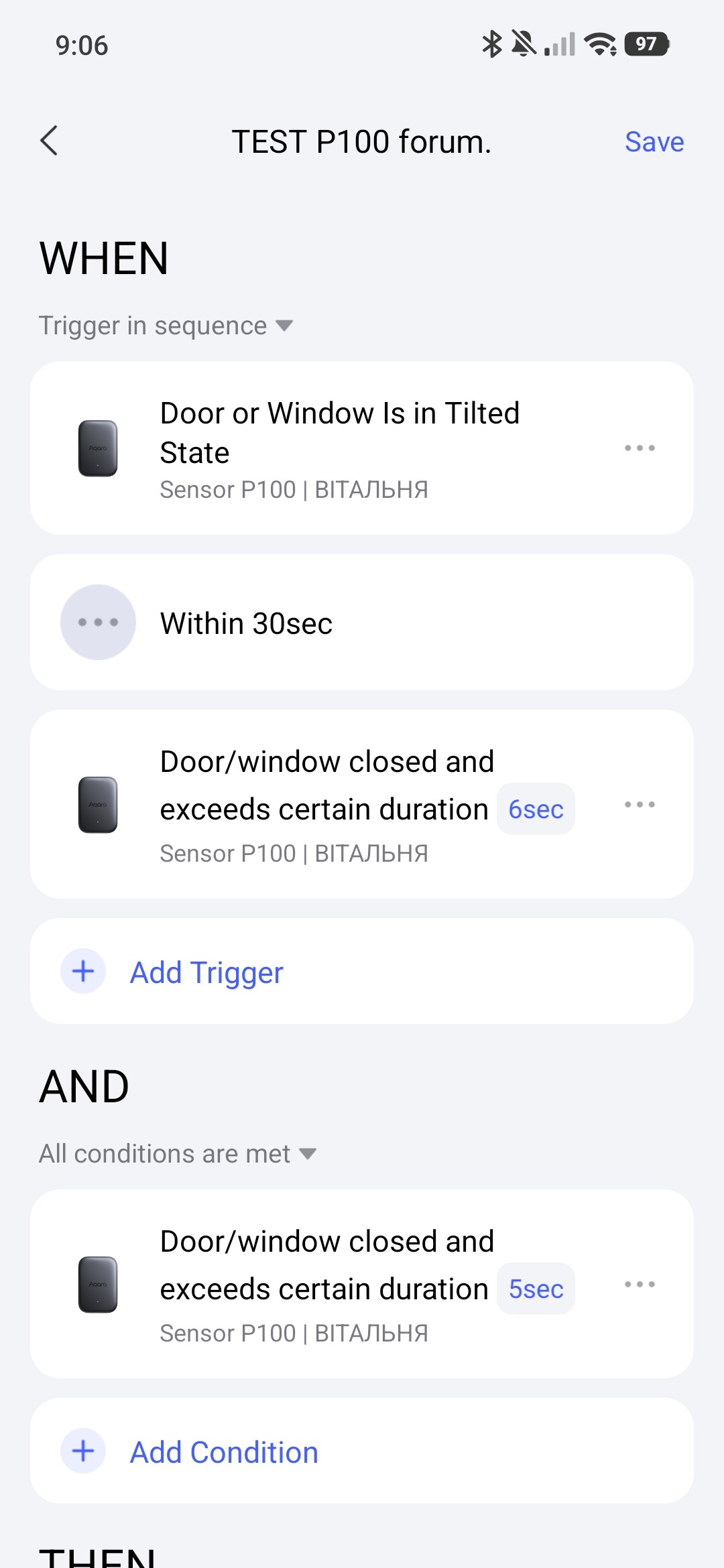
It should work with the condition “Door/window closed and exceeds certain duration.” Unfortunately, I can’t try it out right now because I can only operate the P100 in thread mode. But I hope @vita_juzi can tell us if it works.
However, I have a question about the automation you suggested, since you have dealt extensively with this topic. Perhaps you can answer it.
My understanding is that if the condition “Door or Window Is in Tilted State” in the “IF” block occurs, then the conditions in the “AND” block are checked. And here it is quite clear: the event occurs and then the other conditions are checked.
With the setting “Door/window closed and exceeds certain duration”, in the “IF” block (your last suggestion/the last picture) it is not entirely clear to me when this occurs and how often or when it is checked again.
It is not clear to me when the conditions apply.
I have the following assumptions:
a) The door was closed and 5 seconds later the condition was met, but not again until the door was closed again. But then the automation would not work as desired, right?
b) The door has been closed for 5 seconds, the condition is true, and every second thereafter it remains true, and the conditions in the “AND” block would be checked again every second.
c) The conditions are the same as in b), but the set duration means that this is the interval after which it is checked again.
d) The conditions are the same as in b), but are only checked again at certain intervals. For example, every 5 minutes.
Do you know if it’s one of the options, or is there another one I’ve overlooked?
Hello, @JohnD.
Sorry for repeating myself.
The 2.0 triggering algorithm is described in detail in my explanation to which I gave a link above. ATTENTION TO EVERYONE AGAIN! The WHEN section has an instant effect (°) it starts instantly and remains in standby mode until the next trigger is triggered.
If you understand this algorithm of operation, all questions will be automatically removed.
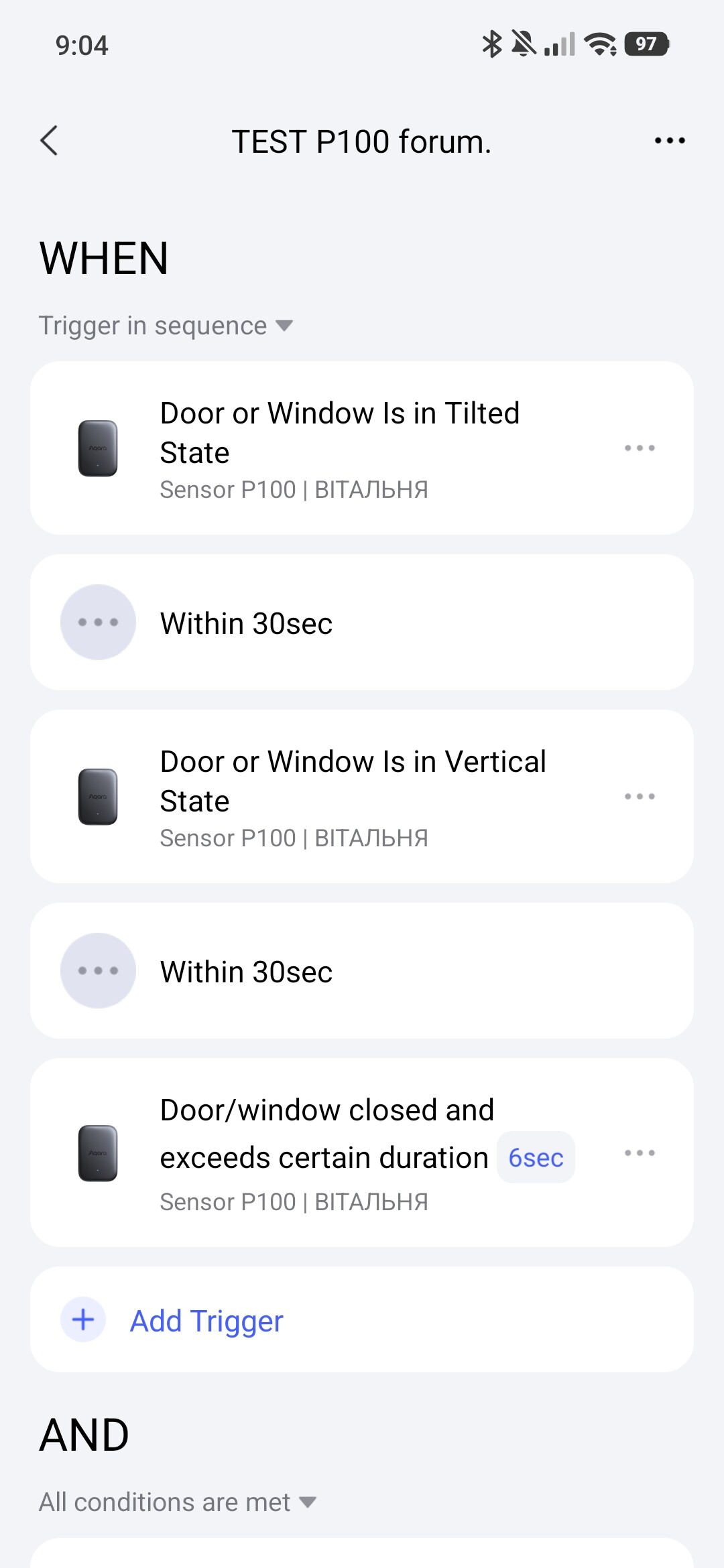
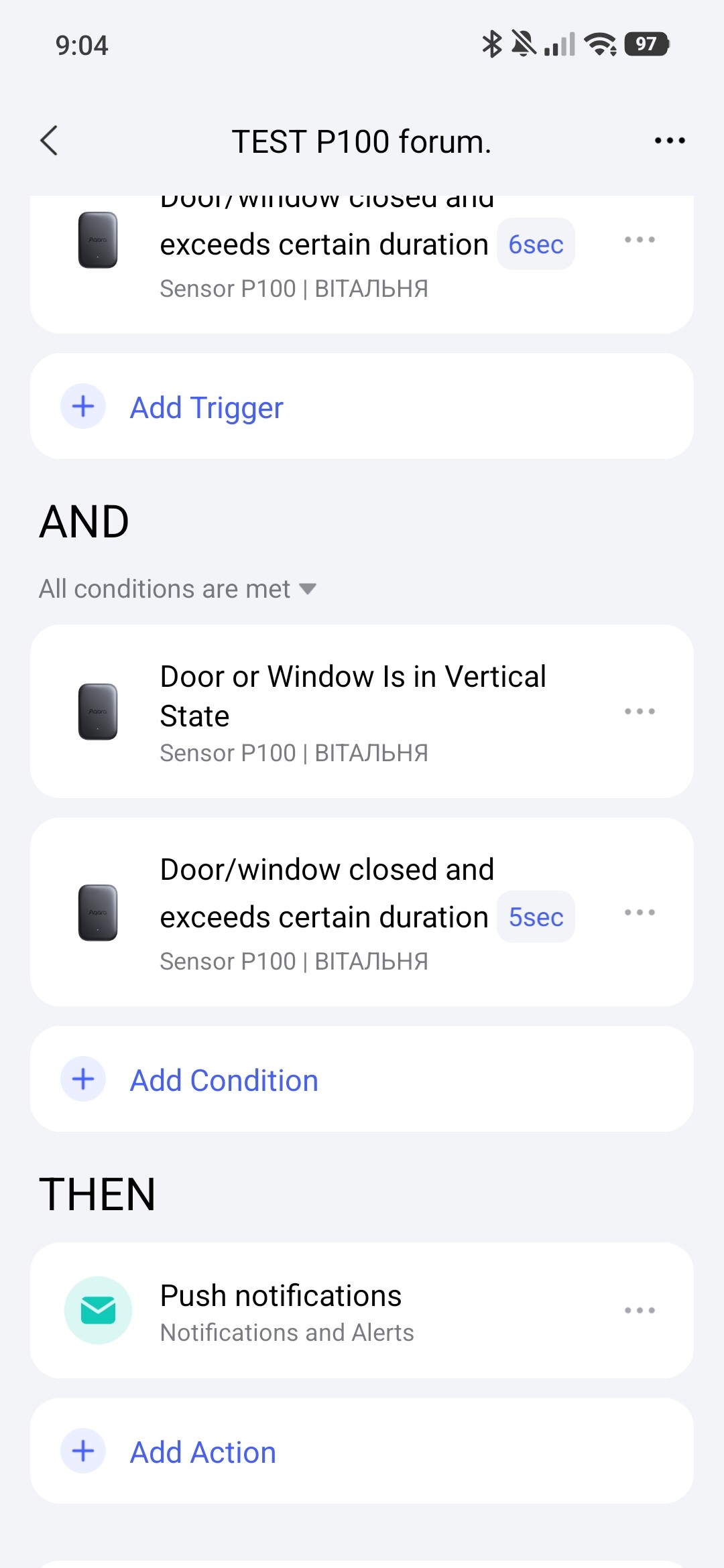
Here, the instant trigger in WHEN is the moment of time that there is no change in the P100 sensor. The next trigger will fire when someone changes the state of the P100 sensor again. In the IF condition, we check whether the position is vertical (the mailbox shutter is closed) and there is no movement for 5 seconds. PLEASE NOTE, in the WHEN section I set the time to 6 seconds, this is so that the condition in the IF section has time to be fulfilled at the time of the survey.
The mailbox is waiting for the postman (sensor vertically).
The mailbox shutter opened, the postman brought the correspondence (sensor tilted).
The shutter closed, the postman threw in the correspondence (sensor vertically).
5 seconds have passed, the shutter is in the closed state (sensor horizontally).
Automation work: the IF section after actions 3 and 4 has entered the READY state, we set (horizontal position, no movement for 1 second), the WHEN section starts the survey after action 4 in 5 seconds (no movement for 5 seconds). The conditions are met and the action is triggered - a notification about the mailbox is sent. The next automation cycle will occur only after repeated actions 1÷4.
I re-read your problem. In your case, it is better for you to place the P100 at the bottom of the external box and use the “vibration detected” condition.
Fig.
In this case, when the postman drops the correspondence, the sensor will vibrate, which will trigger a push notification about the correspondence (the box is in the correspondence waiting position).
Additionally, you will be able to control (keep statistics) the opening of the front door, even arm the front door when you are not at home.