Hello,
I’m having an issue with the temperature readings on my W600, which is connected to an external W100 sensor via an M3 hub using Zigbee. The W100 shows a temperature of 22, while the W600 shows 18. I have set the temperature threshold on the W100 to 20, yet the radiator still turns on. How can I ensure that the thermostat only activates when the temperature reaches the set point of 20?
1 Like
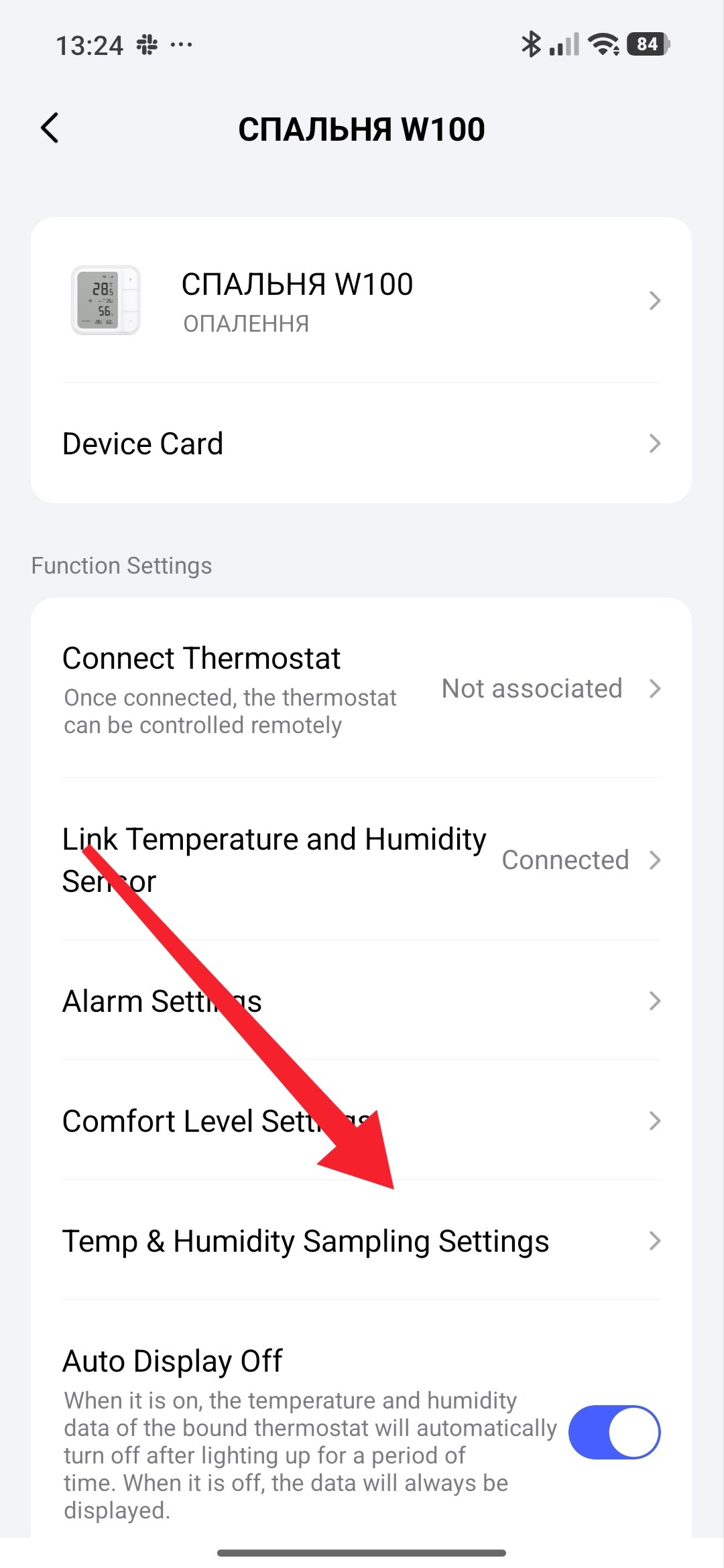
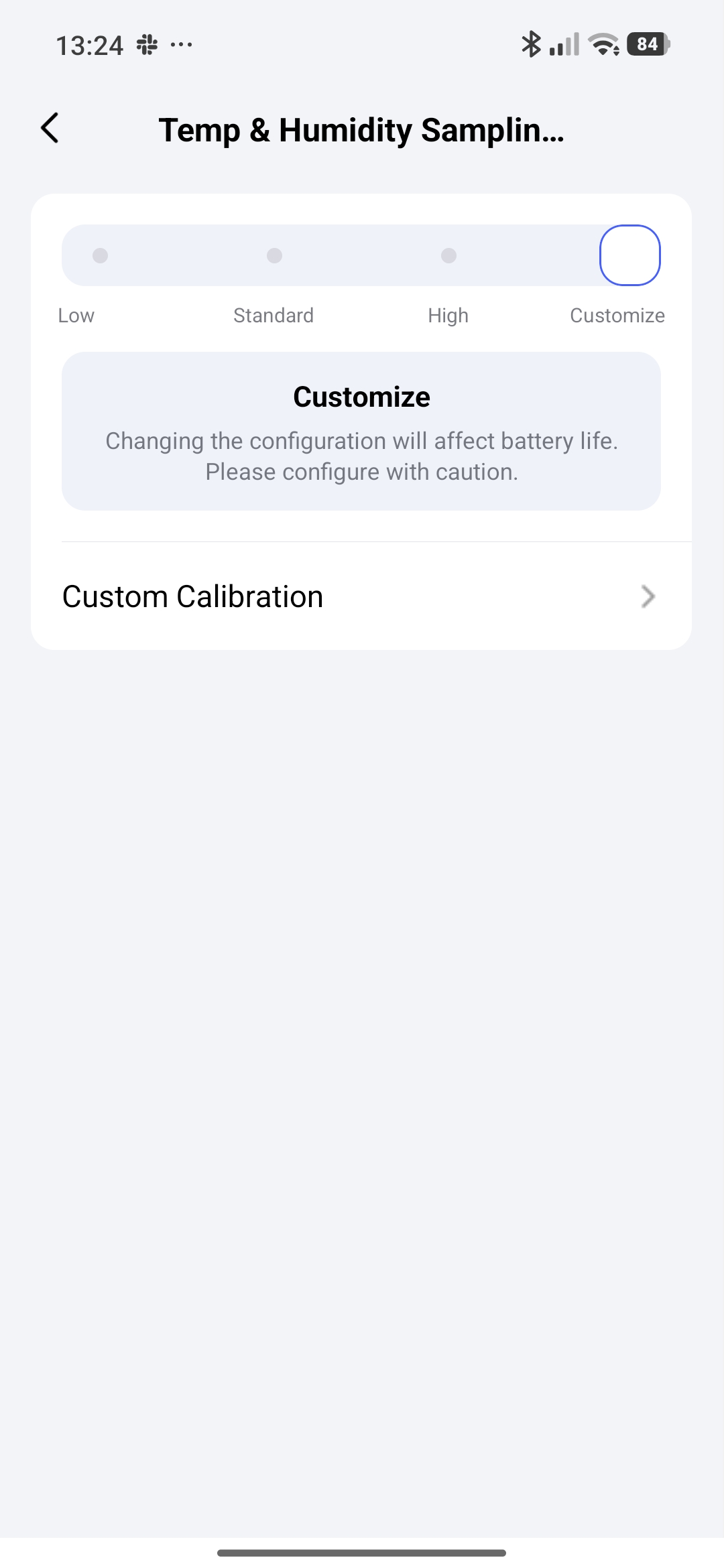
Could you clarify whether the 22 °C reading is on the W100’s physical display or in Aqara Home, and whether the W600’s 18 °C is a measured temperature or a target? Where exactly was 20 °C set? The “Threshold” described in gafich10’s sampling guide is the temperature change needed to send a report, rather than a heating setpoint.
Before changing more settings, I would compare the W100’s physical display and app reading at the same moment, then note the W600’s measured temperature, heating target and selected external sensor. If the W100 display and app disagree, reporting freshness is worth checking first. If they agree but the W600 uses a different reading, verify which temperature source it is actually using. Screenshots showing where those values appear, with private details hidden, would help distinguish those cases.
1 Like
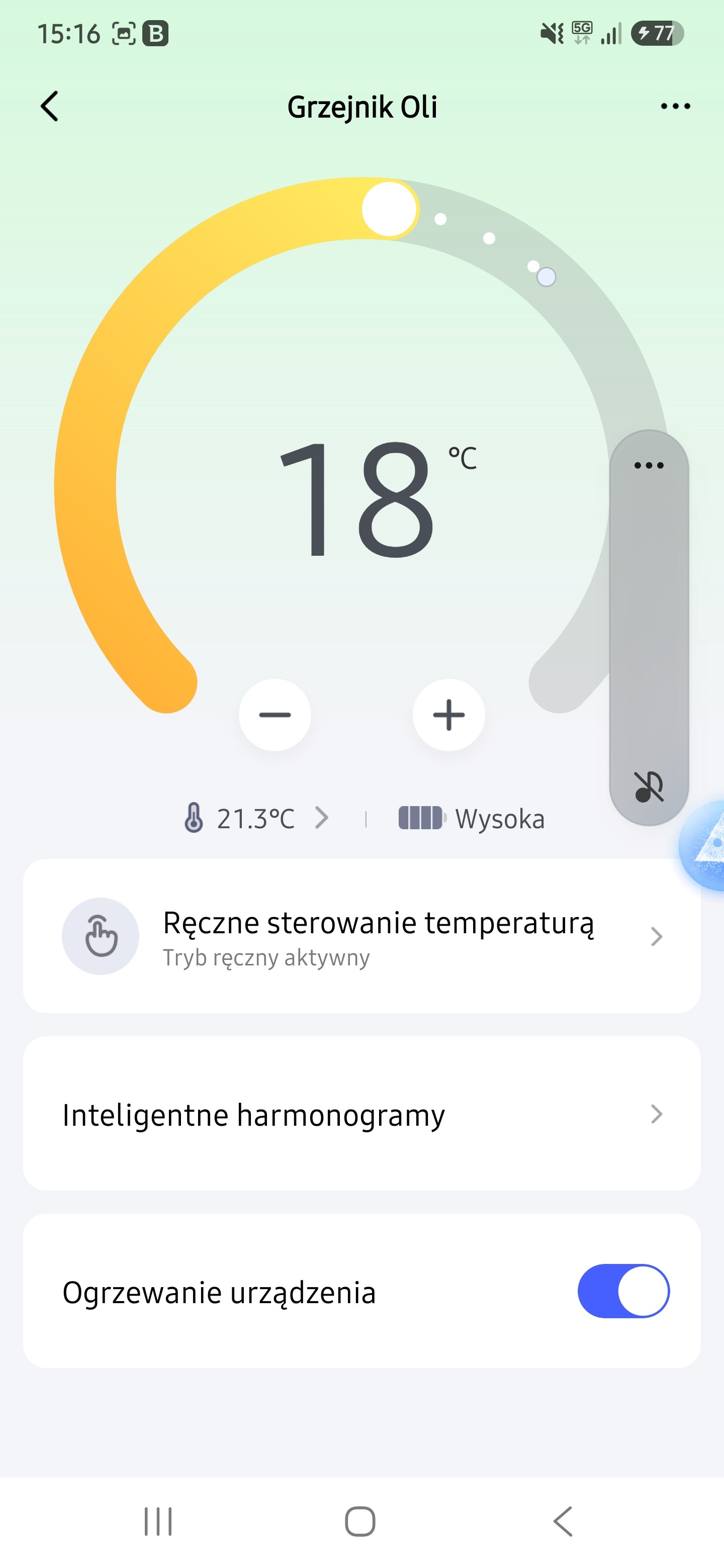
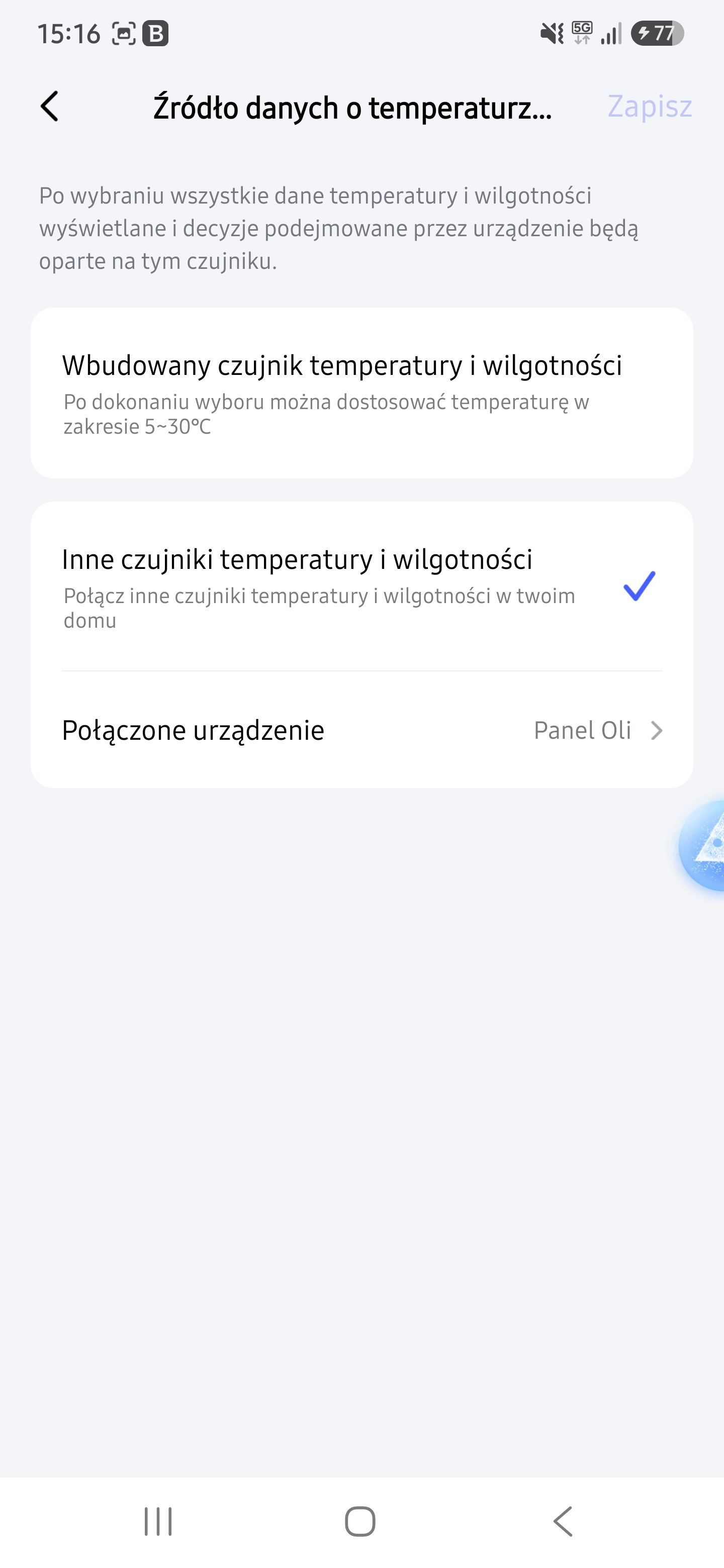
The W100 display shows a reading of 22°C, while I have set it to 20°C in the Aqara Home app. The W600 shows a measured temperature of 18°C. In the settings, I have specified the W100 as the temperature source. I suspect that the configured temperature source is being ignored.
Please show the W100 settings (provide a screenshot). Also, note that there are two types of W100 settings: 1. On the W600, you select the temperature reading source (in your case, the W100). 2. On the W100, you connect to the thermostat (in your case, the W600).
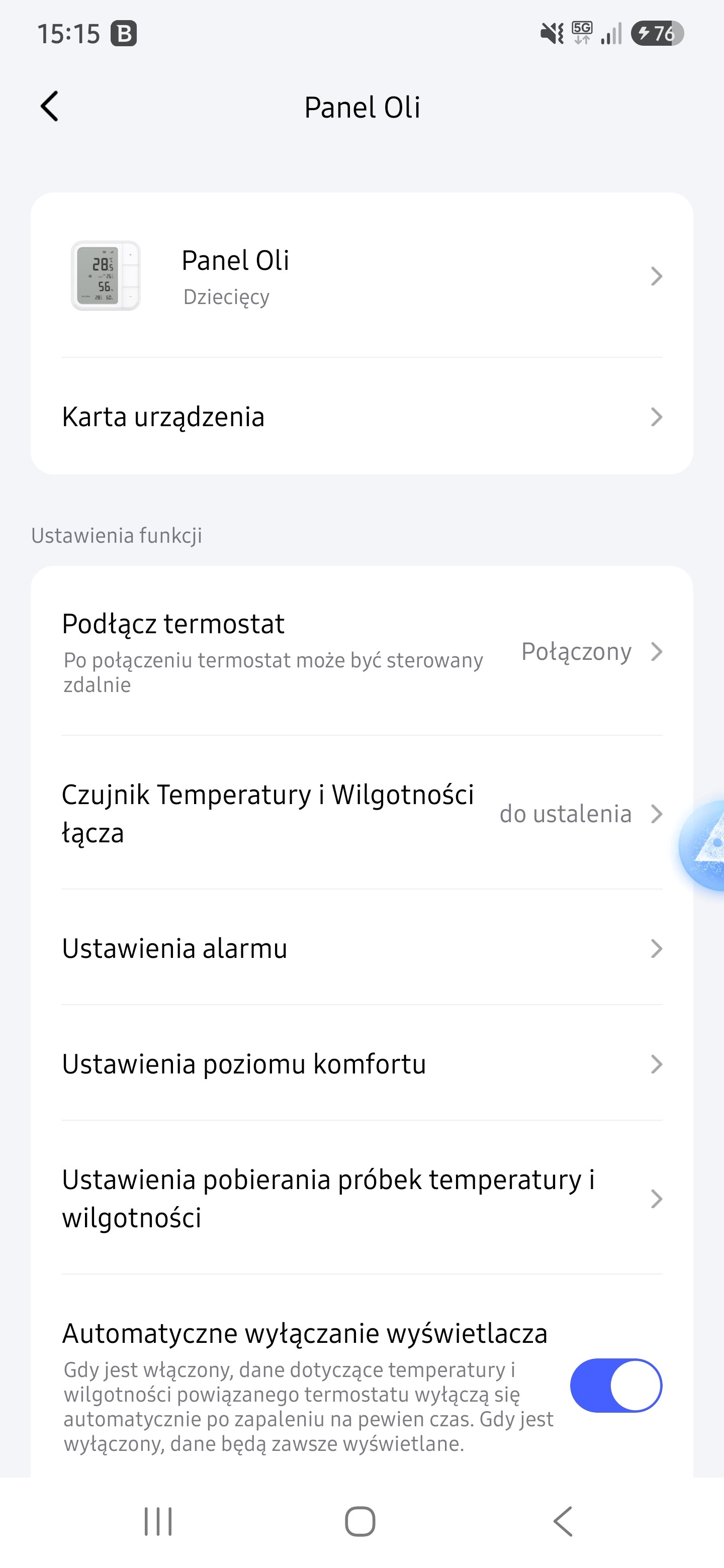
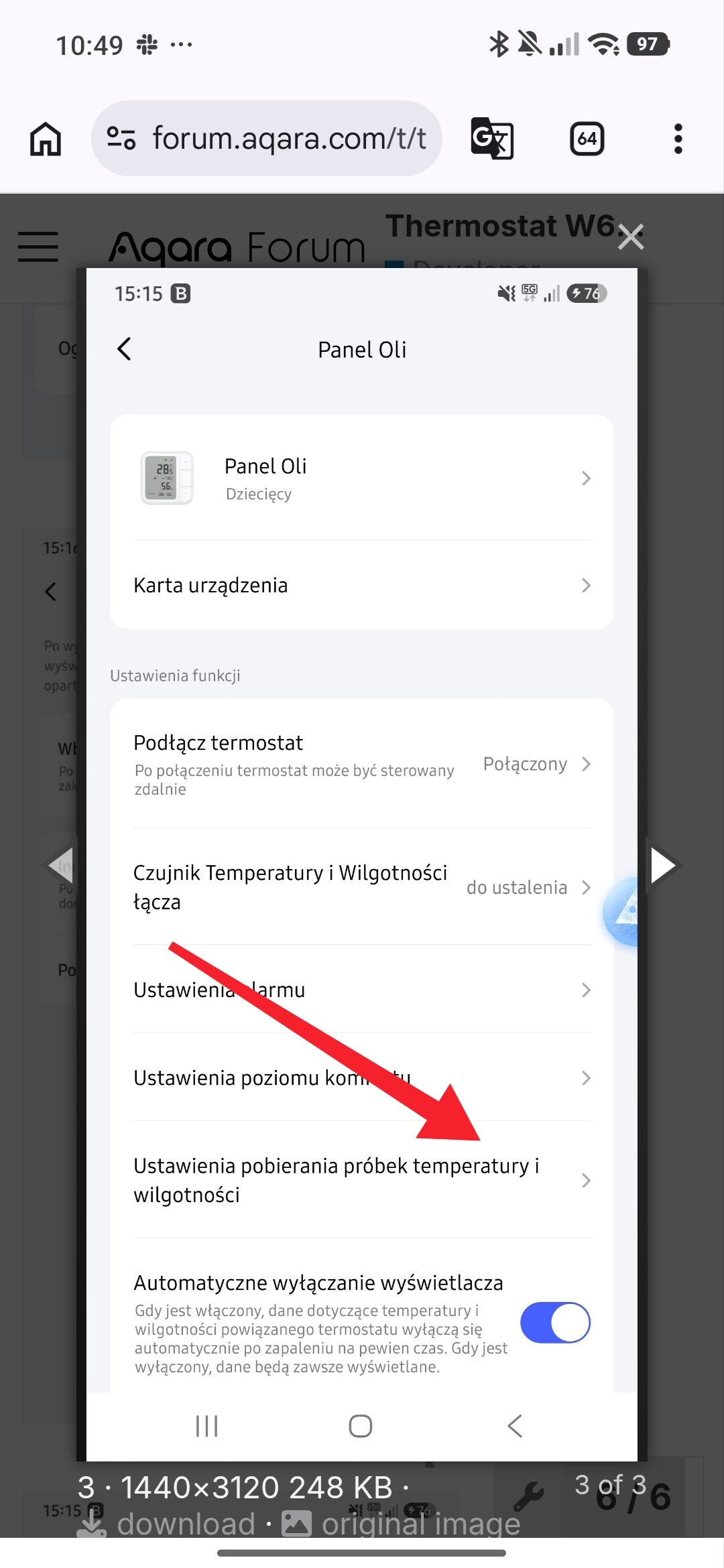
Have you done these manipulations described here? For information to users, the capabilities of the W500 (E1, W600)
I have the sampling rate set to high. The W600 and W100 devices are linked, but it seems that the temperature data isn’t actually being passed between them; instead, the W600 continues to pull temperature readings from its own internal sensor rather than from the W100. Since it’s cooler near the radiator, the W600 triggers the heating—even though the temperature near the W100 is higher, which is the reading it should be using to decide whether or not to turn on the heat.
1 Like
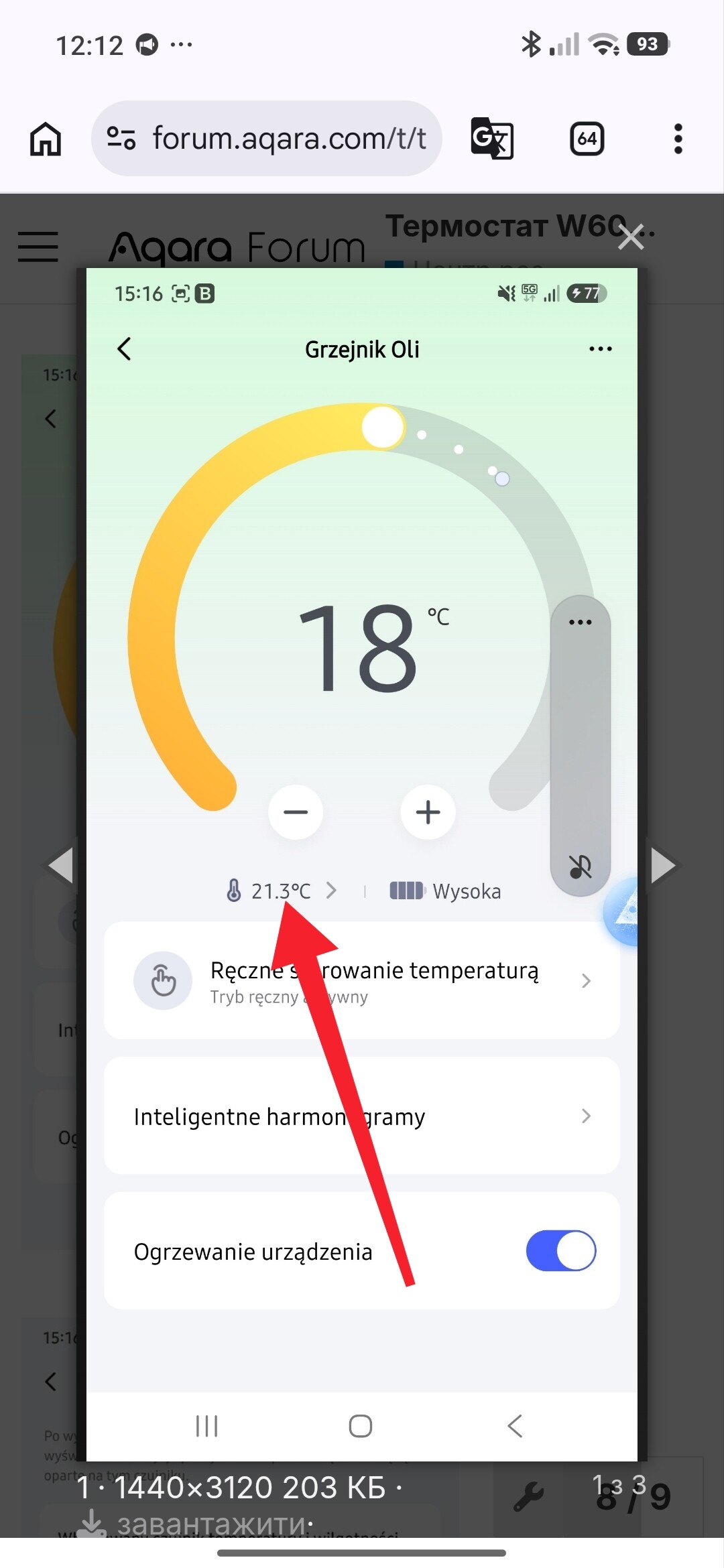
It shows the same temperature as the W100. However, I have also applied a +3°C temperature compensation on the W600; otherwise, the heater would turn on. When I access the W600 and switch to its internal sensor, it reads 18°C, and selecting the external W100 sensor makes no difference. The heater only stops running once I apply the compensation on the W600.
1 Like
This is exactly how compensation should work when paired with the W100. Since the W600 features PID control, it does not operate via simple On/Off control.
2 Likes
I have the same combination (W600 plus W100, both on an M3 in Zigbee mode) and in my case the W600 clearly follows the W100.
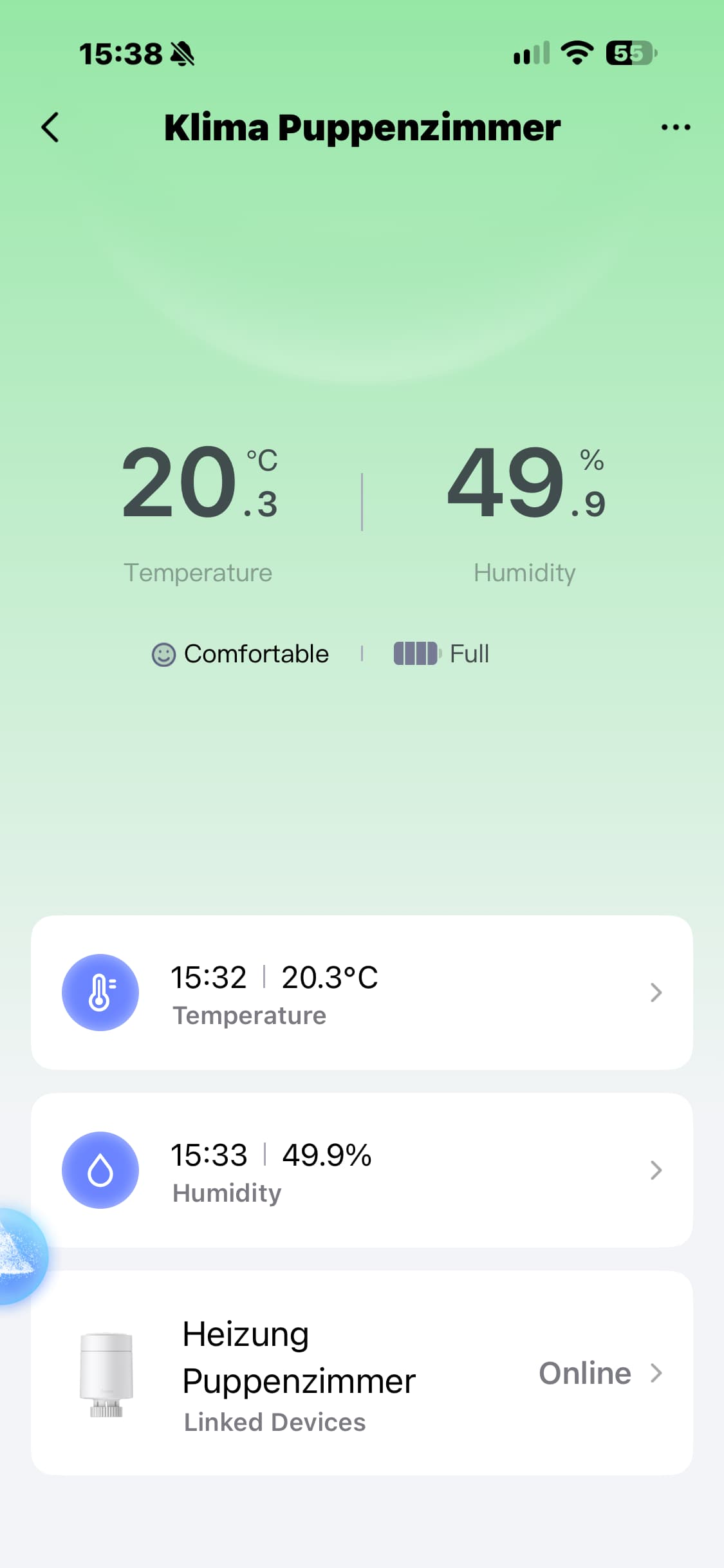
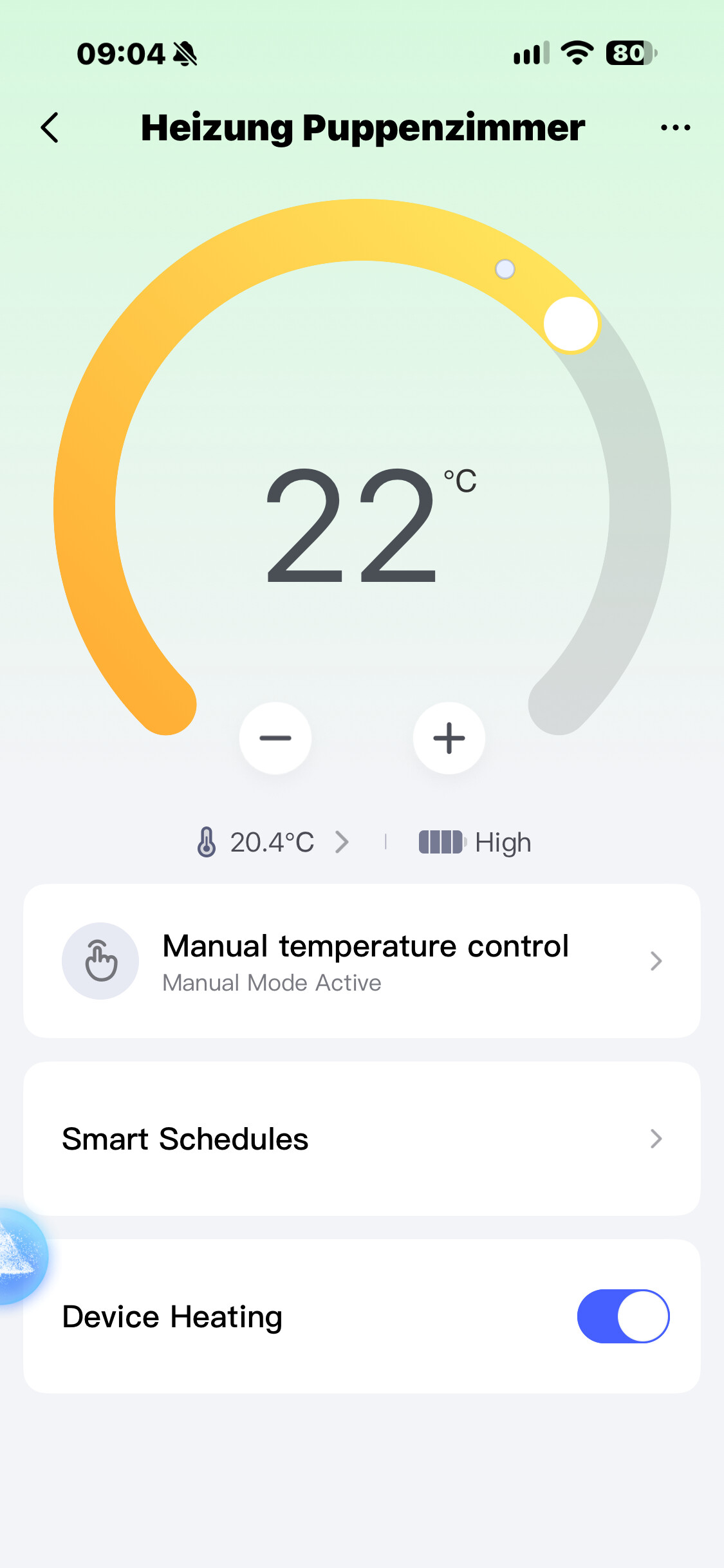
I tested it today with the radiator running: target set to 22 °C, heating active. The W100 reads 20.3 °C, and the W600 shows exactly the same 20.3 °C, not the higher temperature you’d expect right at the valve. Screenshots attached.
So I don’t think this is just how the PID control works. If your W600 keeps showing its own reading even though the W100 is set as the temperature source, something isn’t working as it should.
Could you post the firmware versions of both devices? Mine are W600 0.0.0_2848 and W100 0.0.0_1641, both connected to the M3 via Zigbee. Maybe that’s where the difference is.
Frank

2 Likes
W600 0.0.0_2848 and W100 0.0.0_1641—so we have the same versions. If you switch to the internal sensor on the W600 for a moment, what temperature does it show? In my case, unless I apply a +3°C compensation, there’s a temperature discrepancy; it feels like the heater bases its operation on the W600’s temperature, even when the external W100 sensor is selected.
2 Likes
Done, here are the results from this morning (radiator running, target 22 °C):
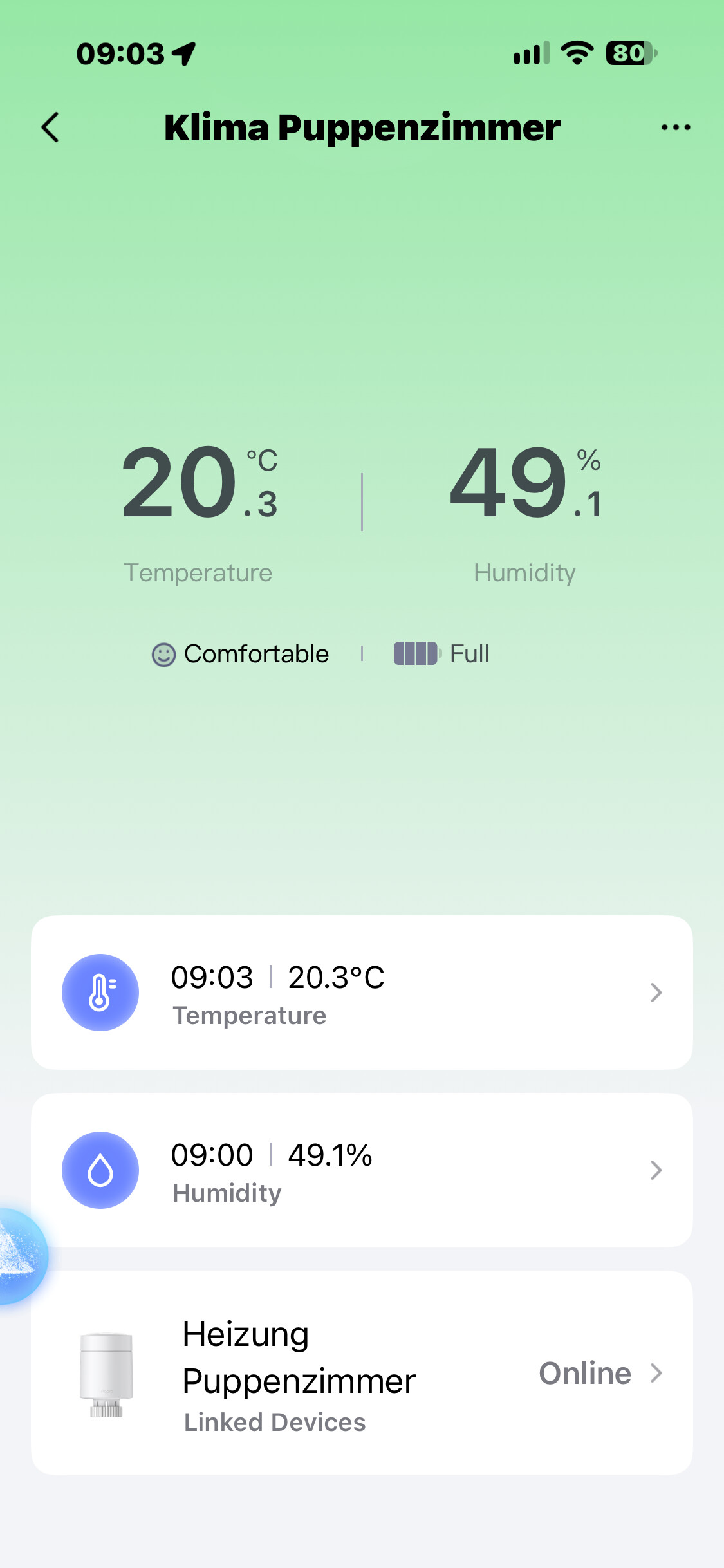
W100: 20.3 °C
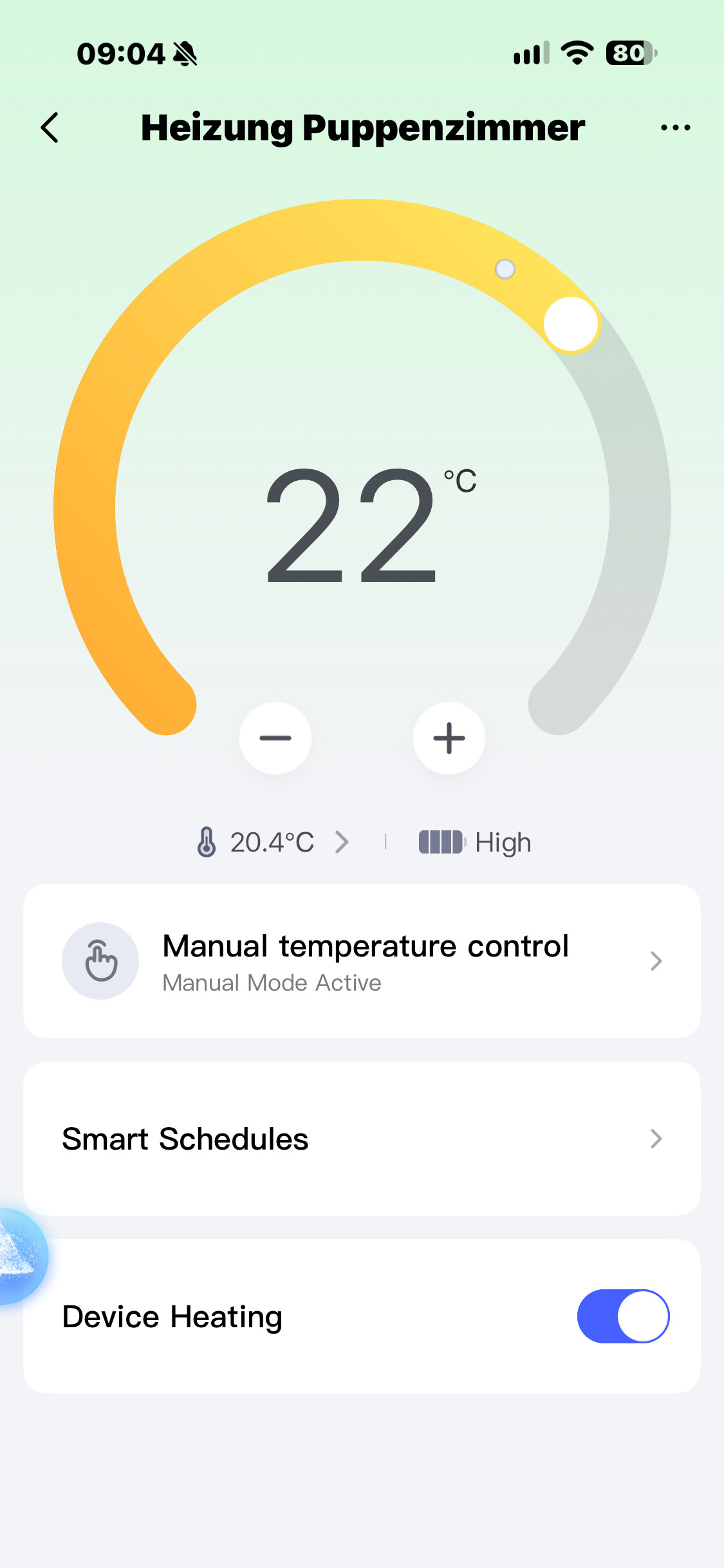
W600 with W100 selected as source: 20.4 °C
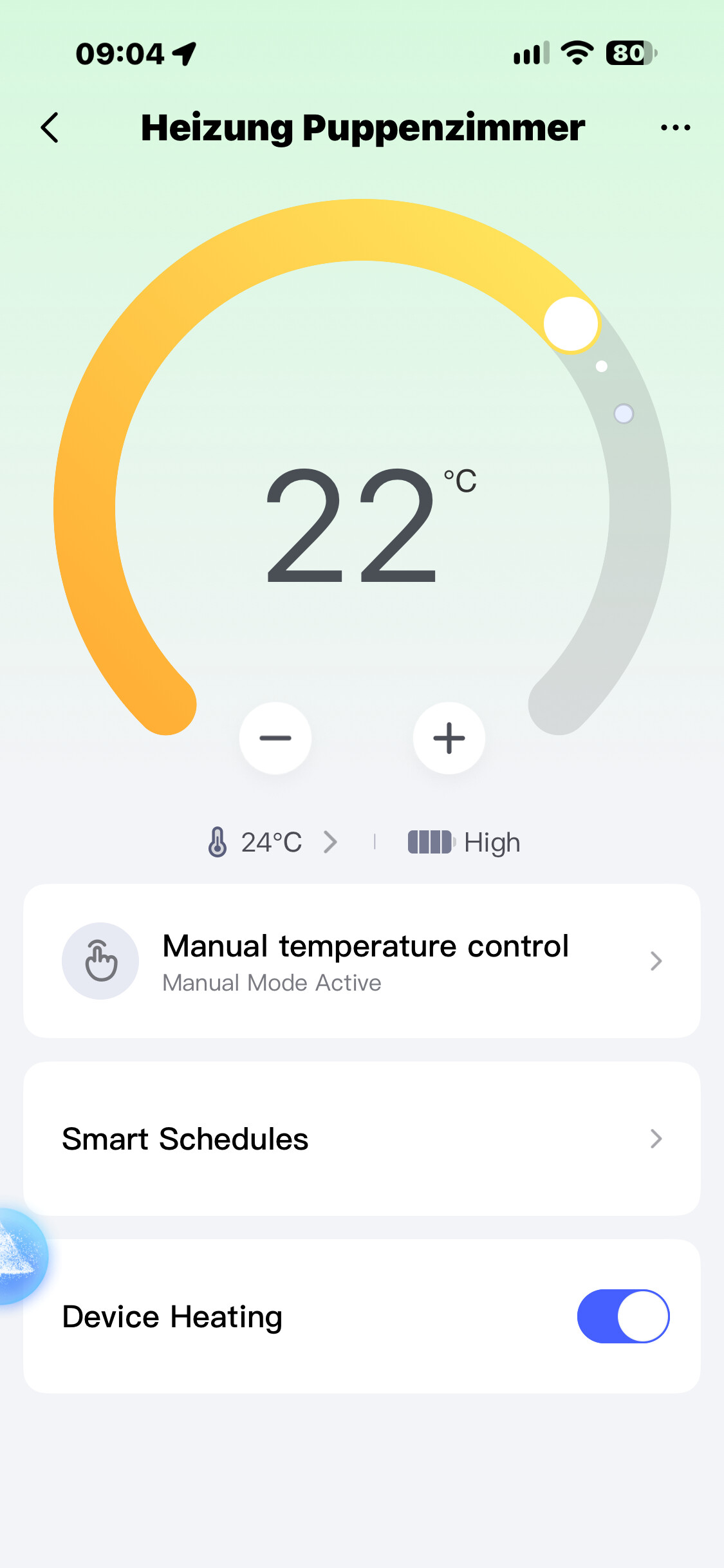
W600 switched to internal sensor: 24.0 °C
W600 switched back to W100: 20.4 °C
Screenshots attached. So the internal sensor reads almost 4 degrees higher, which makes sense: the valve sits right at the radiator, and mine is under a window sill where warm air collects. With the internal sensor it would consider the room warm enough and throttle down, while the room itself is still at 20.3. With the W100 as source it keeps heating a little, which is the correct behaviour.
That’s a similar gap to yours (18 vs 22), only in the opposite direction, and in my case the W600 clearly switches between the two values as soon as I change the source. Since we’re on identical firmware, the difference must be somewhere in the setup. Two things worth checking on your side:
1.	When you switch the W600 to the internal sensor and back to the W100, does the displayed temperature actually change like it does for me? If it stays at 18 either way, the link isn't working.
2.	Were the two devices linked from the W600 side (temperature source) and also shown under "Linked Devices" on the W100? Mine shows the W600 under Linked Devices on the W100 page.
Frank
1 Like
- Yes, it changes.
- Yes, they are connected; you can see the connections between them on each device.
That’s why I’m wondering why it started turning on when the W100 was showing 22°C, when it was set to 20°C. So when it started heating, I switched to the W600 to check the radiator temperature, and it was 18°C. That’s why I suspect that despite the devices being connected, it’s still receiving data from the W600 and heating despite being connected to the W100. Unless it’s normal for the PID to start heating when it’s around 22°C or 21.8°C. Because now I don’t know how to approach this, but it seems the temperature is too high for it to start maintaining the heat, and it won’t suddenly turn on at full power when the temperature drops significantly.