That’s great news. I hope we can get the same behavior with the Thread firmware soon.
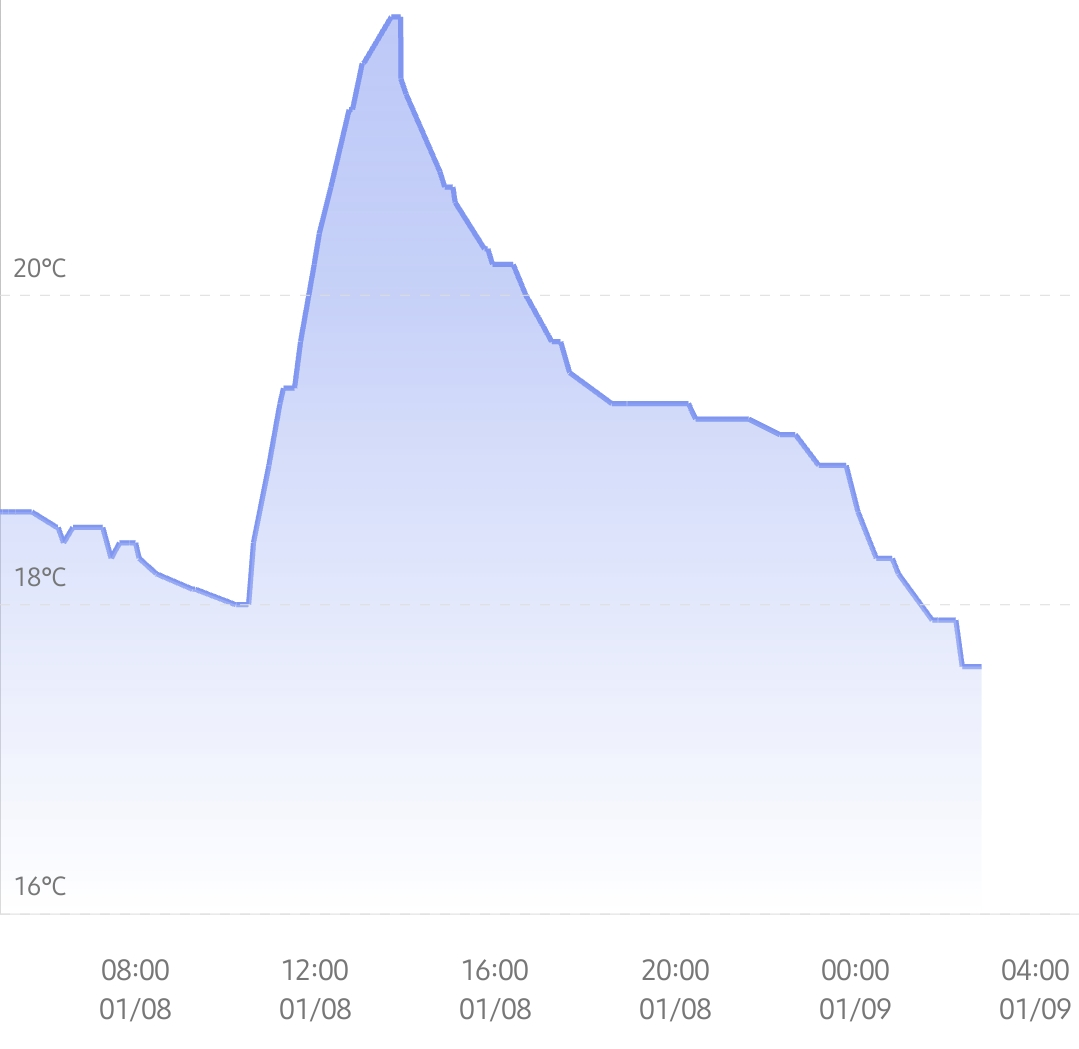
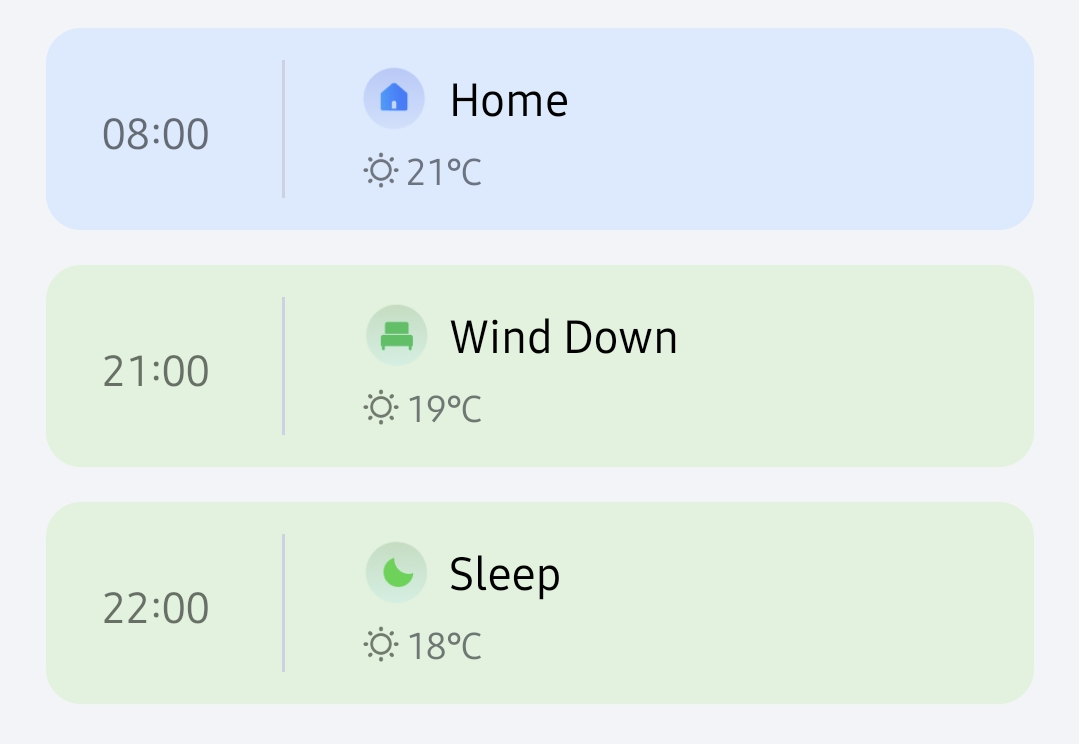
Could you share a screenshot of what it looks like when the target temperature changes (e.g. from 18°C to 22°C)?
That’s great news. I hope we can get the same behavior with the Thread firmware soon.
Could you share a screenshot of what it looks like when the target temperature changes (e.g. from 18°C to 22°C)?
Sorry
after the W600’s scheduling function failed again, I have decided to part ways with all 96 of my Aqara products.
Sorry, the reason for the scheduler crash has been found. If it appears, DO NOT click “Cancel”. This is a UX design issue. Aqara will soon optimize the interaction: when a preset smart schedule is detected, this pop-up window will be removed, and the preset schedule will be enabled by default.
I am not sure if it is so much better
Hi, are you using the W600 built-in thermometer?
Both of mine failed with automation today. We have very cold weather and wind, so I did a little manual preheating in the early hours. The valves are set to continue automation when the next period starts but that didn’t happen today. I have pressed yes to the pop-up and I use a W100 as thermometer and the valves are combined as a group with this. The one that failed yesterday keeps saying “abnormal temperature”.
Firmware is latest Zigbee beta
Hello, I would recommend that you, for the period of bug fixing (I understand that this should not be the case), dissolve the W600 group and bind one W100 to two thermostats (separately).
No, external, I will check if internal temperature sensor make some difference, but if there is option for external so it should work also.
Yeah these things are going back, even on the latest beta there is just no controlling them. Currently have 2 rooms set to low temperature (17c) and the radiators are blasting away. The connected room temp sensors show 20c.
Other times when a schedule is set open them up they don’t and the room is freezing.
Shame because the size and quiet operation is a bonus over the E1s but if they can’t do the basics they are useless.
I can confirm that. The latest beta version is better, but there are still too many bugs.
This morning, I increased the temperature from 18 to 19 degrees using the scheduler, but nothing happened. In the afternoon, I manually increased it to 20 degrees, but still nothing happened; the thermostat remained closed.
On the other hand, it sometimes happens that the target temperature (external) has already been reached and the thermostat suddenly runs at full power and heats the room to 24 degrees.
I also thought that the “device heating” switch would turn off the thermostat. But it just kept running! So I had to manually turn the temperature down significantly to stop it from heating.
My heating bill will be higher with the smart thermostats than without them, it seems to be pure coincidence what they do.
update 27.02.: once again… scheduler at 21,5 degrees, room temp. 22,7 degrees, still heating. WHY!
manually set to 20 degrees, still heating minutes later.
calibrated again, still heating minutes later.
I’m tearing my clothes off because I live in a sauna.
+1
Not that smart, actually.