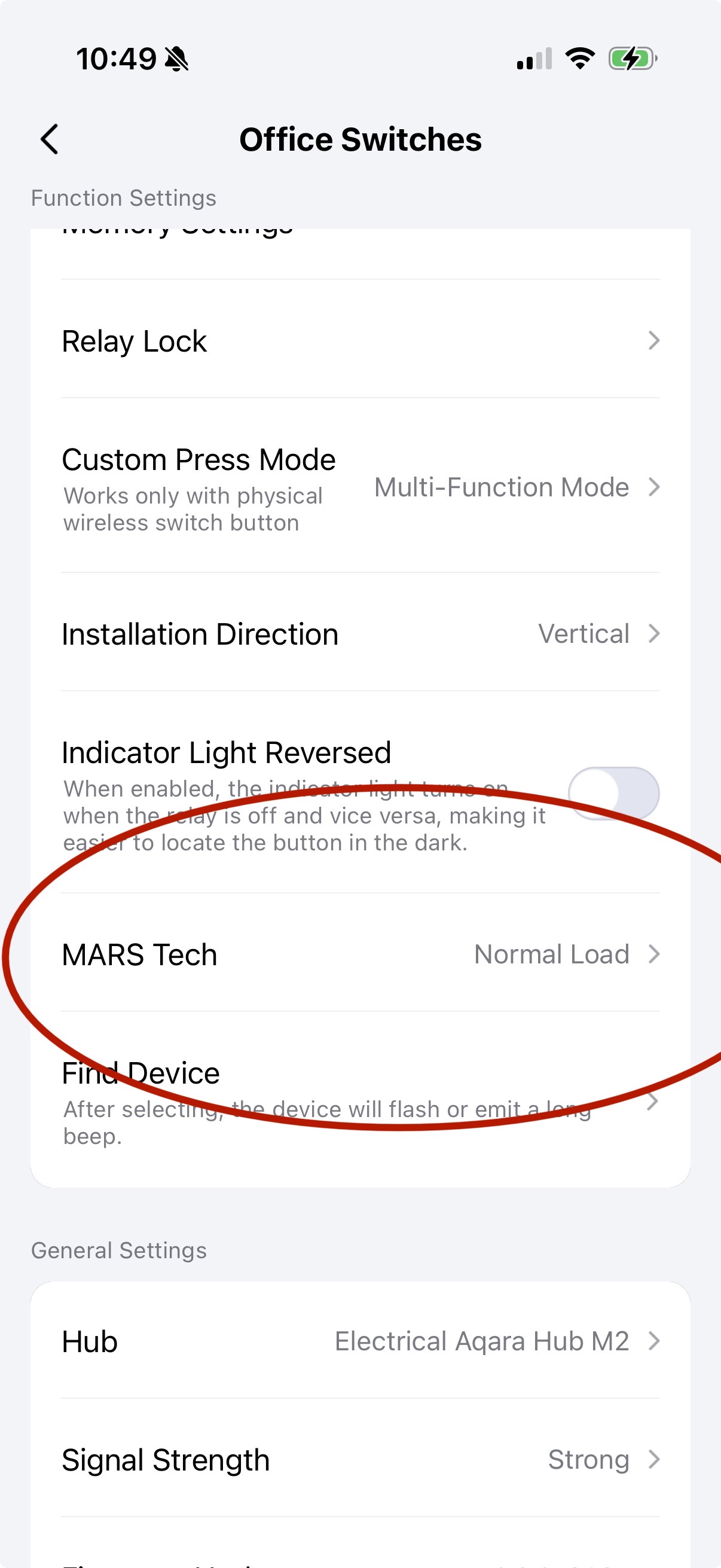
@AqaraBot i have a h2 light switch and aqara rgb bulbs attached. Im in zigbee mode for the switch and bulbs, but i can’t find where I enable mars tech . I’ve seen it in the past but can’t find it now. Help.
2 Likes
Hello, for general development. Here I described the option of connecting the H2 without Mars mode for smart lamps. Maybe you will like it. Setting up the H2 smart switch paired with a smart lamp. One of the connection options
2 Likes
i wonder why it’s not showing? It used to. Are there any prerequisites needed for it to work.
that option is missing. It used to be there ive seen it before. Are their prerequisites for it to become available? Everything is setup in zigbee mode
Maybe you installed H2 without a neutral wire?
yes that must be it. Strange, as the option was there before a firmware update.
Try turning on the smart lamp (software) and then physically turn off the switch. Perhaps the switch does not see enough phantom power supply voltage for itself (because there is no zero). If the lamp remains on (although without power), its resistance is different, then it imitates a capacitor compensator for H2. I had such a situation 5 years ago, the switch went online (Aqara).
After these manipulations, check if the Mars setting appears.
Hello @srrae This is because your switch is connected without a neutral conductor, but there’s a little life hack. Temporarily connect the switch with a neutral conductor, reset the switch, and add it back to the app. Disconnect power from the switch, reconnect the switch but without the neutral conductor, and Mars Tech mode will remain available.
2 Likes