Dear Valued Users,
We are truly honored by the overwhelming love and support for the Aqara Thermostat Hub W200 since its launch. Many of you have asked about compatibility before purchasing. To help you verify suitability easily, we’ve prepared the official compatibility checker and solutions for standard & special wiring scenarios below.
Official Compatibility Checker (Recommended)
Check if W200 works with your system:Thermostat Hub W200 Compatibility Checker | Aqara
If the checker advises contacting support, please review these common user cases first. We will keep updating more wiring guides.
Frequently Asked Wiring Questions
-
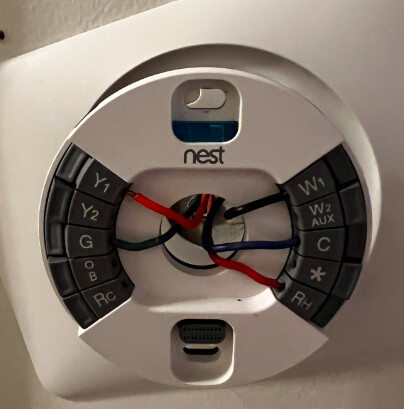
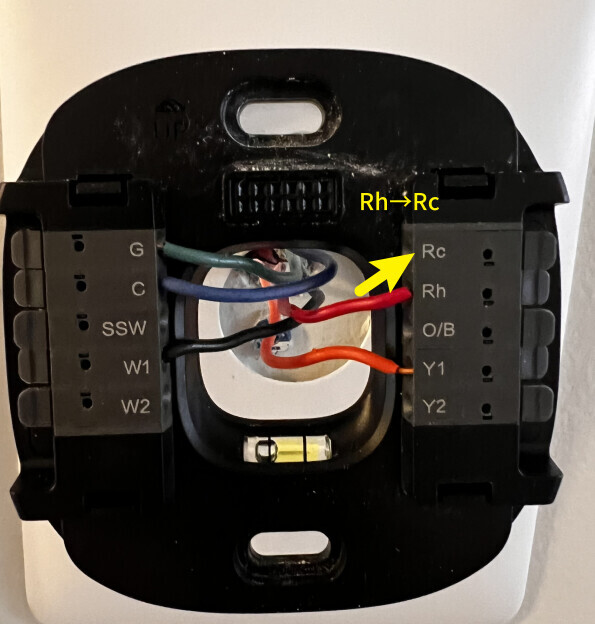
My W200 has no power. I replaced a Nest thermostat with wiring: Rh, C, G, Y, W. It won’t set up.
Answer: Move the Rh wire to the Rc terminal for power. W200 uses the Rc terminal for single‑wire power input.
-
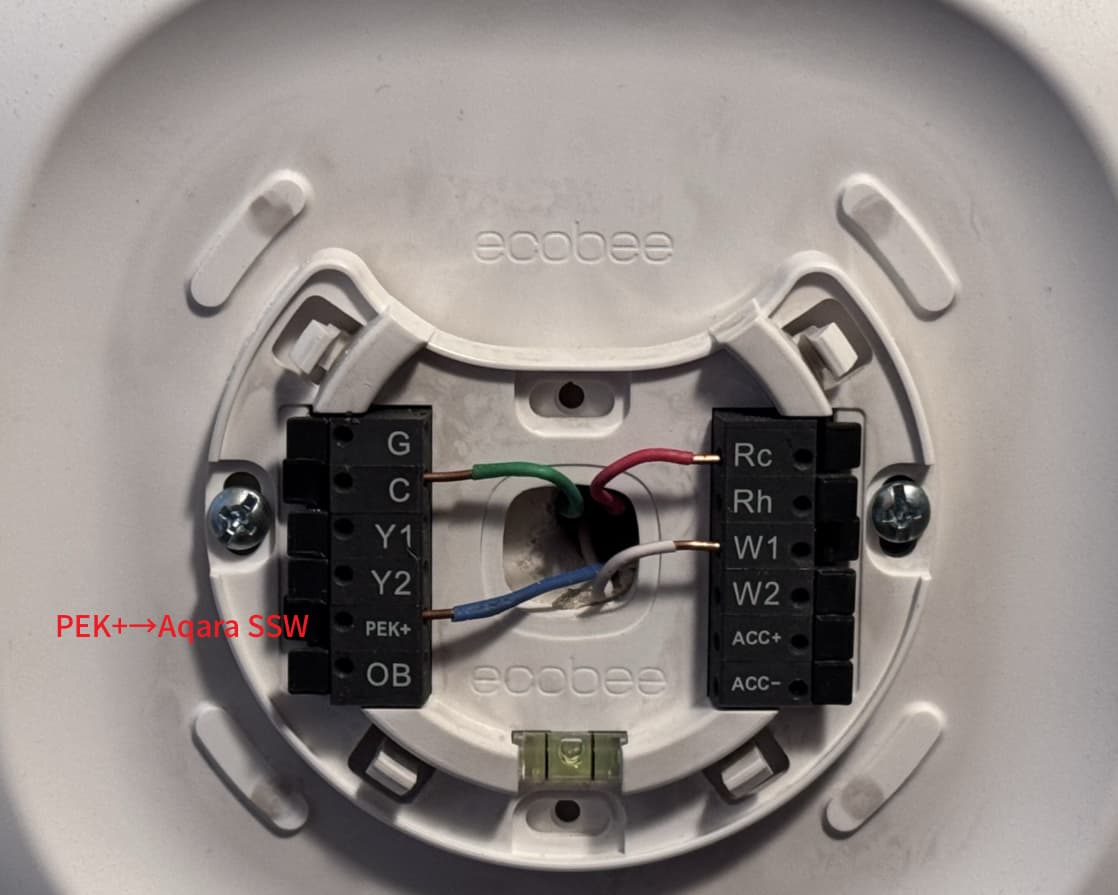
I use an Ecobee thermostat with its own C‑wire Adapter. Do I need to buy the Aqara C‑Wire Adapter?
Answer: No additional purchase is needed. Simply connect the Pek+ wire to the SSW terminal on your Aqara W200.
-
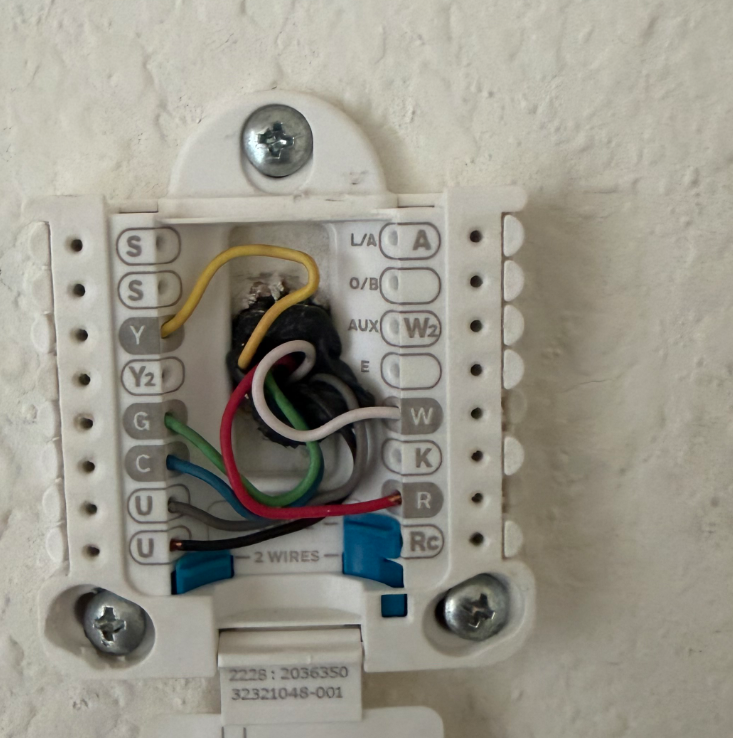
My old thermostat has a U terminal. Will it work with W200?
Answer: W200 does not support the U terminal (used for humidifiers/dehumidifiers; labeled ACC+/ACC‑ on some brands).Solution: Insulate the U wires with electrical tape and do not connect them to W200. The thermostat will work, but humidifier/dehumidifier control will be unavailable.
-
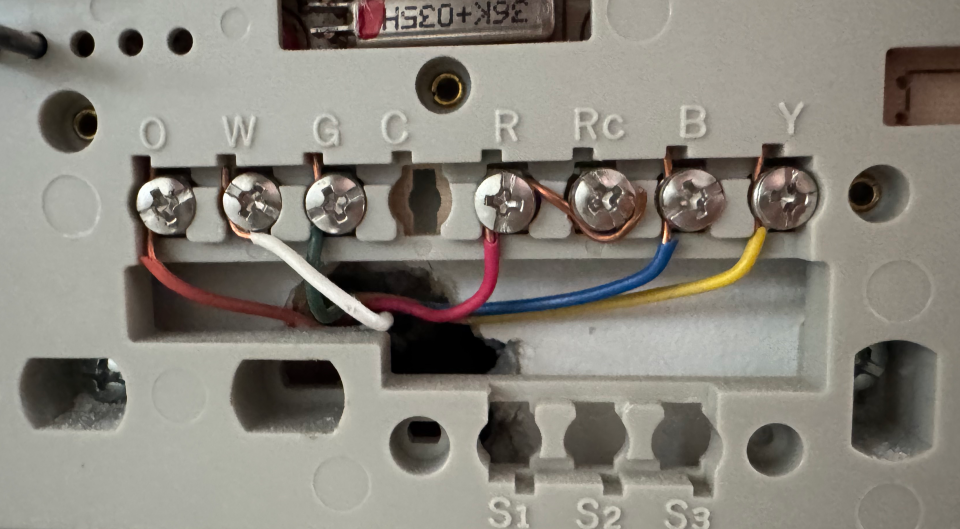
My wiring includes a blue B wire. Is it compatible?
Answer: Yes. The blue B wire functions the same as a C wire. Connect the B wire to the C terminal on W200.
-
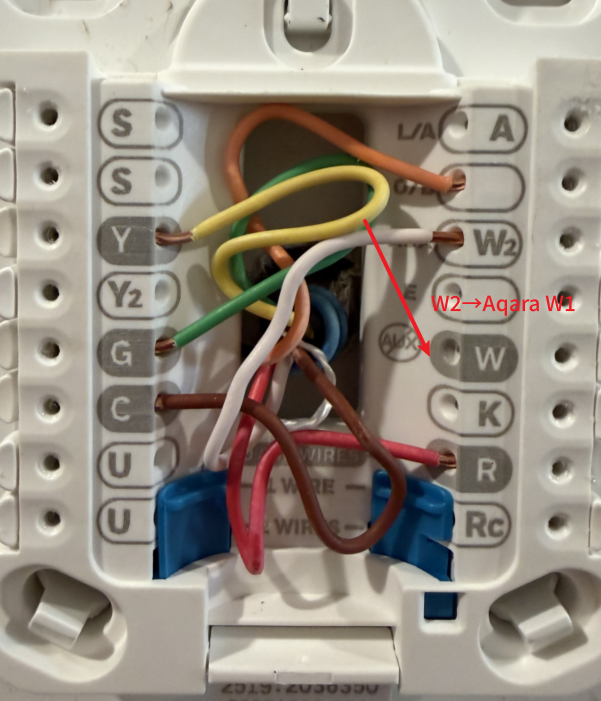
My old thermostat has a W2 wire. How do I wire it for auxiliary heat?
Answer: If you only have W2 (no W wire), connect the W2 wire to the W1 terminal. Leave all other connections as normal.