As far as I can tell there is no way to encode the constraint that an automation should only cause an action when it occurs between two times, e.g. “between 10pm and 5am”.
I would like to be able to use this in an IF block, although in WHEN would also be ok (but cumbersome because it would need to be set for all members of the WHEN).
Hello, maybe I don’t understand something, but you can do this using an additional automation that will launch a trigger in the main automation. I do it like this in some automations. At 05.00 the socket is On. And in the second automation, if the socket is On and … then …
I think I understand what he means, but I’m not completely sure.
I have an automation that’s triggered when someone is detected by the FP2, but only if the light level is below 30 lux.
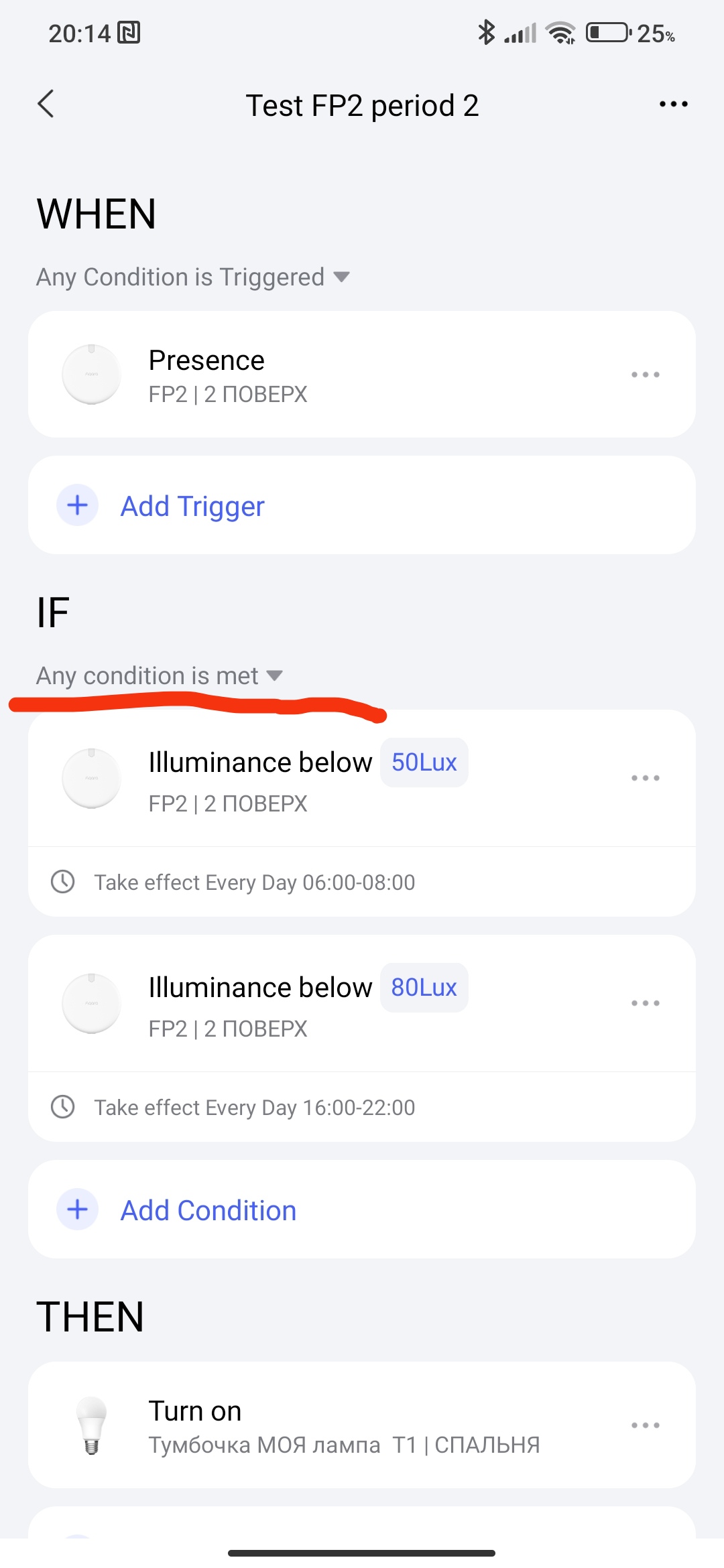
Since the lighting conditions vary a bit between morning and evening, I wanted to define different conditions depending on the time of day - for example:
Between 00:00 and 12:00 → if the light level is below 20 lux
Between 12:00 and 00:00 → if the light level is below 30 lux
The automation should run if any of these conditions are met.
Unfortunately, that didn’t work - the automation didn’t trigger anymore.
I hope that makes sense. If not, I can share some screenshots (in German) to explain it better.
OMG i was shock to find out this options are not available.
for example i wand the lights to be bright during the daytime and gets dimmer as it gets late at night. but there is no way to set this without turning on the light.
If we have this in between time option, it will resolve this issue.
I am thingking about moving to Home Assistant just be able to setup light brightness and temporature by different time of the day without turning on the light.
THIS IS VERY CRUCIAL update required for Aqara Home
So basically, it’s possible.
You can check out gafich10’s tutorial for a detailed walkthrough:
I use an Aqara Roller Shade Motor E1 to control semi-transparent roller blinds.
When I press a button on my Aqara Wireless Remote Switch H1, an automation lowers the blinds to 2% during the day to let in some light, and fully closes them in the evening, always after airing the room. And this is implemented with the “between time” option.
But I believe a problem occurs when different time ranges are used for the same condition in the “if” section.
Yeah sorry I’m sick of stupid work arounds. I’m not going to once again make an on/off fake variable automation to mean “between these two times”
“Between two times” is such an obvious thing to support in the IF block I’m astounded that Aqara didn’t add it to V2. It fits in perfectly with the V2 WHEN/IF split.
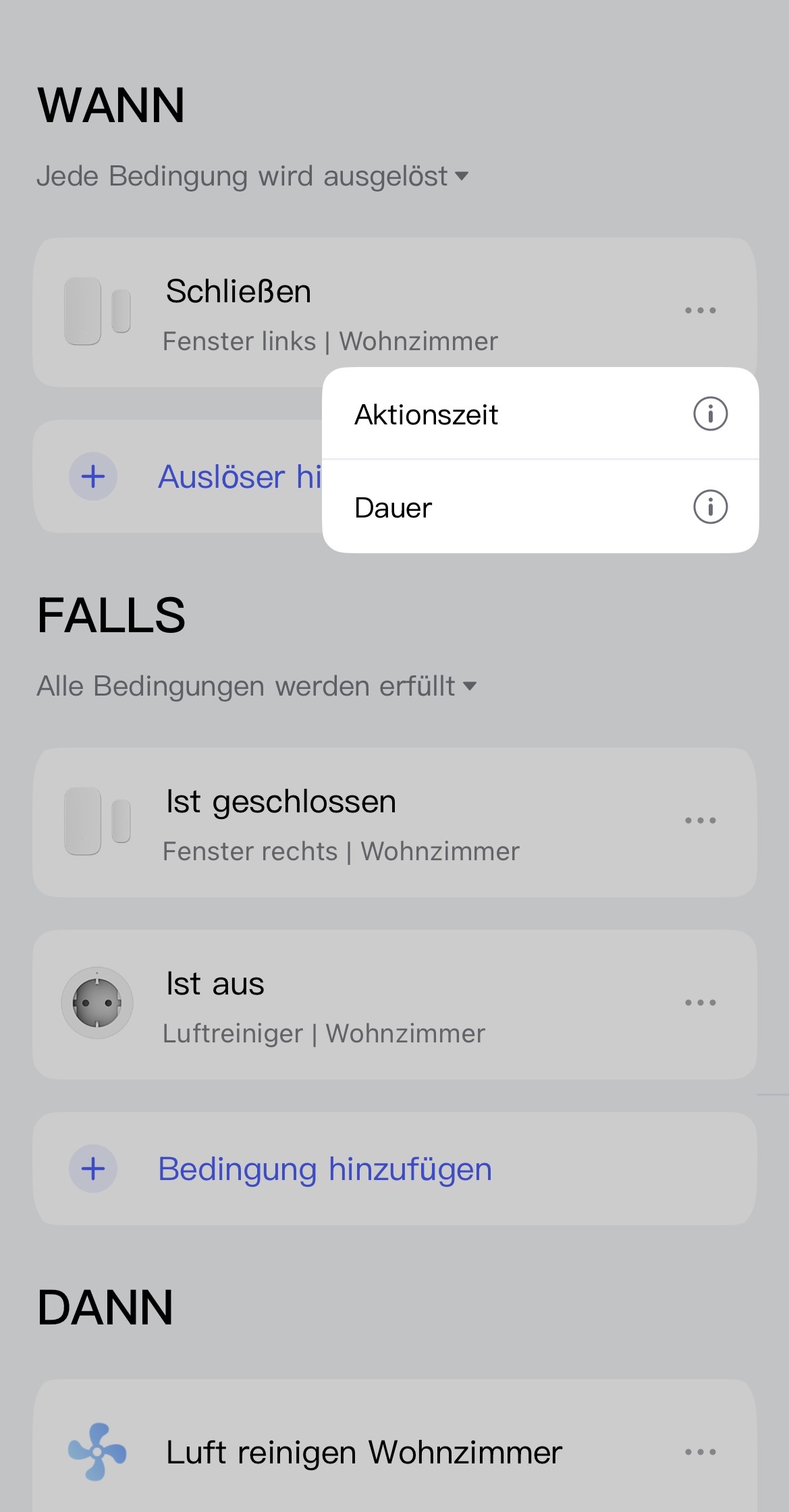
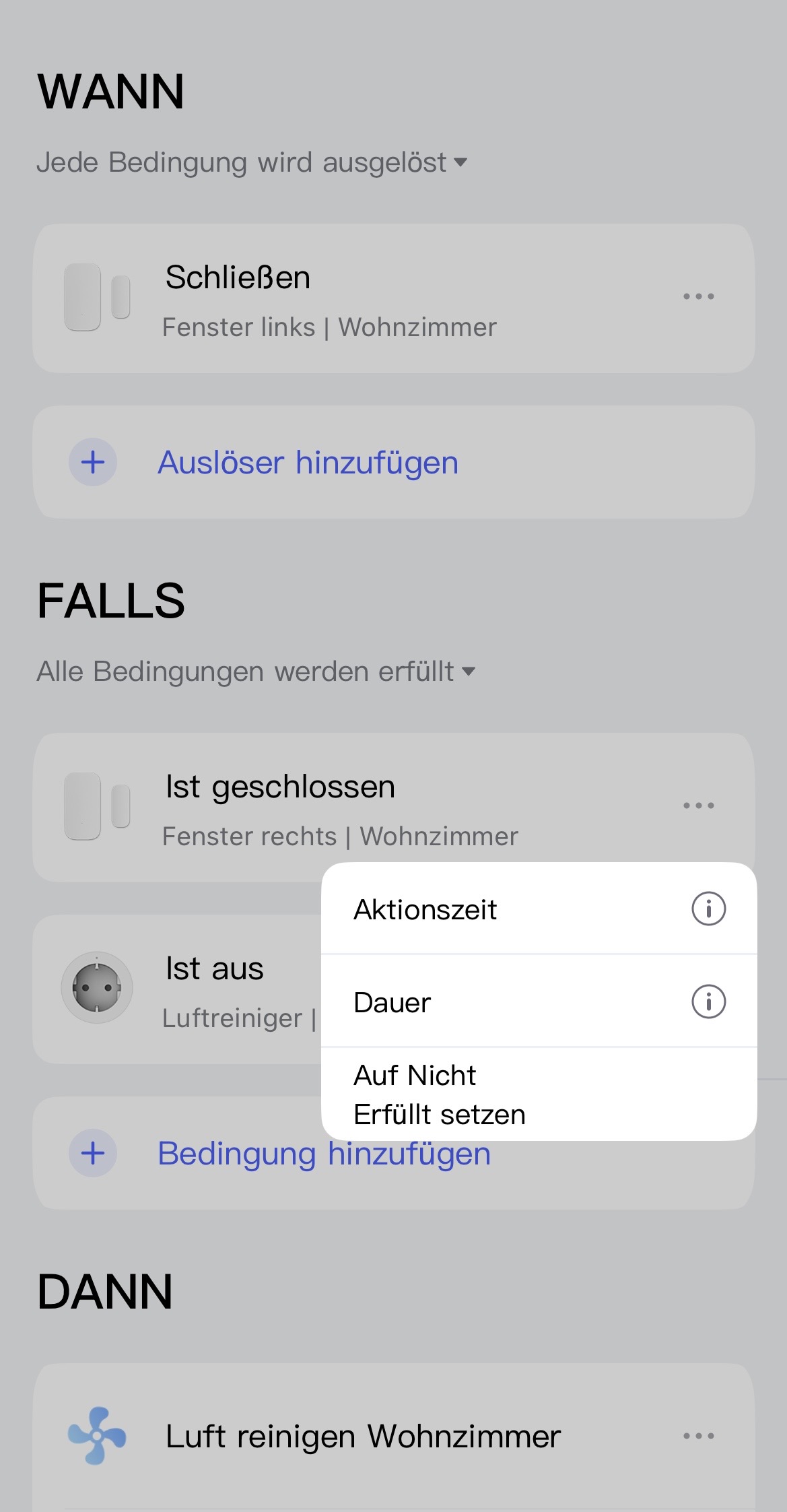
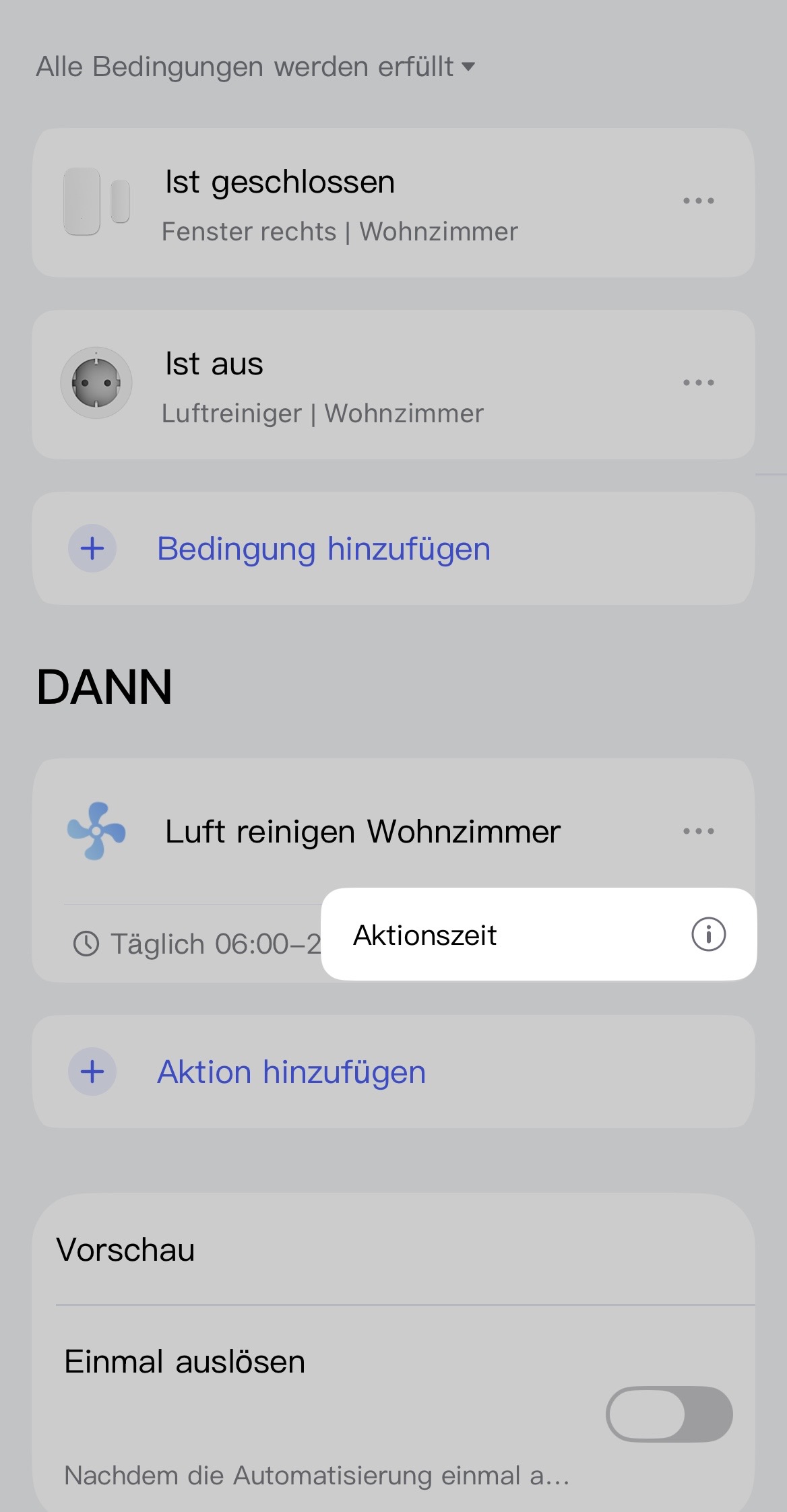
The three dots → acting time is in the THEN block, which isn’t what I want - I want a single ‘time range’ restriction in the IF block before the multiple THEN options.
I’m not adding an acting time to a condition in the IF block, the IF block is empty. The when block is the trigger and the THEN conditions contains multiple downstream actions.
I’m also not interested in duplicating the WHEN trigger into the IF block for the sole purpose of adding acting time. This reminds me of the stupid dance required to recreate IF (all conditions) from V1.
It’s much cleaner to have as a stand alone IF (between time) gate in the IF block.
Okay, I would have just done it that way and added a condition that is always true and set an action time. For example, a condition that checks whether an automation is active that I never deactivate. That’s certainly not a clean solution, but as long as there is no solution, it’s at least one.
Otherwise, I think your suggestion is good and hope that it will be implemented at some point.
Incidentally, I find the behavior of the action time somewhat illogical. If I have a true condition and set a time for it, I would have expected the condition to be checked only at the set time. However, it seems that the condition is is set to false outside the set time. Therefore, something like
Between 00:00 and 12:00 → if the light level is below 20 lux
Between 12:00 and 00:00 → if the light level is below 30 lux
is impossible if just one more conditions must be met and if it’s set to “all conditions must be met”. Because one of the two conditions is always false.
Thanks. Yeah I already use a number of “fake” automations to share state between automations, or to do thinks like range checks like ‘time between’ (as you said, create a fake automation and then it’s enable/disable state as a variable in IF). I just don’t want another one of these work arounds here.
It just frustrated me that elevating acting time up to a first class concept for the IF block was not considered. It’s better from a functionality perspective, and a much better user experience.
nzjrs is talking about a “time-from-to” condition that can be added directly to the IF statement without any other condition.
And yes, that’s exactly the kind of automation I’m referring to.
But it’s not working as I initially expected.
I think I finally figured out why my automation behaves the way it does.
I ran two simple tests:
Test 1
Trigger: Every day at 19:00
Condition:
Automation is enabled (always true)
Action time: between 18:00 and 20:00
Action: Turn on the light
Result:
The light turned on at 19:00 as expected.
Test 2
Trigger: Every day at 20:00
Condition:
Automation is enabled (always true)
Action time: between 15:00 and 16:00
Action: Turn on the light
Result:
The light did not turn on.
Conclusion
At first, I thought the “action time” condition simply meant that it would only be checked during the specified time range - and outside that range, it would just be ignored.
If that were true, both automations should have turned on the light.
However, that’s not how it works. Outside the defined time range, the condition evaluates to “false”.
Because of that, the automation doesn’t run at all when the trigger fires outside that window.
Yes, the IF and WHEN actions are checked for two conditions, triggering and period compliance. If there is a triggering and the period is outside the time frame, then the automation does not work (it goes back to standby mode).
@nzjrs the easiest workaround I can think of, is to create a separate automation that turns the actual automation on and off depending of the time. Not nice but it does the trick